 ProMapRanker
AI Tool for Designing School Worksheets: Best Picks of 2026


CEFR-aligned language worksheets and exercises · Pricing starts at: $6.50 per month (billed yearly)
Direct answer
If you need CEFR-aligned language worksheets and exercises, Twee is the first tool to look at here. Listed starting prices: Twee from $6.50 per month, Teachmate from $15.99 a month and Education.com from $15.99 a month. If your case is different, Teachmate suits unlimited worksheet generation for one teacher and Curipod suits weekly writing practice with instant feedback. Details, prices and limits for the rest of the 6 tools are below.
Choosing AI tool for designing school worksheets usually comes down to price, fit and limits. This ProMapRanker guide sets 6 tools side by side on those three points, with the facts kept short and checkable.
Key takeaways
- Twee sits first on this list: CEFR-aligned language worksheets and exercises.
- Before buying Teachmate, weigh this: Pro annual renews at $140.00 a year after a $116.28 first year.
- Canva is the one to check for print-ready worksheet design and templates.
- A free plan is available from 5 of the 6 tools: Teachmate, Curipod, Education.com, MagicSchool AI, Canva.
Quick comparison
| Pick | Great for | Pricing starts at | Free tier | |
|---|---|---|---|---|
| Twee | CEFR-aligned language worksheets and exercises | $6.50 per month (billed yearly) | Free trial | Visit |
 Teachmate | Unlimited worksheet generation for one teacher | $15.99 a month (billed monthly) | Yes | Visit |
 Curipod | Weekly writing practice with instant feedback | Quote only | Yes | Visit |
 Education.com | Ready-made worksheets for Pre-K to grade 8 | $15.99 a month (billed per month) | Yes | Visit |
 MagicSchool AI | Generating worksheet questions and lesson text | $12.99 per user/month (billed per month) | Yes | Visit |
 Canva | Print-ready worksheet design and templates | $18 a month (billed per month) | Yes | Visit |
AI Tool for Designing School Worksheets compared in detail
Twee is designed for CEFR-aligned language worksheets and exercises. Twee supports 10 languages and CEFR levels A1 to C2, with tools for fill-in-the-gap passages, dialogues, and vocabulary matching.
What works well: CEFR levels A1 to C2 across 10 languages; Google Forms.
That is enough to test one exercise type, but not enough to plan a unit. Twee starts at: $6.50 per month. On free options: Free trial.
Watch-outs: or social studies worksheet tools; Free trial provides only 5 runs, so it will not handle a full unit.
- Pro layers on AI checking of student responses and PDF
- More than 40 tools made for language teaching
- Language teaching only, with no science, math
Teachmate targets unlimited worksheet generation for one teacher. Teachmate, formerly TeachMateAI, is built around a large library of teacher tools.
Trade-offs to know: Build a Worksheet is not on the free plan.
On top of that, build a Worksheet sits on Pro, so a teacher on the free plan cannot produce unlimited worksheets without upgrading. Teachmate pricing: $15.99 per month. Teachmate has a free plan.
- Pro contains unlimited worksheet generations and unlimited refinements
- 160 tools in the full library
- Pro annual renews at $140.00 per year after a $116.28 first year
Curipod was built for weekly writing practice with instant feedback. The free plan costs $0 per month for every teacher. It includes weekly writing sessions that renew every week, unlimited student writers, standards alignment, and instant Glow and Grow feedback on student writing.
Limits to weigh: Free student responses are capped at 1,000 characters; PDF downloads, growth reports.
Students write, get feedback in seconds, discuss, and revise, without creating accounts, and no student or teacher data is used to train AI models. The free limit to plan around is length: each student response is capped at 1,000 characters on the free plan, against 5,000 characters on the school Beyond that, Curipod has narrowed its focus to writing practice. Curipod sells by quote instead of a published price. You can start on Curipod without paying.
Where Curipod stands out: weekly writing sessions renew every week.
- Free plan costs $0 for every teacher with unlimited student writers
- No student accounts are needed
- Single sign-on need a school or district plan
Think of Education.com for ready-made worksheets for Pre-K to grade 8. Premium layers on unlimited access to the full library and per-student progress insights.
Where it falls short: Free Basic plan is restricted to 3 downloads per month.
The site covers Pre-K to grade 8, with more than 40,000 teacher-created worksheets, digital games, practical activities, and guided lesson playlists. Price to start with Education.com: $15.99 per month. A free plan is available with Education.com.
- Difficulty settings
- Premium adds unlimited access and progress insights
- Annual Premium renews at $119.88 per year after an introductory year near $59.88

MagicSchool AI is aimed squarely at generating worksheet questions and lesson text. Enterprise is a custom quote for schools and districts, and it brings admin dashboards, single sign-on, and learning management system integrations.
Price to start with MagicSchool AI: $12.99 per user/month. MagicSchool AI offers a free plan.
The main drawbacks: most student tools need Plus.
- Plus layers on unlimited generations and output history
- 50-plus student tools on Plus
- Free plan generations are capped and past outputs are not saved
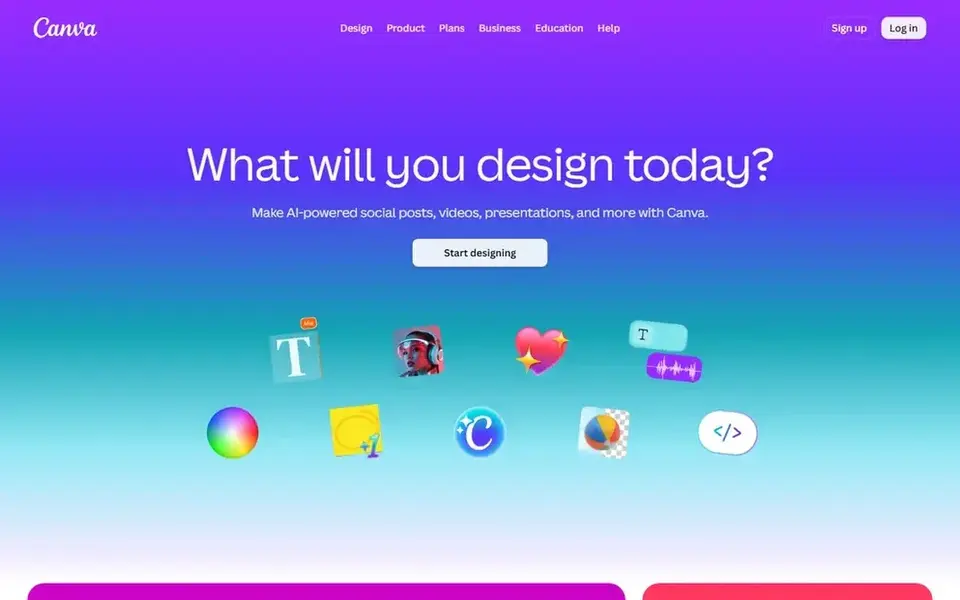
Canva works best for print-ready worksheet design and templates. The free plan bundles templates, stock assets, and 5GB of storage.
Watch-outs: premium AI uses are capped by a monthly allowance.
Beyond that, Pro spans one person only, so teachers who require shared folders and approvals need Business at $25 per person per month, or $250 per person per year. In daily use, Canva for Education is free for eligible primary and secondary teachers and schools, so check eligibility before buying Pro. Starting cost for Canva: $18 per month. Canva offers a free plan.
- Free plan with templates and stock assets
- Print-ready layout and export controls
- Pro is for one person only, so a shared team needs Business at $25 per person/month
How the list was put together
Selection started from tools commonly considered for AI tool for designing school worksheets, then narrowed to 6 that have clear pricing information or a clear quote process. Prices and plan limits come from vendor pages and can change, so confirm them on the vendor site before you buy. The order reflects how well each tool fits the most common buying scenario for AI tool for designing school worksheets, then price clarity, then free plan access. It is a starting point, not a verdict.
Pre-purchase checklist
- Get a written quote from Curipod; the list shows no starting price for them.
- Look at free plan limits closely: Teachmate, Curipod, Education.com and others have one, and the caps decide whether it is usable for real work.
- Use real work to test the free trial from Twee, rather than a demo project.
- Before choosing Twee, weigh its main limit: free trial provides only 5 runs, so it will not include a full unit.
- Check how data leaves Education.com: formats, limits and whether exports are available on every plan.
- Confirm that Curipod connects to the apps your team already uses, on the plan you would actually buy.
Frequently asked questions
How much does the best ai tool for designing school worksheets cost?
For most readers this guide would start with Twee, built for CEFR-aligned language worksheets and exercises. Teachmate is the alternative for unlimited worksheet generation for one teacher, and Curipod for weekly writing practice with instant feedback. The right answer depends on budget and workflow.
Can I try these tools before paying?
Often, yes. Teachmate, Curipod, Education.com and others have a free plan and Twee offers a free trial. Use your own data and a real task during the test, and check what the free tier or trial limits before you rely on it.
Which options for AI tool for designing school worksheets have a free plan?
Teachmate, Curipod, Education.com, MagicSchool AI and Canva offer a free plan in this list. Free plans usually cap users, projects or features, so check the limits on the vendor page. One other tool offers a trial instead.
Is Twee the right pick for everyone comparing AI tool for designing school worksheets?
No single tool suits every team. Twee comes first because it fits CEFR-aligned language worksheets and exercises, while Teachmate suits unlimited worksheet generation for one teacher and Curipod suits weekly writing practice with instant feedback. Match the tool to your own size, budget and workflow before deciding.
What is the best ai tool for designing school worksheets?
Twee comes first here and is built for CEFR-aligned language worksheets and exercises. Buyers with other needs may prefer Teachmate (for unlimited worksheet generation for one teacher) or Curipod (for weekly writing practice with instant feedback). Compare costs and limits first.
Which tool is a good match for leveled worksheets for mixed-ability classes?
Twee is the pick this page puts first, mainly for CEFR-aligned language worksheets and exercises. If your situation differs, Teachmate suits unlimited worksheet generation for one teacher, and Curipod suits weekly writing practice with instant feedback. Compare price and limits before you decide.
Sources
See where you really rank - block by block
ProMapRanker scans Google Maps across a grid of your service area. Simple monthly plans from $19, white-label on every plan.
Start freeBrowse all guides
← AI Text Effects App for Designers in 2026: Top 6 ComparedAI Upscaling Software: Best Picks of 2026 →
 best ai photo editing and culling software
AI Photo Editing and Culling Software: Best Picks of 2026
Weighing the best AI photo editing and culling software? We lined up 6 products by cost, free access and fit. Pros and cons for every tool. Details below.
Read → best ai tools to animate still photos
Best AI Tools to Animate Still Photos (2026)
Shortlisting the best AI tools to animate still photos? 5 products compared on cost, free access and ideal buyer. Each profile ends with a plain caveat.
Read → best software for ai photo culling and retouching
Best Software for AI Photo Culling and Retouching in 2026
Weighing the best software for AI photo culling and retouching? We lined up 6 products by cost, free access and fit. Prices and drawbacks included. Facts only.
Read → best professional photo editing software
Best Professional Photo Editing Software in 2026
Compare the best professional photo editing software for RAW workflow, retouching, and studio work, with current prices, free plans, and honest trade-offs.
Read → shutterfly alternatives
Best Shutterfly Alternatives in 2026
Looking for shutterfly alternatives? We compare 9 photo book and print services on book quality, design tools, starting prices and delivery options today.
Read → best photo editing software for pc
Best Photo Editing Software for PC in 2026
Compare the best photo editing software for PC in 2026, from free editors to pro RAW tools, with pricing, strengths, and honest trade-offs for Windows users.
Read →More in Design & Creative · All guides A to Z by date · Latest guides