 ProMapRanker
Best Professional Photo Editing Software in 2026


Large libraries and cloud editing · Pricing starts at: $11.99 per month
Key takeaways
- Lightroom remains the default for large libraries and cloud editing, while Photoshop remains the default for deep retouching and compositing.
- Capture One suits studio and tethered work, while DxO PhotoLab suits photographers who want maximum RAW quality.
- Affinity Photo, now free under Canva, is the strongest no-cost pixel editor, and ON1 and Luminar suit buyers who want to avoid a subscription.
- Choose a RAW workflow tool and a pixel editor as a pair, rather than expecting one app to do every job perfectly.
Quick comparison
| Pick | Great for | Pricing starts at | Free tier | |
|---|---|---|---|---|
| Adobe Lightroom | Large libraries and cloud editing | $11.99 per month | Free trial | Visit |
 Adobe Photoshop | Retouching and compositing | $19.99 per month | Free trial | Visit |
 Capture One | Studio and tethered shooting | $18 per month | Free trial | Visit |
 DxO PhotoLab | Maximum RAW image quality | See website | Free trial | Visit |
 Luminar Neo | Fast AI-assisted editing | $119 one-time | Free trial | Visit |
 Affinity Photo | Full pixel editing without a subscription | Free | Yes | Visit |
 ON1 Photo RAW | All-in-one organizing and editing | $99.99 one-time | Free trial | Visit |
 Pixelmator Pro | Native Mac editing | $49.99 one-time | Free trial | Visit |
 Corel PaintShop Pro | Budget Windows editing | See website | Free trial | Visit |
The best professional photo editing software
We compared RAW workflow tools and pixel editors separately, since professionals usually need both, and we weighed price, tethering, library tools, and export quality.
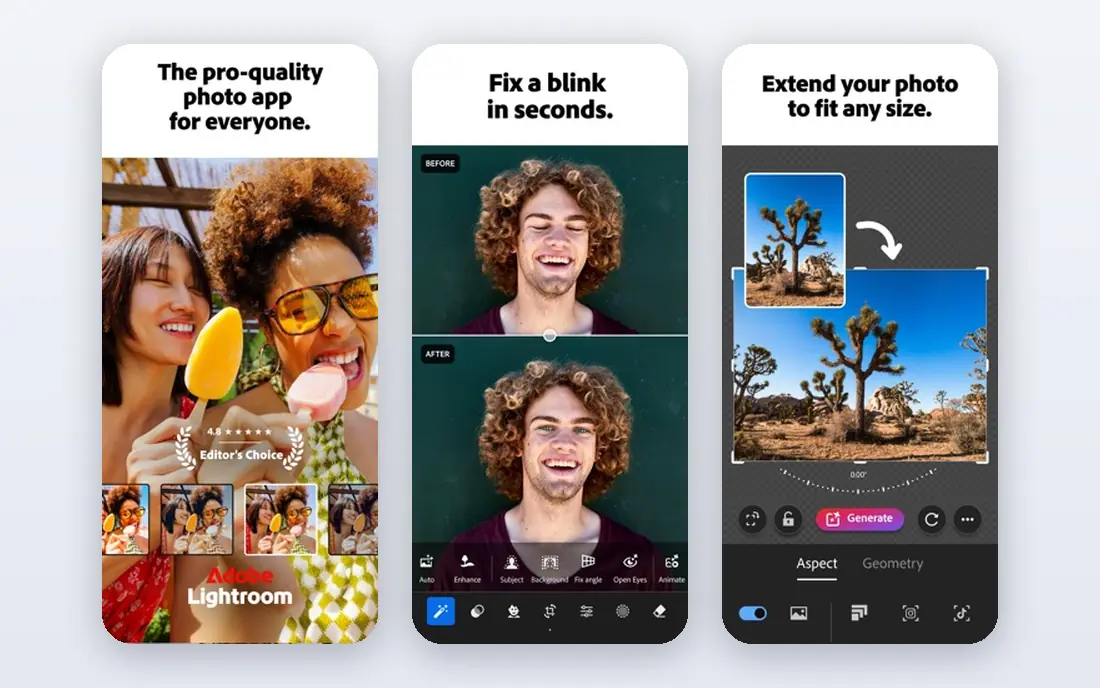
Lightroom is the default for photographers who shoot a lot and need to find, cull, and edit images quickly. Its catalog and cloud sync let you start an edit on a desktop, continue on a phone, and deliver from either device, which suits wedding, event, and travel photographers. Presets, masking tools, and batch edits help keep a large set of images consistent, which matters more than any single filter.
The subscription is the main drawback, and Lightroom alone will not replace Photoshop for complex retouching or compositing. The Photography plan, which pairs Lightroom with Photoshop, is the better value for most professionals, even though it costs more than Lightroom alone. If you manage thousands of images a year, Lightroom's library tools justify the monthly price.
- Strong library organization and cloud sync
- Consistent RAW processing
- Mobile and desktop editing in one plan
- Subscription only
- Advanced retouching still needs Photoshop

Photoshop is the tool professionals turn to when an image needs more than exposure and color work. Skin retouching, object removal, compositing, and precise selections are its core strengths, and its layer system gives full control over each change. Clients and studios often expect Photoshop files, which makes it a practical standard even when another editor could do a simpler job.
Photoshop is not the best library tool, and it is slower than Lightroom for culling and batch editing a large shoot. Most professionals use the two together: Lightroom for the shoot, Photoshop for the hero images. The Photography plan covers both, so price Photoshop as part of that pair rather than as a standalone purchase.
- Deepest retouching, masking, and compositing tools
- Broad plugin and format support
- Industry standard for client files
- Subscription only
- Overkill for simple RAW edits and library work
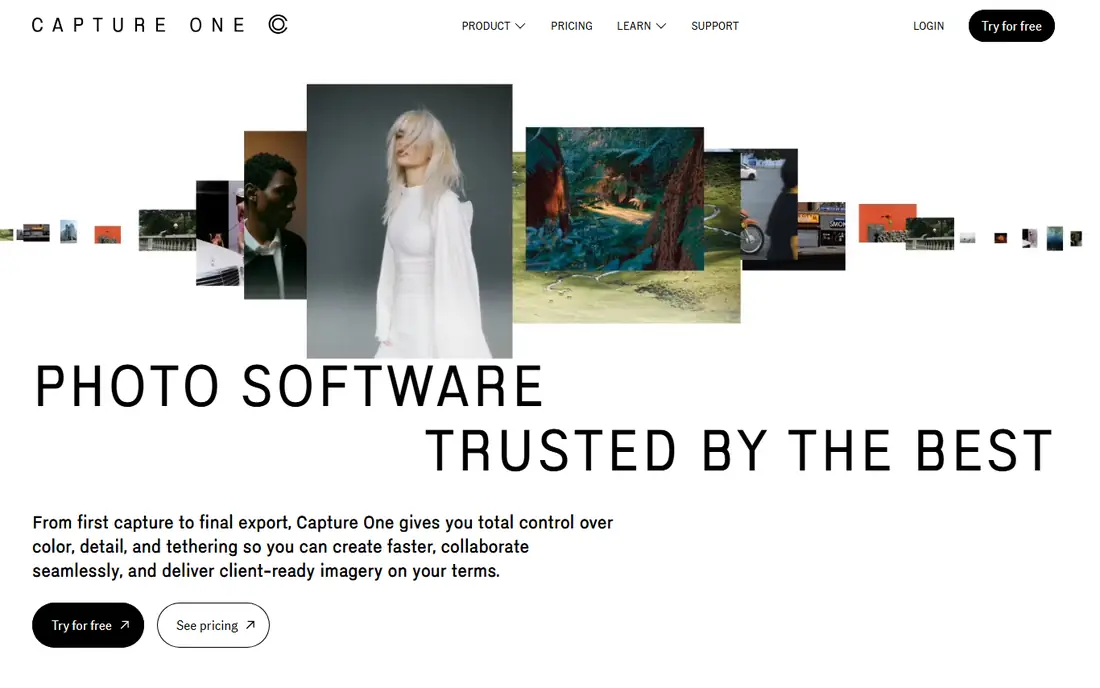
Capture One is the studio pick for a reason: tethered shooting feels fast and reliable, and color grading tools give precise control over skin tones and product colors. Sessions organize a shoot by job rather than by a large catalog, which suits commercial photographers who deliver one client at a time. Live view and capture controls help a photographer and a client review images on set, rather than after the shoot.
The monthly price is higher than Lightroom, and switching from Adobe means learning new shortcuts and a different library model. A perpetual license option helps buyers who dislike subscriptions, though upgrade pricing applies to future major versions. For studio, fashion, and product work, Capture One earns its price.
- Excellent tethered shooting and color tools
- Strong session workflow for studio work
- Perpetual license option
- Higher monthly price than Lightroom
- Learning curve for photographers used to Adobe tools
DxO PhotoLab is the pick for photographers who judge an editor by the final file, not by the catalog. Its RAW processing, noise reduction, and automatic lens corrections produce clean images from high-ISO files and from lenses with known optical flaws. That quality matters for low-light work, wildlife, and any shoot where you cannot reshoot a noisy frame.
Library tools are lighter than Lightroom, so many DxO users organize in another app or in folders and use PhotoLab for processing. Pricing varies by edition, so check the vendor site for the current Elite and standard options before you buy. If image quality is your first priority and you already have a folder workflow, DxO is a strong choice.
- Strong noise reduction and lens corrections
- High-quality RAW processing
- Perpetual license option
- Library and organizing tools are thinner than Lightroom
- Price varies by edition
Luminar Neo suits photographers who want a polished result quickly, without building every edit by hand. Its AI tools can replace a sky, enhance a portrait, or adjust lighting in a few clicks, which helps social, real estate, and portrait photographers who deliver many images on a deadline. The interface is simpler than a full RAW workflow tool, so beginners reach a good result faster.
The trade-off is control. Fine-grained masking and color work are possible, but they are not as deep as Capture One or Lightroom, and some advanced AI features sit behind additional plans. A perpetual license option exists, so check what it includes before you buy. Luminar works best as a fast editor, or as a second tool alongside a deeper RAW workflow.
- Fast AI tools for skies, portraits, and relighting
- Simple interface for quick edits
- Perpetual license option
- Less precise manual control than Lightroom or Capture One
- Some AI tools need a subscription add-on
Affinity Photo is the biggest value change in this category in 2026, because Canva now offers the core app free. You get layer-based editing, retouching, masking, and compositing tools that cover most Photoshop tasks for still images, without a monthly bill. For students, freelancers, and small studios, that removes the main barrier to professional-grade pixel editing.
Affinity is not a full Lightroom replacement, since its library and batch RAW workflow are thinner. Many photographers pair it with a RAW processor or with Apple Photos and use Affinity for the final edit. Check current Canva terms for any paid extras, but the core editor itself is a genuine free option, not a trial.
- Full layer-based editing at no cost under Canva
- Strong retouching and compositing tools
- No subscription required
- Library and RAW workflow tools are thinner than Lightroom
- Plugin support differs from Photoshop
ON1 Photo RAW suits photographers who want Lightroom-style organizing and editing without a subscription. It browses folders directly, so you do not need to import a catalog before you start, and it covers RAW processing, layers, effects, and portrait tools in one purchase. That all-in-one model appeals to enthusiasts and professionals who dislike juggling two apps for every shoot.
The interface holds a lot of tools, and new users may need time to find the workflow that suits them. Studio tethering is not its strength, so commercial studio photographers should still look at Capture One. For a single-purchase editor that covers most of a shoot from browsing to export, ON1 is a fair deal.
- Organizing, RAW editing, and effects in one app
- Perpetual license option
- No catalog import required
- Interface can feel busy
- Tethering and studio tools are thinner than Capture One
Pixelmator Pro is the best Mac-only pick in this list, because it feels built for macOS rather than ported to it. It opens quickly, uses Mac hardware well, and offers layer editing, retouching, and machine-learning tools such as background removal in a clean interface. The one-time price is also easy to justify for a photographer who edits on a Mac and does not want a subscription.
The limits are platform and workflow. There is no Windows version, and photographers with large libraries may still need a separate organizer. Pair Pixelmator Pro with a RAW workflow tool or with Apple Photos for library work, and use it for the final pixel edit. For Mac users who want a fast, affordable Photoshop alternative, it is a strong fit.
- Fast native Mac performance
- Clean interface
- One-time purchase with machine-learning tools
- Mac only
- RAW workflow and library tools are thinner than Lightroom
PaintShop Pro has long been the budget Windows alternative to Photoshop, and it still covers layers, retouching, text, and photo effects in a single purchase. Its AI tools help with portrait enhancement and background work, and its price sits well below a yearly subscription for photographers who edit on Windows. For a hobbyist turning professional, or a small business owner who edits product photos, that value matters.
PaintShop Pro is not a studio tethering tool, and its RAW workflow is thinner than Lightroom. Check the current version and price on the vendor site, since Corel sells different editions and bundles. If you work on Windows and want a one-time purchase for pixel editing, PaintShop Pro deserves a trial before you commit to a subscription.
- Full pixel editing and photo tools at a low one-time price
- AI tools for portraits and backgrounds
- Windows only focus
- Windows only
- RAW workflow depth is thinner than Lightroom or Capture One
- Newer features vary by version
How we picked these
We compared official pricing pages, feature lists, and public reviews, and we favored tools that are still sold and supported in October 2026 for professional use. We included both subscription and one-time purchase options, and both RAW workflow tools and pixel editors, since professionals usually need one of each. We did not claim hands-on testing, and we left prices as See website where editions or regional pricing varied.
How to build your editing pair
Start with the RAW workflow, since that is where most of your time goes. Lightroom suits large libraries and cloud work, Capture One suits studio work, DxO suits maximum quality, and ON1 suits a one-time purchase. Pick the workflow tool first, then add a pixel editor only if your work needs deep retouching or compositing.
Next, test file handling with a real shoot, not a demo image. Import a full card, cull quickly, edit a batch, and export for web and print, and note where the tool slows you down. A tool that feels fast on one image can feel slow on five hundred, and that difference matters more than a single AI feature.
Finally, check export and client needs. Confirm that your editor handles your camera RAW files, exports the formats your clients ask for, and keeps color consistent from screen to print. If a client expects Photoshop files, keep Photoshop or Affinity in the pair, even if another tool handles most of your edits.
Frequently asked questions
What is the best photo editing software for professionals overall?
Lightroom plus Photoshop remains the safest professional pair for libraries, RAW work, and retouching. Capture One is the better pair for studio work, and Affinity Photo is the best free pixel editor to pair with a RAW tool.
What is the best professional photo editing app for Mac users?
Pixelmator Pro suits Mac users who want a fast one-time purchase, while Lightroom, Photoshop, and Capture One all run well on Mac for larger professional workflows. Affinity Photo is also a strong free Mac option.
What is the best app for editing professional photos on a budget?
Affinity Photo, now free, is the strongest budget pixel editor, and ON1 Photo RAW offers a one-time purchase for organizing and RAW editing. Pair a free or one-time tool with a clear export workflow to avoid subscription costs.
Is a subscription worth it for photo editing?
A subscription makes sense if you need cloud sync, frequent updates, and the latest camera support, as with Lightroom and Photoshop. A one-time purchase makes sense if you edit on one machine and prefer a fixed cost, as with ON1, Luminar, and Pixelmator Pro.
Do I need Photoshop if I have Lightroom?
Not for every shoot, since Lightroom covers RAW edits, masking, and batch work. You need Photoshop, or Affinity Photo as an alternative, when a job requires deep retouching, compositing, or precise layer work.
Sources
- https://www.adobe.com/products/photoshop-lightroom.html
- https://www.adobe.com/products/photoshop.html
- https://www.captureone.com
- https://www.dxo.com/dxo-photolab
- https://skylum.com/luminar
- https://affinity.serif.com/en-us/photo
- https://www.on1.com/products/photo-raw
- https://www.pixelmator.com/pro
- https://www.paintshoppro.com
- https://rankite.com/blog/top-5-photo-editing-software
See where you really rank - block by block
ProMapRanker scans Google Maps across a grid of your service area. Simple monthly plans from $19, white-label on every plan.
Start freeKeep reading
 outreach alternatives
Outreach Alternatives in 2026
Compare outreach alternatives for 2026, from Salesloft and Apollo to HubSpot and Lemlist, with pricing, channels, features, limits, and honest trade-offs.
Read → best web conference tools
Best Web Conference Tools in 2026
Compare the best web conference tools for meetings, webinars and team calls, with current pricing, free plans and honest limits for each option here today.
Read → best voice cloning tools
Best Voice Cloning Tools in 2026
Compare the best voice cloning tools in 2026, from ElevenLabs and Descript to Resemble and Cartesia, with consent rules, pricing, licenses, and limits.
Read →