 ProMapRanker
Best AI Tools for Generating Long Videos (2026)

Direct answer
This list puts HeyGen first for personal avatar narration at scale. Listed starting prices: HeyGen from $29 a month, InVideo AI from $4 per seat/mo, billed yearly and Luma Dream Machine from $30 a month. InVideo AI is better for prompt-to-video scene assembly, and Luma Dream Machine is better for Generative cinematic video clips. The remaining 2 options are covered below with prices and limits.
Choosing AI tools for generating long videos usually comes down to price, fit and limits. This ProMapRanker guide sets 5 tools side by side on those three points, with the facts kept short and checkable.
Key takeaways
- This list starts with HeyGen, which is built for personal avatar narration at scale.
- InVideo AI is the lowest-priced starter here at $4 per seat/mo, billed annually.
- Pictory fits script and document to video.
- A fair warning about HeyGen: avatar realism may not suit every brand.
Quick comparison
| Pick | Great for | Pricing starts at | Free tier | |
|---|---|---|---|---|
 HeyGen | Personal avatar narration at scale | $29 a month | Yes | Visit |
 InVideo AI | Prompt-to-video scene assembly | $4 per seat/mo, billed yearly | Not stated | Visit |
 Luma Dream Machine | Generative cinematic video clips | $30 a month | No | Visit |
 Synthesia | Business training and explainer video | $19 a month | Yes | Visit |
 Pictory | Script and document to video | $12.50 a month, billed yearly | Free trial | Visit |
The best AI tools for generating long videos

HeyGen is a good fit for personal avatar narration at scale. Choose HeyGen when a recognizable presenter is the core of the format.
The emphasis on clear, confident delivery makes it a reasonable fit for tutorials, updates and narrated explainers where the speaker is central. HeyGen starts at: $29 per month. You can start on HeyGen without paying.
Watch-outs: Less centred on cinematic scene generation.
- Confident presenter-style output
- Personal Avatar reuses your face and voice
- Avatar realism may not suit every brand
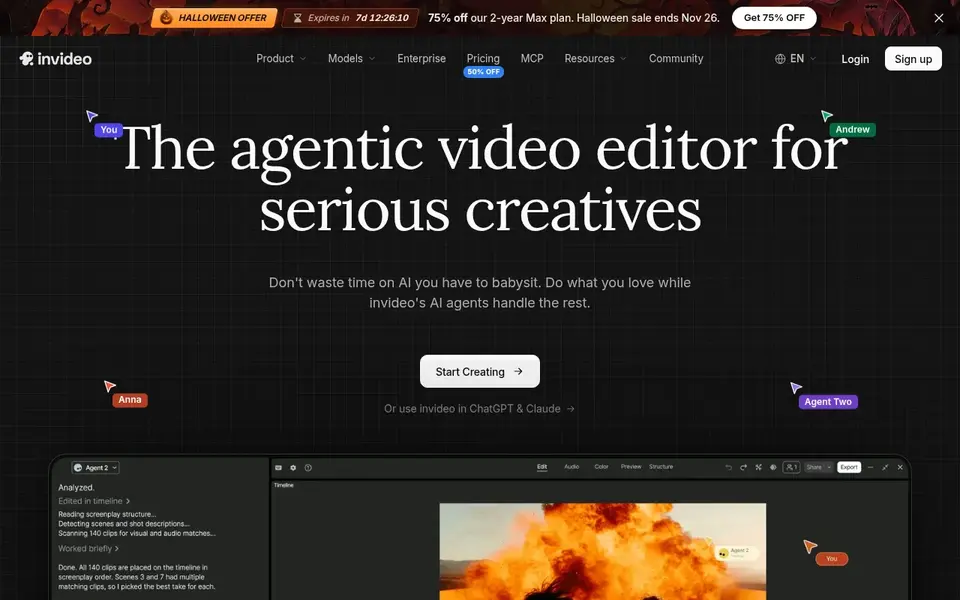
InVideo AI works best for prompt-to-video scene assembly. InVideo AI presents itself as an editor for creating videos without limits, with an agent-driven approach to building and editing content.
Beyond that, for explainers, list-style content and social-to-longer repurposing, the agent workflow can cut the manual assembly generally required. Automation means less granular control, so precise timing, branding and nuanced edits may need additional work. Starting cost for InVideo AI: $4 per seat/mo, billed annually. Free access: Not stated.
Where it is weaker: Less control over fine editing details.
- Suited to quick draft creation
- Creates and edits video from prompts
- Automatic scenes may need manual refinement

Think of Luma Dream Machine for Generative cinematic video clips. Luma is a creative AI system for video generation and image creation, built around its video generation models and creative agents that deal with end-to-end workflows. Also, Generative video is usually assembled from clips, so building a coherent long video still needs planning and editing elsewhere.
Watch-outs: Less suited to structured training video.
It is not the obvious choice for corporate training or avatar-led narration. Also, pick Luma when visual experimentation is the point and you can invest time in stitching output into a finished piece. Starting cost for Luma Dream Machine: $30 per month. Luma Dream Machine has no free tier.
- Solid for visually driven concepts
- Creative AI system for video and images
- Clip-based output needs assembly

Synthesia serves business training and explainer video. Since it is positioned around business use, the workflow and messaging lean corporate, which may feel heavy for hobbyist or entertainment creators.
Best features of Synthesia: Avatar-led video without filming.
Honest limits: Business focus may overwhelm solo creators.
Also, if your long videos are information-heavy and have to scale across regions, this is a natural starting point. Synthesia pricing: $19 per month. Synthesia includes a free tier.
- Supports numerous languages for global teams
- Designed for corporate communication and training
- Less suited to cinematic generative footage

Pictory works best for script and document to video. Pictory describes itself as an AI video agent and generator that can begin from a description, script, URL, PowerPoint or audio file, with the agent planning scenes for you to review and refine. On top of that, choose Pictory when your long video starts life as written or recorded material that needs visual structure.
As for the details, since scene planning is automatic, results can feel generic until you refine selections and pacing. It is not primarily an avatar presenter tool, so talking-head formats are better served elsewhere. Price to start with Pictory: $12.50 per month, billed annually. Trial and free access: Free trial.
What to check first: Not designed for avatar presenting.
- Begins from script, URL
- AI agent plans scenes for review
- Scene planning may need manual tuning
A buyer's checklist
- Confirm the entry price on the vendor page: InVideo AI starts at $4 per seat/mo, billed annually, but seat counts and billing terms change the total.
- Read the fine print on the free plans from HeyGen and Synthesia; seat, project and feature caps differ.
- Run a trial of Pictory with real work before paying for a year; your own workflow is the best test.
- Read the limits listed for HeyGen first: avatar realism may not suit every brand.
- Work out what InVideo AI costs with your real seat count, add-ons and usage, not just the entry price.
- Before you load data into HeyGen, check what an export looks like and who can run it.
Frequently asked questions
What is the cheapest option for AI tools for generating long videos in this list?
On published monthly entry prices, InVideo AI is the lowest here at $4 per seat/mo, billed annually. Entry price is only part of the cost, because seats, add-ons and billing terms can change the total.
Which options for AI tools for generating long videos have a free plan?
On this list, HeyGen and Synthesia include a free plan. Caps on seats, usage or features are common, so test the free plan against your real workload. One other tool offers a trial instead.
Do these tools publish their prices?
Yes. Every tool from HeyGen to Pictory shows a starting price, though seats, add-ons and billing terms still change the final cost.
How are the tools for AI tools for generating long videos ordered?
The order follows typical fit for AI tools for generating long videos, with HeyGen first and Pictory last, then price clarity and free access. It is editorial judgement, not a score, so another team could rank the tools differently.
Sources
See where you really rank - block by block
ProMapRanker scans Google Maps across a grid of your service area. Simple monthly plans from $19, white-label on every plan.
Start freeBrowse all guides
← Webinar Software for Franchises: Best Picks of 2026Podcast Recording and Editing Software: Best Picks of 2026 →
 best video conferencing software for franchises
Best Video Conferencing Software for Franchises in 2026
Searching for the best video conferencing software for franchises? Here are 6 options with prices and free plans. Pros and cons for every tool. Plain facts.
Read → best video recording software
Best Video Recording Software in 2026
Best video recording software in 2026 compared for tutorials, demos, and team updates, with current prices, free plans, editing options, and honest limits.
Read → best ai voiceover tools
Best AI Voiceover Tools in 2026
We compared the best ai voiceover tools for videos, courses, and ads, covering voice quality, free tiers, cloning rules, and pricing to guide you in 2026.
Read → best free tools to make videos
Best Free Tools to Make Videos in 2026
We compared the best free tools to make videos, from pro editors to quick social apps, with genuine free tiers, limits and honest trade-offs in 2026 today.
Read → best ai tools to convert photo to video
6 AI Tools to Convert Photo to Video Options Ranked for 2026
Best AI tools to convert photo to video: 6 contenders ranked by fit, with entry costs and free tiers. The weak spots sit next to the strengths. Start here.
Read → best ai photo animation tools
Best AI Photo Animation Tools in 2026
Compare the best ai photo animation tools for turning still photos into moving clips, with free plans, prices, and honest limits for every pick in 2026.
Read →More in Video, Audio & Podcasts · All guides A to Z by date · Latest guides