 ProMapRanker
Best AI Voiceover Tools in 2026

Key takeaways
- ElevenLabs leads on natural voice quality and cloning, but credits can run out fast on lower plans.
- Murf suits video-first work, with a studio timeline that pairs voice with visuals.
- PlayHT and Resemble AI suit developers and voice agents, with API-first pricing and cloning options.
- WellSaid Labs suits professional English narration where a clean, consistent voice matters most.
- Use only voices you have rights to use, and get clear consent before cloning any real person's voice.
Quick comparison
| Pick | Great for | Pricing starts at | Free tier | |
|---|---|---|---|---|
 ElevenLabs | Natural voices and cloning | See website | Yes | Visit |
 Murf | Video voiceover studio | $19 per month | Yes | Visit |
 PlayHT | Voice variety and APIs | See website | Yes | Visit |
 Speechify Studio | Studio voiceover and dubbing | See website | Yes | Visit |
 WellSaid Labs | Professional English narration | See website | Yes | Visit |
 Resemble AI | Custom cloning and APIs | See website | Free trial | Visit |
 Fliki | Text-to-video voiceover | See website | Yes | Visit |
 Amazon Polly | High-volume API speech | See website | Free trial | Visit |
The best ai voiceover tools
We compared voice quality claims, language coverage, cloning controls, and pricing as listed in October 2026. We left out tools reported as shut down or not serving a live product, and we note consent rules plainly, since cloning raises real ethical and legal questions.

ElevenLabs is our pick for most people who want a voice that sounds close to human. Its library covers many tones and languages, and instant cloning from a short sample makes it easy to create a consistent voice for a series. Long-form projects, dubbing, and audiobooks all benefit from that consistency.
The catch is credit use. Lower plans can run dry partway through a long script, so budget by characters or credits, not just by month. Professional cloning also sits on higher plans, and free use is non-commercial in recent listings, so read the license before you publish paid work.
- Very natural voices
- Large voice library
- Instant and professional cloning options
- Credits run out fast on small plans
- Higher tiers jump sharply in price
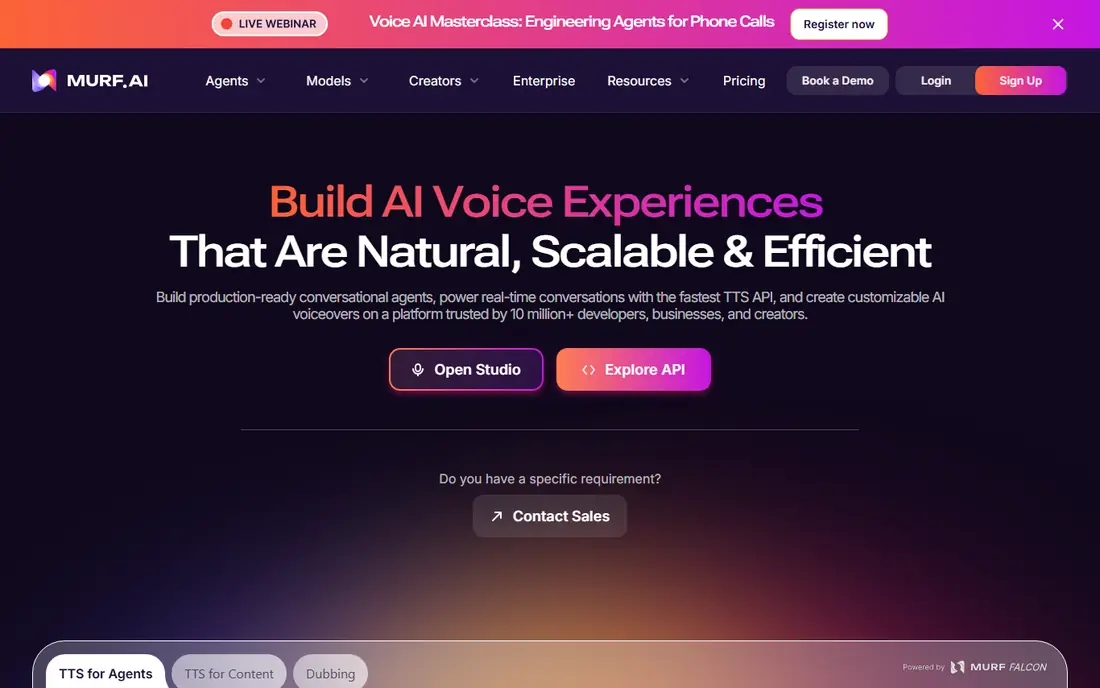
Murf suits creators who edit voice alongside video. You can time narration to scenes, adjust pauses, and preview the result in a studio view, which beats pasting audio into a separate editor. It is a practical choice for explainers, ads, and training videos.
Pricing needs care, since studio and API prices are listed in different places in recent listings. The annual Creator entry point is often shown near 19 dollars a month, so confirm the current checkout price before you buy. Free use is best for testing voices, not for publishing commercial work.
- Visual studio timeline
- Good video workflow
- Integrations with common design tools
- Free tier is limited and not for commercial downloads in recent listings
- Cloning is limited on lower plans

PlayHT, also shown as PlayAI in some listings, covers a wide set of languages and voices, which helps teams publishing in several markets. Its API and voice-agent options make it a strong pick for developers building speech into apps, not just for one-off narration.
The downside is clarity around pricing. Recent listings show different entry prices and domains, so use the current official pricing page and checkout total, not a roundup figure. Listen to several voices in your target language, since quality varies more across a large library than in a smaller curated set.
- Very broad language coverage
- Voice agents and API options
- Cloning on paid plans
- Pricing and domain details have shifted in recent listings
- Voice quality varies by voice
Speechify Studio is the voiceover and dubbing product, not the consumer reading app that shares the Speechify name. That distinction matters, because the two products have different prices and limits. Studio suits creators who need dubbing, voiceover, and avatar work in one place.
Free Studio credits let you test voices, but commercial use and cloning need a paid plan in recent listings. Check that you are on the Studio pricing page, not the reader pricing page, before you compare costs. Dubbing quality also depends on the source audio, so test with a real clip from your project.
- Studio voiceover plus dubbing
- Credit-based plans
- Separate from the Speechify reader app
- Easy to confuse with reader-app pricing
- Cloning and commercial use sit on paid plans
WellSaid Labs is a good fit for training, corporate narration, and ads where a steady professional tone matters more than a huge voice catalog. Voices are built with consent, which gives teams a clearer rights story than cloning a voice without permission. The download-minute model is also easy to plan around for short projects.
The limit is range. English is the strong suit, and other languages are fuller only on higher plans in recent listings. If you publish in many languages, pair WellSaid with a global tool, or pick a global tool as your main voice source.
- Clean professional English voices
- Download-minute metering is easy to grasp
- Consented voice library
- Language range is narrower than global rivals
- Download caps apply on lower plans
Resemble AI suits developers and teams that need a custom voice inside an app, game, or voice agent. Cloning is the core strength, and the platform adds watermarking and detection tools that help teams show synthetic audio came from an approved source. Real-time API use also fits live voice products.
Casual creators may find the setup heavier than a studio tool such as Murf. Pricing is usage-based in recent listings, so a short test can look cheap while a high-volume product costs more. Plan by expected minutes, and confirm clone seat rules before you build a team workflow around it.
- Custom cloning
- Real-time API options
- Watermarking and detection tools
- Dashboard feels less polished for casual creators
- Some cloning seats cost extra
Fliki helps creators who want a finished video, not just an audio file. Paste a script, pick a voice, add visuals, and export a short video, which suits social clips and faceless YouTube formats. Voice cloning is available on paid plans, so a series can keep one consistent voice.
Voice control is less fine-grained than a dedicated studio tool, and regular publishing needs a paid tier. If your main job is pure narration for audiobooks or courses, a studio tool may give you better pacing control. For short video, Fliki saves real editing time.
- Turns text into video with voice in one flow
- Useful for social and YouTube creators
- Cloning options
- Video-first design can limit fine voice control
- Paid tiers needed for regular publishing
Amazon Polly is the practical pick for apps, phone systems, and high-volume speech where cost per minute matters. It runs through Amazon Web Services, so developers can call it from code and scale use without a studio subscription. Language and voice coverage is broad, and the free tier helps with testing.
It is not a creator studio. There is no timeline editor for timing voice to video, and some voices sound flatter than the best studio voices. Use Polly when speech is a feature inside a product, and use a studio tool when narration itself is the product.
- Pay-as-you-go API pricing
- Many voices and languages
- Strong fit for apps and phone systems
- No studio editor for casual creators
- Voices can sound less expressive than top studio tools
How we picked these
We compared official pricing pages, voice libraries, cloning rules, and recent October 2026 roundups, and we favored tools with a live product and a clear free or trial route. We excluded tools reported as shut down or offline, including LOVO in recent listings, rather than listing a name readers cannot buy. We did not claim hands-on testing, and where pricing listings disagreed, we wrote See website and told readers to confirm at checkout.
How to choose a voiceover tool
Start with the end use
Video, audiobooks, courses, and phone systems need different tools. Murf and Fliki suit video, ElevenLabs and WellSaid suit narration, and Polly and Resemble suit apps. Picking by end use avoids paying for a studio you will not open or an API you cannot use.
Test with your own script
Demo voices can flatter a tool. Paste a real paragraph from your project, including names, numbers, and pauses, and listen on headphones. Check pacing, breaths, and how the voice handles lists, since those details separate usable voices from demo voices.
Check rights and consent
Use only stock voices under their license, or cloned voices with clear consent from the voice owner. Do not clone a real person, celebrity, or colleague without permission, and do not use a synthetic voice to impersonate someone. When a tool offers consent and watermarking features, use them.
Budget by output, not by month
A monthly price means little without a credit or minute count. Estimate your monthly output in minutes or characters, then check how many credits that output needs on each plan. A cheap plan that runs out mid-project costs more in time than a mid-tier plan that covers the work.
Frequently asked questions
What is the best free ai voiceover tool?
ElevenLabs free tier is a good starting point for short non-commercial tests, while Murf and Fliki free tiers suit testing studio and video workflows. Free tiers are limited and usually not licensed for commercial publishing, so treat them as trials. For regular commercial work, budget for a paid plan.
Which AI voiceover tool sounds most natural?
ElevenLabs is widely cited for natural pacing and tone, with Murf and WellSaid close behind for studio and professional narration. Natural sound still varies by voice and script, so test your own text rather than trusting a demo. A voice that suits ads may not suit long-form narration.
Can I clone my own voice?
Yes, several tools here offer cloning with a sample, including ElevenLabs, PlayHT, and Resemble AI, usually on paid plans. You should only clone a voice you own or have clear permission to use. Keep the consent record with the project, especially for commercial or public work.
Do I need an API for AI voiceover?
No, studio tools such as Murf, Fliki, and ElevenLabs web studio work without code. APIs matter when speech must run inside an app, game, or phone system, or at high volume. In that case, Polly, PlayHT, and Resemble AI are stronger starting points.
Is AI voiceover allowed for YouTube and ads?
Yes, when you use a licensed voice and follow the platform and tool terms. Free tiers often limit commercial use, so check the license for your plan before you monetize a video or ad. Disclose synthetic narration where a platform or client asks for it, and never use a cloned voice to mislead listeners.
Sources
See where you really rank - block by block
ProMapRanker scans Google Maps across a grid of your service area. Simple monthly plans from $19, white-label on every plan.
Start freeKeep reading
 zscaler alternatives
Best Zscaler Alternatives in 2026
Looking for zscaler alternatives? We compare 9 SASE and zero trust platforms on architecture, data protection, pricing, and fit for your network and team.
Read → zapier alternatives free
Best Zapier Alternatives Free in 2026
Nine automation tools for zapier alternatives free in 2026, all with genuinely free tiers, plus free plan limits, starting prices and upgrade paths explained.
Read → which platform is best for online reputation
Which Platform Is Best for Online Reputation in 2026
Wondering which platform is best for online reputation? We compare 8 review, listing, and response tools for small and multi-location businesses and agencies.
Read →