 ProMapRanker
Best AI Photo Animation Tools in 2026

Key takeaways
- Kling AI gives the strongest mix of realistic motion and a daily free allowance, which makes it our first stop for most people.
- Pika and PixVerse are the easiest routes to short social clips, while Runway suits people who want to edit a clip after generating it.
- HeyGen and D-ID are the right picks when the photo needs to talk, not just move, since they focus on lip sync and presenters.
- Free plans are useful for testing, but most free exports carry a watermark or a limit on commercial use, so check the licence before you publish.
- A short, specific prompt and a sharp starting photo matter more than a higher plan for getting a clean first result.
Quick comparison
| Pick | Great for | Pricing starts at | Free tier | |
|---|---|---|---|---|
 Kling AI | Realistic motion from a photo | $10 per month | Yes | Visit |
 Pika | Fast social clips and effects | $10 per month | Yes | Visit |
 Runway | Directed shots plus editing | $15 per month | Free trial | Visit |
 Luma AI | Cinematic camera movement | $30 per month | No | Visit |
 HeyGen | Talking photos and presenters | $29 per month | Yes | Visit |
 D-ID | Photo avatars with speech | See website | Free trial | Visit |
 Immersity AI | Depth and 3D photo motion | $4.99 per month | Yes | Visit |
 PixVerse | Quick effects and templates | See website | Yes | Visit |
The best ai photo animation tools
We compared tools that take a still photo and turn it into a moving clip, either through motion, camera moves, or a talking face. The picks below cover everyday social posts, family photos, and more polished creative work.
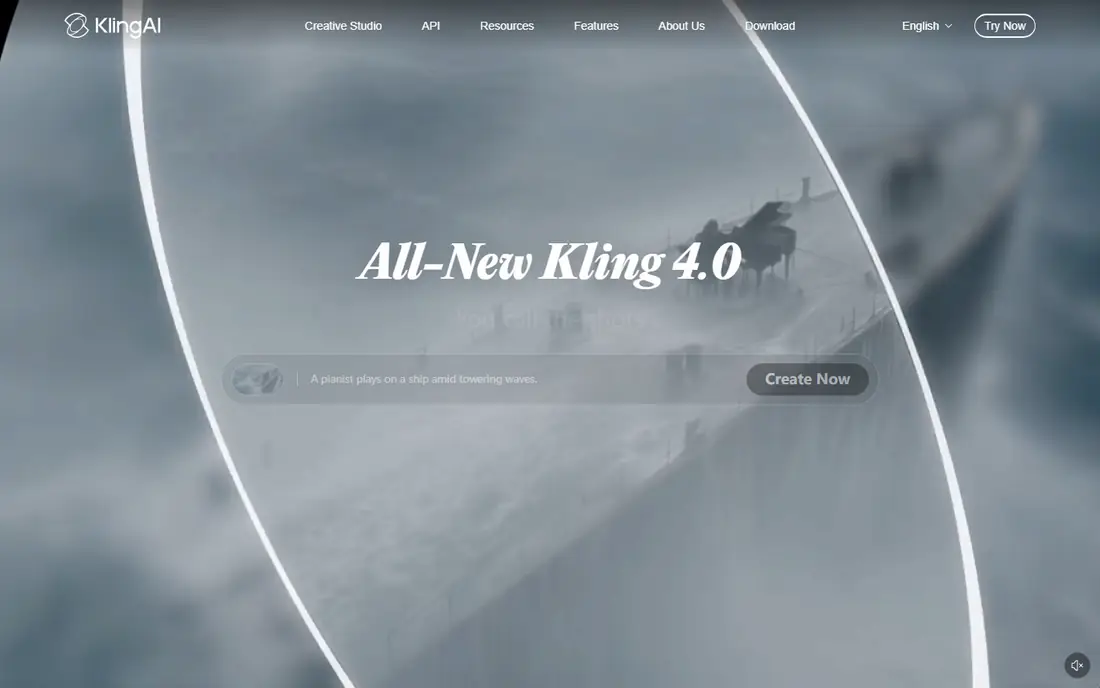
Kling AI is our pick for most people because its motion looks grounded. A person walking, a dog turning its head, or fabric moving in wind tends to hold its shape better than in many cheaper tools. You upload a photo, describe the motion in plain words, and choose the clip length and style. That simple setup hides a fair amount of control over camera movement and detail.
The catch is the credit system. Free credits refresh daily, which is good for testing, but a run of retries can eat through them fast. Paid plans remove the watermark question and open commercial use, so anyone posting for a business should start there. If you want one tool that handles both casual clips and more serious work, start with Kling AI and judge it on your own photos.
- Realistic human and animal motion
- Daily free credits on the free plan
- Strong camera and prompt controls
- Free exports are watermarked and not for commercial use
- Credit costs rise with longer or higher quality clips
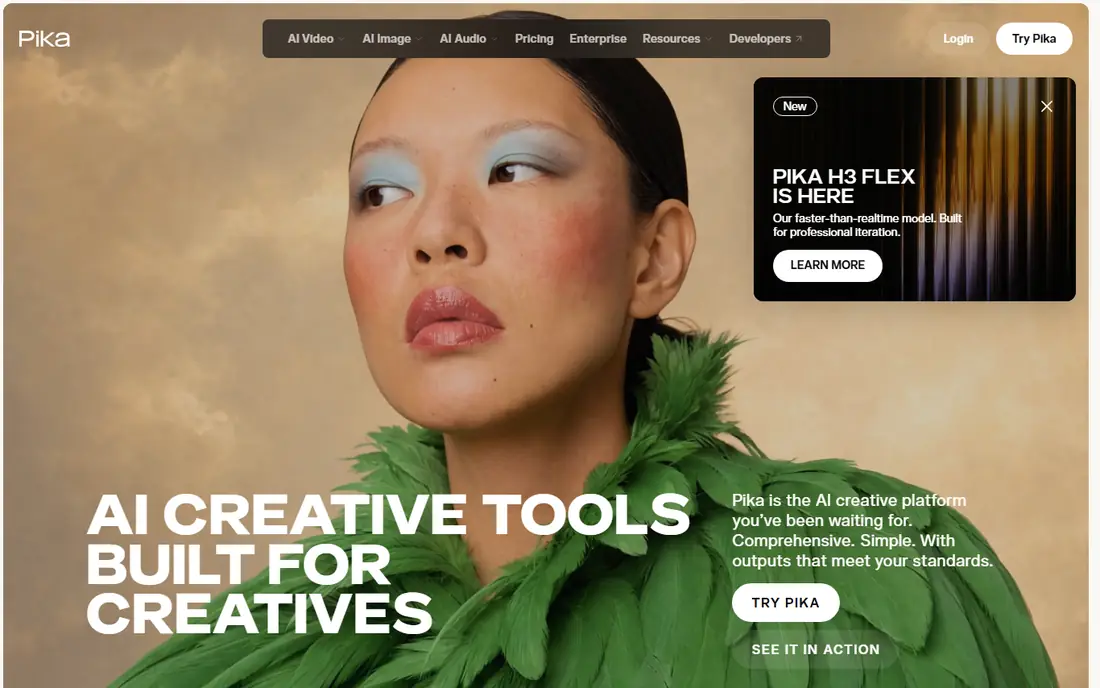
Pika suits people who want a result in minutes, not a project file to manage. Its interface keeps the choices small: upload a photo, pick an effect or write a short prompt, and generate. That is a good fit for birthday posts, product teasers, and playful transformations. The tool also handles stylised looks well, so a flat photo can become a short, punchy clip without much fiddling.
The trade-off shows up in longer or more complex motion. Faces can drift, and a scene with several moving parts may lose consistency from frame to frame. For a single subject and a clear action, Pika is hard to beat on speed. For a story that needs the same person to look the same across many shots, a more controlled tool will serve you better.
- Very easy to learn
- Fast generation for short clips
- Fun effects and transformations
- Short clips can favour style over steady continuity
- Commercial use needs a paid plan

Runway is the pick for creators who want to direct a shot, not just press generate. You can shape motion in parts of the image, adjust camera moves, and then keep working on the result in the same workspace. That matters when a first clip is close but not quite right. Instead of starting over in another app, you can extend, restyle, or clean up the shot.
The price of that control is a credit system that rewards careful prompting. New users get a small one time credit allowance, and paid plans add a monthly allowance. Heavy iteration, especially at higher quality, will use credits faster than a casual user expects. If you plan to generate a lot, test with short, low cost versions first and save the full quality run for the prompt you already like.
- Strong creative controls and editing tools
- Good for refining a clip after generation
- Supports image to video and text to video
- Free credits are one time only and run out quickly
- Credit costs can be hard to predict
Luma AI stands out for camera work. A slow push in, a gentle orbit, or a pan across a photo tends to feel smooth rather than jerky. That makes it a strong choice for travel photos, interiors, and product shots where the mood comes from movement through a scene. The image to video models also handle light and texture with care, so the result can look closer to footage than to a filter.
The main drawback is cost and access. Current pricing lists no free individual plan, and the entry paid plan sits above most tools in this list. That makes Luma AI a harder first try for casual users. It earns its place for people who already know they want cinematic motion and are willing to pay for it, rather than for someone testing photo animation for the first time.
- Fluid camera moves and natural physics
- Good for turning a photo into a scene with depth
- High quality output on paid plans
- No free individual plan on current pricing
- Entry price is higher than most rivals here
HeyGen answers a different question from the tools above. Instead of making a photo move like a scene, it makes a photo speak. You write a script, pick a voice, and the avatar delivers it with lip sync. That is useful for short explainers, welcome messages, product updates, and training clips where a presenter would otherwise need a camera, a room, and a recording session.
The limit is scope. HeyGen is not the tool for a sweeping camera move or a fantasy transformation. It also caps free use tightly, so a free account is for testing a voice and a face, not for producing a series. For teams that need presenters in several languages, though, the time saved can be large. Just check the avatar result closely, since close ups can still show small sync or expression quirks.
- Photo avatars that speak from a script
- Many voices and languages
- Useful for training and marketing videos
- Not built for cinematic scene animation
- Free plan allows only a small number of videos
D-ID takes one portrait and turns it into a speaking clip, which makes it a practical choice for chat agents, onboarding videos, and short customer messages. The workflow is short: upload a photo, add text or audio, and export a talking head video. Developers also get an API route, so the same idea can sit inside an app or a support flow without manual video work each time.
The honest weakness is dependence on the input photo. A clear, front facing portrait gives a far better result than a side view, a group shot, or a low light image. Longer scripts can also expose limits in expression and lip sync. Treat D-ID as a tool for short, clear messages, and keep a human recorded option for anything where warmth and nuance carry the message.
- Turns a single photo into a talking video
- Developer friendly with an API
- Good for agents and support videos
- Output quality varies with the source photo
- Pricing and plan details change often, so confirm before buying
Immersity AI, formerly known for its depth tools, gives a still photo a sense of space. Rather than inventing new action, it uses depth to move the camera through the image, so foreground and background shift in a natural way. That effect works well for old photos, travel shots, and social posts where a gentle, polished move is enough. The low entry price also makes it an easy second tool to keep beside a fuller video generator.
The limit is ambition. If you want a person to walk, dance, or act out a scene, this is not the right pick. Its strength is subtle, believable camera motion, and it does that job at a price most people can try without much risk. For a quick, clean result from a good photo, Immersity AI is a smart, low cost starting point.
- Low entry price
- Depth based motion adds a 3D feel to still photos
- Simple for quick tests
- Motion is mainly camera and depth based, not full scene animation
- Advanced output needs a paid plan
PixVerse is built for volume and speed. Templates and effects let you turn a photo into a shareable clip without writing a long prompt or learning a studio interface. That suits social managers, small shops, and creators who need several short clips in a day. The free tier lets you test the look before paying, which is useful when a template style matters more than fine control.
The catch is consistency. Some templates look polished, while others can feel generic or push the photo too far from its source. Higher resolution and longer clips also use more credits, so the cost of a busy week can climb. Use PixVerse when speed and a ready made style matter most, and keep a more controlled tool for clips where the subject must stay true to the original photo.
- Fast generation with templates and effects
- Good for social ready clips
- Free tier for testing
- Credit use rises with resolution and length
- Quality can vary by template and prompt
How we picked these
We compared official feature pages, pricing pages, and app listings, plus recent roundups and user facing guides from October 2026. We kept only tools that accept a photo as a starting point and produce a moving video clip, and we dropped tools that were closed, invite only, or limited to text to video with no photo input. Prices shown are starting paid prices from vendor or recent pricing reports, and we wrote See website where pricing varied by region or changed too often to state with confidence.
What to check before you pay
Start with the photo, not the plan. A sharp, well lit, front facing image gives every tool here a better chance, while a blurry or crowded photo will expose weaknesses in motion and faces. Run the same photo and the same short prompt through two or three free plans, and compare how well the subject holds its shape. That test tells you more than a feature list.
Next, check the licence and the watermark rules. Free exports often carry a watermark, and some free plans do not allow commercial use at all. If you plan to post for a business, a client, or a paid campaign, a paid plan is usually required, and the cheapest plan may still limit resolution or clip length. Read the plan page for those limits before you build a workflow around a free tier.
Finally, think about consent and privacy. Only animate photos you own or have clear permission to use, and take extra care with photos of other people, children, or anyone who has not agreed to appear in a video. Talking photo tools raise the stakes further, since a face and a voice together can be misused. Use these tools for your own photos and for agreed work, and keep the original photo and the prompt saved so you can redo a clip if a platform asks how it was made.
Frequently asked questions
What is the best ai photo animation app for beginners?
Pika and PixVerse are the easiest starting points, since both use short prompts or templates and return a clip quickly. Kling AI is also friendly once you try one or two prompts, and it gives more control over motion. Start free, test the same photo in two tools, and keep the one whose results you like most.
Are there best free ai photo animation tools that work without paying?
Yes, Kling AI, Pika, HeyGen, Immersity AI, and PixVerse all offer a free way to try photo animation. Free plans usually limit credits, clip length, or resolution, and many add a watermark. They are good for testing, but a paid plan is normally needed for clean, commercial ready exports.
What are the best ai tools for photo animation when the photo must talk?
HeyGen and D-ID are the clearest picks, since both are built around talking avatars and lip sync from a script or audio. They work best with a clear portrait and a short script. For a photo that should move like a scene instead, Kling AI, Runway, or Luma AI will fit better.
Which is the best photo animation ai tool for realistic motion?
Kling AI leads this list for realistic human and physical motion from a single photo. Runway and Luma AI are close rivals, with Runway offering more editing control and Luma AI offering smoother camera work. The best result still depends on the starting photo and a clear, simple motion prompt.
Can I use these tools for old family photos?
Yes, and Immersity AI is a good fit for gentle depth motion on old photos, while Kling AI and Pika can add more active motion. Scan the photo at good quality first, and keep expectations modest for very damaged or very small originals. Avoid animating photos of people without permission from the family members involved.
Do I need a phone app, or do these tools work in a browser?
Most of the tools here work in a browser, which suits desktop editing and larger files. Some also offer mobile apps or mobile friendly sites, so check the vendor site for your device. A browser workflow also makes it easier to save prompts, compare versions, and export at the resolution you need.
Sources
See where you really rank - block by block
ProMapRanker scans Google Maps across a grid of your service area. Simple monthly plans from $19, white-label on every plan.
Start freeKeep reading
 best employee time tracking app
Best Employee Time Tracking Apps in 2026
We compare the best employee time tracking app options for teams, from simple timers to shift tools, with honest notes on privacy and consent in 2026.
Read → best employee recognition software
Best Employee Recognition Software in 2026
We compared the best employee recognition software for peer praise, rewards, and service awards, with pricing, integrations, and honest limits for teams.
Read → best ehr software
Best EHR Software in 2026
Compare the best EHR software in 2026 for small practices, specialty groups and hospitals, with pricing models, charting and billing features compared in full.
Read →