 ProMapRanker
Why Is My Business Not Showing Up on Google? Full Troubleshooting Guide

As Md Shihab Mia, founder of ProMapRanker, I often hear the urgent question: "Why is my business not showing up on Google?" The immediate answer usually points to a few critical areas: your Google Business Profile (GBP) might not be verified or is suspended, your listing could be poorly optimized or incomplete, your website may have technical issues, or Google's local search algorithm simply doesn't deem your business relevant enough for the specific search query and location. Common culprits include NAP (Name, Address, Phone) inconsistency, lack of local citations, or intense competition in your service area. Identifying the exact problem requires a systematic audit of your online presence, starting with your GBP and extending to your website's local SEO health.
For any local business, visibility on Google Search and Maps is non-negotiable. Without it, potential customers can't find you, leading to lost revenue and stagnant growth. This comprehensive guide will walk you through every potential reason your business isn't appearing on Google, providing actionable steps and expert insights to troubleshoot and resolve these issues. We'll dive deep into GBP verification, optimization strategies, technical SEO, and how to leverage tools like ProMapRanker to gain a competitive edge.
Why Is My Google Business Profile Not Showing Up?
Your Google Business Profile might not be showing up due to incomplete setup, pending verification, a policy violation leading to suspension, or simply poor optimization that prevents Google from matching your business to relevant searches. Even a fully verified profile needs consistent attention and high-quality information to rank effectively in local search results and the Map Pack.
The Google Business Profile (GBP) is the cornerstone of local visibility. If your business isn't appearing, the first place to look is your GBP dashboard. Many businesses create a profile but fail to complete all necessary steps, leaving them invisible to potential customers. Here's a breakdown of common GBP-related issues:
- Incomplete Profile: Google prioritizes complete and accurate listings. Missing essential information like business hours, website, phone number, categories, or services significantly reduces your chances of appearing. Ensure every field is filled out thoroughly.
- Pending Verification: A new or recently updated GBP needs to be verified by Google before it can go live. This process can take a few days to a few weeks, depending on the verification method (postcard, phone, email, video). Until verification is complete, your listing will not appear publicly. You can check your verification status directly in your Google Business Profile Manager.
- Policy Violations & Suspension: Google has strict guidelines for Business Profiles. Violations, even unintentional ones, can lead to your listing being suspended or disabled. Common violations include keyword stuffing the business name, using a P.O. Box as a physical address, or having multiple listings for the same business at the same location.
- Incorrect Business Category: Choosing the wrong primary business category can severely limit your visibility. Google uses categories to understand what your business does and match it with relevant searches. Be precise and select the most accurate category, then add secondary categories as appropriate.
- Lack of Engagement: A stagnant profile with no new posts, photos, or customer reviews signals to Google that the business might not be active or relevant. Google favors active, engaged profiles.
Is Your Business Verified and Active on Google?
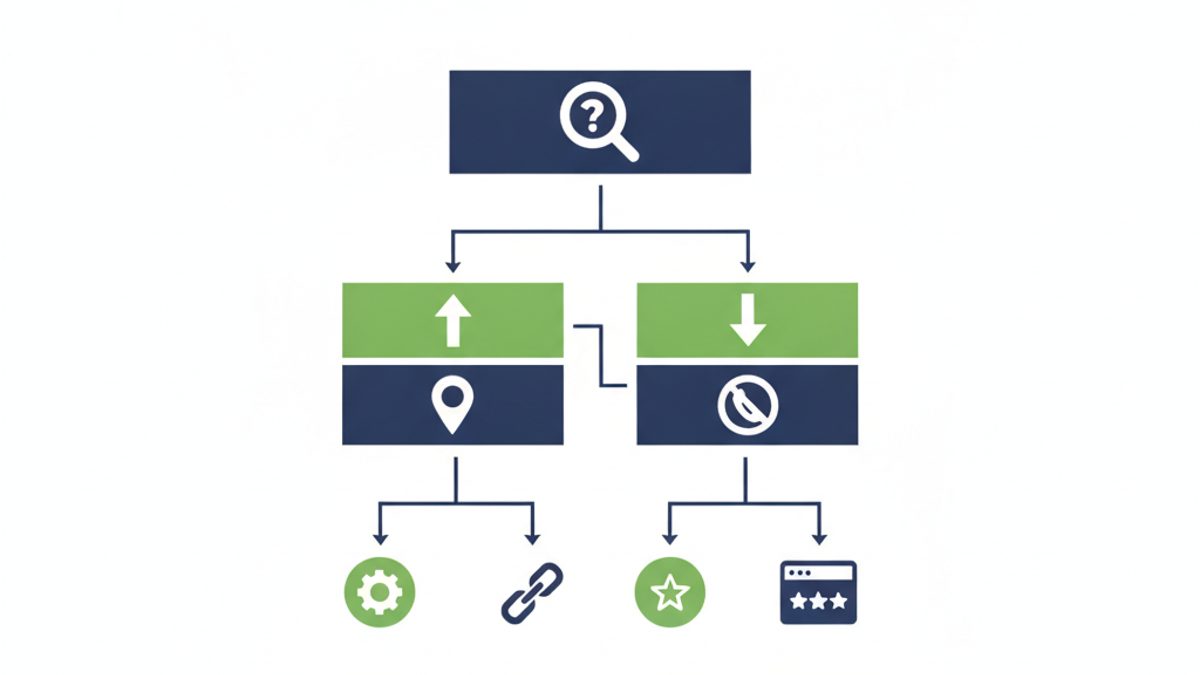
For your business to appear on Google Search and Maps, it must be officially verified through your Google Business Profile. Unverified listings are typically hidden from public view, while suspended or disabled profiles, often due to policy violations, are completely removed from search results until the issues are resolved and the profile is reinstated.
Verification is Google's way of confirming that your business is legitimate and that you are authorized to manage its profile. Without verification, your business effectively doesn't exist on Google's public-facing platforms. Similarly, an active status means your profile isn't suspended or disabled.
Understanding Google Business Profile Verification
The verification process typically involves one of the following methods:
- Postcard by Mail: Google sends a postcard with a verification code to your physical business address. This is the most common method and can take 5-14 business days.
- Phone or Text: Google may offer to call or text a verification code to your business phone number.
- Email: An email with a verification link or code is sent to an email address associated with your business.
- Video Recording: You might be asked to record a video demonstrating proof of your business location (e.g., showing your storefront, equipment, or staff).
- Instant Verification: If you've already verified your business with Google Search Console for your website, you might get instant verification.
Action Step: Log into your Google Business Profile Manager. Look for a "Get Verified" or "Pending Verification" status. If pending, be patient. If you haven't initiated it, do so immediately. If you suspect your profile is suspended, you'll see a clear notification in your dashboard.
What If Your Google Business Profile is Suspended or Disabled?
A suspended or disabled GBP is a critical issue that will completely remove your business from Google Search and Maps. Suspensions happen due to policy violations. To resolve this:
- Identify the Cause: Carefully review Google's guidelines for representing your business on Google. Common violations include:
- Inaccurate business name (e.g., keyword stuffing like "Shihab's Best SEO Agency ProMapRanker New York")
- Incorrect address (e.g., a virtual office or P.O. Box where no staff are present during business hours)
- Misleading business categories
- Multiple listings for the same business at the same location
- Fake reviews or review solicitation tactics that violate terms
- Fix the Violations: Amend your profile to comply with all guidelines. This might mean shortening your business name, updating your address, or changing categories.
- Submit a Reinstatement Request: Once you've made the necessary corrections, submit a reinstatement request through the Google Business Profile support form. Be honest and provide any requested documentation.
Reinstatement can take several days to weeks. While waiting, focus on other aspects of your local SEO. For more in-depth guidance on this, consider our article on Google Business Profile Suspensions.
Are You Optimizing Your Google Business Profile Effectively?
Effective Google Business Profile optimization is crucial because Google's algorithm prioritizes listings that are complete, accurate, and demonstrate relevance and authority. Without proper optimization, your profile may lack the signals Google needs to rank it for local searches, leading to poor visibility and missed customer opportunities.
Even a verified, active GBP won't guarantee top rankings without proper optimization. Google uses various signals to determine which businesses to show for a local search. Here's what you need to focus on:
- NAP Consistency (Name, Address, Phone Number): This is fundamental. Your business name, address, and phone number must be identical across your GBP, website, and all other online directories (Yelp, Facebook, Yellow Pages, etc.). Inconsistencies confuse Google and dilute your authority. Use a tool to audit your NAP consistency.
- Accurate Business Categories: As mentioned, precise categories are vital. Use both a primary category and as many secondary categories as are relevant to your services.
- Detailed Services/Products: Fill out the "Services" or "Products" section comprehensively. This allows Google to match your business with long-tail service-specific queries.
- Regular Posts and Photos: Treat your GBP like a mini-social media profile. Post updates, offers, events, and new photos regularly. Businesses with more photos on their GBP typically receive more requests for directions and website clicks.
- Google Reviews: Encourage customers to leave reviews. Respond to all reviews, positive and negative, professionally and promptly. Google values businesses that engage with their customers. Aim for a consistent flow of new, genuine reviews. See our guide on how to respond to Google reviews for best practices.
- Local Citations: These are mentions of your business (NAP) on other websites. Aim for citations on 20+ relevant, authoritative local and industry-specific directories. The more consistent and numerous your citations, the more authoritative your GBP appears to Google.
ProMapRanker's Role in GBP Optimization
Manually tracking all these factors can be overwhelming. ProMapRanker provides a robust free GBP audit that pinpoints areas for improvement, from category suggestions to identifying missing information. Our platform tracks your performance against competitors, helping you understand where you stand and what needs attention. For a deeper dive, check out our article on GBP Optimization for Local SEO.
Is Your Website Technically Sound for Local SEO?
Your website's technical health directly impacts your local search visibility because Google's algorithms heavily consider site speed, mobile-friendliness, and crawlability when ranking businesses. A slow or broken website provides a poor user experience, signaling to Google that your business may be less authoritative or reliable, thereby hindering its ability to appear in local search results.
While GBP is crucial, your website remains a primary ranking factor for local SEO. Google wants to send users to high-quality, relevant resources. If your website has technical issues, it can drag down your local rankings.
- Mobile-Friendliness: The vast majority of local searches happen on mobile devices. If your website isn't responsive and easy to use on a phone, Google will penalize your visibility. Use Google's Mobile-Friendly Test to check your site.
- Website Speed (Core Web Vitals): Google uses Core Web Vitals (CWV) as a ranking factor. These metrics measure user experience, including loading speed (Largest Contentful Paint, LCP), interactivity (First Input Delay, FID, now replaced by Interaction to Next Paint, INP), and visual stability (Cumulative Layout Shift, CLS). Aim for an INP under 200ms and an LCP under 2.5 seconds. You can check your site's CWV performance via Google Search Console or PageSpeed Insights.
- Schema Markup: Implementing local business schema markup (schema.org/LocalBusiness) directly on your website helps search engines understand your business's core information (name, address, phone, hours, reviews, etc.) more effectively. This can lead to rich snippets in search results, increasing visibility.
- Crawlability and Indexability: If Google can't crawl and index your website, it won't appear in search results. Ensure your robots.txt file isn't blocking important pages and that your sitemap.xml is submitted to Google Search Console.
- Local Landing Pages: For businesses serving multiple locations or offering distinct services, dedicated, optimized local landing pages can significantly boost visibility for specific searches. Each page should have unique content, local NAP, and targeted keywords.
Are You Targeting the Right Keywords and Locations?
Your business might not be showing up because its content isn't optimized for the specific keywords local customers are using, or it lacks clear signals of relevance to their geographic location. Google needs to understand both what you do and where you do it to connect you with nearby searchers.
Google's local algorithm heavily emphasizes "proximity, relevance, and prominence." If your content isn't aligned with how people search locally, or if your location signals are weak, you'll struggle to rank.
- Keyword Research for Local Intent: Don't just target generic keywords. Think about how local customers search. Instead of "plumber," they might search for "emergency plumber near me" or "24-hour plumber [City Name]." Integrate these localized keywords naturally into your website content, GBP descriptions, and posts.
- Geographic Relevance: Google needs to know where your business operates. This is conveyed through your GBP address, local landing pages, location-specific content on your website, and mentions of your city/region on your website and in local citations.
- Service Area Targeting: If you're a service-area business (SAB) without a physical storefront, ensure your GBP clearly defines your service areas. Do not list a physical address if customers cannot visit you there.
ProMapRanker's geo-grid rank tracking allows you to see exactly where your business ranks across a geo-grid heatmap SEO, often a 5x5 or 7x7 grid at various mile radii. This reveals blind spots where you're not showing up, helping you refine your local keyword and location targeting strategies. Our AI rank tracking also helps you identify emerging local search trends.
Is There a Local Search Competition Problem?
If your business isn't showing up, it could be facing stiff competition from well-established or highly optimized local businesses that Google perceives as more relevant or authoritative. In competitive markets, even a perfectly optimized profile may struggle to rank without additional efforts in building prominence and local authority.
In crowded markets, simply "being there" isn't enough. You need to stand out. If competitors are consistently outranking you, it's time for a deeper analysis.
- Competitor Analysis: Identify your top local competitors on Google Maps and the Map Pack. Analyze their GBP profiles:
- How many reviews do they have, and what's their average rating?
- Are their profiles more complete and regularly updated?
- What categories are they using?
- Do they have more local backlinks to their website?
- Prominence: Google's algorithm considers how well-known a business is in the real world. This includes factors like:
- Review Quantity & Quality: More positive reviews build prominence.
- Local Link Building: Backlinks from other local businesses, community organizations, and local news sites. See our guide on local linking strategies.
- Online Mentions: Mentions of your business on authoritative websites, even without a direct link.
ProMapRanker's local rank tracker and geo-grid reports are invaluable here. They show you exactly who is ranking above you for specific keywords in precise locations, allowing you to benchmark your performance and strategize to overcome the competition. Our SoLV (Share of Local Voice) and ARP (Average Rank Position) metrics provide a clear picture of your competitive standing.
How Long Does It Take for My Business to Show Up on Google Search?
It typically takes anywhere from a few days to several weeks for a new business or a newly verified Google Business Profile to show up on Google Search and Maps. This timeframe varies based on Google's indexing speed, the verification method used, and the overall completeness and quality of your profile.
For a brand new Google Business Profile, the primary factor determining visibility is the verification process. Once verified, it can still take some time for Google to fully index your listing and begin showing it in search results, especially for competitive keywords.
Here’s a general timeline:
- GBP Creation & Verification: This is the longest initial step. Postcard verification can take 1-2 weeks. Other methods (phone, email, video) might be faster, often within a few days.
- Initial Indexing: After successful verification, your profile usually appears within 24-72 hours for direct searches of your business name.
- Ranking for Local Keywords: Appearing for broader, non-branded local keywords (e.g., "plumbers near me") can take weeks to months. This depends heavily on your optimization efforts, local SEO authority, and competitive landscape.
Pro Tip: Don't just wait. Use the time your profile is pending verification to optimize every other aspect: fill out all fields, add photos, write a compelling description, and start building local citations.
Why Doesn't My Business Show Up on Google Maps Specifically?
If your business isn't appearing on Google Maps, the most common reasons are an unverified Google Business Profile, an incorrect or hidden address, or a lack of location relevance for the user's search query and proximity. Google Maps relies heavily on precise location data and a strong correlation between the search term and your business's offerings.
Google Maps is distinct from general Google Search, though closely integrated. Here are specific reasons your business might be absent from Maps:
- Unverified GBP: As with general search, an unverified GBP will not appear on Maps.
- Incorrect or Hidden Address: Ensure your business address is accurately entered in your GBP and that it's set to display publicly if you're a brick-and-mortar business. If you're a service-area business, make sure your service areas are clearly defined, and your address is hidden if you don't serve customers at your location.
- Proximity and Search Query: Google Maps prioritizes businesses closest to the searcher's location. If a user searches for "coffee shop" and your shop is 10 miles away with many closer options, you likely won't appear. Your business also needs to be highly relevant to the search query.
- Duplicate Listings: If there are multiple Google Business Profiles for your exact business at the same address, Google may suppress all of them to avoid confusion, or prioritize one over the others, potentially hiding the one you manage. Always consolidate or remove duplicate listings.
- Low Prominence/Authority: In competitive areas, businesses with more reviews, better ratings, and stronger overall local SEO signals (website authority, citations) tend to rank higher in Maps.
Action Step: Use ProMapRanker's geo-grid heatmap to literally see where your business appears on Google Maps for specific keywords. This visual representation will immediately show you if you have "blind spots" in certain areas or distances from your business, helping you understand proximity issues.
Troubleshooting Checklist: Why Your Business Isn't Showing Up on Google
Use this checklist to systematically identify and resolve common issues preventing your business from appearing on Google.
- Google Business Profile Status Check:
- ☐ Is your GBP fully verified? (Check dashboard for "Verified" badge)
- ☐ Is your GBP active and not suspended or disabled? (Look for warnings in dashboard)
- ☐ Is your business category accurate and specific?
- ☐ Are all essential fields complete (hours, phone, website, description, services)?
- ☐ Is your primary business address correct and physically accessible to customers (if applicable)?
- ☐ Have you listed your service areas accurately (if a service-area business)?
- GBP Optimization & Engagement:
- ☐ Is your NAP (Name, Address, Phone) consistent across your GBP, website, and all online directories?
- ☐ Do you have high-quality photos and videos uploaded regularly?
- ☐ Are you actively encouraging and responding to customer reviews?
- ☐ Are you posting regular updates, offers, or events on your GBP?
- ☐ Have you filled out the "Products" and "Services" sections thoroughly?
- Website Health & Local SEO:
- ☐ Is your website mobile-friendly and responsive? (Test with Google's Mobile-Friendly Test)
- ☐ Does your website load quickly and pass Core Web Vitals assessments? (Check PageSpeed Insights)
- ☐ Is local business schema markup implemented on your website?
- ☐ Is your website crawlable and indexable by Google? (Check Google Search Console)
- ☐ Are your website pages optimized for local keywords (e.g., city-specific terms)?
- ☐ Do you have local landing pages for each service area or distinct service?
- Local Citations & Authority:
- ☐ Do you have consistent NAP on at least 20+ authoritative local directories (Yelp, Facebook, Yellow Pages, industry-specific sites)?
- ☐ Are there any duplicate GBP listings for your business that need to be merged or removed?
- ☐ Do you have local backlinks from reputable community or industry websites?
- Competitive Analysis & Rank Tracking:
- ☐ Have you identified your top 3-5 local competitors and analyzed their GBP optimization?
- ☐ Are you tracking your local rankings for key keywords using a tool like ProMapRanker?
- ☐ Have you used geo-grid scans to identify specific areas where you're not showing up on Maps?
| Problem | Impact | ProMapRanker Solution | General Fix |
|---|---|---|---|
| Unverified GBP | Business invisible on Google. | N/A (Requires manual action). | Complete verification via postcard, phone, or video. |
| GBP Suspended | Completely removed from Google. | GBP Audit identifies policy risks. | Review Google guidelines, fix violations, submit reinstatement. |
| Incomplete GBP | Low relevance, poor rankings. | GBP Audit highlights missing info. | Fill out all profile fields thoroughly, add photos. |
| NAP Inconsistency | Confuses Google, dilutes authority. | GBP Audit checks NAP across sources. | Ensure identical NAP on GBP, website, and all citations. |
| Poor Local Rankings | Customers can't find you for competitive searches. | Geo-Grid Rank Tracker, SoLV, ARP. | Optimize GBP, build citations, improve website SEO, get reviews. |
| Slow Website | Poor user experience, lower search rankings. | N/A (Requires web development). | Improve Core Web Vitals (LCP, INP, CLS), optimize images. |
If you've gone through this checklist and your business is still not showing up on Google, it might be time for a more in-depth analysis. ProMapRanker's comprehensive platform offers geo-grid scans that simulate user searches from multiple points around your business, providing an unparalleled view of your local search visibility. Our AI-powered rank tracking and GBP audit tools help uncover hidden issues and identify specific opportunities to outrank competitors. Start your free trial today and stop guessing why your business isn't showing up.
Frequently asked questions
How do I get my business to show up on Google Search?
To get your business to show up on Google Search, you must first create and verify a Google Business Profile (GBP) with accurate information. Then, optimize your GBP by filling out all sections, adding photos, getting customer reviews, and ensuring NAP consistency across all online platforms. Additionally, optimize your website for local keywords and ensure it's mobile-friendly and fast.
Why is Google My Business not showing up in search?
Google My Business (now Google Business Profile) might not be showing up in search due to an unverified or suspended profile, incomplete information, policy violations, or a lack of optimization for relevant local keywords. Other reasons include technical issues with your associated website, or intense local competition outranking your listing.
How long does it take for my business to show up on Google Search?
For a new business, it typically takes 1-2 weeks for the Google Business Profile to be verified and then another few days for it to appear in direct searches. For your business to rank prominently for broader local keywords, it can take anywhere from several weeks to a few months of consistent optimization, review generation, and local SEO efforts.
What should I do if my Google Business Profile is suspended?
If your Google Business Profile is suspended, immediately review Google's guidelines for representing your business to identify the violation. Correct any inaccurate information or policy breaches on your profile, such as keyword stuffing or incorrect addresses. Once corrections are made, submit a reinstatement request through Google Business Profile support, providing honest and detailed information.
Can duplicate listings hurt my Google ranking?
Yes, duplicate Google Business Profile listings can significantly hurt your Google ranking. Google aims to provide a clear, singular representation of each business. Multiple listings for the same business at the same location confuse Google, dilute your SEO signals, and can lead to one or all of your listings being suppressed or suspended. It's crucial to identify and merge or remove any duplicate profiles.
See where you really rank - block by block
ProMapRanker scans Google Maps across a grid of your service area. Simple monthly plans from $19, white-label on every plan.
Start free