 ProMapRanker
From Heatmap to Action Plan: Prioritizing Red Grid Points

As Md Shihab Mia, founder of ProMapRanker, I understand the frustration of seeing a local SEO heatmap ablaze with red grid points. You've invested in a geo-grid rank tracker, you've run the scan, and now you have a vivid, color-coded map showing where your business is underperforming in local search. The crucial next step isn't just to observe these low-ranking areas, but to transform that data into a strategic, actionable plan. A heatmap action plan involves systematically prioritizing the "red" or low-ranking grid points based on their potential impact and feasibility of improvement, then implementing targeted local SEO fixes to boost visibility and drive local customers. It's about moving beyond diagnostics to concrete, measurable improvements.
What is a Local SEO Heatmap and Why Does it Matter?
A local SEO heatmap is a visual representation of your business's Google Map Pack ranking performance across a specific geographic area, typically displayed as a grid. Each point on the grid shows your ranking for a target keyword at that precise location. It matters because it provides an undeniable, granular view of your local search presence, revealing specific neighborhoods or zones where you dominate, compete, or are virtually invisible.
Unlike traditional rank tracking that gives a single ranking for an entire city, a geo-grid heatmap, often a 7x7 or 9x9 grid spanning a 5 to 15-mile radius, illustrates how your ranking fluctuates based on the searcher's physical location. For local businesses, this proximity-driven ranking is paramount. Google's local search algorithm heavily emphasizes proximity, meaning a search for "plumber near me" will yield different results for someone searching from one block versus five miles away.
By using a tool like ProMapRanker, businesses can run these scans for multiple keywords and competitors, revealing not just where they rank, but also their Share of Local Voice (SoLV) and average rank position across their service area. This data is critical for identifying underserved areas, understanding competitive landscapes, and ultimately, directing your local SEO efforts where they will have the most impact.
Decoding the Colors: Understanding Your Heatmap's Signals
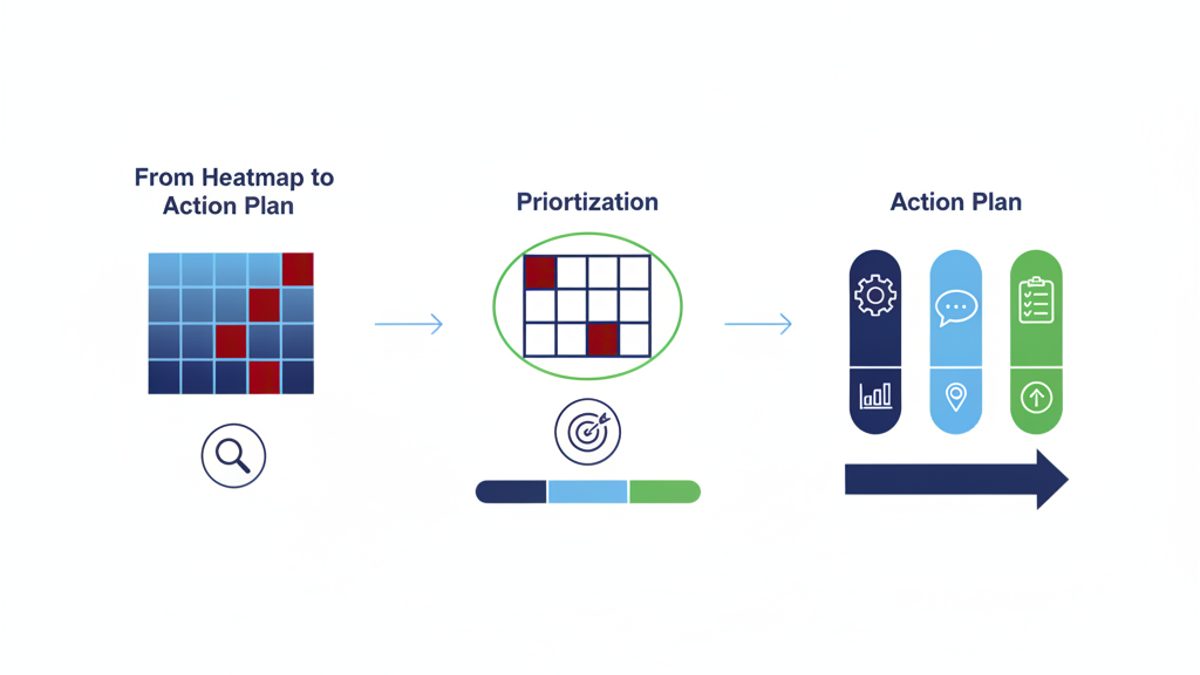
Understanding the color coding on your local SEO heatmap is the first step in translating data into insight. Each color represents a specific ranking range, immediately indicating your performance at a glance. Green signifies top performance, yellow indicates competitive but not dominant, orange shows you're on the map but not in the coveted local pack, and red highlights areas where your business is effectively invisible in local search results.
Typically, a heatmap follows a standard color scheme:
- Dark Green (Rank 1-3): Your business appears in the top three positions in the Google Map Pack. These are prime locations, often leading to the most clicks and calls.
- Light Green (Rank 4-9): Your business is visible in the Map Pack, but not in the top three. While good, there's room to improve to the top spots.
- Yellow (Rank 10-20): Your business ranks on the first page of Google Maps results but is outside the initial Map Pack display. Searchers would need to click "More businesses" to find you.
- Orange (Rank 21-30): Your business ranks on the second or third page of Google Maps results. Visibility is low at these points.
- Red (Rank 31+): Your business is largely invisible for searches from these specific grid points. These are the areas needing the most urgent attention for improvement.
ProMapRanker provides even more granular data, allowing you to see the exact rank for each grid point. This detailed view helps you differentiate between a rank 31 (just outside orange) and a rank 100 (deep red), which can influence your prioritization strategy.
Prioritizing Your Red Grid Points: The ProMapRanker Action Framework
Prioritizing red grid points involves evaluating their potential impact on your business against the effort required to improve them. Not all red points are created equal; some represent high-value areas with significant search volume, while others might be less critical. The ProMapRanker Action Framework helps you make these strategic decisions by focusing on a combination of factors including search volume, proximity to your business, and competitive landscape.
To effectively prioritize, consider these dimensions:
- Search Volume & Value: Are the red grid points in areas with high search demand for your services? Use tools like Google Keyword Planner or ProMapRanker's AI insights to estimate local search volume. High-volume, high-value areas (e.g., commercial districts for a B2B service, affluent neighborhoods for luxury goods) should take precedence.
- Proximity to Your Business: Red points closer to your physical location often represent easier wins. Google's algorithm naturally favors businesses closer to the searcher. Improving these nearby red zones might require less effort than tackling distant ones.
- Competitive Density: How strong are your competitors in those red grid areas? If a red point is surrounded by competitors with weak online presences, it might be an easier target than an area dominated by well-optimized businesses.
- Service Area Overlap: Do these red points fall within your primary or desired service areas? Focusing on areas critical to your business growth strategy is essential.
Here's a simplified prioritization matrix to guide your decisions:
| Priority Level | Impact (High Search Volume, High Value) | Effort (Low Competition, Close Proximity) | Recommended Action |
|---|---|---|---|
| P1 - Critical | High | Low-Medium | Immediate, intensive focus. Quick wins with high ROI. |
| P2 - Important | Medium-High | Medium-High | Strategic focus. Requires consistent effort over time. |
| P3 - Secondary | Low-Medium | Medium-High | Address after P1 and P2. Opportunistic improvements. |
| P4 - Long-term | Low | High | Monitor. Low priority unless other factors change. |
Step-by-Step: Turning Red Grids into Actionable Tasks
Transforming red grid points into actionable tasks requires a systematic approach, moving from analysis to targeted implementation. This process ensures that your efforts are focused, measurable, and ultimately lead to improved local search visibility. By following these steps, you can systematically address the underlying issues causing your low rankings in specific geographic areas.
The ProMapRanker Heatmap Action Checklist:
- Identify Target Red Grids: Based on your prioritization framework, select 3-5 specific red grid points or clusters that represent your highest priority. Note their exact location and the keywords for which you are underperforming.
- Conduct a Google Business Profile (GBP) Audit for Key Ranking Factors:
- Accuracy & Completeness: Ensure your GBP is 100% complete and accurate, especially your business name, address, and phone number (NAP). Verify all service areas.
- Categories: Are your primary and secondary GBP categories the most relevant and comprehensive for your services? Google Business Profile Help emphasizes selecting accurate categories.
- Services & Products: Have you fully listed all your services and products with detailed descriptions and pricing (where applicable)?
- Photos & Videos: Are there high-quality, geo-tagged photos and videos of your business, team, and services? Aim for 10-20+ diverse images.
- Business Description: Is your business description compelling and keyword-rich, without keyword stuffing?
- Hours of Operation: Are your hours current, including special hours for holidays?
- Q&A Section: Have you answered common questions, and are new questions being monitored?
Pro-Tip: Use ProMapRanker's free Google Business Profile audit tool to quickly identify gaps and opportunities.
- Optimize On-Page and Technical SEO for Relevance:
- Location Pages: For businesses with multiple locations or distinct service areas, create dedicated, optimized location pages on your website. Each page should have unique content, NAP, and embedded Google Maps for that specific location.
- Local Keywords: Integrate local keywords (e.g., "plumber [city name]", "HVAC repair [neighborhood]") naturally into your website content, meta titles, descriptions, and headings.
- Schema Markup: Implement local business schema markup (LocalBusiness schema.org) on your website to help search engines understand your business details, address, and services.
- Mobile-Friendliness & Speed: Ensure your website is mobile-responsive and loads quickly. Core Web Vitals, like a Largest Contentful Paint (LCP) under 2.5 seconds, are crucial for user experience and SEO.
- Build Relevant Local Citations and Backlinks for Prominence:
- Citation Audit & Cleanup: Check for NAP consistency across all online directories (Yelp, Yellow Pages, etc.). Correct any inconsistencies immediately. Aim for citations on 20+ relevant local and industry-specific directories. Learn more about local citations here.
- New Citations: Actively seek out new, high-quality local citations. Focus on directories where your competitors are listed and those relevant to your niche.
- Local Backlinks: Pursue backlinks from local businesses, community organizations, and local news websites. Think sponsorships, partnerships, or local content contributions.
- Generate and Respond to Reviews for Authority:
- Review Generation Strategy: Implement a consistent strategy to solicit new Google reviews from satisfied customers. This could include email follow-ups, in-store signage, or direct requests.
- Respond to All Reviews: Respond professionally to every Google review, positive or negative. This shows engagement and care, which Google values. Understand how reviews impact SEO.
- Leverage Local Content and Schema:
- Blog Posts: Write blog posts addressing local issues, events, or service-specific problems relevant to your target red grid areas.
- Local Guides: Create guides or resources about your local community that naturally integrate your business and services.
- Event Posts: Use the GBP Posts feature to announce local events, promotions, or news relevant to the areas you're targeting.
- Monitor and Re-evaluate: After implementing your fixes, wait 4-6 weeks for changes to propagate. Then, re-run a geo-grid scan in ProMapRanker for your target keywords. Analyze the new heatmap to see if the red points have shifted to orange, yellow, or green. This iterative process is key to continuous local SEO improvement.
Drilling Down: Specific Fixes for Common Red Grid Issues
Once you've identified and prioritized your red grid points, it's time to apply specific solutions tailored to the most common local SEO challenges. Many low rankings stem from issues related to proximity, relevance, or prominence. Addressing these directly can yield significant improvements.
Addressing Proximity Issues: Optimize Your Location Signals
If red grid points are appearing even relatively close to your business, it often indicates a problem with how Google perceives your physical location or service area. Ensure your Google Business Profile address is exact and verified. If you serve a wider area but don't have a physical storefront there, use a service area business (SAB) profile and clearly define your service radius. Consider adding specific city and neighborhood names to your website's footer and contact pages. For multi-location businesses, make sure each location has its own distinct GBP and a unique, optimized location page on your website with its own NAP, services, and local content.
Tackling Relevance Gaps: Refine Your Keywords and Categories
When your business isn't showing up for relevant searches in certain areas, it's often a relevance problem. Revisit your GBP categories. Are they the most accurate and comprehensive for your business? For example, a "plumber" might also need "drain cleaning service" as a secondary category. Examine your website content for keyword gaps. Are you using the exact phrases local customers use? Tools like ProMapRanker's AI insights can help identify missing or underutilized keywords. Create specific service pages that detail your offerings and naturally integrate local keyword variations. For instance, instead of just "AC Repair," have "AC Repair in [Neighborhood A]" and "AC Repair in [Neighborhood B]" if those are distinct service areas.
Boosting Prominence Deficits: Enhance Your Authority and Reputation
Prominence refers to how well-known and authoritative your business is, both online and offline. If your red grid points are in highly competitive areas, or if your GBP is lacking engagement, prominence is likely an issue. Focus on acquiring more Google reviews, especially from customers in or near those red grid zones. Actively respond to all reviews. Build high-quality local citations on industry-specific and general directories, ensuring NAP consistency across all platforms. Seek out local backlinks from reputable websites like local chambers of commerce, community blogs, or news outlets. Engaging with local community events or sponsorships can also boost offline prominence, which can translate to online mentions and links.
Measuring Success: How to Track Your Heatmap Progress
The final, crucial step in any heatmap action plan is to measure the impact of your efforts. Without consistent tracking, you can't determine what's working, what needs adjustment, or if your red grid points are actually turning green. This iterative process of implement-and-measure is fundamental to continuous local SEO improvement.
After implementing your targeted fixes, allow sufficient time for Google to re-crawl and re-evaluate your business's online presence, typically 4 to 6 weeks. Then, run a new geo-grid scan using ProMapRanker for the same keywords and grid settings. Compare the new heatmap to your previous one. Look for visible shifts in color: red points turning orange or yellow, yellow points turning green, and an overall expansion of your green areas.
Beyond visual comparison, ProMapRanker provides key metrics that quantify your progress:
- Share of Local Voice (SoLV): This metric shows the percentage of the local search market share your business commands compared to competitors. An increase in SoLV indicates a growing presence and authority in your service area. Monitoring SoLV for your target keywords will directly reflect your improved visibility in the local pack.
- Average Rank Position (ARP): While a heatmap shows individual grid point ranks, ARP provides an aggregated average of your ranking across the entire grid. A decrease in your ARP (meaning a higher average ranking, e.g., from 15 to 8) is a strong indicator that your optimizations are working across the board.
- Competitive Analysis: ProMapRanker also allows you to track competitor performance. Observe if your improvements are coming at the expense of competitors, indicating you're effectively taking market share.
Regularly reviewing these metrics and heatmaps allows you to refine your strategy, identify new red zones that emerge, and ensure your local SEO efforts are always aligned with tangible business growth.
Why ProMapRanker is Your Essential Heatmap Action Partner
ProMapRanker (a product of rankite.com) is built specifically to empower businesses and agencies to move beyond mere rank tracking to actionable local SEO strategies. Our geo-grid local rank tracker provides the unparalleled visual data you need to pinpoint exact areas of underperformance, while our comprehensive Google Business Profile audit tool helps diagnose the root causes of those red grid points. We bridge the gap between identifying a problem and executing a solution.
With ProMapRanker, you're not just getting a heatmap; you're gaining an intelligent system for local search optimization. Our platform's AI insights highlight opportunities, competitive analysis features reveal your local market position, and our detailed reporting helps you track every step of your journey from red grids to local search dominance. We equip you with the tools to prioritize effectively, implement targeted fixes, and measure your success with precision, ensuring your business captures more local customers and strengthens its presence across every inch of your service area.
Don't just track your ranks; improve them. Start your free trial today and turn your red grid points into green opportunities, or get a free GBP audit to kickstart your journey.
Frequently asked questions
Can ChatGPT create heatmaps?
No, ChatGPT itself cannot directly create heatmaps. ChatGPT is a language model designed to generate text, answer questions, and assist with content creation. Creating a heatmap requires data analysis and visualization tools that process geographic or numerical data to render a visual representation, which is outside of ChatGPT's capabilities.
How to perform a heatmap?
To perform a local SEO heatmap, you need a specialized geo-grid rank tracking tool like ProMapRanker. You input your business location, target keywords, and define a grid size (e.g., 7x7 or 9x9) and radius (e.g., 1-mile or 5-mile increments). The tool then simulates searches from each point on that grid and records your Google Map Pack ranking, presenting the results visually with color coding.
What is the purpose of a heatmap?
The primary purpose of a heatmap, particularly in local SEO, is to visually identify patterns, concentrations, and performance variations across a geographic area. It helps businesses understand where they are ranking well (green) and where they are underperforming (red) for specific keywords, allowing for targeted optimization efforts and resource allocation.
What is an activity heatmap?
An activity heatmap, often used in website analytics, visualizes user engagement on a webpage. It shows where users click, move their mouse, or scroll, typically using a color gradient (hotter colors for more activity). This differs from a local SEO heatmap, which visualizes search ranking performance across a geographic grid rather than user behavior on a website.
How often should I re-run my heatmap scans?
You should re-run your heatmap scans regularly, typically every 2-4 weeks, or 4-6 weeks after implementing significant SEO changes. This frequency allows enough time for Google's algorithms to process updates and provides fresh data to monitor progress and identify new areas for optimization.
What's the difference between a local SEO heatmap and a traditional rank tracker?
A traditional rank tracker usually provides a single ranking for a business for a given keyword across an entire city or region. A local SEO heatmap, however, offers a granular view by showing how rankings vary from specific geographic points within a service area, reflecting Google's proximity-based local search results more accurately.
See where you really rank - block by block
ProMapRanker scans Google Maps across a grid of your service area. Simple monthly plans from $19, white-label on every plan.
Start free