 ProMapRanker
Best Local Schema Markup Generators in 2026

Quick one-off LocalBusiness markup · Pricing starts at: See website
Direct answer
My top pick is Merkle's Schema Markup Generator because it covers LocalBusiness types with a clean JSON-LD output and needs no account. It is free to use in the browser, so there is no plan to buy. For a WordPress site, Schema Pro is the easier route because markup is built into the page editor. For developers and agencies who want full control over nested LocalBusiness and Service markup, use the Schema.org validator alongside hand-written JSON-LD.
I compared these tools from vendor documentation and public sources rather than hands-on testing. That means I looked at what each vendor says the tool outputs, which schema types it lists, and how the workflow fits a local business with one or several locations. I did not run paid accounts or publish test pages, so treat the notes below as a starting point for your own trial.
Key takeaways
- A schema generator only helps if the markup matches what is visible on the page, so always check the output against your live content.
- LocalBusiness markup works best when you pick the most specific type, such as Dentist or Plumber, rather than the generic LocalBusiness type.
- JSON-LD is the format Google recommends, so favour generators that output JSON-LD by default.
- Generators save typing, but they do not replace validation in Google's Rich Results Test and the Schema.org validator.
- Keep one source of truth for name, address and phone so the markup matches your Google Business Profile and website footer.
Quick comparison
| Pick | Great for | Pricing starts at | Free tier | |
|---|---|---|---|---|
| Merkle Schema Markup Generator | Quick one-off LocalBusiness markup | See website | Not stated | Visit |
 Schema Pro | WordPress sites with many location pages | See website | No free plan | Visit |
 Yoast SEO | Adding LocalBusiness data to an existing SEO plugin | See website | Free plan | Visit |
 Rank Math | Local business sites that want schema in the editor | See website | Free plan | Visit |
 Google Structured Data Markup Helper | Learning how markup maps to page elements | See website | Not stated | Visit |
 Schema.org Validator | Checking generated markup before publishing | See website | Not stated | Visit |
 Hall Analysis JSON-LD Generator | Building nested LocalBusiness and Service markup | See website | Not stated | Visit |
The best local schema markup generators compared
This is a browser-based generator from Merkle's technical SEO team. You pick a schema type, fill in the fields, and copy the JSON-LD. For a single-location business such as a plumber or a dental clinic, it is enough to produce clean LocalBusiness markup with name, address, telephone, opening hours and geo coordinates in a few minutes.
For local SEO work, the useful part is that it lists specific subtypes. You can choose a more precise type instead of the generic LocalBusiness, which is what Google's documentation asks for. The workflow is simple: generate, paste into the page template, then run the URL through the Rich Results Test to confirm the markup is picked up.
The limit is depth. If you need to describe multiple departments, services with offers, or a location hierarchy, the form gets thin and you end up editing the JSON by hand. Skip it if you manage dozens of location pages and need templates.
- Covers many schema types including LocalBusiness
- outputs JSON-LD
- no account needed to generate markup
- Limited control over deeply nested properties
- no saved projects
Schema Pro is a WordPress plugin that adds a schema builder to the post and page editor. You choose a schema type, map fields to your existing content, and the plugin outputs JSON-LD. For a local business with a page per location, you can build one location template and reuse it.
That reuse matters for local SEO. A multi-location dentist or a franchise with ten branches can keep the address, phone and opening hours consistent across pages without editing raw JSON each time. The plugin also supports other types such as Organization and Service, which helps when you want to connect a LocalBusiness to the services it offers.
The obvious limit is that it only works on WordPress, and the licence is per site, so agencies with many client installs need to plan for that. If your site is on another CMS, look elsewhere.
- Schema types mapped to WordPress post types
- works with page builders
- can apply markup sitewide from one settings screen
- Requires WordPress
- licence is per site
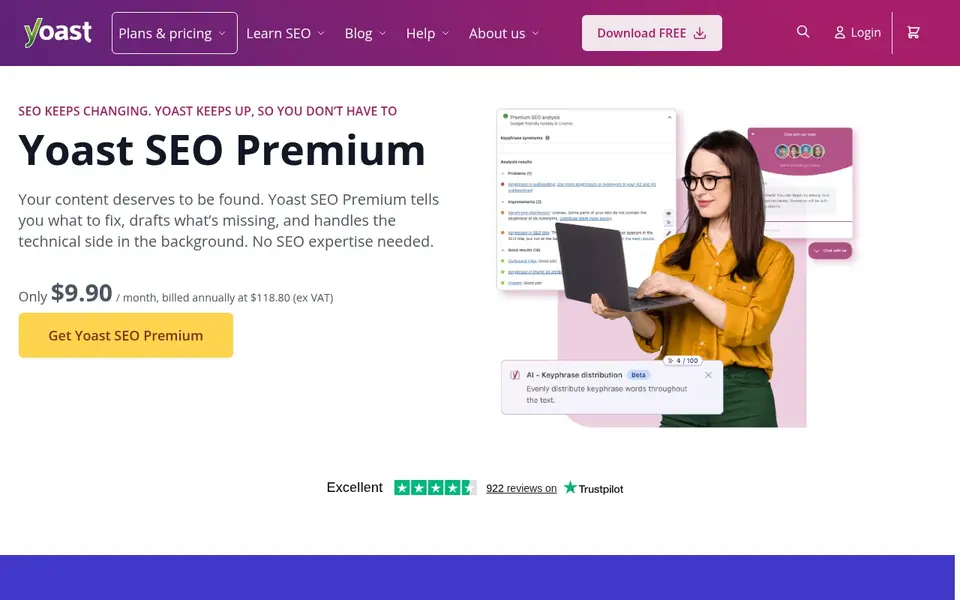
Yoast SEO is a WordPress plugin with a Local SEO section where you enter your business type, address, opening hours and logo. The plugin then outputs the matching structured data alongside the rest of its SEO output. For a small local business already using Yoast, this is the shortest path to having LocalBusiness markup on the site.
The practical benefit is consistency. Because the business details live in one settings screen, the same name, address and phone feed every page, which reduces the mismatch between your site and your Google Business Profile. You can also set the business type to something specific rather than leaving it generic.
The limits are control and depth. If you need custom schema for services, menus or events, the free version will not cover it, and the paid version still gives you less freedom than writing JSON-LD yourself. Skip it if you need bespoke markup.
- Local SEO settings built into a widely used plugin
- outputs Organization and LocalBusiness data
- works with WordPress
- Deeper local schema options sit in the paid version
- less control over custom types
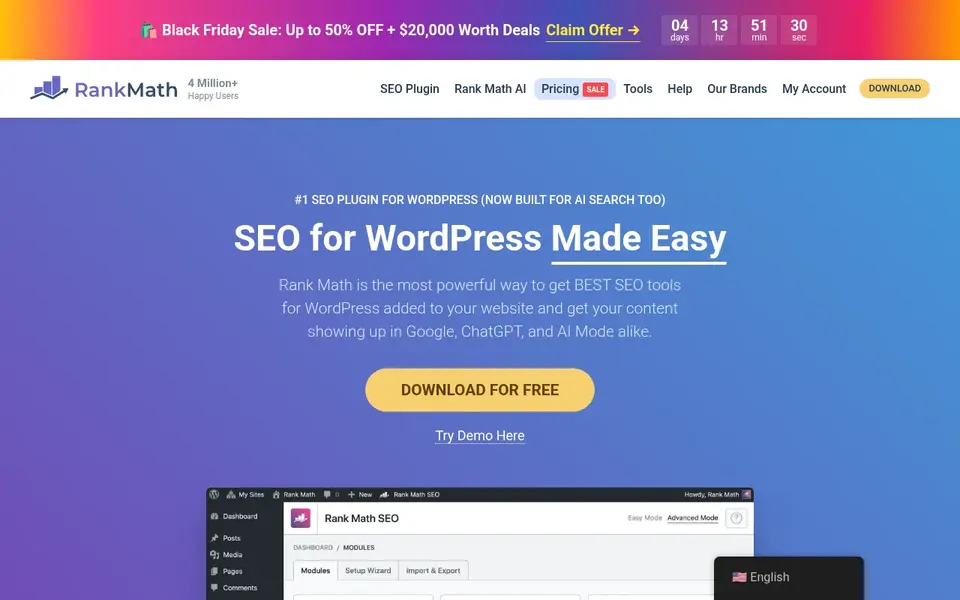
Rank Math is a WordPress SEO plugin with a schema module. You add a schema block to a page, choose LocalBusiness or a subtype, and fill in the fields. The editor shows a preview of the JSON-LD so you can check the structure before publishing.
For a local business that publishes service pages, the schema block can sit on each page and describe the specific service alongside the business. That is a cleaner setup than one giant block on the homepage, because the markup on each page matches the content a visitor sees.
The caveats are the same as any plugin: it only works on WordPress, and the free tier covers common types but not every advanced property. If you run a custom-built site or need schema for unusual content, a standalone generator or hand-written JSON-LD is a better fit.
- Schema builder inside the WordPress editor
- supports LocalBusiness and related types
- preview of the generated markup
- Some schema types are limited on the free tier
- WordPress only
Google Structured Data Markup Helper
Great for: Learning how markup maps to page elements
This is Google's own markup helper. You paste a URL or HTML, pick a type such as Local Business, and highlight the parts of the page that hold the name, address and phone. The tool then produces markup you can add to the page.
Its value for local SEO is educational. Because you tag visible elements, you see clearly that schema must describe what is on the page, which is the rule Google keeps repeating. For a business owner writing their first LocalBusiness markup, that lesson is worth more than a fast generator.
The limits are real. The tool is old, the type list is short, and the output is microdata rather than the JSON-LD Google now prefers. Use it to learn, then move to a JSON-LD generator for production.
- Official Google tool
- highlights page elements to tag
- shows the generated HTML with microdata
- Older interface
- narrow set of types
- microdata focus rather than JSON-LD
Schema.org Validator
Great for: Checking generated markup before publishing
The Schema.org validator is not a generator, but it belongs in every local schema workflow. After you produce markup with any tool on this list, paste the URL or the code and check that the properties parse correctly and that required fields are present.
For a local business, this catches the common mistakes: a missing address field, a telephone number in the wrong property, or opening hours written in a format the parser does not read. It also shows how the markup nests, which matters when you combine LocalBusiness with Service or Organization.
The limit is that it tells you what is wrong, not how to fix it. If you do not know the schema vocabulary, pair it with Google's Rich Results Test and the Schema.org documentation for LocalBusiness.
- Official Schema.org tool
- checks any URL or code snippet
- shows the parsed structure and errors
- It validates only
- no generation
- error messages assume some schema knowledge
Hall Analysis JSON-LD Generator
Great for: Building nested LocalBusiness and Service markup
Hall Analysis runs a JSON-LD generator aimed at people who already know roughly what they want. You pick a type, fill in fields, and it outputs JSON-LD you can paste into a script tag. It handles nested objects better than the simplest generators, which helps when a LocalBusiness needs to reference services or an organization.
For local SEO, that nesting is useful on service-area pages. You can describe the business once and attach the services it offers, rather than repeating the full business block on every page. It is also handy when you want to add properties that a plugin's form does not expose.
The limit is scale. There is no project saving, no bulk export and no template library, so an agency with many locations will spend time copying and editing. It suits a single site owner who is comfortable reading JSON.
- Focused on JSON-LD
- supports nested objects
- simple form for common types
- Smaller type list than larger tools
- manual editing often needed
How I chose
I started from the job a local business actually needs done: produce valid LocalBusiness markup, keep the name, address and phone consistent, and avoid markup that describes things not on the page. From there I looked at vendor documentation and public sources for each tool, including the schema types each one lists, the output format, and whether it works on WordPress or as a standalone web tool. I did not run hands-on tests or publish comparison pages, so my notes reflect what the vendors document rather than measured results.
I also weighed limits. A generator that outputs microdata is less useful in 2026 than one that outputs JSON-LD, and a plugin that only works on WordPress is a poor fit for a custom site. I left out tools where the documentation was too thin to describe the output honestly, and I did not include any tool I could not confirm is currently operating. Where a vendor does not publish pricing, I say so rather than guessing.
What to check before you buy
- Confirm the generator outputs JSON-LD, not just microdata, because that is the format Google documents for structured data.
- Check that it supports the specific LocalBusiness subtype you need, such as Dentist, Plumber or Restaurant, rather than only the generic type.
- Make sure the fields match your Google Business Profile exactly: business name, address, phone and opening hours.
- Test the generated markup in Google's Rich Results Test and the Schema.org validator before it goes live.
- Check whether the tool saves templates or projects if you manage more than one location, since manual copying does not scale.
- Read the vendor's own documentation on which schema types are included in each plan, because free tiers often stop at the common types.
Frequently asked questions
What is local schema markup?
Local schema markup is structured data that describes a business, its address, phone number, opening hours and location using the Schema.org vocabulary, usually in JSON-LD format. It helps search engines understand the business and can support local rich results. It does not replace a Google Business Profile; the two should agree with each other.
Do I need a paid tool to generate LocalBusiness schema?
No. Several free web generators and the official Google markup helper can produce basic LocalBusiness markup. Paid tools earn their place when you manage many location pages, need templates, or want schema managed inside a CMS such as WordPress. Start free, then pay only if the workflow demands it.
Which schema type should a local business use?
Use the most specific type that fits, such as Dentist, Plumber, Restaurant or LegalService, rather than the generic LocalBusiness type. Google's documentation recommends the specific subtype where one exists. If no subtype fits, LocalBusiness is the fallback, and you can add extra properties to describe the business.
Can schema markup improve my Google Maps ranking?
Schema markup is not a direct Google Maps ranking factor. It helps search engines read your business details and can support rich results in search, but Google's local ranking documentation points to relevance, distance and prominence. Treat schema as a clarity and consistency tool, not a ranking shortcut.
How often should I update local schema markup?
Update it whenever your name, address, phone number, opening hours or services change, and check it after any website redesign. A quick quarterly check in the Rich Results Test catches markup that broke after a theme or plugin update. Keeping the markup in sync with your Google Business Profile matters more than adding new properties.
Sources
- Merkle Schema Markup Generator: technicalseo.com/tools/schema-markup-generator
- Schema Pro: wpschema.com
- Yoast SEO: yoast.com
- Rank Math: rankmath.com
- Google Structured Data Markup Helper: google.com/webmasters/markup-helper
- Schema.org Validator: validator.schema.org
- Hall Analysis JSON-LD Generator: hallanalysis.com/json-ld-generator
See where you really rank - block by block
ProMapRanker scans Google Maps across a grid of your service area. Simple monthly plans from $19, white-label on every plan.
Start freeBrowse all guides
← Best Local Rank Tracking Tools for Law Firms in 2026Best Local SEO Chrome Extensions in 2026 →
 best local rank tracking tools for hvac companies
Best Local Rank Tracking Tools for HVAC Companies in 2026
A guide to the best local rank tracking tools for HVAC companies in 2026, compared from vendor documentation, with grid tracking, GBP insights and reporting.
Read → best local rank tracking tools for hotels
Best Local Rank Tracking Tools for Hotels in 2026
A practical guide to the best local rank tracking tools for hotels in 2026, compared from vendor documentation and public sources by Shihab Mia.
Read → best local rank tracking tools for contractors
Best Local Rank Tracking Tools for Contractors in 2026
A contractor's guide to the best local rank tracking tools for 2026, compared on grid tracking, Google Business Profile data, reviews and reporting.
Read → how to make a google business page
How To Make A Google Business Page?
Everything you need to know about how to make a google business page: what it is, why it matters for local SEO, and exactly how to act on it.
Read → local falcon vs brightlocal
Local Falcon vs BrightLocal vs ProMapRanker: Honest 2026 Comparison
A head-to-head comparison of Local Falcon, BrightLocal, and ProMapRanker on geo-grid, AI tracking, and price.
Read → best ai keyword rank tracker software
7 Strong AI Keyword Rank Tracker Software Options in 2026
Best AI keyword rank tracker software: 7 tools compared on price, free plans and fit. The weak spots sit next to the strengths. Current for November 2026.
Read →More in Local SEO & Google Maps · All guides A to Z by date · Latest guides