 ProMapRanker
google my business keywords
Google My Business Keywords: Where They Help and Where They Hurt

Google My Business Keywords: Where They Help and Where They Hurt
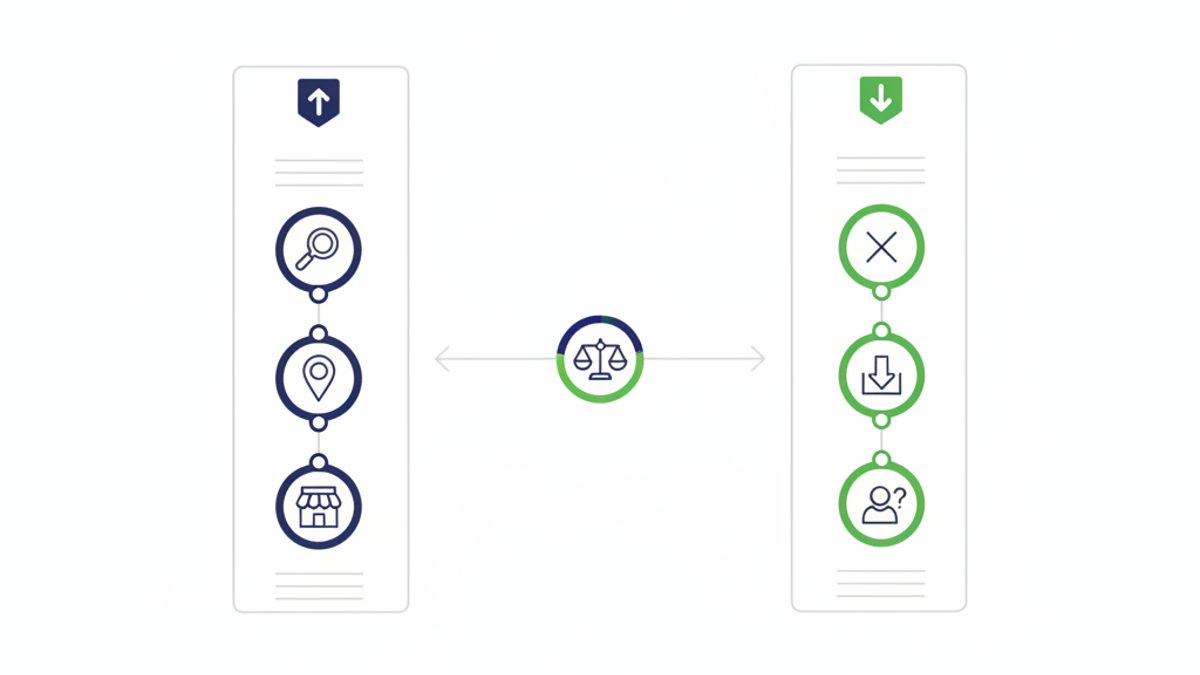
Google My Business (now Google Business Profile) keywords are powerful assets that help Google understand your business and match it to relevant local searches, but only when used correctly. They primarily help when integrated naturally into specific, structured fields like your primary and additional categories, services list, product descriptions, Google Posts, and Q&A section. Conversely, keywords can significantly hurt your local SEO efforts, potentially leading to profile suspensions or reduced visibility, if you keyword stuff your business name or create unnaturally repetitive descriptions that violate Google’s guidelines. Understanding this distinction is crucial for effective local search optimization.Where Do Google My Business Keywords Actually Help?
Primary and Additional Categories: Your Most Powerful Keyword Asset
Google Business Profile categories are arguably the single most impactful keyword field for local SEO. Your primary category tells Google, above all else, what type of business you are. Selecting the most specific and accurate category is paramount. For instance, choosing "Plumber" is far more effective than "Contractor" if you specialize in plumbing. ProMapRanker's analysis shows businesses with accurately chosen, specific primary categories often outrank competitors with broader or less relevant selections. Beyond your primary category, you can add up to nine additional categories. Use these to capture other services or niches your business covers. If you're a "Dentist," additional categories might include "Cosmetic Dentist" or "Emergency Dental Service." These categories function as strong keyword signals, directly informing Google about the scope of your services.Services Section: Detailing Your Offerings with Keywords
The Services section allows you to list specific services your business provides. Each service can have a brief description. This is an excellent place to naturally integrate long-tail keywords and variations that customers might use. For example, a plumbing company might list "Drain Cleaning," "Water Heater Repair," and "Sewer Line Inspection" as services, each with a description containing relevant keywords like "clogged drain solutions" or "tankless water heater installation." This granular detail helps Google understand your specific capabilities.Products Section: Showcasing Specific Items
If your business sells physical or digital products, the Products section is vital. Each product can have a name, description, price, and image. Use keyword-rich product names and descriptions to help customers find what they're looking for and to signal product relevance to Google. This is particularly useful for retail businesses or service providers selling specific packages.Google Posts: Timely Keyword Integration
Google Posts are like mini-blog entries directly on your Google Business Profile. They have a short lifespan (typically 7 days for "What's New" posts, longer for events/offers), but they are an excellent opportunity to inject timely, relevant keywords. Use posts to announce new services, special offers, or events, naturally incorporating keywords related to your business and current promotions. Consistent posting can enhance your profile's freshness and relevance.Questions & Answers (Q&A): Addressing Customer Needs
The Q&A section allows anyone to ask questions about your business, and you, as the business owner, can answer them. This is a goldmine for keyword integration. Monitor this section and proactively answer common questions using keywords that address customer pain points and service inquiries. For example, if a question is "Do you offer emergency plumbing?", your answer could naturally include phrases like "Our emergency plumbing service is available 24/7."Reviews and Responses: Organic Keyword Signals
While you can't control the keywords customers use in their reviews, the words they choose are incredibly powerful. Google's algorithms analyze review content for relevance. When responding to reviews, you have an opportunity to reinforce keywords naturally and professionally. For instance, if a customer praises your "swift AC repair service," your response could acknowledge their "positive experience with our AC repair team." This shows engagement and reiterates keyword relevance without stuffing. For more on managing reviews, see our guide on online review management.Where Do Google My Business Keywords Hurt (and Why)?
Keyword stuffing your Google Business Profile name is the most damaging tactic, violating Google's guidelines and leading to suspensions or de-ranking. Over-optimizing your business description with unnaturally repetitive keywords can also dilute your message and signal spam to Google, diminishing trust and visibility. This practice prioritizes algorithms over users, which ultimately harms your standing.Business Name: The Number One Keyword Stuffing Offender
This is the most critical area where keywords can hurt you. Google's guidelines explicitly state that your business name on your Google Business Profile must accurately reflect your real-world business name. Adding keywords that are not part of your legal or DBA (doing business as) name is a direct violation. For example, if your business is "Smith Plumbing," changing it to "Smith Plumbing & Drain Cleaning Services Dallas TX" will likely lead to a Google Business Profile suspension or a forced edit by Google. According to Google's Business Profile guidelines, "Your name should reflect your business's real-world name, as used consistently on your storefront, website, stationery, and as known to customers." (Source: Google Business Profile Help). Deviating from this policy can result in a loss of trust from Google and, more importantly, from potential customers who see an unverified or inconsistent name.Business Description: Avoid Over-Optimization
The business description is a place to tell customers about your business, its mission, and what makes it unique. While it's tempting to cram this section with keywords, Google has stated that keywords in the description do not directly impact local rankings. Instead, a well-written, engaging description can improve conversion rates by informing and persuading potential customers. Stuffing your description with keywords can make it unreadable, unprofessional, and can signal spam to Google's algorithms. Focus on clarity, value proposition, and brand voice. Use keywords naturally as they fit into a compelling narrative, rather than forcing them in.Review Responses: Maintain Professionalism and Authenticity
While responding to reviews, it's essential to maintain a professional and authentic tone. Avoid boilerplate responses or shoehorning keywords into every reply. Customers appreciate genuine engagement. Forced keyword integration can come across as disingenuous and undermine the positive impact of your responses.The "Keyword Stuffing" Penalty and Trust Signals
Google's algorithms are sophisticated. They are designed to identify and penalize keyword stuffing because it degrades the user experience. Profiles that engage in keyword stuffing risk:- Suspension: The most severe consequence, leading to your profile being removed from Google Maps and Search.
- Lower Rankings: Even without a full suspension, keyword-stuffed profiles may be demoted in local search results.
- Reduced Trust: Google aims to show authoritative and trustworthy businesses. Keyword stuffing signals a manipulative attempt to rank, reducing Google's trust in your profile.
How Do I Find the Best Keywords for My Google Business Profile?
Effective keyword research for your Google Business Profile involves understanding what terms your target customers use locally. Start with Google Search and Maps auto-suggest, analyze competitor profiles, and utilize keyword research tools tailored for local intent to identify relevant, high-impact terms.1. Brainstorm Core Services and Products
Start by listing every service you offer and every product you sell. Think like your customer: What words would *they* use to find your business? Don't limit yourself to industry jargon.2. Leverage Google Search and Maps
- Google Auto-suggest: Type your primary service into Google Search or Google Maps (e.g., "plumber") and observe the auto-suggested phrases. These are common queries.
- "People Also Ask" (PAA): For broader searches, check the PAA section in Google Search results. These questions often reveal long-tail keywords and user intent.
- "Searches related to..." At the bottom of Google search results, you'll find related searches. These can uncover tangential but relevant keyword ideas.
- Local Pack Analysis: Perform searches like "[service] [city]" and analyze the businesses that appear in the Local Pack. What categories do they use? What services do they highlight?
3. Competitor Analysis
Examine the Google Business Profiles of your top local competitors.- What primary and additional categories have they selected?
- What specific services do they list?
- What keywords appear in their Google Posts or Q&A sections?
4. Keyword Research Tools (with Local Filters)
While general keyword tools exist, local intent is key.- Google Keyword Planner: This free tool allows you to filter results by location, giving you insight into local search volume for specific keywords.
- Third-Party Local SEO Tools: Many paid tools offer more granular local keyword data, including competitive analysis and geo-specific search volumes. These can help uncover highly targeted, geo-modified keywords like "HVAC repair San Jose" or "bakery near me."
5. Customer Feedback and Internal Data
Listen to your customers. What language do they use when describing their needs? Check your website's search console data to see what queries led people to your site. This real-world data is invaluable for understanding user intent.A Step-by-Step Guide to Adding Keywords to Your Google Business Profile Safely and Effectively
To safely add keywords, begin by selecting your most accurate primary category, then populate additional categories. Detail your services and products with keyword-rich descriptions, and consistently use relevant terms in Google Posts and Q&A responses, always prioritizing natural language and user experience over keyword density. This approach ensures compliance and maximizes visibility.Step 1: Choose Your Primary Category (Most Important)
- Log in to your Google Business Profile dashboard.
- Go to "Info" and click on the "Categories" section.
- Type in your most accurate, specific category (e.g., "Plumber," not "Contractor"). Google will suggest categories as you type.
- Select the one that best represents your core business. This is non-negotiable for local visibility. For multi-location businesses, ensuring consistency across all profiles is key for multi-location local SEO.
Step 2: Add Relevant Additional Categories
- After selecting your primary category, click "Add another category."
- Add up to nine additional categories that accurately describe other services or niches you offer (e.g., "Emergency Plumbing Service," "Water Heater Installation Service").
- Prioritize categories that align with your keyword research and competitor analysis. More on optimizing Google Business Profile categories can be found here.
Step 3: Optimize Your Services Section
- In your GBP dashboard, go to the "Services" section.
- Add all relevant services. For each service, click to add a description.
- In the description, naturally integrate keywords that describe that specific service. For example, for "Drain Cleaning," describe how you tackle "clogged drains" or offer "hydro-jetting services."
Step 4: Create Keyword-Rich Product Listings (If Applicable)
- If you sell products, navigate to the "Products" section.
- Add new products with clear names and detailed descriptions.
- Use keywords customers would search for when looking for that specific product. Include product features and benefits that incorporate relevant terms.
Step 5: Leverage Google Posts Consistently
- Go to the "Posts" section in your dashboard.
- Create "What's New," "Offer," "Event," or "Product" posts.
- In the post content, naturally include keywords related to the topic of the post. For example, if announcing a special on "AC repair," use "air conditioning repair," "HVAC tune-up," etc.
- Aim for at least one post per week for optimal freshness signals.
Step 6: Answer Questions and Respond to Reviews Strategically
- Monitor the "Q&A" section. If customers ask questions, provide detailed answers incorporating relevant keywords. You can also "seed" common questions yourself and answer them.
- When responding to reviews, thank customers and, where appropriate, reiterate the specific service they received using relevant keywords (e.g., "We're glad our roof repair service met your expectations!").
Step 7: Keep Your Business Description Natural
- In the "Info" section, update your business description.
- Focus on a compelling, easy-to-read narrative about your business, what you offer, and what makes you unique.
- Naturally weave in keywords where they fit, but prioritize readability and user experience over keyword density. This section is primarily for conversion, not direct ranking.
The Impact of Keywords on Local Pack Rankings and Geo-Grid Visibility
Keywords play a foundational role in local pack rankings by helping Google understand your relevance to a search query. When combined with proximity and prominence, optimized keywords in structured GBP fields significantly influence your business's appearance on the local map and improve your geo-grid visibility across a service area. They are a core component of the Google Maps algorithm. The "Local Pack" (also known as the 3-pack) is the coveted block of three businesses that appears at the top of Google search results for local queries. To rank here, Google assesses three primary factors: relevance, proximity, and prominence. Keywords directly impact the "relevance" factor. By accurately categorizing your business and detailing your services with relevant keywords, you tell Google that your business is a strong match for specific search terms. This is a crucial element of local pack ranking factors. ProMapRanker specializes in showing you your "geo-grid visibility," which illustrates your business's local ranking across a specific geographic area, typically a 5x5 or 7x7 grid of search points. For example, a search for "plumber" might show you ranking #1 in your exact location but #7 just three miles away. The effective use of keywords in your GBP profile contributes significantly to how consistently you rank well across these grid points. If your profile clearly communicates that you offer "emergency plumbing," you're more likely to appear on the grid for that specific search, even a few miles out. Our geo-grid rank tracking helps you visualize this impact. Optimized keywords help Google correctly categorize your business, ensuring it's shown for the right searches. This direct correlation between keyword optimization and localized search results is why tools that track your geo-grid visibility, like ProMapRanker, are indispensable. Our platform allows you to monitor your Share of Local Voice (SoLV) and Average Rank Position (ARP) for your target keywords across your service area, providing actionable insights to improve your local performance. Effective keyword strategy directly translates into improved local search performance and higher geo-grid visibility.Keyword Optimization vs. User Experience: Finding the Balance
The best keyword strategy for your Google Business Profile balances optimization for search engines with providing a clear, helpful experience for potential customers. Prioritize natural language in all descriptions and communications, ensuring keywords enhance rather than detract from readability and genuine information. Ultimately, Google rewards profiles that serve both search algorithms and human users equally well. While it's important to use keywords to signal relevance to Google, never let this come at the expense of a good user experience. A human-readable, informative profile will always outperform a keyword-stuffed, robotic one in the long run. Google's algorithms, driven by advancements in natural language processing (NLP), are increasingly capable of understanding context and intent, rather than just keyword density. Focus on creating content (services descriptions, posts, Q&A answers) that genuinely helps your potential customers. If your content provides clear answers, describes your services accurately, and uses language your customers understand, then relevant keywords will naturally appear. This approach ensures your profile is not only optimized for search but also highly effective at converting visitors into customers.| Keyword Placement Strategy | Impact on Local SEO | User Experience |
|---|---|---|
| Primary/Additional Categories | Highly Positive: Direct ranking signal, crucial for relevance. | Neutral/Positive: Clearly defines business type. |
| Services/Products Descriptions | Positive: Strong relevance signals, aids long-tail search. | Positive: Informs customers, helps decision-making. |
| Google Posts/Q&A | Positive: Adds fresh, relevant content, helps specific queries. | Positive: Engages customers, answers questions proactively. |
| Business Name (Keyword Stuffing) | Highly Negative: Risks suspension, de-ranking. Violates guidelines. | Negative: Appears spammy, untrustworthy. |
| Business Description (Natural Use) | Neutral (direct ranking): Valuable for conversion. | Positive: Clear, engaging, builds brand trust. |
| Business Description (Keyword Stuffing) | Negative: Signals spam, poor user experience. | Negative: Unreadable, unprofessional. |
| Review Responses (Natural Use) | Slightly Positive: Reinforces relevance, shows engagement. | Positive: Professional, builds rapport. |
Mastering Google My Business keywords is a delicate balance. It requires strategic placement in the right fields and a commitment to authenticity over manipulation. By focusing on providing valuable, clear information to both Google and your customers, you’ll build a stronger, more visible local presence. Ready to see how your keyword strategy is performing across your service area? ProMapRanker offers advanced geo-grid rank tracking and a comprehensive GBP audit tool to identify your strengths and weaknesses. Get your free Google Business Profile audit today and start outranking your competition.
Frequently Asked Questions
Can I tell if anyone has googled me?
While you cannot see *who* specifically Googled you, Google Business Profile Insights provide data on *how* customers found your business (e.g., direct searches for your business name, discovery searches for a product/service). Google Search Console, if linked to your website, also shows the exact queries that led people to your website from Google Search, offering valuable keyword performance data.What are Google keywords examples for a local business?
For a local business, Google keywords can be categorized by intent and specificity. Examples include "emergency plumber Dallas," "vegan restaurant near me," "auto repair shop [zip code]," "hair salon for men," or "residential roofing contractor." They often combine a service/product with a location or "near me" modifier to capture local search intent.How do I find keywords for my business?
To find keywords, start by brainstorming your core services and products. Then, use Google Maps and Search auto-suggest, analyze competitor categories and services, and leverage tools like Google Keyword Planner (with local filters) or ProMapRanker's GBP audit to discover high-volume, relevant terms your target customers are actively searching for in your service area.What are the main types of keywords for local SEO?
For local SEO, the main keyword types are: Geo-modified keywords (e.g., "dentist San Jose"), which include a location; Service-based keywords ("teeth whitening"), focusing on specific offerings; Brand keywords (your business name), for direct searches; and Long-tail keywords (more specific phrases like "affordable emergency plumbing service 24/7"), which capture niche intent. Each type plays a distinct role in attracting local customers.See where you really rank - block by block
ProMapRanker scans Google Maps across a grid of your service area. Simple monthly plans from $19, white-label on every plan.
Start free