 ProMapRanker
Best Local Rank Tracking Tools for Assisted Living (2026)

Map grid tracking for senior living · Pricing starts at: See website
Direct answer
Local Viking is my first pick for assisted living facilities because its map grid view shows how a community ranks across the whole metro area, not just at one pin. It has no free plan stated, so check its pricing page. If you also need review requests, Trustmary fits; if you manage many communities and want listing control, Synup is the other one to look at.
I compared these tools from vendor documentation and public sources, not from hands-on tests. I looked at how each one handles map grids, multi-location reporting, review signals and call tracking, then matched those features to how assisted living communities actually get found. The list below reflects that reading, not lab results.
Key takeaways
- Assisted living searches usually happen near the family's home or the facility itself, so grid-based rank tracking matters more than a single city-wide position.
- Google Business Profile categories, photos and reviews move map rankings for senior living searches, so pick a tool that tracks those signals next to position.
- Multi-location operators need one dashboard that groups communities by region and exports a clean report for each executive director.
- Review volume and recency affect local visibility in this niche, so review tools belong in the same stack as rank tracking.
- No tool replaces checking your own Google Business Profile for accuracy, because a wrong address or phone number skews every ranking you track.
Quick comparison
| Pick | Great for | Pricing starts at | Free tier | |
|---|---|---|---|---|
| Local Viking | Map grid tracking for senior living | See website | Not stated | Visit |
 SE Ranking | Rank tracking with site audit | See website | Free trial | Visit |
 Trustmary | Review collection for care communities | See website | Free plan | Visit |
 Synup | Multi-location listing and GBP control | See website | Not stated | Visit |
 WhatConverts | Call tracking from map listings | See website | Free trial | Visit |
 Localo | Simple GBP management for one site | See website | Free trial | Visit |
 Rio SEO | Enterprise local search for large groups | See website | Not stated | Visit |
The best local rank tracking tools for assisted living compared
Local Viking is a local rank tracker built around the GeoGrid, a heatmap that shows where a community appears in Google Maps across a grid of points. For assisted living, that is useful because a family in one suburb may see the facility in the top three while a family two towns over sees it on page two. A single "rank" number hides that.
The workflow fits a small agency or an in-house marketer. You set the grid around each community's address, schedule scans, and watch how positions shift after you add photos, service categories or review responses. You can also pull Google Business Profile audit data, which helps catch a missing category like "Assisted living facility" before it drags rankings down.
The limits are practical. Grid scans consume credits, so a large metro with a dense grid costs more per check, and the interface is not the simplest for a director who only wants a one-page summary. Skip it if you need heavy review-request automation in the same tool.
- Heatmap grid view across a metro area
- GeoGrid history over time
- Google Business Profile audit checks
- Grid scans use credits
- Interface takes a session to learn
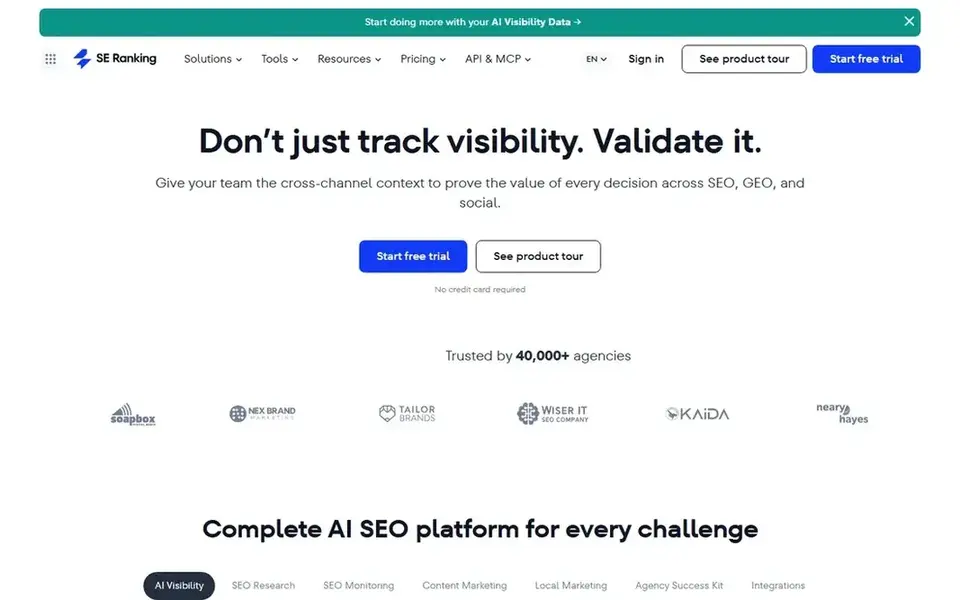
SE Ranking covers both organic and local rankings, which suits an assisted living provider that runs a main website plus a page for each community. You can track keyword sets per location and see whether the community page or the corporate page is winning the map pack.
For this audience, the useful part is combining rank data with a site audit. If a community page loads slowly or has broken links, families on mobile may leave before they call. The tool surfaces those issues next to ranking changes, so you can connect a drop in positions to a technical problem.
The limits: local-specific features and multi-location seats sit in higher tiers, and a first-time setup across several communities takes planning. Skip it if you only want a map heatmap and nothing else.
- Local rank tracking alongside organic tracking
- Site audit and competitor views
- Reports you can brand
- Local marketing features sit in higher plans
- Setup for many locations takes time
Trustmary is a review and reputation tool rather than a rank tracker, but reviews are a real ranking signal for assisted living searches. Families read reviews before they call, and steady recent reviews help a community stay visible in the map pack. The tool sends review requests after a tour or move-in and displays approved reviews on your site.
For a community, the practical workflow is to hand the request step to the admissions or marketing coordinator and keep the message simple. Ask for honest feedback and never filter out unhappy families. Google's guidelines prohibit review gating, so every resident family should get the same request.
The limit is clear: Trustmary does not show you map grid positions. Use it next to a rank tracker, not instead of one. Skip it if you already have a review process that works.
- Review request flows by email and SMS
- Widgets to show reviews on site
- Simple dashboard for staff
- Not a dedicated rank tracker
- Review flows need staff follow-through
Synup is a listings and local marketing platform built for businesses with several locations. A regional assisted living operator with communities across three counties can keep names, addresses, phone numbers, hours and categories consistent from one dashboard. That consistency matters because a wrong suite number or an old phone number sends families to a dead line and weakens the listing.
It also handles Google Business Profile updates and review monitoring, so a marketing lead can see which community has unanswered reviews. Pair it with a rank tracker if map grid history is your priority, because Synup's strength is control and consistency rather than heatmaps.
The limits: setup takes work, and a single community does not need it. Skip it if you run one building and update your profile by hand.
- Central control of listings across many communities
- Google Business Profile management
- Review monitoring in one place
- Setup requires clean location data
- Overkill for a single community
WhatConverts is call and lead tracking. For assisted living, that closes a gap rank trackers leave open: a family finds the community in Maps, taps call, and the front desk answers. Without tracking, nobody knows which listing or keyword produced that call. WhatConverts records the source and shows it per location.
The workflow is to assign a tracking number to each community's Google Business Profile and website, then review the lead report with the admissions team. That tells you whether map visibility is turning into tours, not just impressions.
The limits: it does not show rankings, so it sits beside a tracker. Skip it if your calls already route through a system that reports sources.
- Tracks calls, forms and chats in one view
- Connects leads to the source
- Reports by location
- Not a rank tracker
- Needs a clean tagging plan
Localo is a local marketing tool aimed at small businesses that want a clear view of their Google Business Profile and local keyword positions. For a single assisted living community with a marketing coordinator who is not an SEO specialist, that simplicity helps. You can see profile completeness, track local keywords and get prompts on what to fix.
The fit for this niche is the checklist approach. A community needs the right primary category, accurate hours, fresh photos of common areas and a steady review flow. Localo points at those basics without a steep learning curve.
The limits: it is lighter than enterprise platforms, and a large group with many communities will outgrow it. Skip it if you need deep grid heatmaps or complex reporting.
- Straightforward Google Business Profile checks
- Rank tracking for local keywords
- Easy for non-specialists
- Smaller feature set than enterprise tools
- Less depth for large multi-location groups

Rio SEO is an enterprise local search platform used by brands with many locations. A national assisted living group with dozens of communities can manage listings, local pages and presence reporting from one system. The value is consistency at scale and reporting that rolls up to regional leadership.
For this audience, the fit is a group that already has a marketing team and wants one source of truth for every community's local presence. It is not a quick setup for a single building.
The limits: cost and complexity. Skip it unless you operate many communities and have staff to run the platform.
- Local listings at scale
- Local rank and presence reporting
- Built for brand-level control
- Heavy for small operators
- Requires internal resources to run
How I chose
I built this list from vendor documentation and public sources, reading each tool's feature pages, help docs and published material about local rank tracking, Google Business Profile management and review workflows. I did not run hands-on tests, so treat the notes as a starting point for your own trial. I focused on how each tool handles the things assisted living communities deal with: families searching near their own home, multiple buildings under one brand, review signals and phone calls from map listings.
I also weighed limits. A tool that only shows one city-wide rank is weak for this niche because families search from different towns. A review tool without rank data is useful but incomplete. I left out anything I could not confirm as a real, operating product. Where pricing or free plans were unclear from public pages, I noted that rather than guess. Check each vendor's current page before you commit, because plans change.
What to check before you buy
- Confirm the tool can run a map grid around each community's exact address, not just a city-level keyword rank.
- Check whether you can group communities by region and export a separate report for each executive director.
- Ask how the tool handles Google Business Profile categories, since "Assisted living facility" and "Retirement community" pull different searches.
- Confirm review monitoring is included or available, because reviews affect map visibility and family trust.
- Check whether call tracking can be added, so you can tie map visibility to actual inquiry calls.
- Read the vendor's data policy and make sure any review requests follow Google's guidelines, with no filtering or gating.
Frequently asked questions
Do assisted living facilities need a special rank tracker?
Not a special one, but a map-grid tracker helps more than a plain keyword tracker. Families often search "assisted living near me" from their own town, so a community can rank well in one suburb and poorly in another. A grid view shows that spread, while a single city rank hides it.
How often should I check local rankings for a community?
Weekly or every two weeks is enough for most communities. Rankings move slowly unless you change categories, photos or reviews. More frequent scans mostly burn credits. Check more often for a month after a profile change so you can see the effect.
Do reviews really affect map rankings for senior living?
Reviews are one of several local signals Google uses, and they also shape whether a family calls. The safe approach is to ask every family for honest feedback after a tour or move-in, respond to all reviews, and never filter out negative ones. Review gating breaks Google's guidelines.
Can one dashboard handle several communities under one brand?
Yes, if you pick a multi-location tool like Synup or Rio SEO, or use a rank tracker that supports location groups. Set up each community as its own location with its own grid and keyword set, then roll reports up by region so leadership sees the whole picture.
What should I fix first if map rankings are low?
Start with the Google Business Profile: correct name, address, phone, hours and primary category, plus recent photos. Then check for duplicate listings and unanswered reviews. Rank tracking shows the problem; the profile fix is what moves it. Do that before buying more software.
Sources
See where you really rank - block by block
ProMapRanker scans Google Maps across a grid of your service area. Simple monthly plans from $19, white-label on every plan.
Start freeBrowse all guides
← Best Listing Management Software for Welding Shops in 2026Best Local Rank Tracking Tools for Garden Centers in 2026 →
 best listing management software for party rental companies
Best Listing Management Software for Party Rental Companies (2026)
A practical guide to listing management software for party rental companies, comparing tools for Google Business Profile, citations and reviews in 2026.
Read → best listing management software for mattress stores
Best Listing Management Software for Mattress Stores in 2026
A practical guide to the best listing management software for mattress stores in 2026, covering GBP tools, review platforms and citation services.
Read → best listing management software for lawn care companies
Best Listing Management Software for Lawn Care Companies in 2026
A practical guide to the best listing management software for lawn care companies in 2026, covering GBP tools, citation builders and review platforms.
Read → local seo for dentists
Local SEO for Dentists: How to Fill Your Chairs From Google Maps
A local SEO playbook for dentists: GBP optimization, reviews, and geo-grid tracking to win the map pack.
Read → local seo for bakeries
Local SEO for Bakeries
A local SEO guide for bakeries: Google Business Profile setup, reviews, and custom-order and walk-in local SEO for bakeries.
Read → local seo for auto detailing shops
Local SEO for Auto Detailing Shops
A local SEO guide for auto detailing shops: Google Business Profile setup, reviews, and before/after photo GBP posts for detailers.
Read →More in Local SEO & Google Maps · All guides A to Z by date · Latest guides