 ProMapRanker
Best Call Tracking Software for TV Mounting Services in 2026

Small local teams booking jobs by phone · Pricing starts at: See website
Direct answer
CallRail is my top pick for TV mounting services because it ties each inbound call to the ad, page or listing that produced it, and it is built for small local teams that book jobs by phone. Pricing is quote-based on its site, so check the pricing page before you commit. If you also want reputation tools in the same place, look at Weave, and if you run a larger multi-location operation, Invoca is worth a look.
I put this comparison together from vendor documentation and public sources, not from hands-on tests. TV mounting is a phone-driven trade: a customer with a new 65-inch TV and a brick wall wants to know if you can do it this week and what it costs. The tools below are judged on how well they handle that kind of call.
Key takeaways
- TV mounting jobs are usually booked by phone, so call attribution matters more than form tracking for this trade.
- Look for dynamic number insertion on your site and separate tracking numbers for Google Business Profile and ads.
- Call recording plus keyword spotting helps you see which jobs are quote requests, same-day installs or wall-type questions.
- Routing rules should send TV mounting calls to the person who can quote on the spot, not to a general voicemail.
- Check how each vendor handles number portability and whether your main business number can stay on the truck and on Google.
Quick comparison
| Pick | Great for | Pricing starts at | Free tier | |
|---|---|---|---|---|
| CallRail | Small local teams booking jobs by phone | See website | Not stated | Visit |
 Weave | Phones, reminders and reviews in one place | See website | Not stated | Visit |
 Invoca | Larger operations with paid campaigns | See website | Not stated | Visit |
 CallTrackingMetrics | Flexible routing and IVR trees | See website | Not stated | Visit |
 WhatConverts | Calls and leads in one report | See website | Not stated | Visit |
 RingCentral | A full business phone system with tracking add-ons | See website | Not stated | Visit |
 Local Viking | Watching local map visibility next to calls | See website | Not stated | Visit |
The best call tracking software for TV mounting services compared
CallRail is a call tracking platform aimed at small and mid-sized businesses that generate leads by phone. For a TV mounting service, that is most of your business. You install a snippet on your site, and visitors see a tracking number that swaps in for your main line, so each call is tied to the page or campaign that brought the visitor in.
In practice, you would give your Google Business Profile one number, your Google Ads another, and your website a dynamic pool. When a call comes in, the recording and transcript show whether the customer asked about drywall anchors, a tilting bracket or a same-day slot. You can route calls by time of day, so evening inquiries go to a cell phone instead of an empty office.
The limits are mostly about scale and setup. If you only take a handful of calls a week and already answer every one, the reporting may be more than you need. Larger companies with several crews should ask about multi-user permissions before signing up.
- Dynamic number insertion on your site
- call recording with keyword spotting
- simple routing to the person who can quote
- Pricing is quote-based
- advanced attribution takes setup time

Weave is a communications platform for small service businesses that bundles a phone system, scheduling reminders, two-way texting and review requests. For a TV mounting company, the appeal is that the same tool that answers the call can text the customer a reminder the night before the install and ask for a review afterward.
The call tracking side shows call history, recordings and which staff member handled each call. If a customer calls back to reschedule a wall-mount job, the record is in one place rather than split between a phone app and a spreadsheet. That matters when you are coordinating two installers and a ladder.
The trade-off is that Weave works best when you adopt its phone system rather than layering it on top of an existing one. A one-van operation that already has a phone setup it likes may find the switch more than it needs.
- Combines phone system with appointment reminders
- review requests after a job
- call recording and analytics
- Tied to its own phone platform
- pricing is quote-based
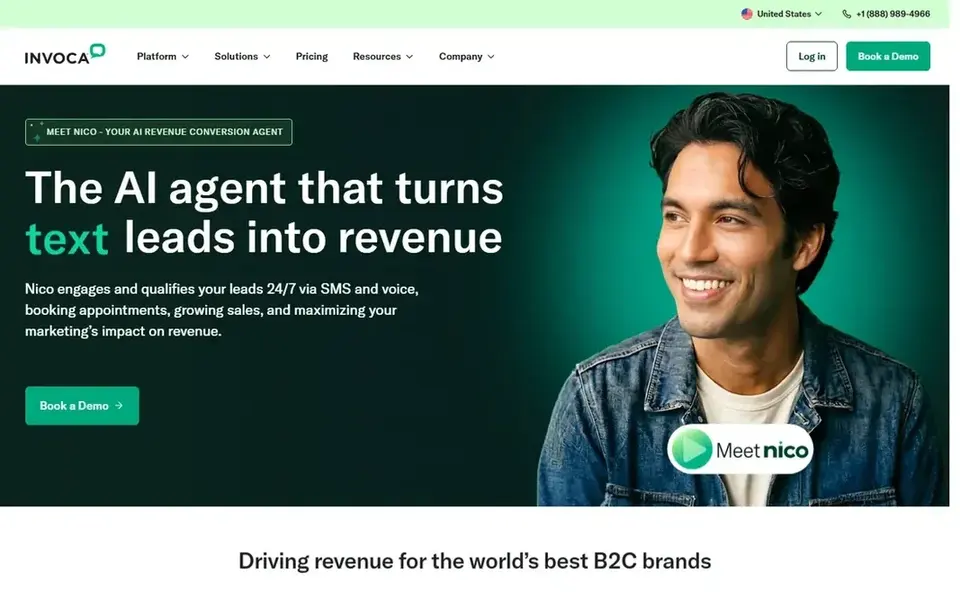
Invoca is a call intelligence platform used by larger brands and multi-location businesses. It analyzes call conversations and connects them to marketing campaigns, which helps when you are spending on Google Ads or local service ads and want to know which keywords produce booked TV mounting jobs.
For a TV mounting business with several crews across a metro area, Invoca can show which neighborhoods and campaigns generate calls that turn into paid installs. It also supports routing to the right location, which helps if you run more than one dispatch point.
The main limit is fit. A solo installer or a two-person team will find the platform and its reporting deeper than the job requires. It is a better match once you have real ad spend to justify the analysis.
- Conversation analytics at scale
- ties calls to ad spend
- strong reporting for multi-location teams
- Aimed at bigger budgets
- overkill for a single installer
CallTrackingMetrics is a call tracking and contact center platform with a flexible call flow builder. If your TV mounting business handles different call types, you can build an IVR that sends quote requests to one person, scheduling changes to another and warranty questions to a third.
It also tracks texts and forms, so a customer who fills out a contact form about a fireplace mount and then calls gets connected in one record. That is useful when you want to see the full path from first inquiry to booked install.
The trade-off is configuration. You or someone on your team needs to spend time building the flows and reports. If you want something that works out of the box with minimal setup, this is more tool than you need.
- Build-your-own call flows
- text and form tracking alongside calls
- detailed reports
- Setup takes time
- interface is denser than simple tools
WhatConverts is a lead tracking platform that captures calls, forms and chats and puts them in a single lead record. For a TV mounting service, that means a phone inquiry about a 75-inch TV on a plaster wall and a web form about a soundbar install show up side by side.
The lead qualification side is the useful part. You can tag leads as quoted, booked or not a fit, which tells you whether your ads bring in real installation jobs or price shoppers. Over a few months, that shapes where you spend.
It is not a phone system, so you still need a line and a way to answer. If you want one platform to run calls and leads, this works; if you want phones handled too, look elsewhere.
- Combines calls, forms and chats in one lead view
- lead qualification tagging
- simple reporting
- Not a full phone system
- pricing is quote-based
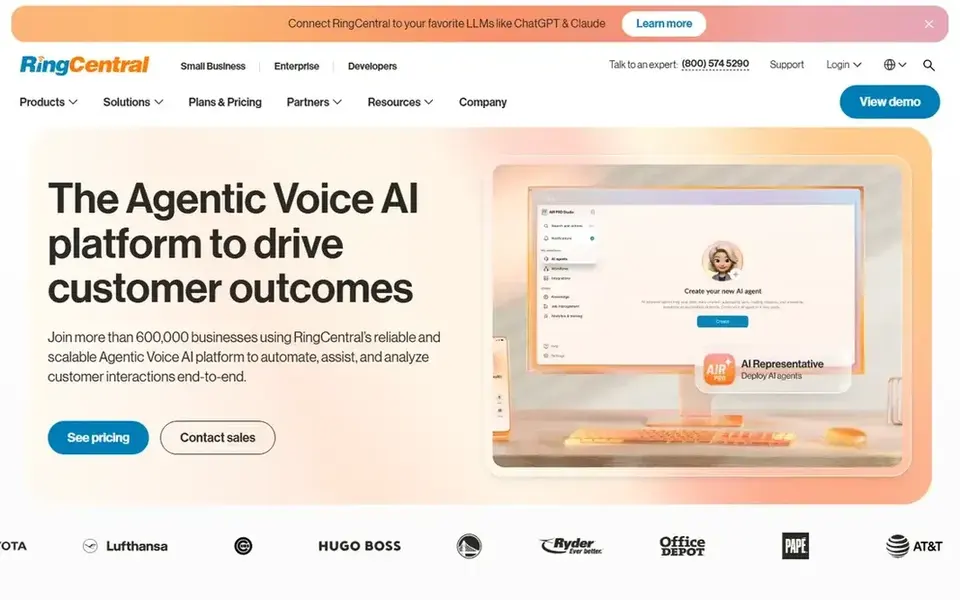
RingCentral is a cloud phone system for small businesses. A TV mounting company can use it to get a professional main number, route calls to installers' cell phones and keep voicemail organized, which matters when you are on a ladder and cannot answer.
Its call tracking features are more limited than dedicated tools, but for a small operation that mostly needs a reliable phone line with call logs and routing, it covers the basics. You can see who called, when and whether the call was answered.
The limit is depth. If you want dynamic number insertion, keyword-level attribution and detailed lead reporting, a dedicated call tracking tool does that better. RingCentral is the phone system first.
- Reliable business phone service
- call routing and voicemail to email
- tracking features available
- Call tracking is secondary to the phone system
- add-ons can complicate billing
Local Viking is a local rank tracking tool that shows where your business appears in Google Maps results across a grid of locations. For a TV mounting service, that tells you which neighborhoods you show up in when someone searches for a nearby installer.
It does not track calls itself, so it belongs next to a call tracking tool rather than instead of one. The pairing is useful: you see map visibility rise in an area, then check whether calls from that area rose too.
If you only want call attribution, skip it. It is for businesses that want to watch local search visibility alongside their phone data.
- Local rank tracking for map results
- geo-grid views
- useful alongside call data
- Not a call tracking platform
- needs another tool for phone attribution
How I chose
I compared these tools from vendor documentation and public sources. I did not run hands-on tests, so I am not claiming measured results. I looked at what each product says it does, how it handles the parts of call tracking that matter for a phone-driven trade, and where its limits are.
For TV mounting services, the deciding factors were attribution, recording, routing and reporting. A business that books installs by phone needs to know which calls came from Google, which came from ads and which came from a repeat customer. I also weighed fit: a solo installer and a multi-crew operation need different levels of complexity, and a tool that is too heavy for a small team is a cost without a payoff.
What to check before you buy
- Confirm dynamic number insertion works with your website platform, since many TV mounting sites run on simple builders.
- Ask whether you can keep your main business number on Google Business Profile while tracking numbers handle ads and site visitors.
- Check call recording consent rules for your state before you record customer calls.
- Make sure routing can send calls to a cell phone during installs, when nobody is at a desk.
- Ask how long call recordings and transcripts are retained, since you may want to review seasonal patterns.
- Confirm whether the tool tracks texts and forms too, because some TV mounting inquiries start as a photo of a wall sent by message.
Frequently asked questions
Do I need call tracking if I only get a few calls a week?
It depends on where those calls come from. If you run Google Ads or have several listings, tracking shows which one produced the call. If you get a handful of calls from repeat customers, a simple phone log may be enough. Start with the free trial or demo most vendors offer and see whether the data changes a decision.
Can call tracking show which TV mounting jobs came from Google Ads?
Yes, when the tool uses dynamic number insertion and connects to your ad accounts. Calls from ad clicks get their own tracking number, so the report ties the call to the campaign or keyword. That helps you see whether ads bring quote requests or price shoppers.
Will a tracking number hurt my Google Business Profile?
A tracking number on your website is fine, but keep your main business number as the primary number on your Google Business Profile. Google's guidelines ask for a number that reaches your business directly. Many tools let you keep the profile number separate from the tracking numbers used on ads and site pages.
Does call tracking work for texts and web forms too?
Some do. CallTrackingMetrics, WhatConverts and Weave track texts or forms alongside calls. If customers often send a photo of their wall or TV before booking, text tracking is worth checking. Confirm the feature is included in the plan you are considering.
How long does setup take for a small TV mounting business?
A basic setup with one tracking number and call routing can be done in an afternoon. Dynamic number insertion on your site and connecting ad accounts may take a bit longer. Plan to test calls from a few devices before you rely on the reports.
Sources
See where you really rank - block by block
ProMapRanker scans Google Maps across a grid of your service area. Simple monthly plans from $19, white-label on every plan.
Start freeBrowse all guides
← Best Call Tracking Software for Sod Installers in 2026Best Listing Management Software for Bed Bug Exterminators (2026) →
 best call tracking software for golf cart dealers
Best Call Tracking Software for Golf Cart Dealers in 2026
A guide to the best call tracking software for golf cart dealers in 2026, compared from vendor documentation, with features, limits and buying checks.
Read → best call tracking software for bathtub refinishers
Best Call Tracking Software for Bathtub Refinishers in 2026
A practical guide to call tracking software for bathtub refinishers, comparing tools by workflow, call attribution and reporting from vendor docs.
Read → best call tracking software for after school programs
Best Call Tracking Software for After School Programs in 2026
A practical guide to call tracking software for after school programs, comparing tools for phone leads, enrollment follow-up and local search visibility.
Read → best ai rank tracker software
Best AI Rank Tracker Software in 2026
Compare the best AI rank tracker software for tracking brand positions in AI answers daily, with pricing, engines, and reporting compared for teams today.
Read → local seo for dry cleaners
Local SEO for Dry Cleaners
A local SEO guide for dry cleaners: Google Business Profile setup, reviews, and convenience and turnaround-time local SEO.
Read → google local algorithm update 2027
Google Local Algorithm Updates 2027: What Changed
A running breakdown of Google's local search and Maps algorithm changes in 2027 and how to react to each.
Read →More in Local SEO & Google Maps · All guides A to Z by date · Latest guides