 ProMapRanker
Best Call Tracking Software for After School Programs in 2026

Call tracking tied to enrollment sources · Pricing starts at: See website
Direct answer
Nimbata is my top pick for after school programs because it tracks the phone calls that turn into enrollments and ties them back to the ads and listings that produced them. Pricing is quote-based, so check its pricing page. If you mainly want to see which calls become sign-ups, WhatConverts is a strong second choice. If your front desk handles most calls, Weave fits a program that wants call handling and tracking in one place.
I compared these tools from vendor documentation and public sources rather than hands-on tests. My focus was how each one fits the way an after school program actually gets inquiries: a parent calls about a schedule, a spot opens up, or a flyer prompts a question. I looked at call routing, source attribution, reporting and how each tool handles more than one location.
Key takeaways
- After school programs live on phone calls, so tracking which calls become enrollments matters more than counting raw call volume.
- Call tracking works best when each number is tied to a specific source, such as a Google Business Profile listing, a flyer, a paid ad or a landing page.
- Seasonal enrollment spikes mean you need reports you can filter by date, location and campaign, not just a monthly total.
- A tool that records calls and logs outcomes helps you coach staff on how to answer parent questions about schedules, pickup and fees.
- Check how each tool handles multiple locations and whether it plays well with the CRM or booking system you already use.
Quick comparison
| Pick | Great for | Pricing starts at | Free tier | |
|---|---|---|---|---|
| Nimbata | Call tracking tied to enrollment sources | See website | Not stated | Visit |
 WhatConverts | Lead tracking across calls and forms | See website | Free trial | Visit |
 Weave | Phone system with built-in call tracking | See website | Not stated | Visit |
 CallRail | Simple, reliable call tracking | See website | Free trial | Visit |
 Invoca | Call analytics for larger programs | See website | Not stated | Visit |
 CallTrackingMetrics | Flexible routing and reporting | See website | Free trial | Visit |
 SE Ranking | Local rank tracking beside call data | See website | Free trial | Visit |
The best call tracking software for after school programs compared
Nimbata is a call tracking platform built around showing where phone leads come from. For an after school program, that means you can give a different number to your Google Business Profile, your website, a printed flyer sent home with students, and a paid search campaign, then see which one produced the calls that turned into registrations. It suits a single-site program or a small group of locations that wants clean attribution without a heavy setup.
In daily use, the program director can listen to recorded calls to hear what parents ask about most, whether that is pickup times, homework help or fees. You can tag calls by outcome so enrollment calls are separated from general questions. Reports filtered by date help during the back-to-school rush, when call volume climbs and you need to know which channel is filling spots.
The limits are mostly about scale. If you want a full phone system, texting and CRM in one bill, Nimbata is narrower. Programs that need a complete communications suite should look at Weave instead.
- Clear source-level call attribution
- call recording for staff coaching
- reports that suit small teams
- Fewer extras than large all-in-one platforms
- pricing needs a quote
WhatConverts treats every inquiry as a lead, whether it arrives by phone, form or chat. That fits an after school program because parents often call first and then submit a registration form later. Seeing both in one place helps you judge which marketing actually produced the family, not just the first touch.
You can tag each lead with the source and the outcome, so a call from a school flyer and a form from a parent Facebook group are both visible. That makes it easier to decide where to spend a small marketing budget next term. The lead timeline also shows whether a parent called twice before enrolling, which is common when they are comparing programs.
Setup takes some thought. You need to define your lead types and sources before the reports become useful, so plan an afternoon for configuration. Very small programs may find it more than they need.
- Tracks calls and web form leads together
- lead-level reporting
- works with common CRM tools
- Requires planning to set up lead sources
- interface takes a little learning

Weave is a communications platform for small businesses that includes phone service, call tracking and related tools. For an after school program with a busy front desk, it can replace a separate phone provider and a separate tracking tool with one system. Staff answer calls in one interface and the tracking data sits alongside the call history.
The practical benefit is that the person answering the phone sees context and can log what the call was about. Enrollment questions, absence calls and billing questions all land in the same place, and you can review recordings later to improve how staff handle common parent questions. That is useful when you are training a new office coordinator.
The main limit is that Weave works best when you adopt its phone platform fully. A program that already has a phone system it likes may not want to switch just for tracking.
- Combines phone service with call tracking
- call recording and voicemail in one place
- suits front-desk workflows
- Tied to its own phone platform
- may be more than a tiny program needs
CallRail is one of the most common call tracking tools, and its core product is easy to explain to a program director who is not a marketer. You assign tracking numbers to sources, and the dashboard shows calls by source, with recordings and tags. For a program running a few ads and a Google Business Profile, that covers the basics well.
The website number swapping feature is handy if you want to keep one public phone number while still attributing calls to different pages, such as a summer camp page versus a school-year page. Tagging calls by outcome lets you separate enrollment inquiries from general questions.
One limitation is that CallRail is a general tool, so you build the education-specific reporting yourself. Larger routing needs push you into higher tiers.
- Easy to understand call reports
- dynamic number insertion on websites
- call recording and tagging
- Advanced routing features cost more
- not built specifically for education
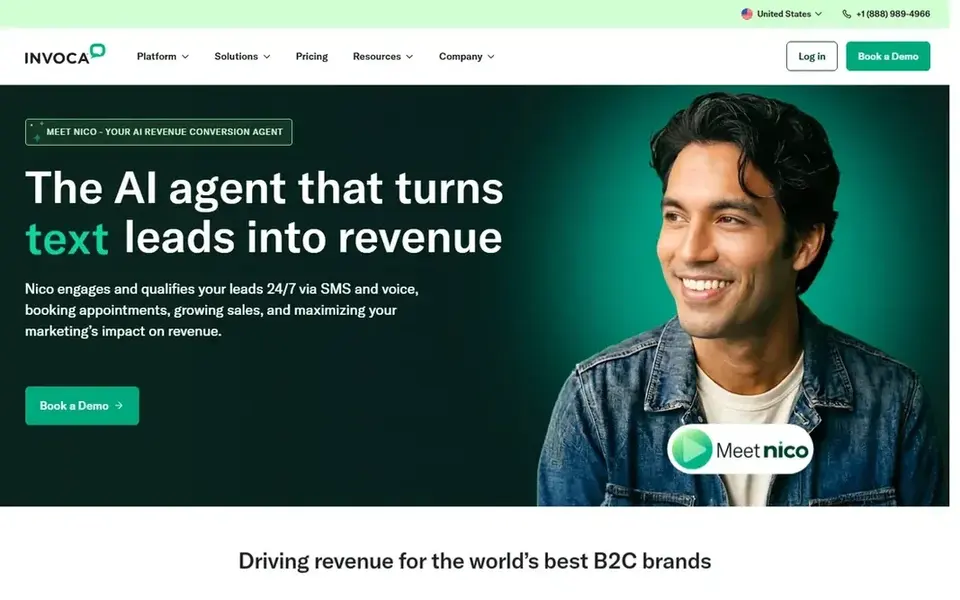
Invoca focuses on call analytics, using call data to show which marketing produced conversations and how those calls turned out. A multi-site after school provider with several locations and a real marketing budget can use it to compare performance across sites and campaigns. It is more analytics platform than simple number swapping.
For a program with a marketing team, the conversation data can show which messages lead to enrollments and which produce calls that go nowhere. That is useful when you are testing different flyers or ad copy across neighborhoods.
Small single-site programs will find it heavy. If you answer a few dozen calls a week, a simpler tool will do the job for less effort.
- Strong call analytics and conversation data
- good for multi-location reporting
- integrates with major ad platforms
- Aimed at larger operations
- pricing is quote-based
CallTrackingMetrics gives you a lot of control over how calls are routed and reported. A program with multiple sites can route calls by location or by time of day, so after-hours calls go to voicemail or to a manager. Reports can be sliced by source, agent and outcome.
That flexibility helps when your office hours change between the school year and summer, or when one location handles enrollment for the whole group. You can build rules that match how your staff actually works.
The trade-off is complexity. Someone has to own the configuration, and a small program without a marketing coordinator may not use half the features.
- Detailed routing rules
- strong reporting
- supports multiple locations and teams
- Setup is more involved
- interface can feel dense
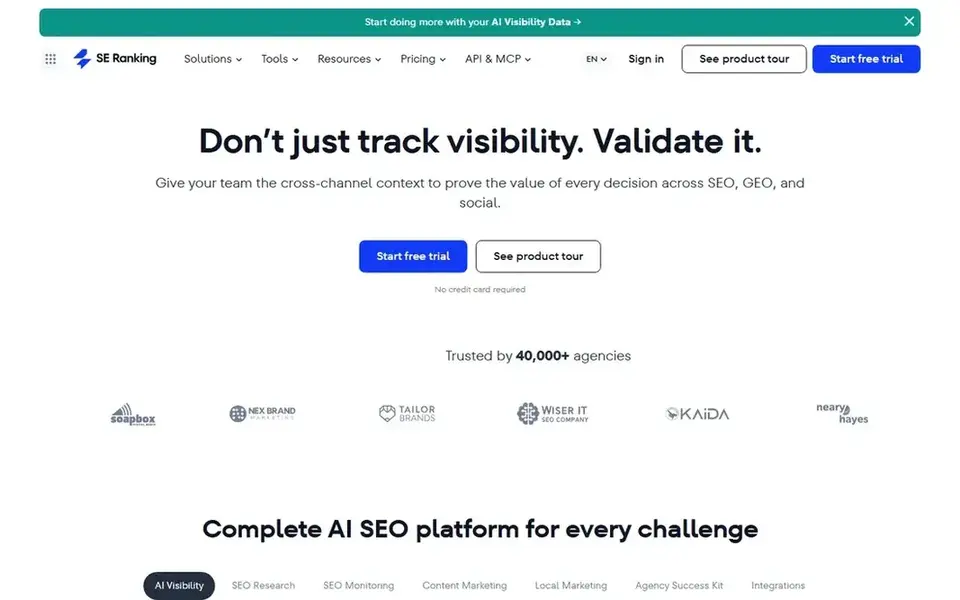
SE Ranking is a local SEO platform rather than a call tracking tool, but it earns a place here because after school programs often want to know whether they show up in local search when parents look for programs nearby. Its local rank tracking shows where your Google Business Profile appears for terms like "after school program" plus your town.
Used alongside a call tracking tool, it answers a different question: not which call came from where, but whether you are visible at all when parents search. That is useful before you spend money on ads, because map visibility often drives the first call.
The limit is clear. SE Ranking does not replace call tracking. If phone attribution is your main goal, start with Nimbata or WhatConverts and add rank tracking later.
- Local rank tracking for map visibility
- competitor tracking
- reporting for clients or managers
- Call tracking is not its main function
- needs a separate tool for phone attribution
How I chose
I built this list from vendor documentation and public sources, not from hands-on testing. I read each vendor's product pages, help documentation and public feature descriptions, then matched those features to the way after school programs get inquiries. The questions I kept in mind were simple: can this tool show which source produced a call, can it handle more than one location, and can a program director use the reports without a marketing degree.
I also weighed limits honestly. Some tools are built for large marketing teams and will overwhelm a small program. Others are narrow but do their one job well. I left out tools whose sites I could not verify and avoided ranking anything on claims I could not confirm from public sources. Where pricing was not published, I noted that you should check the vendor's page rather than guess.
What to check before you buy
- Confirm the tool can assign separate tracking numbers to your Google Business Profile, website, printed flyers and paid ads, so you can tell sources apart.
- Ask whether call recordings and transcripts are included, since they help you coach staff on answering parent questions about schedules and fees.
- Check how many locations and users the plan covers, especially if one office handles enrollment for several sites.
- Confirm the tool integrates with your registration or CRM system, or at least exports data you can import.
- Ask how the tool handles after-hours and seasonal call volume, since enrollment spikes around back-to-school and summer.
- Read the vendor's documentation on number portability and setup time before you commit, so you know what changing tools later involves.
Frequently asked questions
What is call tracking software and why would an after school program use it?
Call tracking software assigns different phone numbers to different marketing sources, then records which number was dialed and what happened on the call. An after school program uses it to learn whether calls come from its Google Business Profile, its website, a school flyer or a paid ad. That helps you spend a small budget where it produces actual enrollment inquiries.
Do I need call tracking if most parents contact us through a form?
Forms and calls usually work together. Many parents call first with a quick question about schedule or availability, then register online later. Tracking only forms hides the call that started the process. A tool like WhatConverts that logs both calls and forms gives a fuller picture of which source produced the family.
Can call tracking work across multiple after school locations?
Yes, most tools on this list support multiple tracking numbers and route calls by location or time of day. The key is to plan your number structure before setup, so each site has its own numbers and reports stay readable. Tools like CallTrackingMetrics and Invoca are built with multi-location reporting in mind.
Will adding tracking numbers hurt my local search visibility?
Using tracking numbers on your website and ads is common, but keep your main business phone number consistent on your Google Business Profile and major directories. Google's guidelines favor consistent business information, so avoid swapping the primary number on your main listing. Use tracking numbers for campaigns and secondary pages instead.
How do I pick between a call tracking tool and a full phone system?
If your main goal is knowing which marketing produces calls, a dedicated call tracking tool is simpler and cheaper to run. If your front desk also needs phone service, voicemail and texting in one place, a platform like Weave may save you from managing two vendors. Decide based on whether you are replacing a phone system or adding measurement.
Sources
See where you really rank - block by block
ProMapRanker scans Google Maps across a grid of your service area. Simple monthly plans from $19, white-label on every plan.
Start freeBrowse all guides
← Best Review Request Software for Test Prep Centers in 2026Best Call Tracking Software for Bathtub Refinishers in 2026 →
 best review request software for pet bakeries
Best Review Request Software for Pet Bakeries in 2026
A practical guide to the best review request software for pet bakeries in 2026, with tools compared on workflow, reminders and Google review compliance.
Read → best review request software for home theater installers
Best Review Request Software for Home Theater Installers in 2026
A practical guide to review request software for home theater installers, compared from vendor docs, with tools for SMS asks, review invites and follow-ups.
Read → best review request software for farmers markets
Best Review Request Software for Farmers Markets in 2026
A practical guide to the best review request software for farmers markets in 2026, compared from vendor documentation and public sources.
Read → geo grid local rank tracking
Geo-Grid Local Rank Tracking: The Complete Explainer
Everything you need to know about geo-grid local rank tracking: what it is, how it works, and why it matters.
Read → rankscale alternatives
Best RankScale Alternatives in 2026
rankscale alternatives for local rank tracking, geo grids, citations and reviews, compared on price, coverage, reporting and value for small teams today.
Read → local seo for kitchen remodelers
Local SEO for Kitchen Remodelers
A local SEO guide for kitchen remodelers: Google Business Profile setup, reviews, and high-ticket-lead local SEO for remodelers.
Read →More in Local SEO & Google Maps · All guides A to Z by date · Latest guides