 ProMapRanker
2026 Guide to the Best AI Image Generator for Ecommerce
Direct answer
If you need designing product photoshoots on a canvas, Flair is the first tool to look at here. Listed starting prices: Flair from $8 a month, Pixelcut from $8 a month and Photta from $14 a month. Pixelcut is better for quick edits, backgrounds and batch exports, and Photta is better for studio product shots from phone photos. The full list of 7 tools follows, with prices and free plan facts.
This ProMapRanker guide covers 7 options for AI image generator for ecommerce. Each profile lists a starting price, free plan details, strengths and drawbacks, so you can drop poor fits quickly.
Key takeaways
- Flair is the opening pick, best for designing product photoshoots on a canvas.
- Krea has the lowest monthly starting price in this list: $5 per month.
- Before buying Flair, weigh this: generated image quotas are small on lower levels.
- Botika is the one to check for on-model photos for fashion brands.
- Free plans exist at 3 of 7 tools (Flair, Pixelcut, Krea).
Quick comparison
| Pick | Great for | Pricing starts at | Free tier | |
|---|---|---|---|---|
 Flair | Designing product photoshoots on a canvas | $8 a month | Yes | Visit |
 Pixelcut | Quick edits, backgrounds and batch exports | $8 a month (billed annually) | Yes | Visit |
 Photta | Studio product shots from phone photos | $14 a month | Free trial | Visit |
 Photoroom | All-round product photos for sellers | $7.50 a month (billed yearly) | Free trial | Visit |
 Krea | General AI images and ad creative | $5 per month (billed annually) | Yes | Visit |
 Caspa AI | Lifestyle shots with consistent text and logos | $39 a month | 10 free credits | Visit |
 Botika | On-model photos for fashion brands | See website | Free trial | Visit |
The 7 tools in detail
Where Flair fits: designing product photoshoots on a canvas. Rather than a single prompt box, it provides you a drag-and-drop canvas where you place your product, add props and build a scene, then let AI render it. More specifically, Pro costs $8 a month, Pro+ costs $26 a month with up to 80 generated images and a commercial license.
Watch-outs: Instant and ad generations use four times the quota.
The Scale level costs $38 a month with 150 images and early API access. On top of that, the free plan bundles 1 custom model and 5 generated images. The starting price for Flair: $8 per month. You can start on Flair without paying.
- AI fashion photoshoots that keep patterns and logos
- Drag-and-drop canvas to stage scenes with props
- Generated image quotas are small on lower levels
Pixelcut is designed for quick edits, backgrounds and batch exports. Pixelcut is an AI image and video product that says more than 70 million sellers use it. Its everyday tools contain background removal for images and video, upscaling up to 16x, image expansion, retouching, shadow generation and batch editing across hundreds of files.
Highlights: unlimited background removal and 1,000 batch exports.
It also produces AI product photos and AI UGC ads. In daily use, business costs $30 a month, or $24 billed annually, with 3,600 credits and seats for a 10-person team. Also, Pixelcut is a strong match for marketplace sellers who require clean, consistent listing photos rapidly, on the web or in the mobile app. More specifically, Pro costs $10 a month, or $8 a month billed annually, with 600 AI credits, unlimited background removal and 1,000 batch exports. Pixelcut starts at: $8 per month. Pixelcut has a free plan.
Limits to weigh: Wide AI product, so product tools sit among plenty of other features.
- Pro with 600 AI credits
- Free plan with restricted background removal
- Credits are shared across image and video models
For studio product shots from phone photos, Photta is a natural candidate. Photta is an AI studio for product photos, videos and ads. Its AI product photo tool takes up to four photos of the same product, even phone shots, and returns it on a clean studio backdrop: pure white for marketplace central images, a soft gradient, a dark backdrop, a textured wall or a backdrop photo you upload.
Main advantages: Works from up to four phone photos of one product.
Watch-outs: The watermark is removed only on premium plans. Each studio photo costs 4 credits at 2K or 5 at 4K. Seller costs $29 a month for 500 credits and 2 seats, Brand costs $79 a month for 1,500 credits and 5 seats, and Studio costs $249 a month for 5,000 credits and 15 seats. The starting price for Photta: $14 per month. On free options: Free trial.
- Free to start with no credit card, plus an API on the same credits
- White, gradient, dark
- Monthly plan credits reset each month
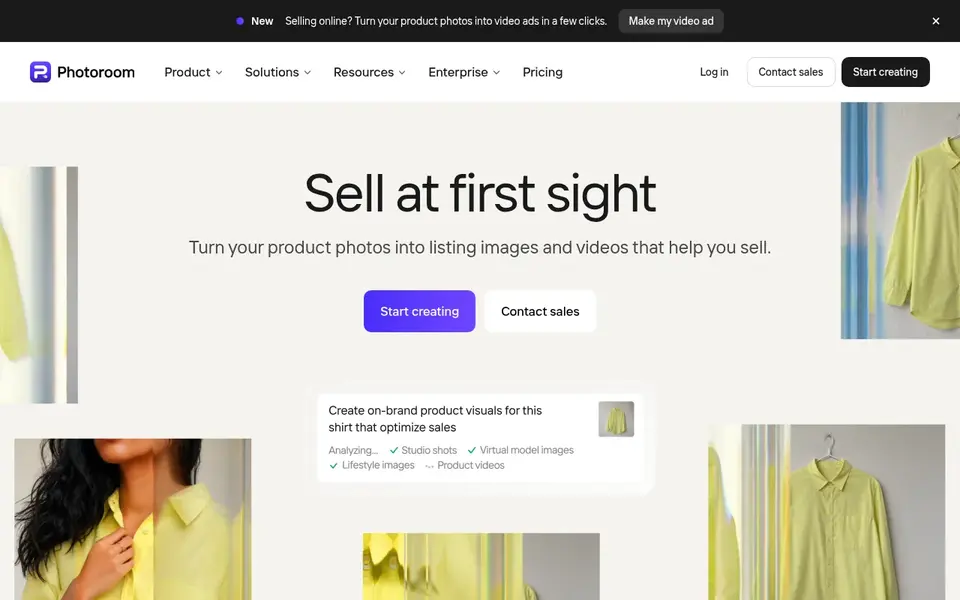
Photoroom is designed for all-round product photos for sellers. Photoroom is an AI photo editor made for selling. It started with background removal and now spans product staging, lifestyle backgrounds, AI fashion models, ghost mannequin, flat lay, product beautifying, AI shadows and product videos for ads.
Limits to weigh: Monthly billing costs much more than yearly.
Its site says more than 1 million firms use it, and case studies bundle Depop, Mercari and Decathlon. Pro costs $12.99 a month, or $7.50 a month billed annually, and contains 8,000 AI credits and 1,000 exports. Batch processing and a product catalog make Photoroom practical for keeps with hundreds or thousands of SKUs. In practice, every plan starts with a free trial. Photoroom cost at the entry level: $7.50 per month. Free options: Free trial.
- Batch processing for thousands of images and a product catalog
- Including Depop
- Heavy video and high-res work needs the Max or Ultra plans
Krea is a good fit for general AI images and ad creative. Krea is a general AI creative system trusted by more than 40 million creators, based on its pricing page. It hands you access to its own models and numerous leading image and video models, plus templates for example a product photoshoot that turns a single product photo into a lifestyle shoot and commercial mockups.
Points against: Units are shared across models with different costs.
For everyday use, the free plan includes 100 units per day. Entry-level costs $9 a month, or $5 billed annually. Pro costs $35 a month, or $21 billed annually, and Max costs $105 a month, or $63 billed annually. Also, business costs $200 a month, or $160 billed annually, and layers on business terms with no-training clauses for your content. Price to start with Krea: $5 per month. Krea offers a free plan.
- Free plan with 100 units per day
- Access to numerous leading image and video models in one place
- Not built only for product accuracy, so check labels and details
Caspa AI was built for lifestyle shots with consistent text and logos. Caspa AI builds studio-quality lifestyle photos and videos for ecommerce brands. It concentrates on keeping fine product details intact, including text, patterns and logos.
It can add models, animals and props to a scene. In daily use, growth costs $66 a month for 1,000 credits and brings video generation. Every new account starts with 10 free credits and no credit card. Also, starter costs $39 a month for 500 credits, images only, with upscaling up to 4K and a commercial use license. As for the details, Caspa is now available on Shopify. Entry price for Caspa AI: $39 per month. Free options: 10 free credits.
What to check first: Starter plan is images only.
- Now on Shopify
- Keeps text
- Higher price than Pebblely for similar image counts
Botika targets on-model photos for fashion brands. Bulk upload lets a team produce and publish a full collection at once. For everyday use, Botika gives you a free trial.
Its pricing page lists multiple credit-based plans with yearly discounts, so check the site for current rates before you commit. From a buyer's view, Botika is an AI fashion model generator. It keeps prints aligned, logos in place and textures readable. This comparison lists no price for Botika; ask the vendor. As for free access: Free trial.
Watch-outs: Plan pricing changes with yearly and monthly billing, so check the site for current rates.
What works well: Bulk upload for entire collections.
- Skin tones and markets
- Turns flat lay
- Built only for fashion
How the list was put together
The comparison looks at four things: starting price, free access, how well the feature set matches AI image generator for ecommerce, and the main limit of each tool. Where a price is missing, the vendor does not list one publicly or ties it to a quote. Always confirm before budgeting. Tools are placed by general fit for AI image generator for ecommerce, with price clarity and free access as tie-breakers. A different team can reasonably rank them differently.
What to check before you buy
- Get a written quote from Botika; the list shows no starting price for them.
- Check what the free option really includes: Flair, Pixelcut and Krea offer a free plan, and usage caps differ.
- Run a trial of Photta, Photoroom and Botika with real work before paying for a year; your own workflow is the best test.
- Before choosing Flair, weigh its main limit: generated image quotas are small on lower levels.
- Make sure Flair lets you export your data in a format another tool can read.
- Add up seats, add-ons and usage charges for Photoroom before comparing it with cheaper entries.
Frequently asked questions
Which options for AI image generator for ecommerce have a free plan?
On this list, Flair, Pixelcut and Krea include a free plan. Caps on seats, usage or features are common, so test the free plan against your real workload. Several others offer a trial instead.
Can I try these tools before paying?
Often, yes. Flair, Pixelcut and Krea have a free plan and Photta, Photoroom and Botika offer a free trial. Use your own data and a real task during the test, and check what the free tier or trial limits before you rely on it.
Can I use AI product photos on Amazon and Shopify?
Usually yes, provided that the images present the real product accurately and follow each marketplace's image rules, like a white background for Amazon central images.
Can AI replace a product photoshoot?
For numerous listings and social posts, yes. Hero campaign images and complicated products may still benefit from a real shoot.
How are the tools for AI image generator for ecommerce ordered?
Flair sits first and Botika last because the order follows typical fit for AI image generator for ecommerce, then price clarity and free access. It is a judgement call, so read each profile for fit and limits.
What is the best AI image generator for product photos?
Start with Flair if you need designing product photoshoots on a canvas. Pixelcut is the better match for fast edits, backgrounds and batch exports, and Photta for studio product shots from phone photos. The best choice depends on budget, team size and workflow.
Sources
See where you really rank - block by block
ProMapRanker scans Google Maps across a grid of your service area. Simple monthly plans from $19, white-label on every plan.
Start freeBrowse all guides
← Best AI App for House Exterior Design in 2026Best AI Photo Upscaling Software in 2026 →
 best ai app for exterior home design
AI App for Exterior Home Design: 5 Options Compared in 2026
Weighing the best AI app for exterior home design? We lined up 5 products by cost, free access and fit. Limits and pricing notes included. Read before you buy.
Read → best walmart fulfillment tools
Walmart Fulfillment Tools: 7 Options Compared in 2026
Weighing the best Walmart fulfillment tools? We lined up 7 products by cost, free access and fit. Every pick gets a straight assessment. Compare quickly.
Read → best local ai image generation tools
Best Local AI Image Generation Tools in 2026
7 best local AI image generation tools, with entry costs, free tiers and the buyer each one serves. Prices and drawbacks included. Refreshed for 2026.
Read → best invitation app
Best Invitation App in 2026: 9 Apps Compared
We compared the best invitation app options for parties, weddings and formal events, covering free RSVP apps, design quality, guest tools and pricing.
Read → companycam alternatives
Best CompanyCam Alternatives in 2026
Looking for companycam alternatives? We compare 9 jobsite photo and contractor tools on price, photo proof and field features for teams in 2026 in full.
Read → best smart home app
Best Smart Home App in 2026: 8 Apps Compared
Find the best smart home app for your home in 2026, with Google Home, Alexa, Apple Home, SmartThings, and local-control options compared side by side here.
Read →More in Design & Creative · All guides A to Z by date · Latest guides