 ProMapRanker
Best AI App for Exterior Home Design in 2026


Widest range of exterior styles · Pricing starts at: $22 per month
Key takeaways
- HomeDesigns AI offers the broadest style range for exteriors, gardens, and interiors in one toolkit.
- Remodel AI is the fastest way to preview facade, paint, and finish changes from a single photo.
- REimagineHome suits real estate and renovation planning, with exterior edits beside staging and garden tools.
- Spacely AI fits professionals who want sketch and model rendering as well as photo restyling.
- No AI render is a construction plan: always check structure, materials, and local rules with a professional before building.
Quick comparison
| Pick | Great for | Pricing starts at | Free tier | |
|---|---|---|---|---|
| HomeDesigns AI | Widest range of exterior styles | $22 per month | Free trial | Visit |
 Remodel AI | Quick facade and paint previews | $29 per month | Free trial | Visit |
 REimagineHome | Exteriors for listings and renovations | $19 per month | Free trial | Visit |
 Spacely AI | Renders from photos and sketches | $25 per month | Free trial | Visit |
 RoomStaging | Listing-ready exterior photos | $19 per month | Free trial | Visit |
 Planner 5D | Editable exterior layouts | Free | Yes | Visit |
 Homestyler | 3D planning with AI help | Free | Yes | Visit |
 Mnml AI | Architectural exterior concepts | $29 per month | Free trial | Visit |
 RoomGPT | Fast style experiments | See website | Free trial | Visit |
The best ai exterior home design app
We compared AI tools still available in October 2026 that can restyle an exterior photo, change paint or cladding, or preview garden design, and we checked their free access and starting prices. Our pick for most homeowners is HomeDesigns AI for range, with Remodel AI as the fastest photo option.
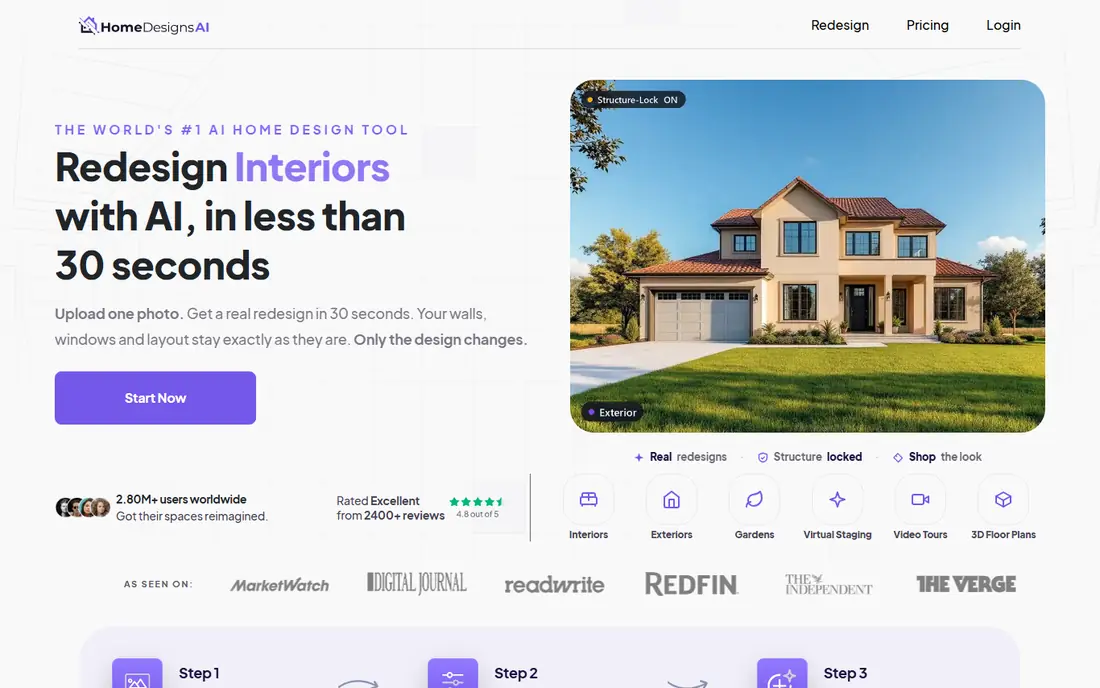
HomeDesigns AI is the broadest tool in this list for a homeowner who wants to compare many looks for one house. Upload a photo of your facade, pick a style, and the tool returns restyled versions with different cladding, colors, roofing cues, and garden planting. That range makes it useful at the ideas stage, when you are still deciding between a modern, farmhouse, or traditional direction.
The trial terms need care: recent reports describe a seven-day trial that renews onto a higher plan unless cancelled, with a Standard plan from $22 per month. Check the checkout screen before starting a trial, and cancel promptly if you only want a short test. Also compare each render against your original photo, since AI tools can shift a window, a door, or a roofline without warning.
- Covers exteriors, interiors, and gardens in one toolkit
- Many design styles to compare
- High-quality renders on paid plans
- Free access is a trial that needs payment details and can renew
- Premium add-ons cost extra
- Renders can move windows or details
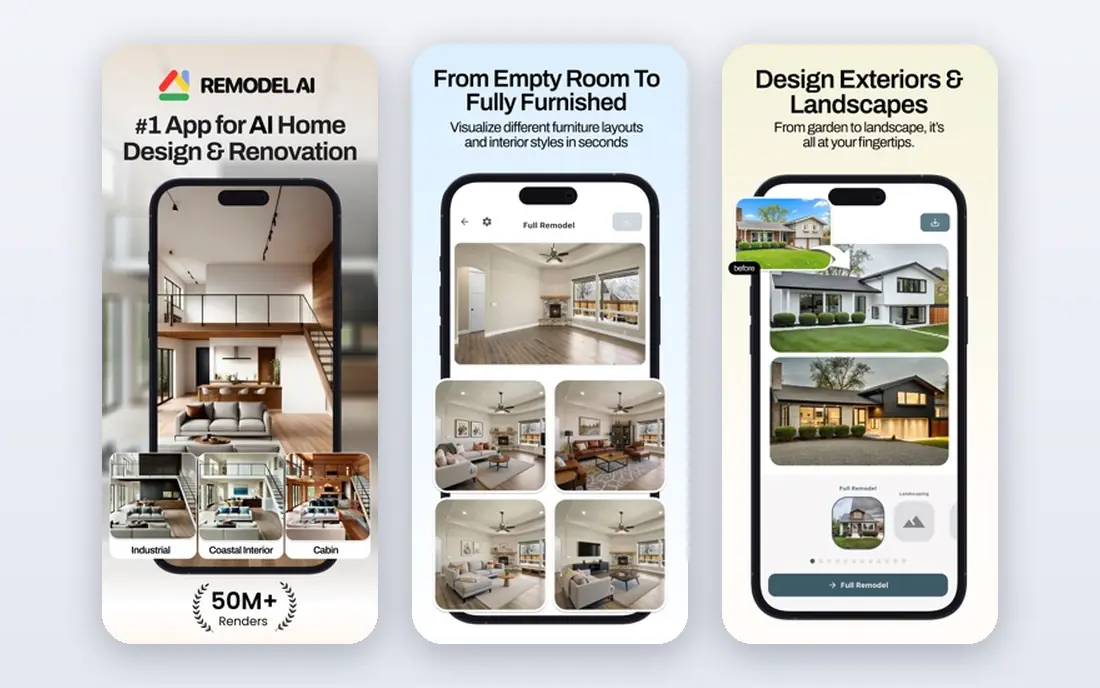
Remodel AI is built for speed. Take a photo of your house, choose an exterior direction, and get a restyled image in under a minute in most cases. The house painter tool is especially useful for testing paint colors on siding, trim, and doors without buying sample pots for every shade. Garden options let you preview planting, paths, and lawn changes beside the facade itself.
Free access covers only a few standard designs, with a Pro plan reported at $29 per month. That makes Remodel AI best for a short, focused project: test a handful of directions, save the ones you like, and take them to a painter or contractor for real quotes. Do not treat a render as a paint specification, since screen colors shift in daylight.
- Fast photo makeovers for exteriors and interiors
- AI house painter for color tests
- Garden and facade tools in one app
- Free access is limited to a few designs
- Paid pricing varies by weekly and monthly offers
- Commercial use terms need checking
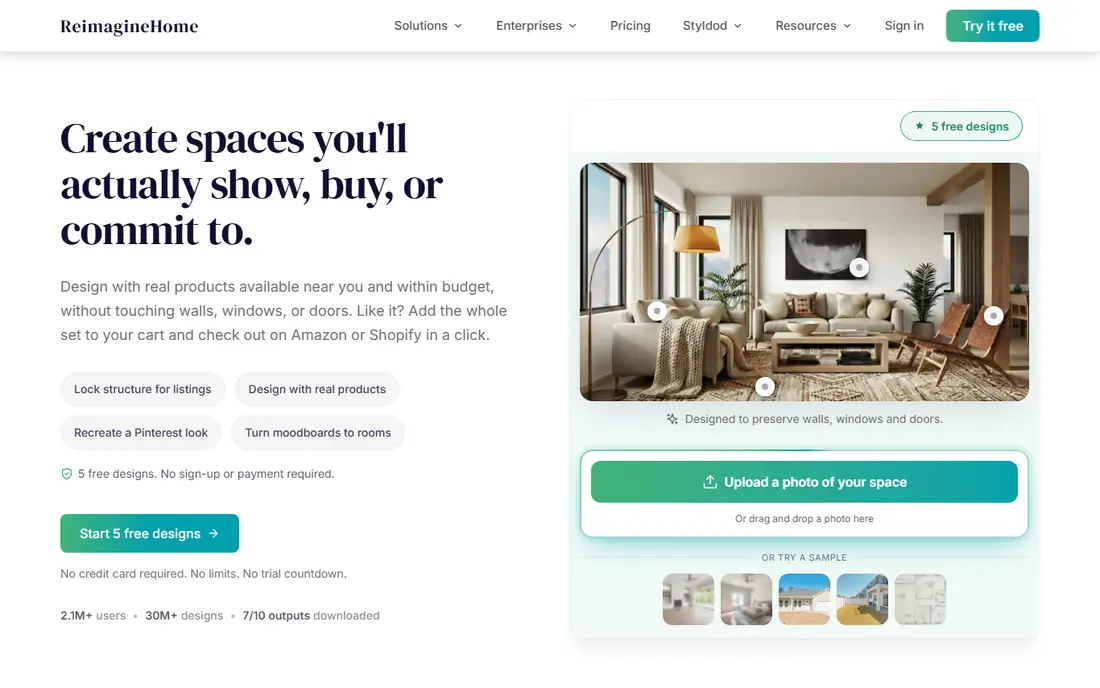
REimagineHome covers the full property picture, which suits homeowners and agents who need exterior ideas beside interior staging. You can refresh a facade with new materials and lighting, try seasonal looks, and compare before and after images side by side. Garden edits sit in the same workflow, so curb appeal can be judged as a whole rather than as separate pieces.
New users get five free designs with no card required, while Essential costs $19 per month for 30 credits and Pro costs $36 per month for 200 credits. The Pro plan adds conversational editing, reference photos, and real product discovery, which matter if you want to move from an idea to purchasable finishes. For a simple exterior test, the free designs are enough to judge the tool.
- Exterior, garden design, staging, and interior tools in one platform
- Five free designs for new users
- Before and after comparison view
- Conversational design and real products need the Pro plan at $36 per month
- Credit costs vary by workflow
- Designs are concepts, not plans
Spacely AI suits people who already work with drawings or models and want AI rendering on top of them. You can start from a photo, a sketch, or a model file, then render an exterior concept and edit selected areas without redoing the whole image. That flexibility helps architects and designers who need to keep a structure recognizable while testing finishes and planting.
The Personal plan is reported at $25 per month, with a trial pack of 40 credits and no card required. Credit use varies by render options and result count, so check how many images a session actually costs before committing. For a homeowner with one photo and no sketch, a simpler photo tool will be faster.
- Turns photos, sketches, and 3D models into renders
- Selective edits for specific areas
- Commercial license on paid plans
- Free access is a limited trial credit pack
- Pro tools and high-resolution output need higher plans
- Learning curve is steeper than photo-only apps
RoomStaging is best known for virtual staging, but its exterior redesign tools make it useful for a home about to be listed. You can refresh a facade, clean up a photo, remove clutter, and improve lighting in the same place, which saves juggling several apps before a listing goes live. Three free credits let you test the workflow without a card.
The Basic plan costs $19 per month for 100 credits, though higher-resolution downloads can cost extra credits. Exterior options are practical rather than deep, so a homeowner planning a full remodel may want a specialist tool beside it. For listing photos and a first curb-appeal pass, RoomStaging is a solid, focused choice.
- Exterior redesign beside virtual staging and photo cleanup
- Three free credits for new users
- Furniture removal and enhancement tools
- Higher-resolution downloads use extra credits
- Paid plan is $19 per month for 100 credits
- Exterior depth is lighter than specialist tools
Planner 5D answers a different question from the photo tools: not what a new facade might look like, but whether a porch, a path, or a garden layout fits the space. You draw a plan with dimensions, place structures and planting, and view the result in 2D or 3D. That measured approach catches problems a photo render hides, such as a driveway that is too narrow or a tree that crowds a window.
The free plan covers unlimited projects with part of the furniture catalog, while Premium costs $19.99 per month or $59.99 per year. Rendering and the full catalog sit behind the paid plan. Use Planner 5D to test layout and scale, then use a photo tool to test color and style on top of that plan.
- Build and edit 2D and 3D layouts with real dimensions
- Ongoing free plan with part of the catalog
- Useful for checking what fits
- Full catalog and advanced rendering need Premium
- AI restyling is lighter than photo tools
- Design work takes more time
Homestyler combines a 3D planner with AI design tools, so you can move from a floor plan to a rendered view without switching platforms. The free Basic plan offers unlimited 1K renders, which is enough to test layouts and directions, while a small number of AI credits lets you try quick restyling ideas. That mix suits homeowners who want to plan a garden room, a porch, or an outdoor living area with some sense of scale.
The free AI allowance is small, and a full AI staging image can cost more credits than the free plan provides, so check credit costs before starting a large project. Pro pricing is reported from around $4.90 per month on promotion. For layout-led exterior planning with occasional AI help, Homestyler is a good free start.
- Free Basic plan with unlimited 1K renders
- Editable 3D layouts
- AI credits for quick design ideas
- Full AI staging images cost more credits than the free allowance
- Pro pricing starts around $4.90 per month on promotion
- Catalog limits apply on free
Mnml AI, also written as MNML AI, leans toward architecture rather than casual redecorating. It renders exterior concepts from sketches, photos, and models with a cleaner, more structural feel than many photo filters, which helps when you are testing massing, rooflines, and material direction at an early stage. A trial pack of 100 credits with no card lets you test several directions before paying.
The Lite plan costs $29 per month, and credit consumption varies by engine, so a complex render can cost more than a simple one. For a homeowner who only wants to test paint colors, a photo tool such as Remodel AI will be faster. For an early architectural concept, Mnml AI gives a more considered result.
- Architecture-focused renders from sketches and models
- 100 trial credits with no card
- Good for early concept studies
- Credit cost varies by rendering engine
- Lite plan costs $29 per month
- Less suited to quick paint-only tests
RoomGPT is the simplest tool here: upload a photo, pick a style, and get a restyled image with almost no setup. That speed makes it useful for a first pass, when you want to rule out five styles before spending time on the two that actually suit your house. A single free credit lets you test the workflow, with further credits sold in packs reported from $9 for 30 credits.
The simplicity is also the limit. There is no measured plan, no selective editing depth, and no guarantee that doors, windows, or rooflines stay true to your house. Use RoomGPT to narrow your direction, then move to a fuller tool or a professional for a design you can actually build from.
- Very simple photo-to-style workflow
- One free credit for new users
- Useful for ruling styles in or out quickly
- No editable plan or layout tools
- Credit cost varies by model
- Exterior control is lighter than specialist tools
How we picked these
We compared official feature pages, pricing pages, and app store listings for AI design tools still available in October 2026, and we kept only tools that can restyle an exterior photo, preview paint or cladding, or support outdoor layout and garden design. We favoured a mix of photo tools, planners, and architectural renderers, and we checked free access and starting prices rather than headline claims. We did not claim hands-on testing; our comparisons rest on published features, pricing, and public reviews.
Using an AI exterior render well
Start with a clear, straight-on photo taken in daylight, with the full facade and some garden visible. A poor photo gives the AI little to work with, and the result will invent details to fill the gaps. Run the same photo through two tools and keep the render that preserves your windows, doors, and roofline best, since structural accuracy matters more than a pretty sky.
From render to real quote
Take your favourite renders to a painter, garden designer, or contractor and ask what is actually feasible, what materials match the look, and what local rules apply. Renders do not show structural loads, drainage, permits, or product availability, and colors on screen differ from colors on a wall in daylight. Get samples, check them outside at different times of day, and confirm measurements before ordering materials.
Watch costs and credits
AI design tools price by subscription, credit pack, or both, and credit costs vary by resolution and workflow. A cheap monthly plan can become costly if each render uses several credits, so check how many images you get before subscribing. Use free credits to test two tools, then pay for the one whose renders stay closest to your real house.
Frequently asked questions
What is the best AI app for exterior home design?
HomeDesigns AI is the broadest choice for exterior styles, gardens, and interiors in one toolkit. Remodel AI is faster for a quick facade or paint preview, while REimagineHome is better when you also need staging and listing photos.
What is the best AI exterior home design app that is free to try?
RoomStaging offers three free credits, REimagineHome offers five free designs, and Spacely AI and Mnml AI offer trial credit packs with no card. Planner 5D and Homestyler also offer ongoing free plans, though their AI features are more limited than paid tools.
Can AI design my house exterior for construction?
No. AI tools produce concept images, not measured plans, structural calculations, or permit drawings. Use renders to discuss ideas with a designer or contractor, and get professional plans, material specifications, and local approvals before building.
Will AI keep my windows and doors in the right place?
Not always. AI renders can move, add, or remove details, so always compare the render against your original photo. Tools with selective editing or structure-preserving modes help, but a careful visual check remains essential.
How much do AI exterior design apps cost?
Starting prices in this list range from free plans on Planner 5D and Homestyler to $19 to $29 per month for most photo tools. Check credit allowances and renewal terms at checkout, since trial plans can renew automatically.
Do I need a photo of my own house to use these apps?
Yes, for the best results. Upload a clear, straight-on daylight photo of your facade for photo tools, or build a measured plan in Planner 5D or Homestyler for layout work. Stock images will not show how a style suits your actual house.
Sources
See where you really rank - block by block
ProMapRanker scans Google Maps across a grid of your service area. Simple monthly plans from $19, white-label on every plan.
Start freeKeep reading
 wpforms alternatives
Best WPForms Alternatives in 2026
We compare 9 wpforms alternatives for WordPress forms, with free and paid options, current pricing notes, and honest limits for small business sites in 2026.
Read → windows task scheduler alternatives
Best Windows Task Scheduler Alternatives in 2026
Looking for Windows Task Scheduler alternatives? We compare 9 schedulers for Windows and cross-platform work, from free tools to enterprise automation.
Read → which ai video service is best
Which AI Video Service Is Best in 2026
which ai video service is best? We compare 10 legitimate AI video services on price, avatars, editing and output quality to help you pick the right tool.
Read →