 ProMapRanker
Best Windows Task Scheduler Alternatives in 2026


Windows automation with prebuilt tasks · Pricing starts at: See website
Key takeaways
- Windows Task Scheduler is free and built in, but it lacks central management, clear error handling, and easy cross-platform control.
- VisualCron, Z-Cron, and Task Till Dawn suit single Windows machines or small teams that want a clearer interface than the built-in tool.
- JAMS, ActiveBatch, RunMyJobs, and Stonebranch suit enterprises that need dependencies, auditing, and scheduling across Windows, Linux, and cloud systems.
- Rundeck suits operations teams that want runbooks and self-service jobs, while Apache Airflow suits data teams with code-defined pipelines.
- Match the tool to scale first: a free desktop scheduler will not manage an enterprise workload, and an enterprise platform will be overkill for one PC.
Quick comparison
| Pick | Great for | Pricing starts at | Free tier | |
|---|---|---|---|---|
| VisualCron | Windows automation with prebuilt tasks | See website | No | Visit |
 Z-Cron | Lightweight scheduling on Windows | See website | Yes | Visit |
 Task Till Dawn | Portable free scheduling | Free | Yes | Visit |
 JAMS | Enterprise job scheduling across platforms | See website | No | Visit |
 ActiveBatch | Enterprise workload automation | See website | No | Visit |
 RunMyJobs by Redwood | SaaS and hybrid job scheduling | See website | No | Visit |
 Stonebranch | Central workload automation | See website | No | Visit |
 Rundeck | Operations runbooks and self-service jobs | See website | Yes | Visit |
 Apache Airflow | Code-defined data pipelines | Free | Yes | Visit |
The best windows task scheduler alternatives
Windows Task Scheduler runs tasks on a schedule, on logon, or on an event, and it costs nothing extra on Windows. Its limits show up when you need to manage many machines, chain jobs with dependencies, get clear alerts on failure, or run the same logic on Linux and cloud systems. The tools below fix different parts of that problem, from a simpler desktop tool to a full enterprise platform.
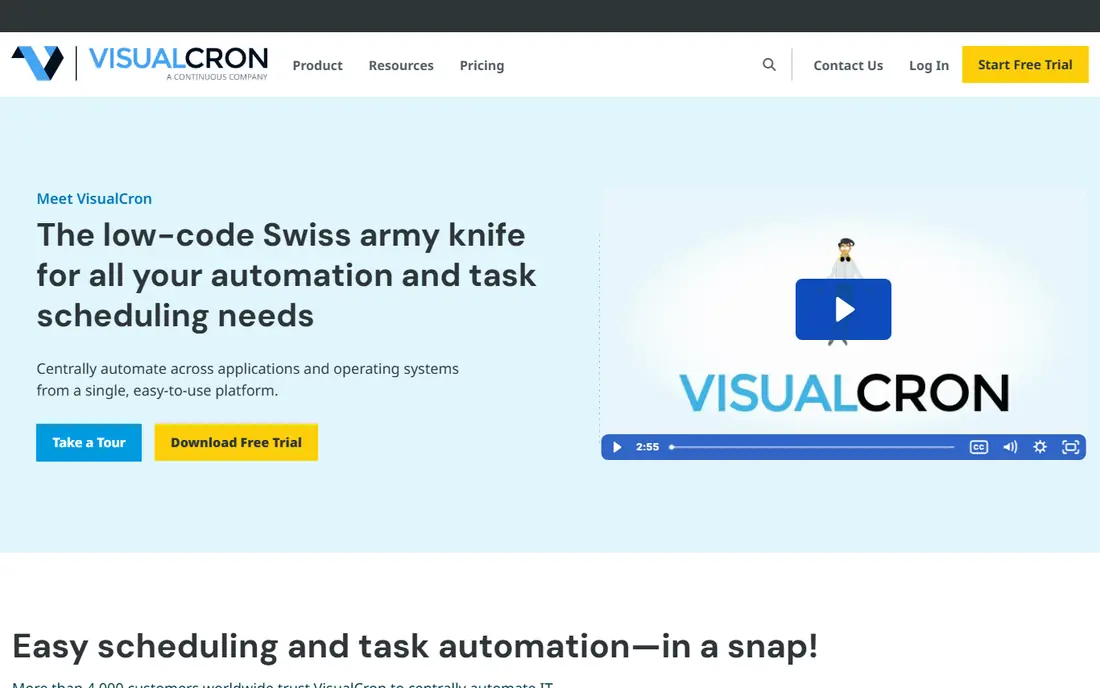
VisualCron is the most direct upgrade for a Windows admin who wants more than Task Scheduler without moving to a full enterprise platform. Its visual builder lets you chain tasks for file transfers, database work, script runs, and email alerts, with conditions and triggers that are easier to read than a Task Scheduler XML export. Central management means you can watch jobs from one console instead of logging into each machine.
VisualCron is paid, with a trial for testing, so it will not suit a home user who only needs a few simple tasks. It fits small and mid-size IT teams that automate routine Windows work every day and need clearer logs and failure alerts than the built-in tool provides. Test your most complex job in the trial before you buy.
- Hundreds of prebuilt tasks for files, FTP, SQL, and scripts
- Visual workflow builder
- Central management
- Paid licensing
- Windows-focused deployment for the core server
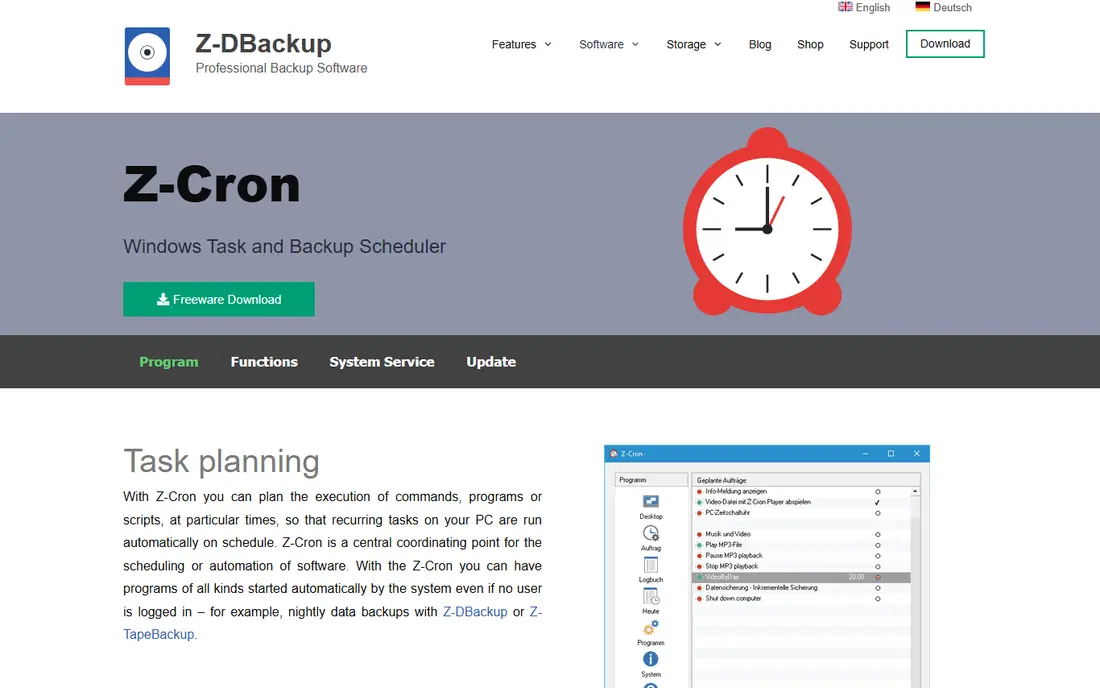
Z-Cron is a small, focused scheduler for Windows that does the core job well: run a program, a script, or a backup at a set time, on a schedule, or on an event. Its freeware version covers many personal and small-business needs, and paid editions add server use and extra features. Email notifications help you know when a job fails, which is a step up from silent Task Scheduler failures.
Z-Cron will not manage a large enterprise workload, and its interface looks plain next to VisualCron. It is our pick when you want a light, cheap replacement on one or a few Windows machines, and when your jobs are mostly independent tasks rather than a chain of dependent jobs across systems.
- Freeware version available
- Simple scheduling for programs, backups, and scripts
- Email notifications
- Interface is basic
- Enterprise features like central control are limited
Task Till Dawn is a free, open-source scheduler for Windows and macOS that suits power users who want complex triggers without paying. You can build multi-task workflows, set advanced trigger conditions, and carry the tool on a USB drive for portable use. Import and export make it easy to share a task set between machines or with a colleague.
Being community-led means support and updates depend on volunteers, and the interface will feel dated to users coming from a modern commercial tool. Task Till Dawn is a good pick for a personal desktop, a lab machine, or a small team that wants free scheduling with more trigger control than Task Scheduler offers.
- Free and open source
- Portable use from a USB drive
- Import and export for sharing tasks
- Development is community-led
- Interface and documentation are thinner than commercial tools
JAMS, from Fortra, is an enterprise workload automation platform that centralizes job scheduling across Windows, Linux, and other systems. It handles dependencies between jobs, so a report only runs after its data load finishes, and it keeps audit trails that help with compliance. PowerShell support fits Windows shops, while cross-platform agents extend the same control to other servers.
JAMS is priced and built for IT operations, not for home use, and setup takes planning. It fits when you manage many servers, when job failures affect business processes, and when you need one console for jobs that span platforms. For a single PC, Z-Cron or Task Till Dawn will be simpler and far cheaper.
- Central scheduling for Windows, Linux, and other platforms
- Dependencies and auditing
- PowerShell and scripting support
- Enterprise pricing and setup
- Overkill for a single desktop
ActiveBatch is a workload automation platform for managing jobs, processes, and data across Windows, Linux, Unix, and Mac systems. Its drag-and-drop job steps make it easier to build a workflow than writing a chain of scripts, and event triggers let jobs start on file arrivals, database changes, emails, or web service calls, not just on a clock. That event model is a major step beyond Task Scheduler time triggers.
ActiveBatch is an enterprise product with quote-based pricing, so it suits IT teams with a real automation budget. It is overkill for simple desktop tasks, and full use takes training. Choose ActiveBatch when your jobs span systems, when events should start work, and when you need a supported platform rather than a collection of scripts.
- Drag-and-drop job steps
- Broad platform support
- Event triggers including files, databases, and web services
- Enterprise pricing
- Learning curve for full automation design
RunMyJobs by Redwood offers job scheduling as a SaaS platform as well as on-premises and hybrid deployment, which removes server maintenance for teams that choose the hosted route. It is known for deep SAP integration and for process orchestration across cloud and on-premises systems, with managed updates and availability features that suit mission-critical work.
Pricing is enterprise-level and quote-based, and its SAP strength matters less if your stack does not include SAP. RunMyJobs fits large organizations that want a managed scheduler, that run hybrid workloads, and that need a vendor to handle infrastructure. Smaller teams should start with VisualCron or Rundeck instead.
- SaaS option with managed infrastructure
- Deep SAP and enterprise integrations
- High availability focus
- Enterprise pricing
- SAP depth is wasted if you do not use SAP
Stonebranch centralizes workload automation that often lives in separate schedulers, scripts, and application tools. Its event-based scheduling lets jobs react to business events, not just to the clock, and it supports both SaaS and on-premises deployment. That central view helps IT teams see dependencies, failures, and ownership in one place instead of hunting through many consoles.
Stonebranch is an enterprise platform, so cost and implementation effort are real. It suits organizations with many automation silos that need one control plane, and with compliance needs that require audit trails. For a single team or a single system, a lighter tool will deliver faster value.
- Central control across automation silos
- Event-based scheduling
- SaaS or on-premises deployment
- Enterprise pricing
- Implementation takes planning for large estates
Rundeck, now part of PagerDuty, gives operations teams a web console for scheduled jobs and runbooks that other teams can run safely. You can define jobs, control who may run them, and let support or developer teams run approved operations without direct server access. The open-source edition covers core scheduling and orchestration, while commercial editions add high availability and enterprise runners.
Rundeck needs someone comfortable with operations tooling to set up and maintain, and it is not a simple desktop task scheduler. It fits DevOps and platform teams that want self-service operations, audit logs for who ran what, and scheduling across many nodes. For a single Windows PC, it will feel heavy.
- Open-source edition available
- Web-based job control
- Self-service runbooks for operations teams
- Commercial features are paid
- Setup needs operations skill
Apache Airflow is a different kind of alternative: instead of clicking through a scheduler GUI, you define pipelines as code in Python, with tasks, dependencies, retries, and scheduling in one place. Data teams use it for ETL, reporting pipelines, and machine learning workflows, where the pipeline itself needs version control and review like any other code.
Airflow is not a replacement for a simple Windows desktop task, and it needs servers and Python knowledge to run well. It fits data and engineering teams that already work in Python and need reliable, auditable pipelines at scale. If your jobs are mostly Windows programs and backups, VisualCron or Z-Cron will be a better fit than Airflow.
- Free and open source
- Pipelines defined in Python
- Strong data and ETL community
- Needs infrastructure and Python skill
- Not a desktop task scheduler
How we picked these
We compared official product pages, pricing pages, and documentation for schedulers that are actively available in October 2026 and that run jobs on Windows or across platforms. We included free desktop tools, mid-size Windows automation tools, and enterprise workload platforms, since Task Scheduler users range from home users to large IT teams. We left out tools that only schedule inside a single app, and we did not list Windows Task Scheduler itself, since this is an alternatives list.
What to check before you choose
Start with scale and dependencies. If you only run a few tasks on one PC, a free tool like Z-Cron or Task Till Dawn is enough. If jobs must run in order across servers, or if a failure must alert the right team and block downstream work, you need a platform with dependencies, central logs, and alerting. Test failure handling, not just success, since that is where Task Scheduler users most often get hurt.
Next, check platform and security needs. Confirm the tool runs on the Windows versions you use, whether it needs an agent on each machine, and how it stores credentials for jobs that run as a service account. For enterprise tools, ask about audit trails, role controls, and high availability before you commit, since those features decide whether the platform passes a security review.
Frequently asked questions
What are the best alternatives to Windows Task Scheduler?
VisualCron is our pick for a direct Windows upgrade, Z-Cron is our pick for a light free tool, and JAMS is our pick for enterprise cross-platform work. Rundeck suits operations teams, and Airflow suits data teams. The best pick follows how many machines you manage and whether jobs depend on each other.
Is there a free alternative to Windows Task Scheduler?
Yes. Z-Cron offers a freeware version, Task Till Dawn is free and open source, Rundeck offers an open-source edition, and Apache Airflow is free and open source. VisualCron, JAMS, ActiveBatch, RunMyJobs, and Stonebranch are paid enterprise tools with trials or demos rather than permanent free plans.
Can these tools run jobs on Linux and Mac as well as Windows?
JAMS, ActiveBatch, RunMyJobs, Stonebranch, Rundeck, and Airflow all support cross-platform work to varying degrees, while VisualCron and Z-Cron are Windows-focused. Task Till Dawn supports Windows and macOS. Check agent support for each platform you use before you buy, since support depth varies by product.
Do I need an enterprise tool for a small business?
No. A small business with a few Windows machines will usually do well with VisualCron or a free tool like Z-Cron. Enterprise tools add value when you manage many servers, when jobs have dependencies, or when you need audit trails for compliance. Start small and move up only when the job count or the failure cost justifies it.
How do I move tasks from Task Scheduler to a new tool?
Export or document each task first, including its trigger, action, user account, and failure behavior, then rebuild it in the new tool and test it on a non-production machine. For enterprise tools, use import tools or migration help where offered, and run old and new schedulers in parallel for a short period on critical jobs.
What happens when a scheduled job fails in these tools?
Good schedulers log the failure, retry where configured, and alert by email or through an operations tool, with the job history kept in a central console. Task Scheduler failures can be easy to miss, so test failure alerts in any new tool before you rely on it for business-critical work.
Sources
See where you really rank - block by block
ProMapRanker scans Google Maps across a grid of your service area. Simple monthly plans from $19, white-label on every plan.
Start freeKeep reading
 wpforms alternatives
Best WPForms Alternatives in 2026
We compare 9 wpforms alternatives for WordPress forms, with free and paid options, current pricing notes, and honest limits for small business sites in 2026.
Read → which ai video service is best
Which AI Video Service Is Best in 2026
which ai video service is best? We compare 10 legitimate AI video services on price, avatars, editing and output quality to help you pick the right tool.
Read → which ai dubbing service is the best
Which AI Dubbing Service Is the Best in 2026
We compared options for which ai dubbing service is the best by comparing voice, lip sync, and price, so you can pick the right tool for your videos and budget.
Read →