 ProMapRanker
Best CompanyCam Alternatives in 2026

Key takeaways
- BlitzzCam and SiteCapture are the closest photo-first matches, with GPS and timestamp proof built in.
- Fieldwire and Procore suit larger construction teams that already plan work on drawings.
- JobNimbus, Jobber, Housecall Pro and JobTread bundle photos with CRM, scheduling and invoicing.
- Raken suits teams that want photos tied directly to daily reports.
- Check user limits carefully, because several tools price by user or by included seats.
Quick comparison
| Pick | Great for | Pricing starts at | Free tier | |
|---|---|---|---|---|
 BlitzzCam | Verified jobsite photos | $39.99 per month | Free trial (14 days) | Visit |
 Fieldwire | Plan-driven field teams | Free | Yes | Visit |
 Raken | Photo-rich daily reports | See website | Free trial | Visit |
 SiteCapture | Inspection photo reports | See website | Free trial | Visit |
 JobNimbus | Roofing and exterior contractors | See website | Free trial (14 days) | Visit |
 Jobber | Home service scheduling | $29 per month | Free trial (14 days) | Visit |
 Housecall Pro | Home service businesses | $79 per month | Free trial (14 days) | Visit |
 JobTread | Remodel and build job management | $199 per month | No | Visit |
 Procore | Large construction teams | See website | No | Visit |
The best CompanyCam alternatives
CompanyCam is known for fast jobsite photo capture, timelines, annotations and reports for residential contractors. The tools below cover that same photo-proof job, plus broader job management for teams that want photos inside a CRM or construction platform. We compared official pricing pages, feature lists and recent comparisons to build this list. We did not include CompanyCam itself.
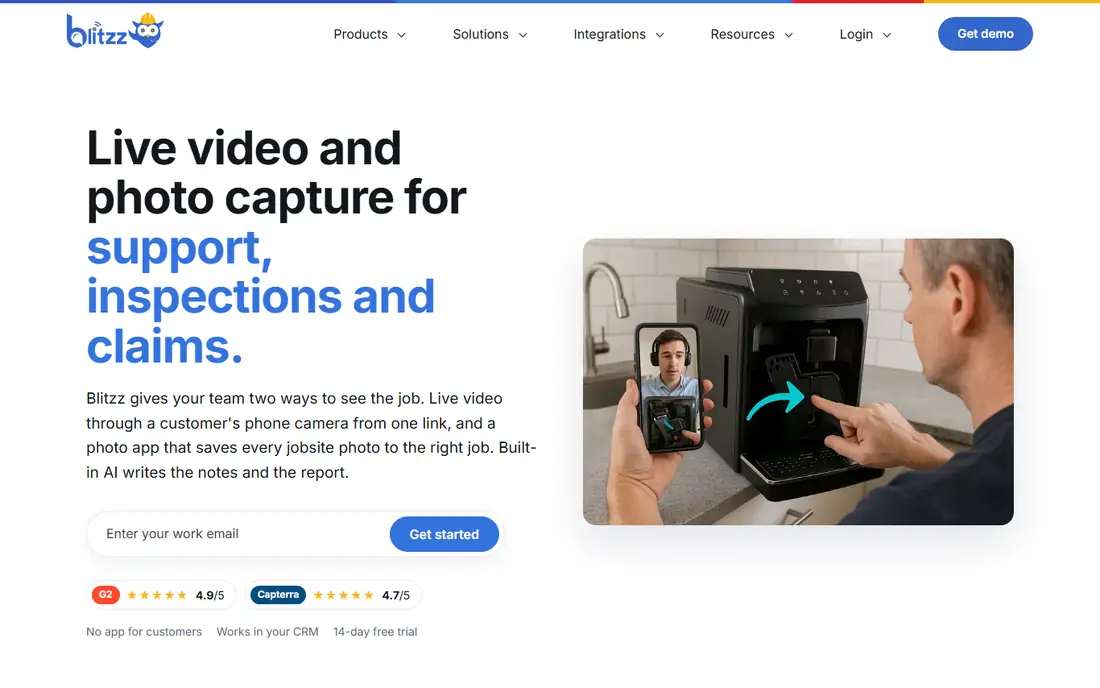
BlitzzCam is built around making every photo verifiable. It stamps photos with GPS and time, organizes them into job timelines and adds checklists, AI tagging and client share links. That proof focus helps roofers, restoration crews and HVAC teams when a customer or insurer asks what was done and when.
Pricing is listed at $39.99 per month billed annually, or $49.99 per month monthly, with 3 users included and a 14-day free trial in recent comparisons. The main drawback is youth. BlitzzCam is newer than CompanyCam, so teams should test its mobile app on a real job before moving a whole crew.
- GPS and timestamp verification
- Job timelines and checklists
- AI photo tagging and reports
- Newer product with early access history
- Smaller integration set than larger rivals

Fieldwire suits commercial construction teams that plan work on drawings. Photos attach to plans, tasks and locations, with markup tools that let field and office teams discuss the same image. That plan link is stronger than a simple photo timeline when drawings drive the job.
The free Basic plan covers up to 5 users in recent listings, with Pro listed from $29 to $39 per user per month billed annually depending on the source, so confirm the current page. Fieldwire is less of a simple photo app and more of a field management platform, which is a strength for larger teams and extra weight for a solo contractor.
- Photos tied to plans and tasks
- Markup tools
- Free tier for small teams
- Paid plans are per user
- 360 photos sit on higher plans
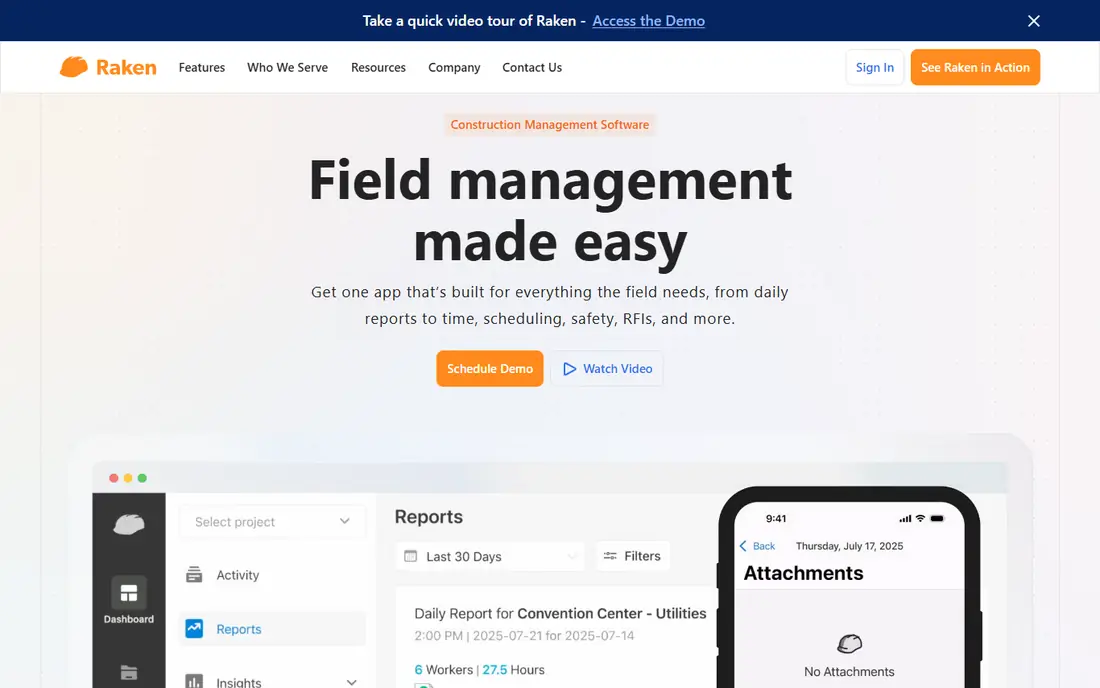
Raken ties photos to daily reporting, which suits general contractors and field teams that must document progress every day. Photos and video attach to daily reports with timestamps, and the app works offline, so crews in low-signal areas can still capture work and sync later. AI summaries on some plans help turn field notes into cleaner reports.
Pricing is quote-based for commercial plans, with a free trial available, so budget only after a sales conversation. Raken is not a full CRM or invoicing tool. It earns its place when daily reports, safety notes and photo proof are the main daily job.
- Photos and video inside daily reports
- Timestamps and watermarks
- Offline mode
- Quote-based commercial pricing
- Reporting focus means less CRM depth
SiteCapture suits inspection-heavy field teams. It pairs custom forms with photos, so a crew can capture conditions, answer checklist items and produce a high-resolution PDF report from the same visit. That form-plus-photo flow helps inspectors, auditors and restoration teams that need consistent reports across many sites.
Pricing uses tiered team plans, so confirm the current offer for your team size. SiteCapture is less suited to teams that mainly need a simple photo timeline with no forms. For inspection work, however, the structured report output is a clear advantage over a general photo app.
- Custom forms with photos
- High-resolution PDF reports
- AI add-on for reports
- Tiered team pricing is not fully published
- Inspection focus may be narrow for some crews
JobNimbus is a roofing CRM that includes photo capture and annotation as part of a wider job system. Crews can mark up photos in the mobile app, while the office tracks leads, jobs, workflows, invoicing and reporting in one place. That breadth suits roofing and exterior contractors who want photos inside the job record, not in a separate app.
Pricing is quote-based in recent listings, with reports placing a base around $199 per month plus role-priced seats, so get a written quote before budgeting. JobNimbus is heavier than a photo-only tool, but for contractors who already need CRM and job management, the photo tools come as part of a system they would buy anyway.
- Full job lifecycle from lead to close
- Photo annotation in the mobile app
- Strong workflows
- Pricing is not fully published
- Seat costs vary by role
Jobber suits home service businesses that need scheduling, quoting, invoicing and client communication alongside job photos. Its Core plan starts at $29 per month billed annually for one user, with Connect and Grow tiers adding users and features. The mobile app lets crews update jobs and capture job details from the field.
Jobber is not built only for roofing, so it lacks some roofing-specific insurance and measurement depth. Its photo tools also sit inside a wider job system rather than leading the product. For general home services, that balance works well, because photos support the job without needing a second app.
- Scheduling, quoting and invoicing in one place
- Clear published plans
- Good mobile app
- Not roofing-specific
- Photo tools are part of a wider system, not the core focus
Housecall Pro is a home service platform that covers scheduling, dispatch, estimates, invoicing and payments, with job photos and notes inside each job. That all-in-one flow suits HVAC, plumbing, electrical and cleaning teams that want office and field work in one account. Entry pricing is listed at $79 per month in recent comparisons, with a 14-day free trial.
The cost grows as team size and feature needs grow, and some advanced tools sit on higher tiers. Housecall Pro is not a photo-only app, so a team that only needs photo proof may find it more than necessary. For service businesses that also need dispatch and payments, it is a strong single-system pick.
- Scheduling, dispatch and payments
- Job photos inside job records
- Customer notifications
- Entry price rises with team size
- Advanced features sit on higher plans
JobTread suits remodelers and builders who need job costing, budgets, schedules and client communication alongside photos. Photos live inside project records, so the office can tie visual progress to budgets and change orders. That link helps when a customer questions scope or a cost changes mid-project.
Pricing starts at $199 per month in recent comparisons, with extra users at $20 per month, and sales are often demo-led rather than self-serve. JobTread is more than a photo tool, and its price reflects that. It fits teams that already need job management depth, not teams that only want a camera app.
- Job costing, budgets and schedules
- Photos inside project records
- Good for remodelers
- Higher entry price
- Demo-led sales rather than a free trial in many listings
Procore Photos gives large construction teams a photo library tied to drawings, locations and project records. Photos carry GPS and time stamps, link to drawings and can convert directly into work items, which helps general contractors manage punch lists and field issues at scale. AI photo analysis on some plans adds search and organization.
Pricing is quote-based and enterprise-scale, so Procore only makes sense when the team already uses Procore or needs its full project platform. Small residential crews will find simpler tools cheaper and faster. For large projects with many subcontractors, Procore Photos is a natural part of a system already in use.
- Photos with drawings, locations and map view
- Converts photos to work items
- Huge ecosystem
- Quote-based enterprise pricing
- Overkill for small residential crews
How we picked these
We compared official pricing pages, feature lists and recent comparisons for jobsite photo tools and contractor platforms that include photo capture. We kept only products live in October 2026 and that cover photo proof, field reporting or job management in a direct way. We did not include CompanyCam itself, and we favored tools with clear photo, report or job features rather than generic camera apps.
What to check before you switch
Test the mobile app on a real jobsite, not just in the office. Check how fast photos upload on weak signal, whether GPS and timestamps survive sharing and export, and how reports look to a customer. A tool that is smooth on Wi-Fi can frustrate a crew on a roof or in a basement.
Also check user limits, storage and export. Some tools include only a few users in the base price, and extra seats add up fast for a crew. Confirm that you can export photos and reports if you leave, and that client share links still work after a job closes. Those details matter more over a year than a small monthly price gap.
Frequently asked questions
What is the closest alternative to CompanyCam?
BlitzzCam is the closest photo-first match, with GPS and timestamp verification, timelines and reports. SiteCapture is close for inspection teams, while Fieldwire is close for plan-driven construction teams.
Can I use these tools without a CRM?
Yes. BlitzzCam, Fieldwire, Raken and SiteCapture work as photo and reporting tools on their own. JobNimbus, Jobber, Housecall Pro and JobTread add CRM and job management for teams that want one system.
Which tool is cheapest?
Fieldwire offers a free tier for small teams, and BlitzzCam starts at $39.99 per month billed annually. Jobber starts at $29 per month for one user. The cheapest total depends on how many users you need.
Do these apps work offline?
Raken lists offline mode, and most field apps cache captures for later sync. Test offline capture and upload on your actual jobsites before committing a whole crew.
Can customers view photos without an account?
Most tools here offer client share links or portals, with different controls. Check whether share links expire, whether customers can comment, and whether photos can be downloaded.
Which tool suits roofers best?
JobNimbus suits roofers who want CRM plus photos, while BlitzzCam suits roofers who mainly need verified photo proof. Fieldwire and Procore suit larger commercial roofing and construction work.
Sources
- https://www.blitzz.co
- https://www.fieldwire.com
- https://www.rakenapp.com
- https://www.sitecapture.com
- https://www.jobnimbus.com
- https://www.getjobber.com
- https://www.housecallpro.com
- https://www.jobtread.com
- https://www.procore.com
- https://blitzz.co/blog/best-jobsite-photo-documentation-apps-for-contractors-2026
- https://www.constructionplacements.com/construction-photo-documentation-software/
See where you really rank - block by block
ProMapRanker scans Google Maps across a grid of your service area. Simple monthly plans from $19, white-label on every plan.
Start freeKeep reading
 zoro.to alternatives
Best Zoro.to Alternatives in 2026
We compare the best zoro.to alternatives in 2026, listing only legal licensed anime streaming services, from Crunchyroll to free options for fans today.
Read → zip alternatives
Best Zip Alternatives in 2026
We compare the best zip alternatives for buy now, pay later in 2026, covering pay-in-4 plans, fees, spending limits, and credit reporting options today.
Read → yesware alternatives
Best Yesware Alternatives in 2026
Compare the best yesware alternatives for sales email tracking, templates, and sequences, with current pricing and honest tradeoffs for small sales teams.
Read →