 ProMapRanker
Best Yesware Alternatives in 2026

Key takeaways
- Mixmax is the closest inbox-native swap for Gmail teams, while HubSpot Sales Hub makes more sense for teams that already live in HubSpot CRM.
- Open tracking alone is a weak signal in 2026, so we weighted replies, meetings booked, and CRM logging more heavily than open counts.
- Streak and Mailsuite suit solo users and tiny teams, while Salesloft and Outreach suit larger teams with formal sales processes.
- Apollo and Lemlist bundle prospect data with outreach, which can replace a separate list tool for some teams.
- Check Gmail or Outlook support first, because several strong tools work well in only one inbox.
Quick comparison
| Pick | Great for | Pricing starts at | Free tier | |
|---|---|---|---|---|
 Mixmax | Gmail sales teams | $29 per month | Yes | Visit |
 HubSpot Sales Hub | CRM-first sales teams | See website | Yes | Visit |
 Streak | Gmail CRM users | $49 per month | Yes | Visit |
 Mailshake | Simple cold email sequences | $29 per month | Free trial | Visit |
 Lemlist | Personalized multichannel outreach | $55 per month | Free trial | Visit |
 Reply.io | AI-assisted multichannel sequences | $49 per month | Free trial | Visit |
 Salesloft | Larger structured sales teams | See website | No | Visit |
 Outreach | Enterprise sales engagement | See website | No | Visit |
 Apollo.io | Prospecting plus outreach | $49 per month | Yes | Visit |
The best yesware alternatives
We compared these tools on inbox support, tracking, templates, sequences, CRM sync, and published pricing. Our pick for most Gmail teams is Mixmax, and our pick for CRM-first teams is HubSpot Sales Hub.
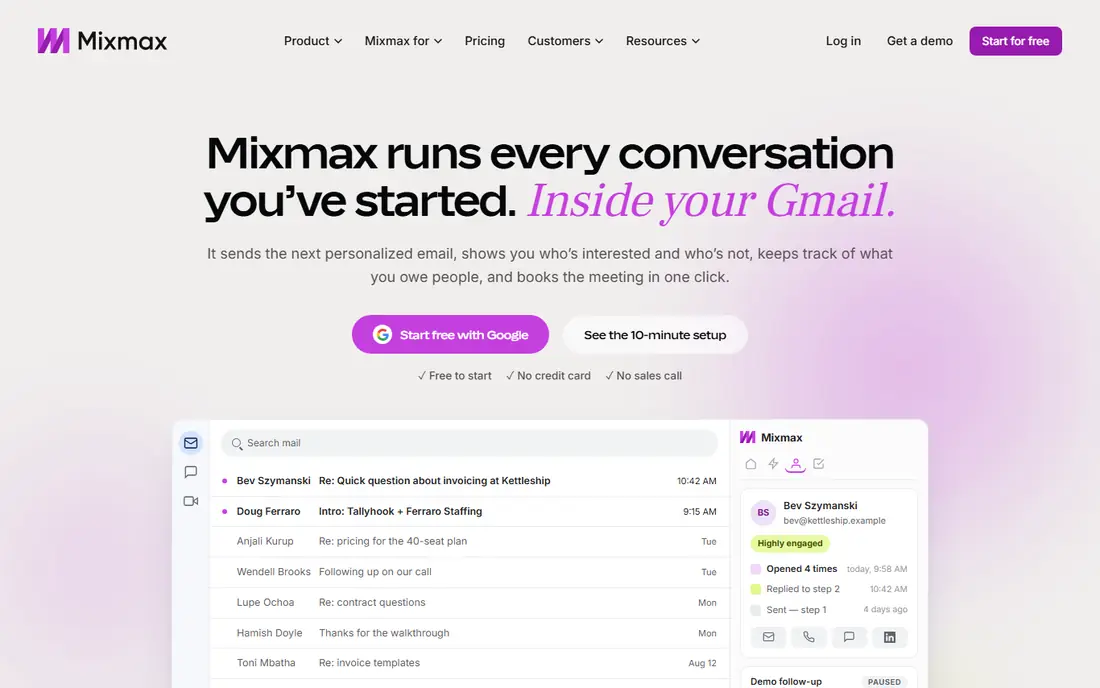
Mixmax feels like the least disruptive move for a Gmail team. Reps stay in the inbox they already use, and they get tracking, templates, scheduling links, and sequences without learning a separate platform. That matters for small teams, because adoption is often the real cost of a new tool, not the monthly fee. The free plan covers basic tracking and scheduling, which is enough to test the fit before paying.
The catch is the Gmail focus. If your team runs on Outlook, Mixmax is a poor fit, and you should shortlist HubSpot or Salesloft instead. Paid plans also climb quickly when you add the full suite, so price it per rep at your actual team size. For Gmail teams that want speed and simplicity, though, Mixmax is hard to beat.
- Works inside Gmail
- Strong scheduling and templates
- Useful sequences and tracking
- Gmail-first design
- Advanced plans get pricey
- Outlook support is limited

HubSpot Sales Hub removes the sync problem that plagues many inbox tools. When an email is tracked, logged, and tied to a deal in the same system, reps spend less time copying activity and managers get cleaner reports. The free CRM tools give small teams a real starting point, and the paid Starter tier is aimed at teams that need sequences and more templates. That combination makes HubSpot a sensible default for teams that already use HubSpot for contacts and deals.
The tradeoff is scope. HubSpot is a platform, not a light add-on, and that means more settings, more permissions, and more decisions during setup. Pricing also depends on seats and which hubs you add, so get a quote for your exact team before comparing it to a simple per-seat inbox tool. If you want one system for CRM and outreach, HubSpot earns its place here.
- Email tracking inside the CRM
- Strong templates and sequences
- Free CRM tools included
- Costs rise with seats and hubs
- Some features sit behind higher tiers
- Setup takes time
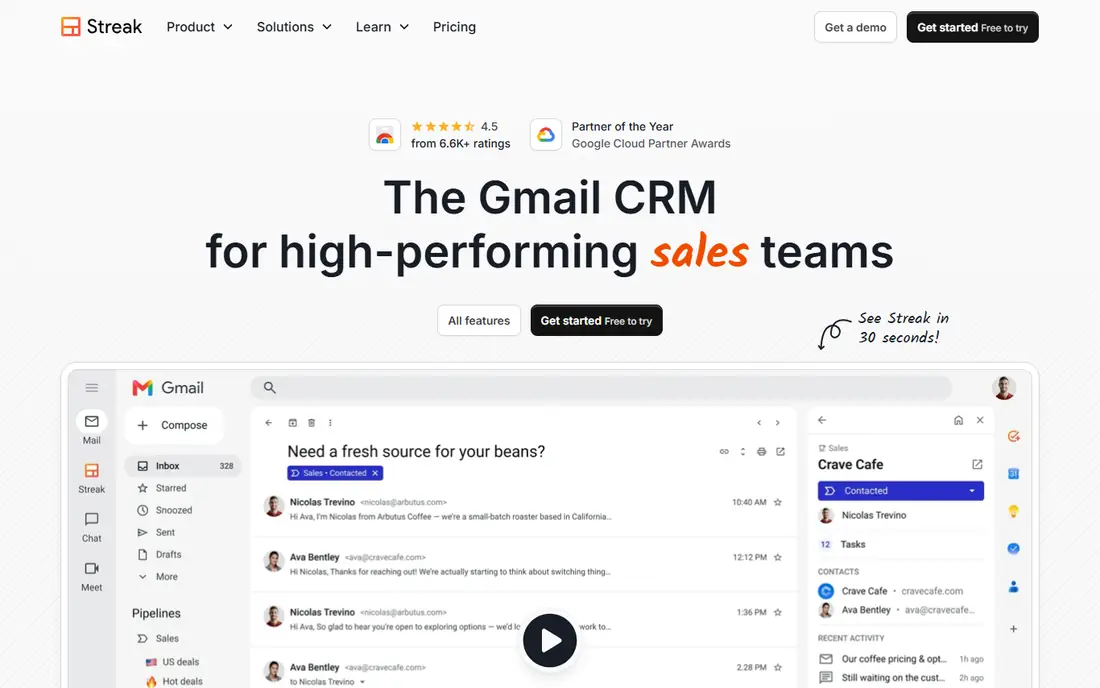
Streak turns Gmail into a light CRM, which is a different answer from a pure tracking tool. You can run a pipeline, log emails, and follow a deal without opening another tab. For founders, freelancers, and tiny sales teams, that closeness to the inbox keeps work visible and reduces the chance that follow-ups slip. The free tier includes tracking, so you can learn the workflow before committing.
The limits are clear. Streak is Gmail-only, so Outlook teams should look elsewhere. The paid price per user is also high compared with a simple tracker, and it is not built for high-volume cold outreach with dedicated deliverability tools. If your main need is pipeline tracking inside Gmail, Streak fits. If your main need is cold volume, Mailshake or Lemlist fits better.
- CRM pipelines inside Gmail
- Email tracking included
- Simple setup for small teams
- Gmail-only
- Paid plans are costly per user
- Less suited to large outbound teams
Mailshake is built for reps who want to send cold email well without a maze of settings. The sequence builder is direct, follow-ups are easy to schedule, and the reporting shows replies and meetings rather than vanity metrics. Its warmup and deliverability features help new senders protect domain reputation, which is a practical benefit that many simple tools skip. For a small outbound team, that focus is a strength.
The catch is that Mailshake is email-first. LinkedIn steps and deeper multichannel work sit on higher tiers, and lead data costs extra. There is also no permanent free plan, so you will need a trial to judge it. If your motion is mostly email and you value a clean, focused tool, Mailshake is a strong pick. If LinkedIn is central, Lemlist or Reply.io may suit you better.
- Clear sequence builder
- Useful deliverability tools
- Straightforward reporting
- No free plan
- Lead data is an add-on
- Multichannel steps need higher tiers
Lemlist stands out for personalization. You can add custom images, tailored intros, and multichannel steps that mix email, LinkedIn tasks, and calls in one sequence. That helps messages feel less like bulk mail, which matters when inboxes are crowded. The built-in contact database also helps small teams build lists without buying a second tool right away. For teams that sell on relevance rather than volume, Lemlist is a thoughtful choice.
The tradeoff is price and complexity. Entry pricing is higher than a basic tracker, and the cheapest plan does not include every multichannel feature. New users may also need time to set up personalization well, because a poorly built custom field looks worse than a plain message. If you will use personalization every week, the cost is easier to justify. If you send simple follow-ups, a cheaper tool may do the same job.
- Strong personalization options
- Email plus LinkedIn and calls
- Large contact database
- Pricing has risen in recent years
- Cheapest plan limits multichannel steps
- Learning curve for new users
Reply.io is a good middle ground between a simple sequencer and an enterprise platform. It supports email, LinkedIn, calls, and SMS steps, and its AI features can draft first versions of messages and suggest sequence steps. That saves time for reps who write many similar outreach notes, and the contact database helps teams that do not already have clean lists. Reporting covers the full sequence, not just one channel, which helps managers see where prospects drop off.
The honest catch is that AI drafts still need a human edit, and the best multichannel features are not all on the entry plan. Teams should trial the exact plan they intend to buy, not just the top tier shown in a demo. Reply.io fits teams that want multichannel outreach without an enterprise contract. Teams that only need email tracking will find it heavier than they need.
- Email, LinkedIn, calls, and SMS steps
- AI writing help
- Large contact database
- Multichannel depth varies by plan
- AI output needs review
- Price climbs with add-ons
Salesloft is designed for teams with a defined sales process, not for a single rep tracking a few emails. Cadences, dialer workflows, coaching tools, and analytics give managers a clear view of activity and outcomes across a team. Its CRM integrations with Salesforce and HubSpot help keep activity logged without manual work. For a growing sales org that needs consistency across reps, that structure is the point.
The tradeoff is cost and weight. Pricing is quote-based and typically requires an annual agreement, and setup takes longer than an inbox add-on. Solo users and tiny teams will pay for process they do not use. If you run a team of ten or more and need coaching, forecasting inputs, and standardized cadences, Salesloft is worth a demo. If you run a team of two, start with Mixmax or HubSpot instead.
- Deep cadence and coaching tools
- Strong CRM integration
- Useful analytics for managers
- Quote-based pricing
- Heavier setup
- Overkill for solo reps
Outreach is the enterprise end of this list. It handles complex sequences, team workflows, analytics, and forecasting inputs at a scale that smaller tools do not attempt. Large sales orgs use it to standardize how reps work accounts, to track engagement across channels, and to feed pipeline data back to leadership. If your team already has Salesforce discipline and a sales operations owner, Outreach can bring real order to a large motion.
That power comes with cost and commitment. Pricing is quote-based, implementation is a project rather than an afternoon, and the tool needs someone to own it or it will drift. Small teams should not buy Outreach for tracking alone, because simpler tools cover that need for far less money. Large teams with complex motions, however, will find the depth useful, and that is where Outreach belongs.
- Advanced sequencing and analytics
- Strong enterprise integrations
- Forecasting support
- Quote-based pricing
- Implementation can be long
- Needs dedicated ownership
Apollo.io appeals to teams that need both contacts and outreach in one place. Its database covers a large set of B2B profiles, and you can build lists, verify details, and run sequences without stitching three tools together. The free plan lets small teams test list building and basic outreach before paying. For startups that lack a list source, that bundle can save both money and setup time.
The catch is data quality. No database is perfect in every niche, so verify a sample of contacts in your market before relying on Apollo alone. Deliverability also needs care, because Apollo is not primarily a warmup tool, and cold senders still need proper domain setup. If you already have clean lists, a simpler sequencer may be cheaper. If finding prospects is your bottleneck, Apollo is a strong all-in-one starting point.
- Large B2B contact database
- Sequences and tracking included
- Useful CRM integrations
- Data quality varies by niche
- No native warmup on some plans
- Interface can feel busy
How we picked these
We compared official feature pages, pricing pages, app store listings, and public reviews for each tool, and we checked inbox support, sequence options, CRM sync, and free or trial availability. We favored tools that still work in Gmail or Outlook in October 2026, that publish clear pricing or a clear quote process, and that fit a real sales workflow rather than a single gimmick. We left out tools that were discontinued, that only offered a browser trick with no real sequence support, or that did not fit sales email tracking and outreach.
How to choose the right sales email tool
Start with your inbox. Gmail teams should shortlist Mixmax, Streak, and Apollo, while Outlook teams should shortlist HubSpot, Salesloft, and Outreach. Next, decide if you need a CRM, a list, or just tracking. A team that already has a CRM should not pay again for a second pipeline inside an inbox tool. A team that lacks contacts should weigh Apollo and Lemlist more heavily, because their databases change the total cost.
Then test deliverability, not just features. Set up a sending domain properly, warm it up, and send a small real campaign before you scale. Watch reply rates and meetings booked, and ignore open rates from Apple Mail users, because privacy protection can inflate those numbers. Finally, price the tool at your real seat count for a full year, including any add-ons for data, dialer use, or higher sequence limits. The cheapest monthly headline is rarely the cheapest annual total.
Questions to ask on a trial
Ask how activity logs to your CRM, how bounces are handled, and what happens to sequences when a prospect replies. Ask about daily sending limits, domain warmup, and whether tracking can be turned off for cold mail to protect deliverability. A good vendor will answer those questions directly. A vague answer is a warning sign, and you should treat it as one.
Frequently asked questions
What is the best Yesware alternative for Gmail?
Mixmax is our pick for most Gmail teams, because it works inside Gmail and covers tracking, templates, scheduling, and sequences in one place. Streak is a better pick if you also want a CRM pipeline inside Gmail. HubSpot is better if you want that CRM to live outside the inbox and serve a wider team.
What is the best Yesware alternative for Outlook?
HubSpot Sales Hub, Salesloft, and Outreach all support Outlook workflows and CRM logging more fully than Gmail-only tools. HubSpot is the simplest starting point for small teams, while Salesloft and Outreach suit larger teams with formal processes. Check your exact Outlook version and CRM during a trial, because integration depth varies.
Is open tracking still reliable?
Open tracking is less reliable than it used to be, because Apple Mail Privacy Protection can record an open when a message is received rather than read. Clicks, replies, and meetings booked are stronger signals. Use opens as a rough hint, not as proof of interest, and do not judge a rep or a subject line on opens alone.
Do I need a separate CRM with these tools?
You need a CRM if you track deals, stages, and revenue, but you may not need a heavy one at first. Streak and HubSpot both offer CRM features, while Mixmax, Mailshake, and Lemlist work best when paired with a CRM you already use. If your pipeline lives in spreadsheets, start with a CRM-first tool so activity and deals stay in one place.
Can I use these tools for cold email safely?
You can, but you need proper setup. Use a separate sending domain, authenticate it, warm it up gradually, verify your lists, and keep volumes modest at first. Turn off open tracking for cold mail if your tool allows it, because tracking pixels can hurt deliverability. Follow anti-spam law and each inbox provider's sending guidance, and stop mailing people who ask to opt out.
Sources
See where you really rank - block by block
ProMapRanker scans Google Maps across a grid of your service area. Simple monthly plans from $19, white-label on every plan.
Start freeKeep reading
 zoro.to alternatives
Best Zoro.to Alternatives in 2026
We compare the best zoro.to alternatives in 2026, listing only legal licensed anime streaming services, from Crunchyroll to free options for fans today.
Read → zip alternatives
Best Zip Alternatives in 2026
We compare the best zip alternatives for buy now, pay later in 2026, covering pay-in-4 plans, fees, spending limits, and credit reporting options today.
Read → yammer alternatives
Best Yammer Alternatives in 2026
Best Yammer alternatives in 2026: compare 10 employee communication and social intranet tools for communities, news, and frontline teams at work. every day
Read →