 ProMapRanker
Wrike Alternatives in 2026: 8 Tools Compared

Key takeaways
- Asana and monday.com are the closest like-for-like switches for structured team work, with clearer pricing and wider adoption.
- ClickUp gives the most features per dollar, but it needs an owner to keep the workspace tidy.
- Trello and Notion suit smaller or lighter needs, while Smartsheet suits teams that already think in spreadsheets.
- Jira is the strongest pick for software teams, and Teamwork.com is the strongest pick for client and billable work.
- Wrike itself is not listed here, as this is an alternatives list, and migration effort varies a lot by tool.
Quick comparison
| Pick | Great for | Pricing starts at | Free tier | |
|---|---|---|---|---|
 Asana | Structured team workflows | $10.99 per user per month | Yes | Visit |
 monday.com | Visual boards and automations | $9 per seat per month | Yes | Visit |
 ClickUp | All-in-one value | $7 per user per month | Yes | Visit |
 Trello | Simple kanban boards | Free | Yes | Visit |
 Smartsheet | Spreadsheet-style projects | $9 per user per month | Free trial | Visit |
 Jira | Software development work | Free | Yes | Visit |
 Notion | Docs plus light project work | Free | Yes | Visit |
 Teamwork.com | Client projects and billing | $9.99 per user per month | Free trial | Visit |
The best Wrike alternatives
These tools cover project planning, task tracking, timelines and reporting, with different strengths for different team styles. Prices are per user or per seat per month on annual billing unless noted.

Asana is the easiest switch for teams that liked Wrike structure but found it heavy. Projects, tasks, timelines, portfolios and goals sit in a clear hierarchy, and most new users can follow a project without training. Workflow Builder and status tools help teams standardise repeatable work, while integrations cover common chat, file and calendar apps.
The Starter plan listed in October 2026 was about $10.99 per user per month on annual billing, with a free plan for small teams. Time tracking and deeper resource planning sit on higher tiers, so teams that bill by the hour should check that gap. For cross-functional coordination, Asana is the most balanced alternative here, and our pick for most teams leaving Wrike.
- Clear project, portfolio and goals structure
- Timeline and workload views
- Wide integration range
- Time tracking needs higher tiers
- Resource planning is lighter than enterprise tools
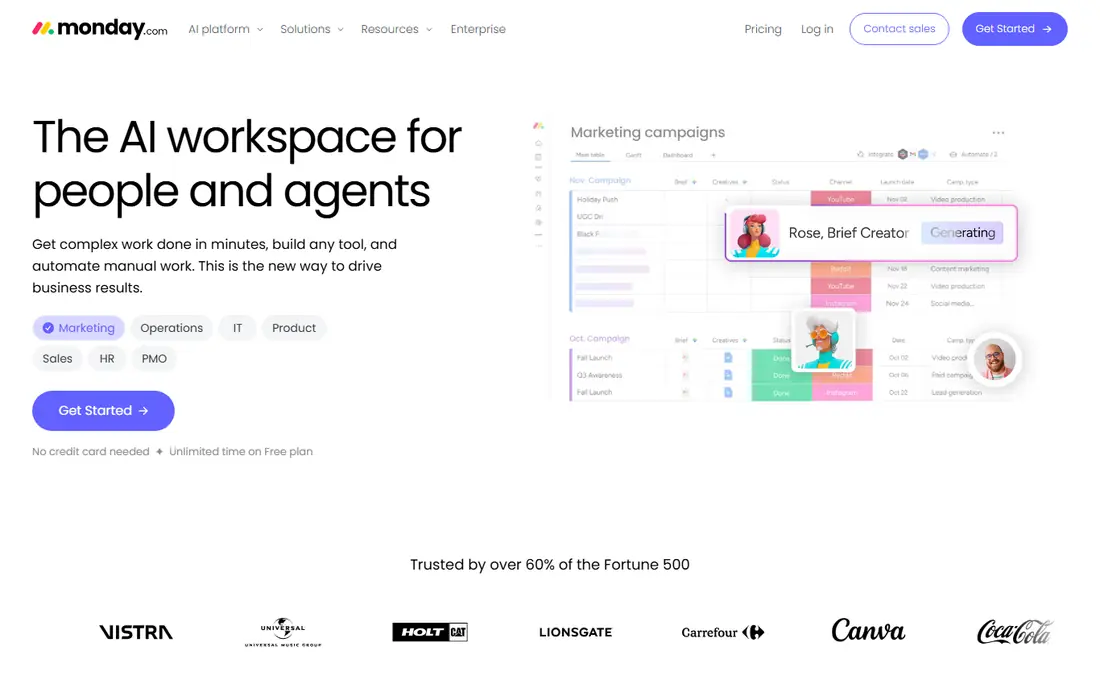
monday.com suits teams that want to see work at a glance. Boards use colour, status columns, timelines and dashboards, so progress is obvious without opening each task. Automations can move items, notify owners and update statuses, which cuts manual follow-up for repeatable processes. Templates cover marketing, operations, product and many other team types.
Paid pricing listed in October 2026 started at about $9 per seat per month on annual billing for Basic, with a three-seat minimum and a free plan for up to two seats. That minimum matters for very small teams, and automation caps on lower tiers can push growing teams to higher plans. If visual clarity and fast adoption matter most, monday.com is a strong switch.
- Highly visual boards
- Many column types and views
- Automations and dashboards
- Three-seat minimum on paid plans
- Automation limits can raise costs

ClickUp tries to replace several tools at once, with tasks, docs, whiteboards, goals, time tracking, Gantt charts and dashboards in one workspace. The Unlimited plan listed at about $7 per user per month on annual billing includes features that rivals charge more for, and the free plan covers unlimited tasks and members. That value is hard to match.
The risk is sprawl. Teams that turn on every feature without a clear structure end up with messy workspaces and confused users. Appoint an admin, hide unused views, and start with a small set of templates. If you do that, ClickUp is the best value alternative here. If nobody will own setup, Asana or Trello will be easier to live with.
- Huge feature range for the price
- Unlimited tasks and members on free plan
- Docs, goals, time tracking and dashboards
- Interface can feel crowded
- Setup needs an owner
Trello is the right alternative if Wrike felt like too much tool. Boards, lists and cards make work visible in minutes, and most teams need no training to start. Power-Ups add calendars, timelines and integrations, while Butler automations handle simple repeating actions. It works well for small teams, personal projects and simple pipelines.
Paid plans listed in October 2026 started at about $5 per user per month on annual billing for Standard, with a generous free plan. Trello is not a portfolio or resource management platform, and large programmes will outgrow it. For teams that want simple, visual task tracking without enterprise weight, it is the lowest-friction switch here.
- Very easy to learn
- Flexible boards, lists and cards
- Useful free plan
- Limited reporting and portfolio tools
- Complex projects need add-ons
Smartsheet suits teams whose work already lives in spreadsheets. The grid view feels familiar, but you can switch the same data to Gantt, card or calendar views, and use forms to collect requests without manual data entry. Reporting and dashboards help managers track many projects at once, which is useful for operations and programme teams.
The Pro plan listed in October 2026 was about $9 per user per month, with a free trial rather than a lasting free plan. Advanced portfolio, resource and connector features can require higher tiers or add-ons, so price the full need before committing. If your team thinks in rows, dates and owners, Smartsheet will feel natural in a way that board-first tools do not.
- Familiar grid view
- Gantt, card and calendar views
- Strong reporting and forms
- Advanced portfolio features need higher tiers or add-ons
- Interface feels less modern than rivals
Jira is the alternative for software teams that found Wrike too general. It handles issues, backlogs, sprints, releases and roadmaps in the language developers already use, and it connects deeply with code, testing and deployment tools. Scrum and kanban boards, custom workflows and reporting support both small product teams and large engineering organisations.
The free tier covers up to 10 users, with Standard paid plans per user after that, so small software teams can start without cost. Non-technical teams may find the setup and terminology heavier than Asana or monday.com. If your work is software delivery, Jira is the most focused pick here. If your work spans marketing, operations and product, a general tool will fit better.
- Strong backlogs, sprints and releases
- Deep developer integrations
- Free tier for up to 10 users
- Setup can be complex for non-technical teams
- Interface assumes software workflow language
Notion is a good alternative if your team wants project tracking inside the same place as notes, wikis and docs. Tasks can live in databases with boards, timelines and calendars, and pages can hold specs, meeting notes and project briefs alongside the work itself. That mix reduces the need to jump between a docs tool and a task tool.
Paid plans listed in October 2026 started at about $10 per user per month on annual billing for Plus, with a free plan for individuals. Notion is not a full portfolio or resource management platform, and reporting is lighter than Asana or Smartsheet. For small teams and startups that value docs plus light project work, it is a strong, flexible switch. For strict project control, choose a dedicated tool.
- Docs, wikis and tasks in one workspace
- Flexible databases
- Generous free plan for individuals
- Project reporting is lighter than dedicated tools
- Large projects need careful database design
Teamwork.com is built for agencies and client-service teams, and that focus shows in its features. Projects can track time, budgets, retainers, expenses and profitability, and clients can be given controlled access to see progress without seeing internal work. Invoicing and reporting connect delivery to revenue, which general project tools often leave to a separate system.
Pricing listed in October 2026 started at about $9.99 per user per month on annual billing for the Basics plan, with a three-seat minimum and a free trial. Internal teams without billable hours will not use much of that depth. If you deliver work for clients and need to know whether a project made money, Teamwork.com is the most business-focused alternative here.
- Client projects, time tracking and profitability tools
- Retainers and invoicing
- Client user access
- Less useful for internal teams without billable work
- Paid plans start with a seat minimum
How we picked these
We compared official pricing pages, feature pages and public reviews, and we kept tools that are available in October 2026 and that truly replace Wrike for project and task work. We weighed structure, views, automations, reporting, integration range, price and migration effort. We did not claim hands-on testing, and we excluded Wrike itself, since this list is for people looking to leave it. Prices and seat minimums change, so confirm them on the vendor page before buying.
How to switch without losing work
Start by listing what Wrike actually did for your team, not what it could do. If you used portfolios and approvals heavily, you need Asana, Smartsheet or Teamwork.com, not Trello. If you used it as a simple task list, a lighter tool will save money and training time. Export tasks, owners, dates and custom fields early, and test the import with one real project before moving everything.
Run the new tool alongside Wrike for one or two weeks if you can, and pick a small pilot team to find gaps in views, permissions and reporting. Check automations, integrations and guest access, since those often cause surprises after migration. A clean switch usually takes longer than the import itself, but it avoids the common problem of moving messy Wrike data into a new tool and calling it a fresh start.
Frequently asked questions
What are the best Wrike alternatives?
Asana, monday.com and ClickUp are the best general alternatives, with Asana best for structured work, monday.com best for visual work, and ClickUp best for value. Smartsheet suits spreadsheet teams, Jira suits software teams, and Teamwork.com suits client-service teams. The best pick depends on whether you need structure, visuals, docs, development tools or billing.
What is the best alternative to Wrike for small teams?
Trello is the simplest small-team alternative, with a free plan and almost no learning curve. Notion suits small teams that also want docs and wikis, while Asana free plan suits small teams that want more structure. If your team grows past simple boards, Asana or ClickUp are easier next steps than a full enterprise platform.
Is there a free Wrike alternative?
Yes. Trello, ClickUp, Asana, Jira and Notion all offer free plans, though limits differ. Trello and ClickUp free plans cover many small-team needs, while Asana and Jira free plans are more limited by user count or features. Test the free plan with a real project before paying, and check which features you actually use.
Which Wrike alternative is best for agencies?
Teamwork.com is the strongest agency pick here, because it combines project delivery with time tracking, retainers, invoicing and profitability reporting. Asana and monday.com can also work for agencies, but they usually need a separate billing tool. If client profitability matters, Teamwork.com saves that extra step.
How hard is it to migrate from Wrike?
Migration effort depends on how much structure you built in Wrike. Simple task lists import quickly into Trello, Asana or ClickUp, while custom fields, approvals and portfolio data need mapping and cleanup. Test one project first, check dates, owners and attachments, and allow time for training, since a new interface affects adoption as much as data does.
What is the best alternative to Wrike for software teams?
Jira is the best software-focused alternative, with backlogs, sprints, releases and developer integrations built in. ClickUp and Asana can also support software work, but Jira language and workflow fit engineering teams more directly. If your team mixes software and non-software work, Asana may be easier for the wider company to adopt.
Sources
See where you really rank - block by block
ProMapRanker scans Google Maps across a grid of your service area. Simple monthly plans from $19, white-label on every plan.
Start freeKeep reading
 free alternatives to grok imagine
Free Alternatives to Grok Imagine in 2026
We compared the best free alternatives to grok imagine for image generation, from fast daily credits to design tools, so you can create without paying.
Read → best tools for instagram content creation
Best Tools for Instagram Content Creation in 2026
Compare the best tools for Instagram content creation, from Canva and CapCut to Later and Buffer, on design, video, planning, scheduling, and price in 2026.
Read → best tool to split pdf files
Best Tool to Split PDF Files in 2026
We compared the best tool to split pdf files on split modes, file limits, privacy and price, so you can split a PDF cleanly and keep every page in one go.
Read →