 ProMapRanker
Which App Is Best for Travel Price Comparison in 2026

Key takeaways
- Google Flights is the best starting point for most flight searches, with fast results, price tracking, and date flexibility.
- Skyscanner and momondo add breadth by searching many airlines and smaller booking sites in one view.
- Hopper and Going suit different needs: Hopper predicts short-term price moves, while Going curates deals for US departures.
- Always check the final total, including bags and seat fees, before booking, since the first price shown is rarely the full cost.
Quick comparison
| Pick | Great for | Pricing starts at | Free tier | |
|---|---|---|---|---|
 Google Flights | All-around flight search | Free | Yes | Visit |
 Skyscanner | Global flight comparison | Free | Yes | Visit |
 KAYAK | Flights, hotels, and cars | Free | Yes | Visit |
 Hopper | Price predictions and alerts | Free | Yes | Visit |
 momondo | Smaller booking site fares | Free | Yes | Visit |
 Kiwi.com | Multi-airline route combinations | Free | Yes | Visit |
 Expedia | Flight plus hotel bundles | Free | Yes | Visit |
 Going | Curated flight deal alerts | Free | Yes | Visit |
 CheapOair | Phone-assisted flight booking | Free | Yes | Visit |
 Rome2Rio | Door-to-door route comparison | Free | Yes | Visit |
The best travel price comparison apps
We compared official feature pages and app listings for travel search tools that are live in October 2026. The list covers flight-first search, bundles, deal alerts, and multi-mode routes, because travel price comparison is rarely one search.
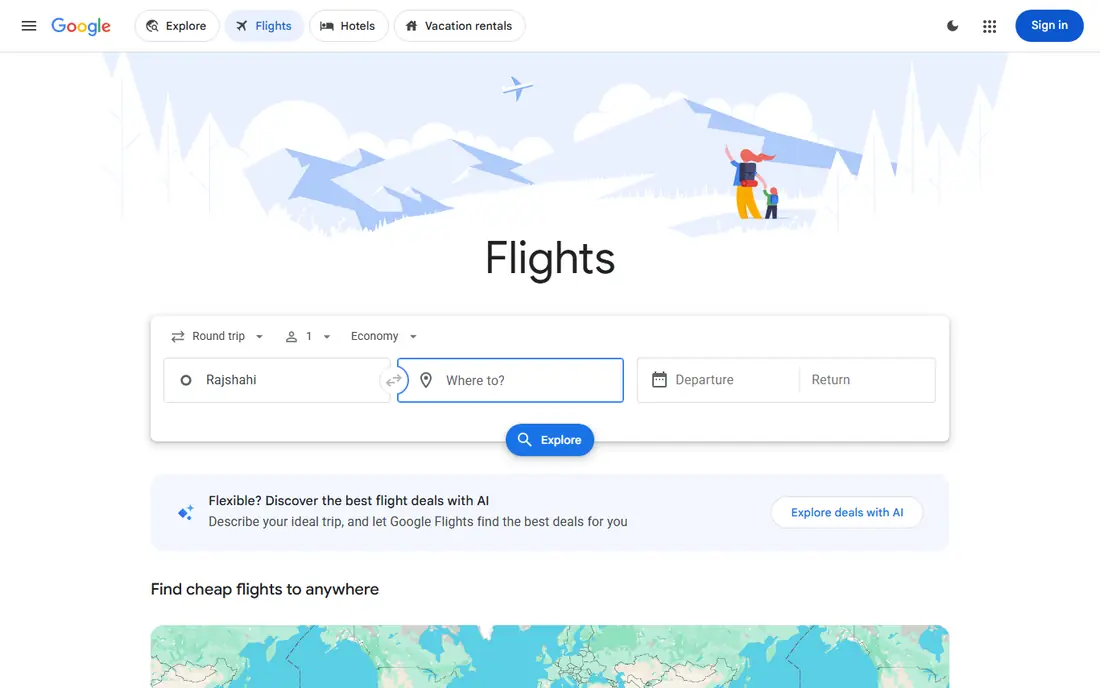
Google Flights is our answer for most travelers asking which app is best for travel price comparison, even though it works best on the web rather than as a native app. Search is fast, the price graph shows how fares change by date, and tracking sends an email when a tracked fare moves. Exploring by destination helps when dates are fixed but the place is flexible.
The limit is booking. Google Flights links out to airlines or booking partners, so change and cancellation terms come from the seller, not from Google. That is usually a benefit, since booking direct with an airline often makes changes easier. Use Google Flights to find and track the fare, then book with the airline where the total matches.
- Fast search and price graph
- Date and destination flexibility
- Fare tracking by email
- No native mobile app
- Booking usually happens on an airline or partner site
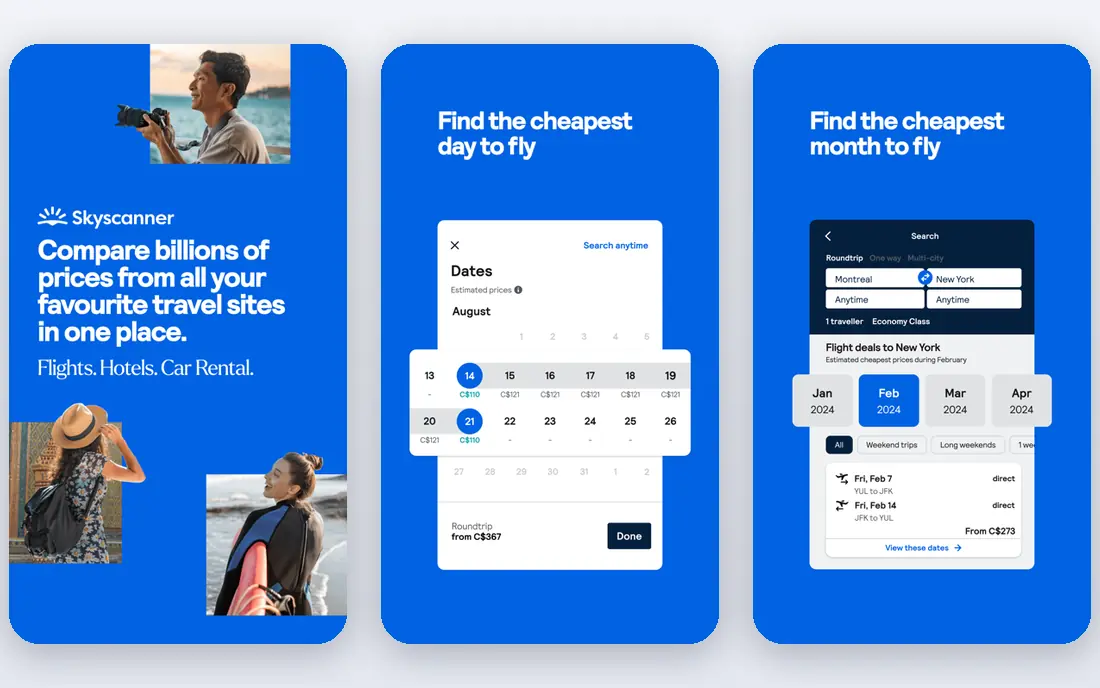
Skyscanner suits travelers who want the widest view in one search. Its whole-month view shows the cheapest days, and its Everywhere search finds the cheapest destinations from a home airport, which helps flexible travelers. Coverage spans many airlines, including budget carriers, plus online travel agencies.
The catch is partner variation. Skyscanner compares prices, but the booking partner sets baggage, change, and refund terms, so read those terms before paying. For a straightforward search, Skyscanner is a strong second check beside Google Flights, and it often surfaces fares that a single airline site misses.
- Whole-month and Everywhere searches
- Broad airline and agency coverage
- Price alerts
- Booking happens on partner sites
- Some partner terms vary widely
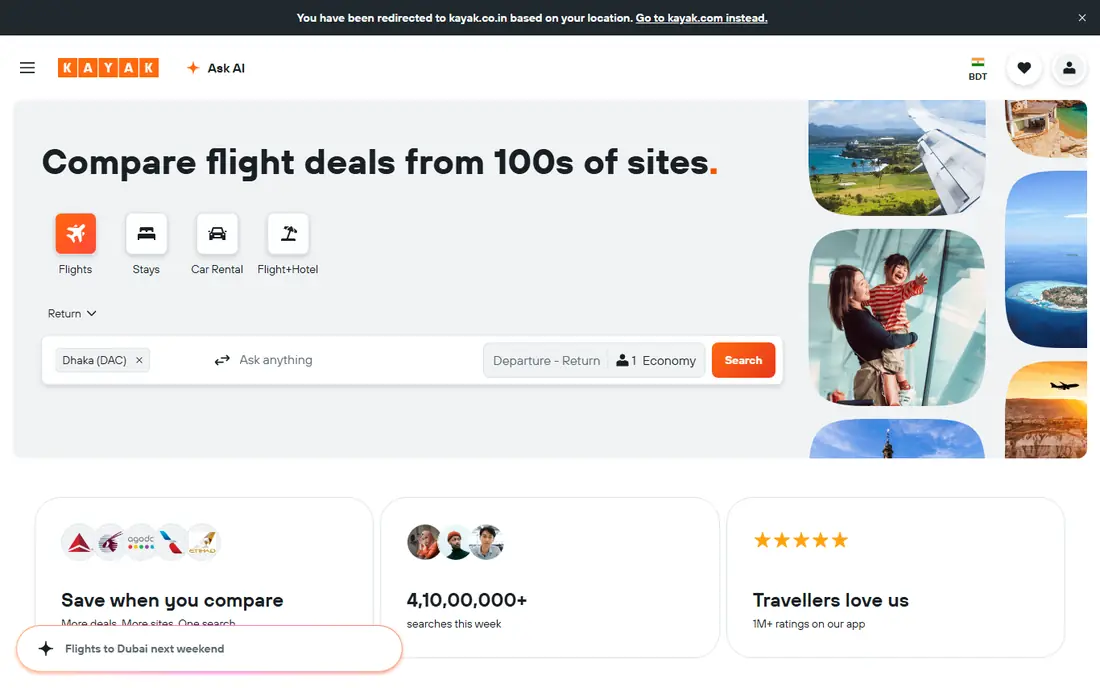
KAYAK is the best all-in-one comparison app on this list for travelers who compare more than flights. Search flights, hotels, and rental cars, set price alerts, and use its forecast to judge whether to book now or wait. Trip tools help keep bookings in one place, which matters on a multi-part trip.
Forecasts deserve care. A buy-or-wait signal is based on past price patterns, not a promise about a specific fare. Treat it as one input beside your own dates and flexibility. KAYAK is free to search, and booking terms come from the airline, hotel, or agency that sells the trip.
- Flights, hotels, and cars in one search
- Price forecasts and alerts
- Trip management tools
- Booking partners vary
- Forecasts are guidance, not a guarantee
Hopper suits mobile-first travelers who want a clear answer on timing. Its calendar shows price levels by day, predictions suggest whether to book now or wait, and watches alert users when a fare changes. That guidance helps travelers who have flexible dates and want to avoid paying a peak price.
The trade-off is the booking model. Hopper books in-app, and optional add-ons such as price freezes and flexibility plans cost extra. Those add-ons can help in some cases, but they also add cost that a direct airline booking would not include. Use Hopper for predictions and alerts, then compare its final total against the airline's own price.
- Color-coded price calendar
- Buy-or-wait predictions
- Fare watches and alerts
- Paid add-ons such as price freezes cost extra
- Booking in-app can limit direct airline support
momondo, part of the same group as KAYAK, often surfaces fares from smaller booking sites that larger search tools miss. Results split into cheapest, quickest, and best tabs, which helps travelers who value time as well as price. Price alerts track a route and notify users when fares change.
The caution is the same as with Skyscanner: a low fare from a small agency may carry stricter change rules or slower support. Check the agency's terms and the final total, including bags, before choosing the cheapest result. For pure price discovery, momondo is one of the best second checks on this list.
- Searches hundreds of travel sites
- Cheapest, quickest, and best result tabs
- Price alerts
- Smaller agency fares can carry stricter terms
- Booking happens on partner sites
Kiwi.com suits travelers who want creative routes that single-airline searches miss. It combines separate tickets from different airlines into one itinerary, and its multi-city tools help plan complex trips. A guarantee covers some missed connections within its terms, which adds confidence to self-transfer bookings.
The honest catch is the transfer itself. On self-transfer routes, bags must be collected and rechecked, and transit may require a visa depending on the airport and passport. Kiwi schedules minimum layovers, but travelers should read the guarantee terms and allow extra time. Use Kiwi for route ideas, and weigh its total against a simpler single-ticket route.
- Combines separate tickets into one route
- Multi-city and Nomad tools
- Guarantee on some missed connections
- Self-transfer routes need bag recheck and may need visas
- Support terms vary by booking type
Expedia is the pick when a trip needs a flight plus a hotel, because bundles can beat separate bookings on some routes. The app compares flights and hotels, shows package prices, and offers rewards on bookings. Price tracking on some flights helps travelers who are still deciding.
Bundle value is not automatic. Compare the bundle total against booking the flight direct and the hotel direct, since a bundle can hide a higher hotel rate behind a lower flight price. Changes also go through Expedia, which can be slower than dealing with an airline directly. Use Expedia for bundles, and check the separate totals first.
- Flights, hotels, cars, and bundles in one booking
- Rewards program
- Price tracking on some flights
- Bundle savings vary
- Changes go through Expedia rather than the airline directly
Going, formerly Scott's Cheap Flights, suits travelers who want deals found for them. Members set home airports and receive curated economy, premium, and mistake-fare alerts, with a free Limited tier and Premium from $49 per year in current listings. Average savings claims vary by route, but the value is in discovery, not in searching a fixed date.
The limit is scope. Going focuses on US departures, so it helps less for travelers based elsewhere. It also suits flexible travelers, since the best deals may not match a fixed holiday week. Pair Going with Google Flights: use Going for inspiration, and Google Flights for a fixed-date search.
- Hand-checked deal alerts
- Free Limited tier
- Premium from $49 per year
- Strong for US departures
- Mainly US departures
- Deal alerts suit flexible travelers more than fixed-date trips
CheapOair suits travelers who want to compare fares online but book with human help, or who need complex multi-city routes. The site and app search many airlines and agencies, and phone agents can help with changes and special requests that self-service booking makes harder.
The catch is fees. CheapOair may add service fees on some bookings, so compare its final total against the airline's direct price. For a simple domestic flight, a direct booking is often simpler. For a complex itinerary or a traveler who wants phone support, CheapOair earns its place.
- Flight comparison plus phone booking help
- Deals on many routes
- Multi-city search
- Service fees may apply on some bookings
- Support quality varies by booking type
Rome2Rio answers a different question: what is the best way to get from one place to another, not just which flight is cheapest? It compares flights, trains, buses, ferries, and driving in one route view, with total time and estimated cost. That breadth helps for trips where a train plus a short flight beats a long flight alone.
Prices on some legs are estimates, so treat Rome2Rio as a planning tool rather than a final price. Click through to the operator or booking partner for the exact fare and terms. For multi-mode trips, especially in Europe, Rome2Rio is the best starting point on this list.
- Compares flights, trains, buses, and cars in one route
- Door-to-door times
- Booking links
- Prices are estimates on some legs
- Booking happens on partner sites
How we picked these
We compared official feature pages, app listings, and pricing material, and we favored tools that are live in October 2026 and compare real prices across sellers. We included flight-first search, bundles, deal alerts, and multi-mode planning, because travel price comparison covers more than one kind of trip. We left out tools that only sell their own inventory without comparing sellers.
How to compare prices without overpaying
Run the same route on two or three apps, such as Google Flights, Skyscanner, and momondo, then check the airline's direct price for the winning fare. Compare final totals, not headline fares, and add bags, seat selection, and payment fees where they apply. Set alerts early for flexible trips, and book when the fare fits your budget rather than waiting for a perfect price that may not come. For bundles, compare the package total against separate bookings, and for self-transfer routes, check bag, visa, and connection terms before paying.
Frequently asked questions
Which app is best for travel price comparison?
Google Flights is the best starting point for most flight searches, thanks to fast results, price graphs, and tracking. Add Skyscanner or momondo for breadth, and Hopper for timing guidance. No single app wins every route, so a two-app check is the safest habit.
What are the best travel price comparison apps for flights?
Google Flights, Skyscanner, KAYAK, Hopper, momondo, and Kiwi.com lead for flights, each with a different strength. Google Flights leads for tracking, Skyscanner for global breadth, KAYAK for multi-product search, Hopper for predictions, momondo for smaller agencies, and Kiwi.com for multi-airline routes.
Are travel price comparison apps free?
Yes, searching and alerts are free on most apps on this list, including Google Flights, Skyscanner, KAYAK, Hopper, momondo, and Kiwi.com. Going offers a free tier with Premium from $49 per year. Booking fees, bags, and seat charges come from the seller, not from the free search itself.
Should I book through a comparison app or direct with the airline?
Compare both totals first. Booking direct often makes changes and support easier, while booking through an app or agency can offer bundles or phone help. Choose direct when the price matches, and choose an agency only when its total or service adds clear value.
Why do flight prices differ between apps?
Prices differ because apps search different sellers, cache results at different times, and show different fare types. Bags, seat fees, and agency charges also change the final total. Compare the same fare type, on the same dates, with the same bags, for a fair result.
Sources
See where you really rank - block by block
ProMapRanker scans Google Maps across a grid of your service area. Simple monthly plans from $19, white-label on every plan.
Start freeKeep reading
 wpforms alternatives
Best WPForms Alternatives in 2026
We compare 9 wpforms alternatives for WordPress forms, with free and paid options, current pricing notes, and honest limits for small business sites in 2026.
Read → windows task scheduler alternatives
Best Windows Task Scheduler Alternatives in 2026
Looking for Windows Task Scheduler alternatives? We compare 9 schedulers for Windows and cross-platform work, from free tools to enterprise automation.
Read → which ai video service is best
Which AI Video Service Is Best in 2026
which ai video service is best? We compare 10 legitimate AI video services on price, avatars, editing and output quality to help you pick the right tool.
Read →