 ProMapRanker
Best Customer Service Platforms in 2026


Large complex support teams · Pricing starts at: $55 per agent per month
Key takeaways
- Zendesk suits large, complex support operations, while Freshdesk and Zoho Desk suit smaller teams that want a lower seat price.
- Intercom suits support inside a website or app, while HubSpot Service Hub suits teams already on HubSpot CRM.
- Help Scout suits email first small teams, while Salesforce Service Cloud suits enterprises already on Salesforce.
- Seat price is only part of the bill, because AI resolutions, onboarding and add-ons can change the total fast.
Quick comparison
| Pick | Great for | Pricing starts at | Free tier | |
|---|---|---|---|---|
| Zendesk | Large complex support teams | $55 per agent per month | No | Visit |
 Freshdesk | Small and midsize teams | $19 per agent per month | No | Visit |
 Intercom | In app messaging support | $29 per seat per month | No | Visit |
 HubSpot Service Hub | Teams on HubSpot CRM | $20 per seat per month | Yes | Visit |
 Help Scout | Email first small teams | $25 per user per month | Yes | Visit |
 Zoho Desk | Budget teams and Zoho users | $14 per agent per month | Yes | Visit |
 Salesforce Service Cloud | Enterprises on Salesforce | See website | No | Visit |
 LiveAgent | Ticketing, chat and calls in one tool | $15 per agent per month | No | Visit |
The best customer service platforms
We compared platforms that manage tickets, messages and customer conversations across channels, not chat widgets alone. The best platform depends on team size, channels and the CRM you already use.
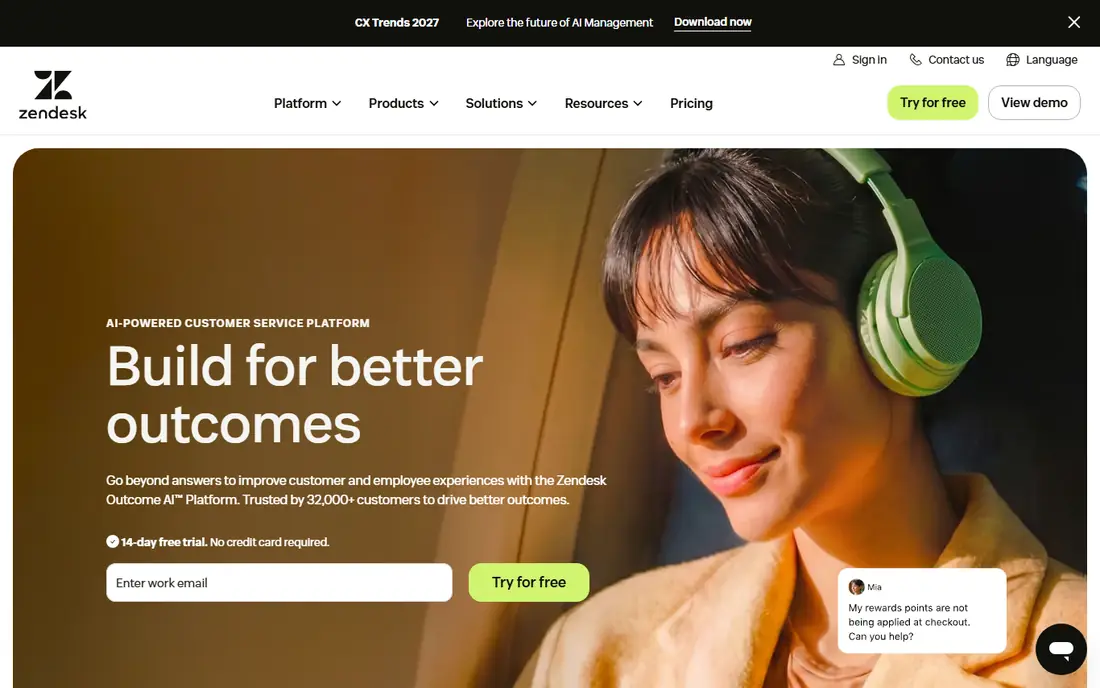
Zendesk is the mainstream pick for a team that needs a serious helpdesk. Tickets, macros, automations, service level rules and reporting work together, and the platform covers email, chat, phone and social channels. For a large team with several queues and tiers, that maturity matters more than a slightly lower seat price elsewhere.
The cost and complexity are the trade-offs. Suite Team starts at 55 dollars per agent per month on annual billing, and AI and Copilot add-ons sit on top. A small team with a simple inbox may pay for depth it never uses. If you run complex support at scale, Zendesk is hard to beat, and if you run a simple inbox, start with Help Scout or Zoho Desk.
- Mature ticketing, automation and reporting
- Wide channel and integration coverage
- Strong service level and workflow controls
- Seat plus AI costs stack up
- Smaller teams may find it heavy
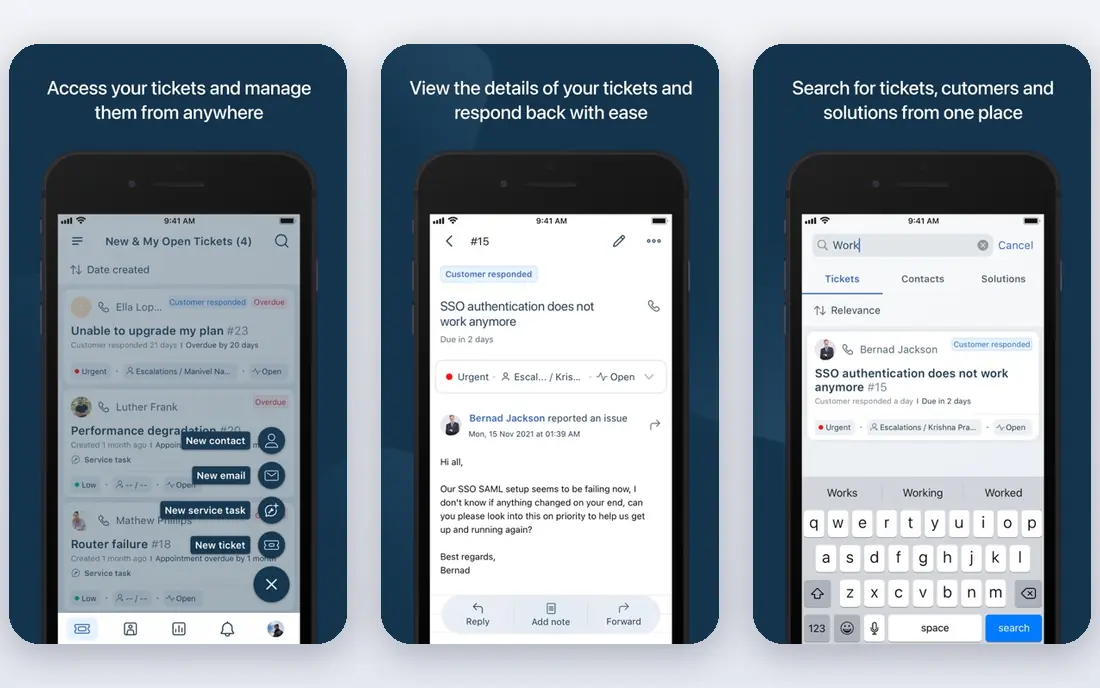
Freshdesk suits small and midsize teams that want a full helpdesk live fast. Email, chat, phone and social tickets land in one queue, with automations, canned replies and reporting that cover most daily needs. Growth starts at 19 dollars per agent per month on annual billing, which makes it easier to budget than an enterprise platform.
AI is metered, so check session terms before you rely on Freddy AI for a large share of tickets. Higher plans add more automation, reporting and AI features, so the plan you need may cost more than the entry price. For a team that wants a practical, affordable helpdesk without enterprise setup, Freshdesk is a strong default.
- Fast setup for multichannel ticketing
- Lower seat entry than Zendesk
- Freddy AI for automation and agent help
- AI sessions are metered separately
- Advanced features sit on higher plans
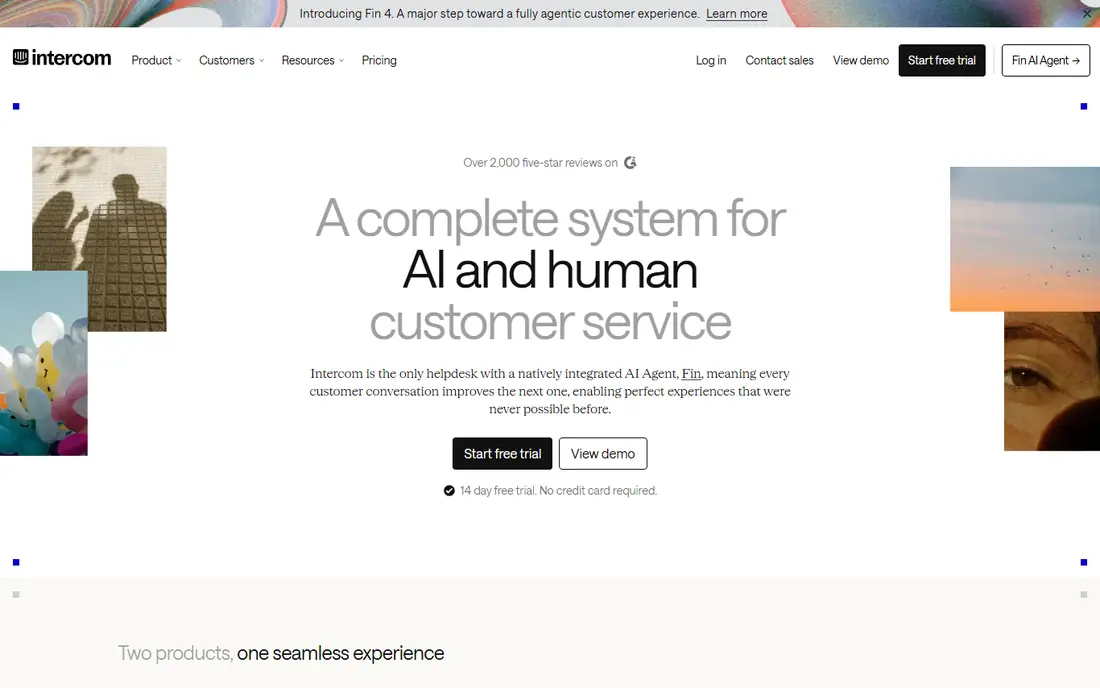
Intercom suits companies whose support happens inside a product. Customers can message from inside a website or app, and agents see product and customer context without switching tools. Fin, the AI agent, can resolve routine questions from help content and hand off with full context when it cannot finish a job.
The pricing model needs care. Essential starts at 29 dollars per seat per month on annual billing, and Fin charges 0.99 dollars per resolution on top of seats. Email heavy teams may prefer a ticket first platform such as Zendesk or Freshdesk. For a digital product team that lives in chat, Intercom is a natural pick.
- Messenger inside your website or app
- Fin AI agent for routine resolutions
- Strong product and customer context
- Seat plus per resolution AI costs
- Less suited to email heavy teams
HubSpot Service Hub suits teams already running HubSpot CRM. Tickets sit beside contact, deal and company records, so agents can see purchase history and past conversations without a separate lookup. Starter starts at 20 dollars per seat per month, and free service tools help a very small team start without a contract.
Professional plans cost more and can include a one time onboarding fee, so check the total for your team size. Teams not on HubSpot will get less value, because the CRM link is the main advantage. If HubSpot is already your system of record, Service Hub is the obvious service platform to try first.
- Ticketing inside HubSpot CRM
- Free tools for up to two users
- Customer data beside every ticket
- Higher plans add onboarding fees
- Best value only for HubSpot users
Help Scout suits small teams whose support is mostly email. The shared inbox looks and feels like email, which means new agents need little training, and customers get replies that do not feel like ticket numbers. Standard starts at 25 dollars per user per month on annual billing, and a free plan covers up to five users with limited contacts.
Large teams with complex workflows, service level tiers and deep reporting may outgrow Help Scout. AI answers are also metered per resolution, so check that cost if you plan heavy AI use. For a small, email first team that wants to start today, Help Scout is one of the easiest platforms on this list.
- Simple shared inbox that feels like email
- Fast setup for small teams
- Free plan for up to five users on limited contacts
- Less depth for large, complex queues
- AI resolutions are metered
Zoho Desk suits budget conscious teams, especially teams already using Zoho CRM, Books or other Zoho apps. Tickets, automations and reporting cover core helpdesk work, and Standard starts at 14 dollars per agent per month on annual billing. A free edition for up to three agents helps a tiny team start without paying.
The trade-off is polish and depth on lower plans. Some AI features, advanced automations and reporting need higher tiers, and teams used to Zendesk may find the workflow different. If cost is the main driver and you already use Zoho, Zoho Desk is hard to beat on price. If you need enterprise depth, compare Zendesk or Salesforce first.
- Low seat price
- Free edition for up to three agents
- Strong fit inside the Zoho ecosystem
- Interface and depth vary by plan
- AI features sit on higher plans
Salesforce Service Cloud suits large enterprises already standardized on Salesforce. Cases sit beside accounts, orders and service contracts, and omni channel routing, knowledge and automation can handle complex service operations. For a company with a large Salesforce investment, that shared data is a major advantage over a standalone helpdesk.
Cost and complexity are the limits. Pricing is edition based and quote driven for many teams, and setup needs Salesforce skills. A small team without Salesforce will find it heavy and expensive. If Salesforce is already your platform, Service Cloud is the natural service choice, and Agentforce can add AI agents inside the same system.
- Deep CRM data beside every case
- Powerful automation, knowledge and omni channel routing
- Strong enterprise controls
- Pricing and setup are enterprise level
- Needs Salesforce expertise to run well
LiveAgent suits small and midsize teams that want ticketing, live chat and phone support without buying three tools. The built in call center is a real advantage for teams that still take many phone calls, and the entry price at 15 dollars per agent per month keeps costs low. Setup is fast, and the core helpdesk covers most daily support work.
AI and advanced automation are lighter than the leaders, so teams planning heavy AI deflection should compare Intercom, Zendesk or Freshdesk. Some users also find the interface less modern than newer platforms. If phone plus chat plus tickets in one affordable tool is your priority, LiveAgent is a practical pick.
- Ticketing, live chat and a built in call center in one tool
- Low entry price
- Fast setup for small teams
- AI features are lighter than Zendesk or Intercom
- Interface feels dated to some users
How we picked these
We compared official pricing pages, product documentation and public comparisons, and we kept only platforms that are live in October 2026 and manage customer conversations across channels. We favored a mix of enterprise, mid market and budget tools, because the best platform depends on team size and CRM fit. We did not claim hands-on testing, and we used See website where a vendor does not publish a simple starting price.
How to decide which service platform fits your team
Start with channels and volume, not brand names. List where customers contact you, how many tickets you get per month, and how many agents will use the system. Then check CRM fit, because a platform that shares customer data with your CRM will save agents time on every ticket. Finally, model total cost at your agent count, including AI charges, onboarding and add-ons.
Run a trial on real tickets, not a demo queue
Use a trial with real tickets from your own queue, and measure first response time, resolution time, customer satisfaction and agent effort. Check handoff quality, search quality and reporting, because those daily jobs matter more than a feature list. If a platform slows agents down or hides customer context, it is the wrong fit even at a lower seat price.
Frequently asked questions
What's the best customer service platform for a small team?
Freshdesk, Help Scout and Zoho Desk are strong for small teams, with low seat prices and fast setup. Help Scout suits email first teams, Freshdesk suits multichannel teams, and Zoho Desk suits budget teams already using Zoho.
What's the best customer service software for large teams?
Zendesk and Salesforce Service Cloud suit large teams with complex queues, service levels and reporting. Zendesk suits a standalone helpdesk at scale, while Salesforce Service Cloud suits enterprises already on Salesforce.
Is HubSpot Service Hub a good customer service platform?
Yes, for teams already on HubSpot CRM, because tickets sit beside contact and deal records. Starter starts at 20 dollars per seat per month, with free tools for up to two users, while higher plans add onboarding fees.
How much does customer service software cost?
Entry prices here range from 14 dollars per agent per month for Zoho Desk to 55 dollars per agent per month for Zendesk Suite Team, before AI charges and add-ons. Model total cost at your agent count and ticket volume.
Can I switch platforms without losing ticket history?
Often yes, through migration tools or imports, but history, attachments and custom fields may need mapping. Export your data, test a sample migration, and keep the old system readable until the new one is proven.
Sources
See where you really rank - block by block
ProMapRanker scans Google Maps across a grid of your service area. Simple monthly plans from $19, white-label on every plan.
Start freeKeep reading
 wpforms alternatives
Best WPForms Alternatives in 2026
We compare 9 wpforms alternatives for WordPress forms, with free and paid options, current pricing notes, and honest limits for small business sites in 2026.
Read → windows task scheduler alternatives
Best Windows Task Scheduler Alternatives in 2026
Looking for Windows Task Scheduler alternatives? We compare 9 schedulers for Windows and cross-platform work, from free tools to enterprise automation.
Read → which ai video service is best
Which AI Video Service Is Best in 2026
which ai video service is best? We compare 10 legitimate AI video services on price, avatars, editing and output quality to help you pick the right tool.
Read →