 ProMapRanker
What Is the Best AI Software for Classroom Use in 2026


Broad teacher toolkit in one place · Pricing starts at: $8.33 per month
Key takeaways
- The best classroom AI tool is the one that saves a teacher time without handing student data or grading judgment to a black box.
- MagicSchool suits teachers who want one broad toolkit, while Brisk Teaching suits teachers who already plan and grade inside Google Docs.
- Khanmigo stands out because it is free for US teachers and ties tutoring to Khan Academy material, with a Socratic style that prompts students rather than giving answers.
- Diffit and Eduaide lead on differentiation, turning one lesson into leveled readings and varied practice.
- Schools should check data agreements, student-facing controls and academic-integrity rules before any classroom rollout.
Quick comparison
| Pick | Great for | Pricing starts at | Free tier | |
|---|---|---|---|---|
| MagicSchool | Broad teacher toolkit in one place | $8.33 per month | Yes | Visit |
 Brisk Teaching | Feedback inside Google Docs and Slides | See website | Yes | Visit |
 Khanmigo | Free teacher tools and student tutoring | Free for US teachers | Yes | Visit |
 Diffit | Leveled readings and differentiation | $14.99 per month | Yes | Visit |
 Eduaide.ai | Pedagogy-focused planning | See website | Yes | Visit |
 Curipod | Live interactive lessons | See website | Yes | Visit |
 SchoolAI | Monitored student AI spaces | See website | Yes | Visit |
 Gemini in Classroom | Google Workspace schools | See website | Yes | Visit |
 Canva for Education | Visual lessons and student design | Free for verified teachers | Yes | Visit |
The best AI software for classroom use
This guide covers only legitimate teaching and learning help: planning, differentiation, feedback drafts, practice and tutoring that supports student work. AI output should be checked by the teacher, and student work submitted for grades should be the student's own. Schools should set clear academic-integrity rules, tell students when AI help is allowed and when it is not, and keep AI-generated feedback as a draft for teacher review, not as a final judgment.
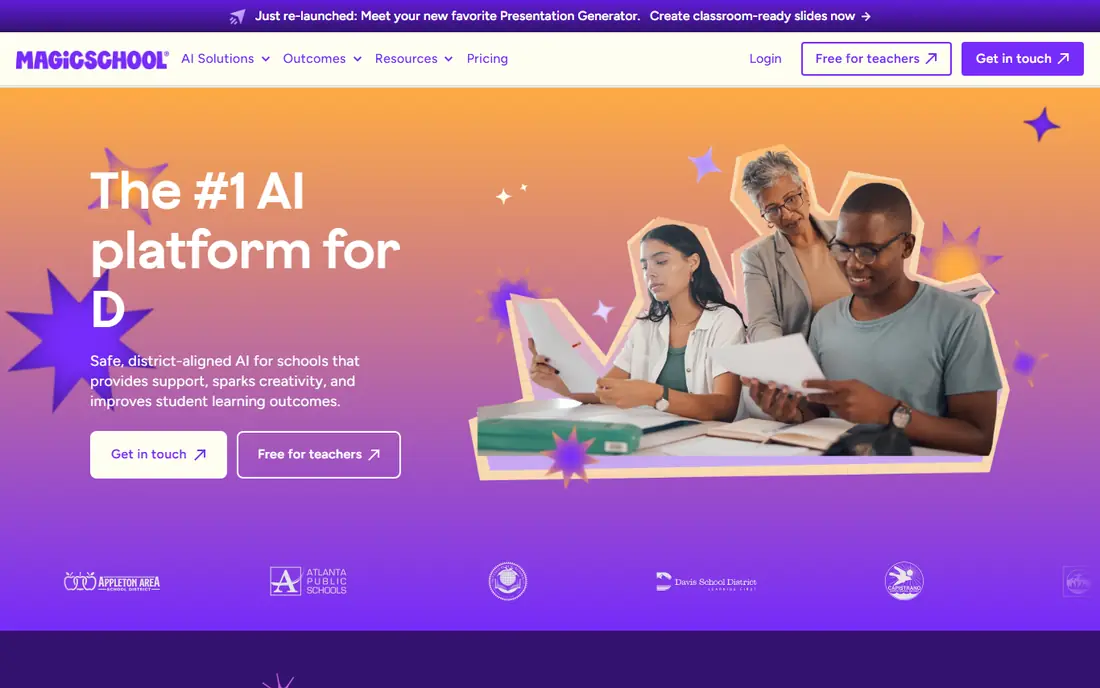
MagicSchool packs lesson plans, rubrics, IEP goal drafts, quizzes, writing feedback, report-card comments and differentiation tools into one dashboard built for educators. A teacher describes the class, grade, subject and standards, and gets a structured draft with objectives, materials, activities and assessments, rather than a vague outline. A Plus plan at $8.33 per month billed annually, or $12.99 month to month, raises usage limits for regular users.
The breadth is both the strength and the catch. New users can spend a while finding the few tools they will use every week, and the free plan's limits will push heavy users to Plus. Privacy posture is education-specific, with the vendor stating student data is not used for model training, but schools should still confirm the current data agreement. For a teacher who wants one toolkit instead of five separate apps, MagicSchool is the easiest starting point.
- More than 80 teacher tools
- Lesson plans, rubrics and feedback in one dashboard
- Free plan for trying it out
- Usage limits on the free plan
- Breadth can feel overwhelming at first
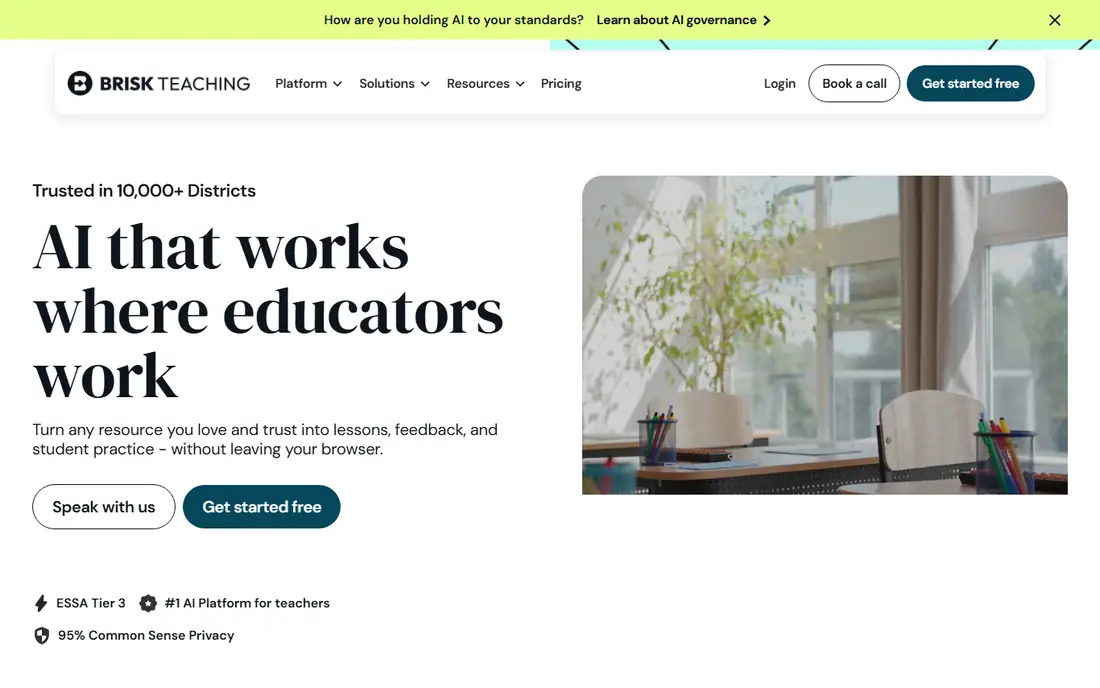
Brisk Teaching is a Chrome extension that works where many teachers already work: Google Docs, Slides and web articles. It can generate lesson plans, quizzes and presentations, give rubric-based feedback on student writing, adjust reading levels and translate text for multilingual learners. Because feedback lands inside the document, teachers can edit it before students see it, which keeps teacher judgment in the loop.
The obvious limit is platform fit. Schools outside Google Workspace will get less value, and some advanced features sit behind a Pro plan whose price is not always published for individuals. A free tier with more than 20 tools covers a normal week for many teachers. For Google schools, Brisk is the lowest-friction AI tool on this list, because it changes no workflow, only adds help inside the workflow teachers already use.
- Works inside Docs and Slides
- Rubric-based feedback
- Free tier with many tools
- Google Workspace focus
- Paid Pro pricing is not always published
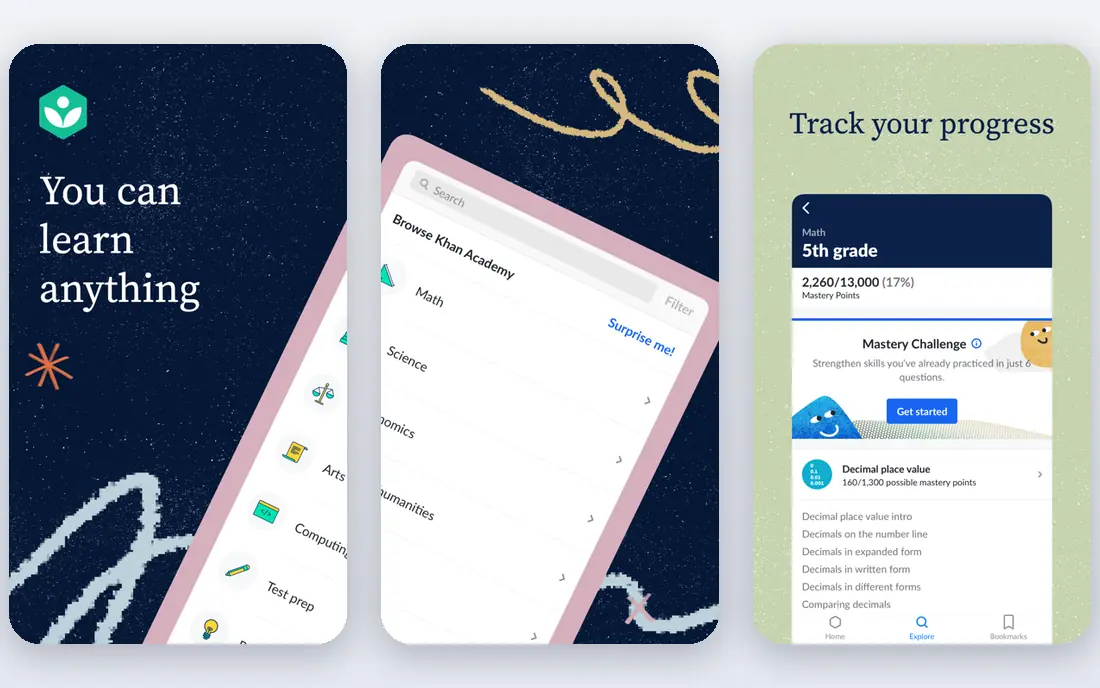
Khanmigo is Khan Academy's AI assistant, with teacher tools for lesson plans, exit tickets, quizzes, rubrics and administrative drafts, plus a student tutor that guides learners with questions rather than handing over answers. That Socratic approach is a real difference in a classroom, because it keeps the student doing the thinking while the tutor prompts, hints and checks understanding. Teacher tools are free for US teachers, which removes the budget barrier for trying it.
Student-facing tutoring is typically a district purchase, so individual teachers should check what their school provides. Coverage also follows Khan Academy's library, which is strong in math and several other subjects but not a full curriculum for every course. For teachers who want a trustworthy, curriculum-linked tutor and free planning help, Khanmigo is a strong and low-risk choice.
- Free for US teachers
- Socratic tutoring style
- Tied to Khan Academy lessons and practice
- Student tutor access is a district purchase in many cases
- Subject coverage follows Khan material
Diffit turns a topic, article, video or passage into reading material at several reading levels, with vocabulary support and questions. A teacher can give the same lesson to a class with a wide range of reading strengths without rewriting the text three times by hand. That makes it one of the most practical differentiation tools available, especially for mixed-ability classes and multilingual learners.
Teachers should still read the output before class, because leveled text can simplify a concept too far or introduce a small error. The free tier lets teachers test it, while regular use sits at $14.99 per month or $149.99 per year for individuals, with school plans quoted separately. For differentiation specifically, Diffit beats a general chatbot, because its whole design is built around reading levels rather than general text generation.
- Fast leveled readings from any source
- Vocabulary and questions included
- Good for multilingual learners
- Paid plan needed for regular use
- Output still needs teacher checking
Eduaide.ai builds lesson resources around pedagogy frameworks such as 5E, universal design for learning and backward design, rather than producing a generic outline. It offers many resource types, from graphic organizers and worksheets to assessments and games, and its drafts carry more teaching detail than a typical chatbot answer. A free plan with monthly credits lets teachers test it, with a Pro plan reported at $5.99 per month or $49.99 per year.
The trade-off is scale and support depth compared with larger rivals, so districts should check data agreements and rostering options before a wide rollout. For individual teachers who care about how a lesson is structured, not just what it contains, Eduaide's pedagogy-first drafts are a genuine advantage. It is best used as a planning partner whose output the teacher edits, not as a finished lesson to print untouched.
- Pedagogy frameworks in drafts
- Many resource types
- Free credits each month
- Smaller footprint than MagicSchool
- Paid pricing varies by source
Curipod builds interactive lessons where students respond live from their devices, through polls, open questions, drawing and writing tasks, with AI feedback during the lesson. That live loop suits writing practice and class discussion, because the teacher can see responses as they arrive and steer the lesson, rather than collecting work to mark later. Lessons can be generated from a topic, document or video.
The catch is device dependence. Classes without reliable devices or connectivity will not get the full value, and school pricing is quoted rather than published. A free tier lets teachers try a live lesson before committing. For teachers who want student participation during the lesson, not just a plan before it, Curipod is the most interactive option here.
- Live lessons with student responses
- Real-time AI feedback on writing
- Polls and drawing activities
- School and district pricing is quoted
- Needs student devices in class
SchoolAI gives teachers controlled spaces where students can use AI with teacher-set guardrails, prompts and monitoring. Teachers can create a tutor, a debate partner or a practice activity, set what the AI should and should not do, and review student sessions. That control matters for schools that want students to learn with AI, but do not want open-ended chatbot access in class.
The product needs school-level setup to work well, including accounts, permissions and data agreements, so it is less of a quick individual signup than some rivals. Pricing for wider use is quoted. For schools that want a managed, monitored way to bring AI to students, with teacher visibility built in, SchoolAI is a thoughtful choice.
- Teacher-controlled student AI spaces
- Session monitoring
- Education privacy focus
- Pricing is quoted for wider use
- Setup needs school admin involvement
Gemini in Classroom brings Google's AI into Workspace for Education, helping teachers create rubrics from files, draft lesson material and work inside Docs, Slides and Classroom. Because it lives in tools schools already use, there is little new software to learn, and admin controls let districts manage availability and data settings. For Google schools, that integration is a real advantage over a separate app.
Availability depends on the district's Workspace edition, and some features need Education Plus or a paid add-on, so teachers should check what their school actually provides. Gemini is a general assistant adapted for education, not a specialist lesson-planning suite, so teachers who want the widest teacher toolkit may still pair it with MagicSchool or Diffit. As a built-in helper for Google classrooms, it is a solid, low-friction option.
- Built into Google Workspace for Education
- File-to-rubric help
- Familiar Google tools
- Some features need Education Plus or an add-on
- District controls determine availability
Canva for Education gives verified K-12 teachers free access to Canva's design tools, including AI-assisted design, slides, posters, infographics and short video. Teachers can build visual lessons quickly, and students can create presentations and projects in a controlled classroom setup. For visual subjects and student presentations, it is hard to beat for ease of use.
Canva is not a tutoring, feedback or grading platform, so it complements rather than replaces the other tools here. Schools should also set up classroom controls and check sharing settings before students publish work. For teachers who want polished visual material without design skill or budget, Canva for Education is the clearest free option in this group.
- Free for verified K-12 teachers
- Slides, posters and video in one place
- AI design help included
- Design-first, not a tutoring or grading tool
- Classroom controls need school setup
How we picked these
We compared official product pages, pricing pages and public documentation for AI tools with a real classroom purpose and education privacy controls. We favored tools that help teachers plan, differentiate, give feedback drafts or tutor students in a guided way, and we favored free teacher tiers where they exist. We left out general chatbots with no classroom controls, and we did not list tools that help students submit work they did not do. Where pricing was not published by the vendor, we wrote See website.
What to check before you buy
Start with your school's rules, not with a feature list. Confirm the data processing agreement, whether student data is used for model training, how long data is kept, and whether student-facing features can be turned off. Check single sign-on and rostering for district use, and ask whether the vendor supports US education privacy requirements. Then trial the tool with one class, and judge the time it saves against the time spent checking its output.
Academic integrity and classroom rules
Set the rule in plain language before students use any AI tool: AI may help with brainstorming, practice and revision where the teacher allows it, but submitted work must be the student's own, with sources and reasoning they can explain. Teach students to check AI answers, because AI can sound confident while being wrong, especially in math and science. Keep teacher review in the loop for grades, and use AI feedback as a draft, not as a final mark.
Frequently asked questions
What is the best AI tool for classroom use?
For most teachers, MagicSchool is the broadest starting point because it covers planning, rubrics and feedback in one free-to-try toolkit. Teachers in Google schools should also try Brisk Teaching for feedback inside Docs, and Khanmigo for free, curriculum-linked tutoring. The best pick depends on whether you need planning help, student tutoring or live lessons most.
What is the best AI software for classroom use that is free?
Khanmigo is free for US teachers, and Canva for Education is free for verified K-12 teachers. MagicSchool, Brisk Teaching, Diffit and Eduaide all offer free tiers, though with usage limits. Free tiers are good for trying a tool, but regular classroom use often needs a paid plan or a district license.
Can students use AI tools in class without cheating?
Yes, when the teacher sets clear rules and the tool is used for learning, not for submitting answers. Guided tutoring, practice questions, brainstorming and revision help are legitimate uses. Copying AI output as your own work, or using AI on an assessment where it is not allowed, is not. Schools should state the rule for each task, not just once for the year.
Is student data safe with AI classroom tools?
It depends on the vendor and the school's agreement. Look for a data processing agreement, a statement that student data is not used for model training, controls to limit student-facing features, and compliance with education privacy rules. Never enter sensitive student information into a consumer chatbot that lacks a school agreement.
Should teachers trust AI-generated lesson plans and grades?
Use AI drafts as a starting point, and check them before class or before students see feedback. AI can miss curriculum details, simplify a concept too far or make a factual error. Teacher judgment should stay in charge of lesson content and final grades, with AI saving time on first drafts and routine feedback.
How do I choose between MagicSchool, Brisk and Khanmigo?
Choose MagicSchool if you want one broad toolkit. Choose Brisk if you grade and plan inside Google Docs and want feedback where you already work. Choose Khanmigo if you want free teacher tools plus a guided student tutor tied to Khan Academy material. Many teachers use two of the three for different jobs.
Sources
See where you really rank - block by block
ProMapRanker scans Google Maps across a grid of your service area. Simple monthly plans from $19, white-label on every plan.
Start freeKeep reading
 wpforms alternatives
Best WPForms Alternatives in 2026
We compare 9 wpforms alternatives for WordPress forms, with free and paid options, current pricing notes, and honest limits for small business sites in 2026.
Read → windows task scheduler alternatives
Best Windows Task Scheduler Alternatives in 2026
Looking for Windows Task Scheduler alternatives? We compare 9 schedulers for Windows and cross-platform work, from free tools to enterprise automation.
Read → which ai video service is best
Which AI Video Service Is Best in 2026
which ai video service is best? We compare 10 legitimate AI video services on price, avatars, editing and output quality to help you pick the right tool.
Read →