 ProMapRanker
Best WeTransfer Alternatives in 2026

Key takeaways
- SwissTransfer sends up to 50 GB free with no account, which is the largest free limit in this list.
- Smash has no file size limit on its free tier, though larger files may be queued for priority handling.
- Filemail, TransferNow, and pCloud Transfer all send 5 GB free without a long signup process.
- Link expiry matters, since free links typically last from two days to 30 days depending on the service.
- For sensitive files, password protection, download limits, and a shorter expiry add useful control.
Quick comparison
| Pick | Great for | Pricing starts at | Free tier | |
|---|---|---|---|---|
 Smash | Very large files | Free | Yes | Visit |
 SwissTransfer | Large free transfers | Free | Yes | Visit |
 Filemail | Simple large transfers | Free | Yes | Visit |
 TransferNow | Free transfers with tracking | Free | Yes | Visit |
 Send Anywhere | Device to device sharing | Free | Yes | Visit |
 pCloud Transfer | No-account transfers | Free | Yes | Visit |
 Wormhole | Short-lived private links | Free | Yes | Visit |
 MASV | Professional media delivery | $0.25 per GB | No | Visit |
The best wetransfer alternatives
We compared file transfer services that work without a full cloud storage subscription, focusing on free limits, link lifetime, security, and paid plans. The list below includes alternatives only, and each service is live and usable in October 2026.
Smash is the simplest pick for a file that is too large for most free tiers. The free tier has no file size limit, with priority handling up to 2 GB and larger files queued, and links last up to seven days. You do not need an account to send, which keeps a one-off transfer fast.
Paid plans add priority speed, 30-day links, custom download pages, and download reporting. Published Pro pricing has been listed around $10 per month in some comparisons and around 4.80 euros per month in others, so check the current price on the pricing page for your currency. For a huge video file or a full project folder, Smash is the first service to try.
- No file size limit on the free tier
- No account needed to send
- Password protection available
- Larger free files may be queued
- Priority speed and longer links need a paid plan
- No dedicated mobile app focus
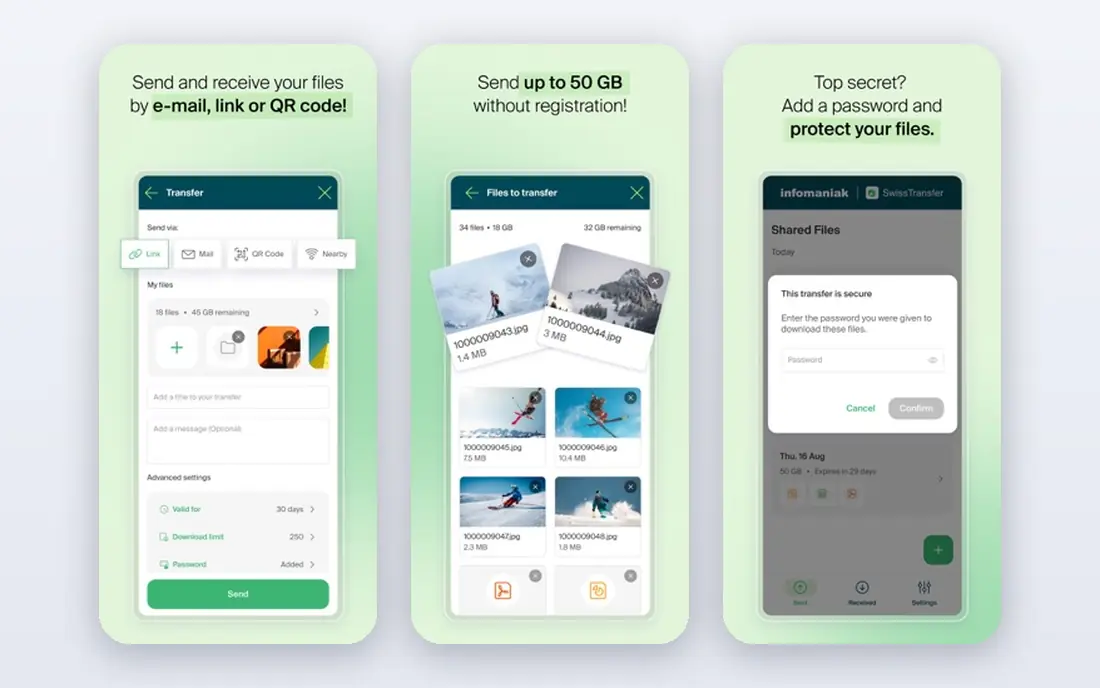
SwissTransfer is a free service from Infomaniak that sends up to 50 GB per transfer with no account and no advertising. Files are hosted in Switzerland, encrypted in transit and at rest, and you can set a password, a download limit, and an availability period up to 30 days. Recipients need no account and can download files one by one or all at once as a zip file.
The lack of a paid tier is both a strength and a limit. You get a generous free service with no upsell pressure, but you cannot buy branding, transfer history, or team controls. For a large personal or client file where privacy and a long link life matter, SwissTransfer is hard to beat.
- Up to 50 GB per transfer free
- No account needed
- Links last up to 30 days
- No paid plan for advanced team features
- No native app
- Fewer tracking tools than paid rivals
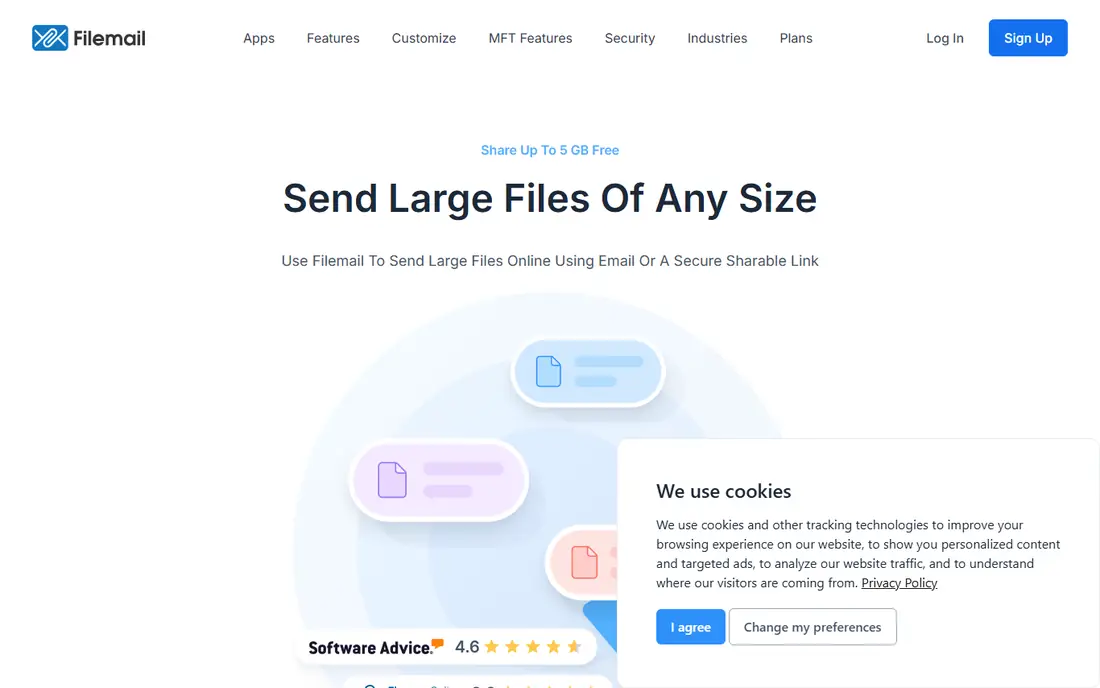
Filemail sends up to 5 GB free without registration, with links lasting seven days. Paid plans start around $4 per user per month billed annually in published comparisons, with Pro plans supporting transfers up to 250 GB. The service also offers desktop apps, which help for large uploads that would be awkward in a browser tab.
Filemail suits regular senders who want a simple web page plus a desktop option and unlimited bandwidth on paid tiers. The free tier is enough for most documents, photos, and short videos, while the paid tiers suit agencies sending client work every week. Check the current free transfer limit in the app, since daily limits can change.
- 5 GB free without registration
- Unlimited bandwidth on paid plans
- Desktop and mobile apps
- Free links last seven days
- Only two free transfers per 24 hours in some listings
- Paid plans needed for 250 GB transfers
TransferNow sends up to 5 GB free without a signup, with files available for seven days. Paid Premium plans, listed around 10 euros per month for one month or less on longer terms, raise the limit to 250 GB per transfer, extend availability, and add transfer management, link customization, and download tracking. Team plans add multi-user controls for agencies.
The tracking dashboard is the main reason to pick TransferNow over a bare free service. You can follow downloads over time, re-send a transfer without re-uploading, and delete a transfer before it expires. For client work where you need to know a file was received, that visibility is worth the step up from a purely free tool.
- 5 GB free with no signup
- Transfer tracking dashboard
- Paid plans up to 250 GB per transfer
- Free files expire after seven days
- Longer storage needs a paid plan
- Premium pricing is in euros
Send Anywhere works well when you are moving files between your own devices or to someone nearby. You can share by link, with a 10 GB free limit and a 48-hour lifetime, or directly device to device up to 50 GB. A six-digit key lets the recipient enter a code instead of clicking a link, which is handy on a phone or a shared computer.
Paid plans start around $5.99 per month for Lite and $9.99 per month for Standard in published comparisons. The free tier suits quick transfers, while the paid tiers suit people who share large files often. Note the monthly link download limit on the free tier, since a popular link can hit it faster than you expect.
- 10 GB by link free
- Up to 50 GB device to device
- Six-digit key sharing without a link
- Link downloads limited to 10 GB per month on free tier
- Link lifetime is 48 hours
- Paid plans needed for longer links
pCloud Transfer sends up to 5 GB free, with no full account signup, though an email check is part of the flow. Links last seven days, and files are encrypted during transfer. It is a clean option when you already use pCloud or when you want a simple page with no software to install.
The limit is storage. pCloud Transfer is tied to pCloud storage plans for larger transfers, so heavy users will need to compare a storage plan against a dedicated transfer plan. For occasional 5 GB sends, though, it is one of the easiest options here, and the seven-day link gives recipients a fair window to download.
- 5 GB free with no account beyond an email check
- Files encrypted in transit
- Simple link sharing
- Free links last seven days
- Larger transfers need a pCloud storage plan
- No advanced tracking on the free tier
Wormhole is built for privacy-first sharing. Files are end-to-end encrypted, links expire after 24 hours, and no account is needed to send or receive. That short lifetime is a feature for sensitive files, since the link stops working quickly even if it is forwarded by mistake.
The trade-off is clear. A 24-hour window is tight for a recipient in another time zone, and the file size limit around 10 GB is lower than SwissTransfer or Smash. Wormhole suits a confidential document or a quick file drop, not a project archive that needs to stay available for weeks. Use it when privacy and a short window matter more than size.
- End-to-end encrypted links
- No account needed
- Simple browser-based sharing
- Links expire after 24 hours
- File size limit around 10 GB
- No transfer history without an account
MASV is the professional option for video, audio, and large media deliveries. It charges $0.25 per GB on a pay-as-you-go basis, with a 15 GB monthly allowance listed in some comparisons, and files are stored for five days. That model suits studios and freelancers who send huge files irregularly and do not want a monthly subscription for quiet months.
MASV is not the pick for a small document or a one-off photo set, since free tiers elsewhere cover those at no cost. For a multi-gigabyte video delivery with a client who needs a reliable download, the per-GB model is transparent and easy to bill back to the project. Check the current allowance and storage period before a large delivery.
- Pay as you go per GB
- 15 GB monthly allowance in some listings
- Built for large media files
- No permanent free plan
- Costs scale with volume
- Overkill for small everyday transfers
How we picked these
We compared official product pages and recent published comparisons checked in September and October 2026, and we favored services that are live, send files without a full storage subscription, and publish a clear free limit or price. We left out services that have closed or that only offer storage with no transfer link. Where published prices disagreed by currency or billing term, we used See website in spirit by naming the range and pointing readers to the pricing page, rather than presenting one disputed figure as final.
What to check before you send
Start with size and time. Match the file size to the free limit, and match the link lifetime to your recipient's schedule. A 50 GB free limit is no help if the link expires before your recipient opens it, and a 30-day link is no help if the file is larger than the limit. For large files, test with a smaller file first if the deadline is tight.
Next, check security for the file type. Password protection, a download limit, and a short expiry help for contracts, medical records, or unreleased media. End-to-end encryption adds protection, but it does not replace a password on a link that could be forwarded. For routine files, a plain link with a seven-day expiry is usually enough.
Finally, think about the recipient. A service with no account and no install is best for a client or a family member who will only download once. A desktop app or a tracking dashboard is better for repeat client work, where you need to know a delivery landed. Pick the simplest tool that covers size, time, and security for that one transfer.
Frequently asked questions
What are the best alternatives for large file transfer?
SwissTransfer sends up to 50 GB free, Smash has no size limit on its free tier, and MASV suits professional media deliveries at $0.25 per GB. Filemail and TransferNow cover the middle ground at 5 GB free with paid plans up to 250 GB per transfer.
Is there a free alternative that needs no account?
Yes, SwissTransfer and Smash both send without an account, and Filemail and TransferNow send 5 GB free without a long signup. Wormhole also needs no account for short-lived encrypted links. Check the link lifetime, since it ranges from 24 hours to 30 days.
How long do file transfer links last?
Free links typically last seven days on Filemail, TransferNow, and pCloud Transfer, 48 hours on Send Anywhere, 24 hours on Wormhole, and up to 30 days on SwissTransfer. Paid plans usually extend the lifetime to 30 days or more, depending on the service.
What is the best alternative for sending video files?
For very large video files, Smash and SwissTransfer offer the largest free headroom, while MASV is built for professional video delivery with per-GB pricing. TransferNow and Filemail paid plans also support transfers up to 250 GB, which covers most client video work.
Are these file transfer services secure?
Most services here encrypt files in transit and at rest, and several add password protection and download limits. Wormhole adds end-to-end encryption with a 24-hour expiry. For sensitive files, use a password, a short expiry, and a download limit together.
Can I send files without installing software?
Yes, all of these services work in a browser, and several offer optional desktop or mobile apps for large uploads. Browser-only sending is the simplest path for a one-off transfer to a recipient who will not install anything.
Sources
See where you really rank - block by block
ProMapRanker scans Google Maps across a grid of your service area. Simple monthly plans from $19, white-label on every plan.
Start freeKeep reading
 free alternatives to grok imagine
Free Alternatives to Grok Imagine in 2026
We compared the best free alternatives to grok imagine for image generation, from fast daily credits to design tools, so you can create without paying.
Read → best tools for instagram content creation
Best Tools for Instagram Content Creation in 2026
Compare the best tools for Instagram content creation, from Canva and CapCut to Later and Buffer, on design, video, planning, scheduling, and price in 2026.
Read → best tool to split pdf files
Best Tool to Split PDF Files in 2026
We compared the best tool to split pdf files on split modes, file limits, privacy and price, so you can split a PDF cleanly and keep every page in one go.
Read →