 ProMapRanker
Typeform Alternatives in 2026

Key takeaways
- Tally and Google Forms offer the most generous free plans, with unlimited forms and responses on their free tiers.
- Fillout suits teams that connect forms to Airtable or Notion, while Jotform suits teams that need many templates.
- Response caps are the main hidden cost, so price your tool at your real monthly response volume.
- This is an alternatives list, so the original product is not included, and free alternatives vary widely in limits.
Quick comparison
| Pick | Great for | Pricing starts at | Free tier | |
|---|---|---|---|---|
 Tally | Best free plan overall | $29 per month | Yes | Visit |
 Google Forms | Free surveys in Google Workspace | Free | Yes | Visit |
 Fillout | Database-connected forms | $19 per month | Yes | Visit |
 Jotform | Templates and workflows | $39 per month | Yes | Visit |
 SurveyMonkey | Research-grade surveys | $39 per month | Yes | Visit |
 Paperform | Design-led forms and payments | $59 per month | Yes | Visit |
 Zoho Forms | Zoho teams on a budget | $10 per month | Yes | Visit |
 Formstack | Regulated teams and workflows | $83 per month | Free trial | Visit |
 Microsoft Forms | Microsoft 365 teams | See website | Yes | Visit |
The best typeform alternatives
These form builders replace a conversational form tool with surveys, quizzes, registrations, and payment forms. We left the original product out, as this guide lists alternatives only, including free alternatives to the original tool. Prices are starting paid prices from vendor pages and recent comparisons checked in October 2026, and they vary with billing term and response limits.
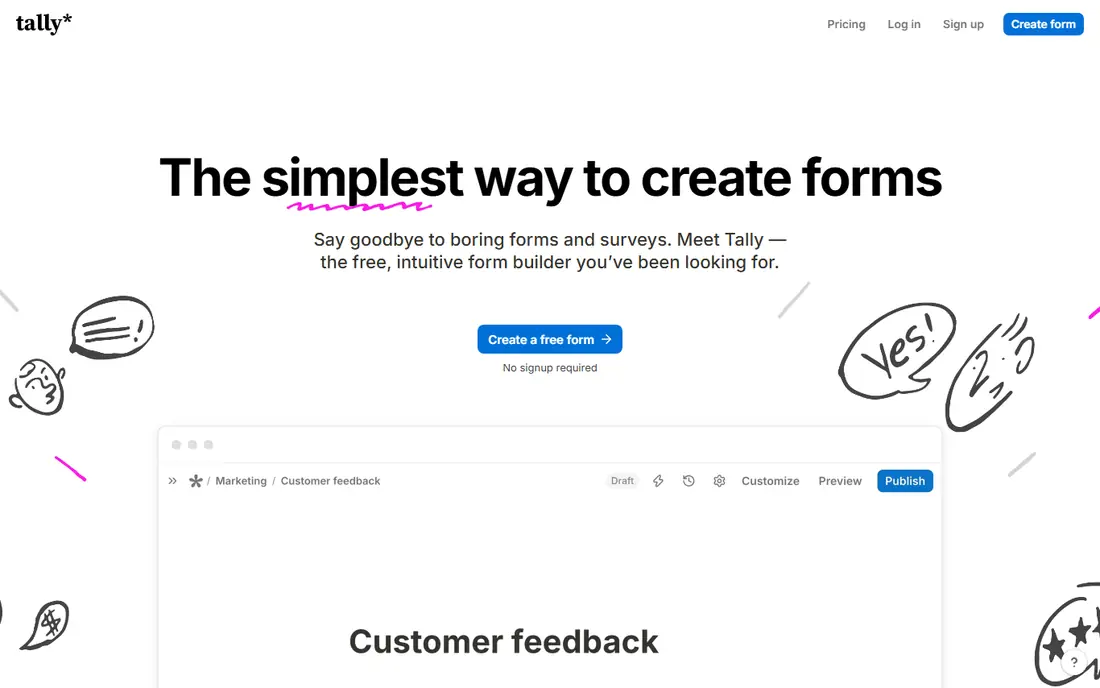
Tally is our pick for the best free alternative overall. Its free plan allows unlimited forms and responses, with conditional logic, file uploads up to 10 MB per file, and Stripe payments included. That combination is rare, and it means a small business can run lead forms, surveys, and orders without paying at first.
The paid Pro plan, at $29 per month on monthly billing, removes Tally branding and adds team and advanced features. Design is clean but simpler than a design-led builder, so a brand that needs highly styled pages may prefer Paperform. For value, though, Tally is the first tool to test.
- Unlimited forms and responses on the free plan
- Conditional logic included free
- Payments through Stripe
- Design options are simpler than Paperform
- Advanced features need the Pro plan

Google Forms is the simplest free option, and it is hard to argue with free. You get unlimited forms and responses, basic branching by section, file uploads for signed-in respondents, and results that flow into Google Sheets for analysis. For internal surveys, class quizzes, and simple sign-ups, it covers the job well.
Limits are design and payments. Forms look plain, there is no payment collection, and logic is basic compared with Tally or Fillout. If you need a polished customer-facing form or payment collection, pick a paid tool below. If you need a fast, free survey inside Google Workspace, Google Forms is enough.
- Completely free with a Google account
- Unlimited forms and responses
- Results go straight to Sheets
- Basic design options
- No payments
- Conditional logic is limited to section branching
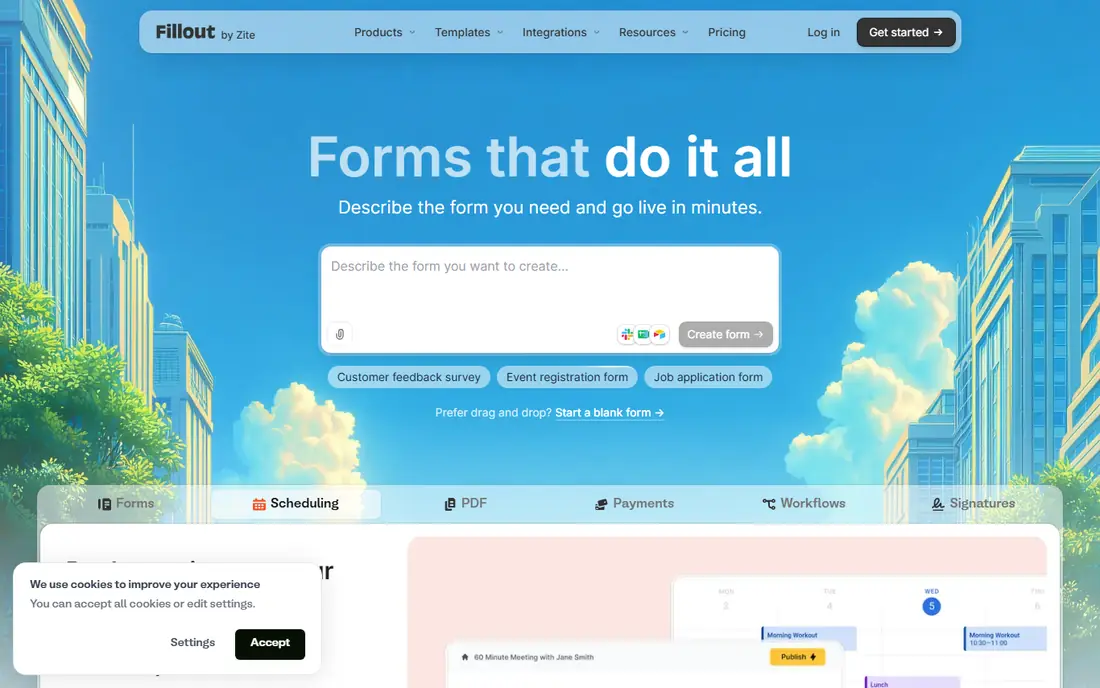
Fillout suits teams that store answers in Airtable, Notion, or a similar database. Forms can read and write database records, so a registration form can check availability or prefill known details. The free plan covers 1,000 responses per month, which is generous for a small team, and payments through Stripe are available free.
Some features, such as larger file uploads and branding removal, need paid plans, with Starter at $19 per month on monthly billing. Design is clean and functional rather than highly styled. For workflow teams, Fillout offers a practical balance of free allowance and database power.
- Free plan with 1,000 responses per month
- Strong Airtable and Notion connections
- Unlimited seats on paid plans
- Paid features such as file uploads need higher plans
- Design is functional rather than showy
Jotform is the template king in this list. Thousands of ready forms cover registrations, orders, applications, and surveys, so a team can start from a close match rather than a blank page. Conditional logic, payments, and file uploads are available even on the free plan, which helps small projects.
Free limits are tight: 5 forms and 100 responses per month, with 100 MB of total storage. Paid plans start at $39 per month on monthly billing, and plans below Enterprise are single-user, so a team that needs several editors will pay for several accounts. For template variety and workflow features, Jotform still earns a top spot.
- Huge template library
- Conditional logic and payments on the free plan
- Workflow and approval tools
- Free plan limited to 5 forms and 100 responses per month
- Paid plans are single-user below Enterprise
SurveyMonkey suits research work where question design and analysis matter more than form style. It offers survey logic, a question bank, benchmarking data, and analysis tools that simpler builders lack. That makes it a good fit for customer research, employee surveys, and market studies.
The free Basic plan is limited, with 10 questions per survey and a small response cap per survey. Paid plans start at $39 per month on monthly billing. For a simple contact form, SurveyMonkey is overkill. For a survey where data quality and analysis drive decisions, it is the most capable tool here.
- Strong survey logic and analysis tools
- Question bank and benchmarking
- Trusted for research
- Free plan limited to 10 questions per survey
- Payments and file uploads need paid plans
Paperform is the design pick. Its doc-style editor lets you mix text, images, video, and questions on a page that looks like a landing page, not a plain form. Payments, bookings, and e-signatures make it useful for orders, applications, and service sign-ups where presentation matters.
The free plan allows only 30 responses per month, and paid plans start at $59 per month on monthly billing, with Pro at $49 on annual billing in some comparisons, so check the current billing term. For a brand-led form where looks and conversion matter, Paperform justifies its price. For high-volume free use, Tally is better.
- Beautiful doc-style forms
- Payments and e-signatures
- Landing-page style layouts
- Free plan limited to 30 responses per month
- Higher paid price than rivals
Zoho Forms is a budget-friendly choice, especially for teams already using Zoho CRM, Books, or other Zoho apps. The free plan covers 3 forms and 500 submissions per month, and Basic starts at $10 per month on annual billing. Forms connect cleanly to Zoho apps, reducing manual data entry.
Design is practical rather than showy, and the most advanced features sit on Standard, Professional, and Premium tiers. For a Zoho shop that needs reliable forms at a low price, it is an easy fit. For a standalone design-led form, Paperform or Tally may suit better.
- Low entry price
- Free plan with 500 submissions per month
- Deep Zoho integrations
- Design is functional rather than polished
- Advanced features need higher tiers
Formstack suits regulated and larger teams that need compliance, workflows, and documents together. Forms can route through approvals, collect e-signatures, and connect to Salesforce and other business systems. HIPAA-ready configurations help healthcare and other regulated teams handle sensitive data with proper controls.
Price is the barrier. Forms plans start at $83 per month on annual billing, with a 14-day trial and no free plan. A small business that only needs a contact form should not pay this much. A team with compliance, approval, and document needs will find the cost easier to justify.
- HIPAA-ready options
- Workflows, approvals, and e-signatures
- Salesforce connections
- High entry price
- No free plan
- Overkill for simple forms
Microsoft Forms is the natural choice for teams already paying for Microsoft 365. It is included with many 365 plans, offers branching, quizzes, and polls, and sends results to Excel for analysis. Sharing inside Teams and Outlook is simple, which helps internal surveys and training quizzes.
Personal accounts face tighter limits, with 200 responses per form in some cases, while work and school accounts allow more. Design is basic and payments are not included. For a Microsoft shop that needs internal forms without a new subscription, Microsoft Forms is the obvious pick.
- Included with Microsoft 365
- Results flow to Excel
- Branching and quizzes included
- Personal accounts face response limits
- Design options are basic
- No payments
How we picked these
We compared official pricing pages, free plan limits, response caps, and feature documentation for form builders available in October 2026. We favored tools with a working free plan or trial, published pricing, and a distinct fit, from free unlimited forms to regulated workflows. We excluded the original product from this alternatives list, and we excluded single-purpose quiz apps that lack general form building.
What to check before you choose a form builder
Start with volume. Count how many forms you run and how many responses you expect each month, then price the plan that covers that volume. A tool that is free at 100 responses can become expensive at 5,000, while a fair-use free plan can stay free for far longer. Check whether limits count per form, per month, or per account.
Logic, payments, and integrations
Check conditional logic, payment options, and where answers go. A form that feeds Airtable, Sheets, Excel, or your CRM saves hours of copying. Test payments, file uploads, and confirmation emails with a real submission before launch. Also check branding removal, data export, and privacy controls, especially if you collect personal data.
Frequently asked questions
What are the best free alternatives to Typeform?
Tally offers unlimited forms and responses free, and Google Forms is completely free with a Google account. Fillout also offers a generous free plan with 1,000 responses per month, which suits many small teams.
Which Typeform alternative is best for payments?
Tally and Fillout support Stripe payments on free plans, while Paperform and Jotform support payments with more design and workflow options. Check transaction fees and which payment providers each tool supports before choosing.
Can I use a Typeform alternative for surveys?
Yes. SurveyMonkey suits research surveys, Google Forms and Microsoft Forms suit internal surveys, and Tally and Fillout suit customer surveys with logic and integrations. Pick based on question types and analysis needs.
Do free form builders limit responses?
Most do, except Tally and Google Forms, which offer unlimited responses on free plans. Jotform, Paperform, and SurveyMonkey have much tighter free limits, so check the cap for your expected volume.
Which alternative is best for Airtable or Notion?
Fillout is the strongest choice for Airtable and Notion workflows, because forms can read and write database records. Tally and Jotform also connect to many apps through integrations, but Fillout is built for database work first.
Sources
See where you really rank - block by block
ProMapRanker scans Google Maps across a grid of your service area. Simple monthly plans from $19, white-label on every plan.
Start freeKeep reading
 free alternatives to grok imagine
Free Alternatives to Grok Imagine in 2026
We compared the best free alternatives to grok imagine for image generation, from fast daily credits to design tools, so you can create without paying.
Read → best tools for instagram content creation
Best Tools for Instagram Content Creation in 2026
Compare the best tools for Instagram content creation, from Canva and CapCut to Later and Buffer, on design, video, planning, scheduling, and price in 2026.
Read → best tool to split pdf files
Best Tool to Split PDF Files in 2026
We compared the best tool to split pdf files on split modes, file limits, privacy and price, so you can split a PDF cleanly and keep every page in one go.
Read →