 ProMapRanker
Top Alternatives to ActivTrak in 2026

Key takeaways
- Teramind and Insightful suit teams that need detailed workforce analytics, while Hubstaff and Time Doctor suit hourly and remote teams.
- DeskTime, Monitask, and WorkTime are simpler and cheaper for small teams that want clear time and app use reports.
- Rize and Controlio take different paths, with Rize avoiding screenshots and Controlio offering video-based records.
- Every tool on this list must be used with clear employee notice and a written policy, since monitoring rules vary by state and country.
- Check what each tool records by default, and turn off keystroke logging, webcam capture, and other invasive options unless you have a clear, lawful reason to use them.
Quick comparison
| Pick | Great for | Pricing starts at | Free tier | |
|---|---|---|---|---|
 Teramind | Security and compliance monitoring | $14 per month | Free trial | Visit |
 Hubstaff | Remote and field teams | $4.99 per month | Free trial | Visit |
 Time Doctor | Remote workforce analytics | $6.67 per month | Free trial | Visit |
 Insightful | Transparent workforce analytics | $8 per month | Free trial | Visit |
 DeskTime | Simple automatic tracking | $6.42 per month | Free trial | Visit |
 Monitask | Small remote teams | $6.49 per month | Free trial | Visit |
 Controlio | Video based activity records | $7.99 per month | Free trial | Visit |
 WorkTime | Non-invasive productivity reports | $6.99 per month | Free trial | Visit |
 Rize | Screenshot free time tracking | See website | Free trial | Visit |
The best top alternatives to activtrak
We compared workforce tools on time tracking, app and website reports, screenshot and recording options, payroll links, pricing, and privacy controls. We list only tools meant for lawful, disclosed workplace use on company devices or with employee consent. Do not use any tool here for covert tracking, personal devices without consent, or monitoring outside work. Tell staff in writing what is recorded, why, and how long records are kept, and check local law before you deploy.
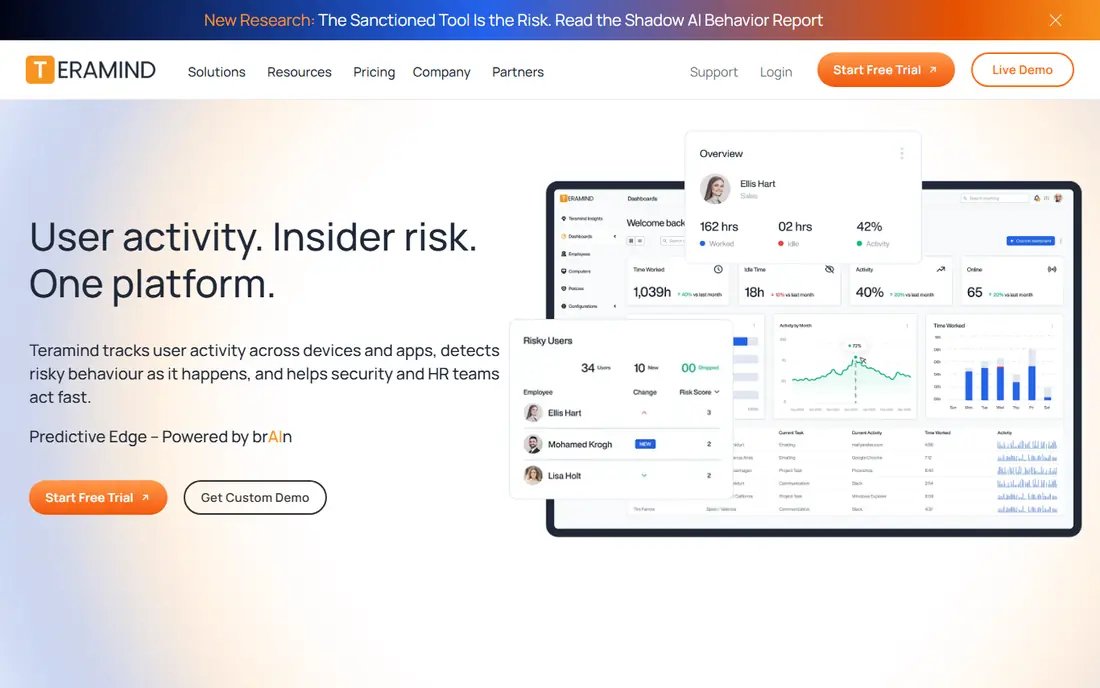
Teramind is the most security-focused tool on this list. It combines activity monitoring with rules, alerts, and data loss prevention, which suits finance, healthcare, and other regulated teams that must show how sensitive data is handled. Managers can set rules for risky actions, receive alerts, and review session records when an incident needs investigation. That depth is useful for compliance, but it also raises the privacy stakes.
Because Teramind can record a lot, it needs a clear policy before rollout. Limit recording to work devices and work hours, turn off options you do not need, and give staff a plain written notice. Teramind fits best for organizations with a documented security need, not for small teams that only want simple time reports.
- Strong behavior rules and alerts
- Data loss prevention controls
- Detailed session records for regulated teams
- Higher price than simple trackers
- 5 seat minimum on some plans
- Setup and policy work take time
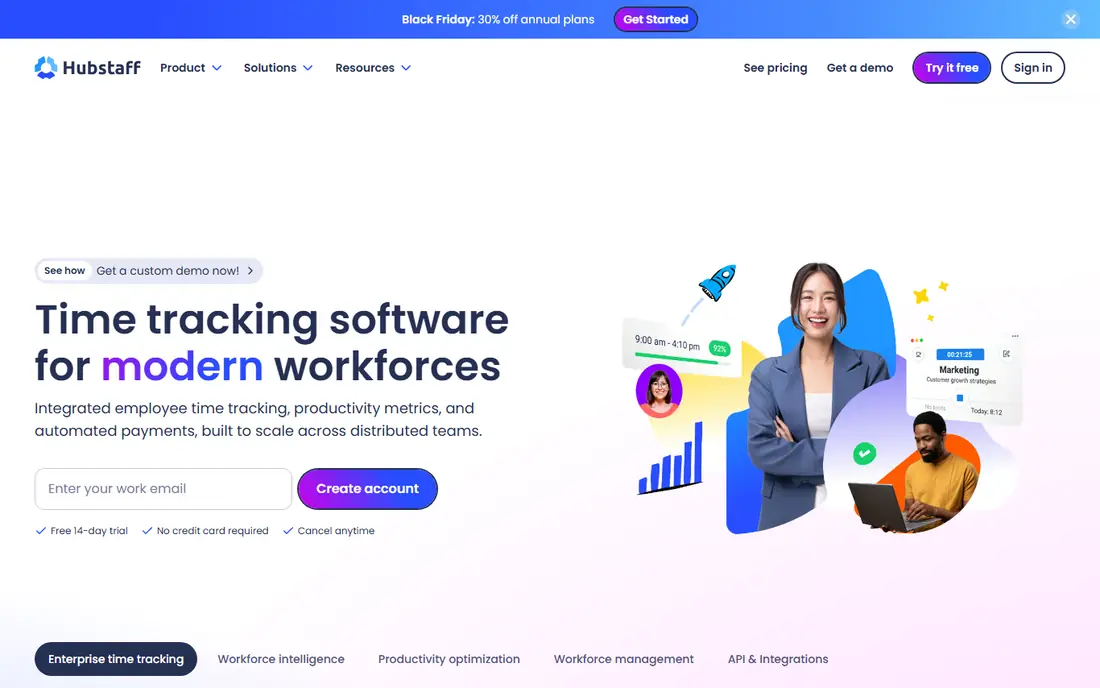
Hubstaff is a practical pick for agencies, freelancers, and distributed teams that pay by the hour. Staff start a timer, Hubstaff records time, activity, and optional screenshots, and managers can turn tracked time into payroll and invoices. GPS tracking helps field teams confirm site visits, which is a real benefit for service businesses with staff on the road.
The key step is settings. Decide in advance whether screenshots are on, how often they are taken, and whether GPS is limited to work hours. Hubstaff fits best when time, pay, and client billing are tied together, and when the team agrees on those settings in writing before tracking starts.
- Low entry price
- Timers, screenshots, and GPS for field work
- Payroll and invoicing links
- Screenshot features need clear consent and settings review
- Higher plans needed for advanced reporting
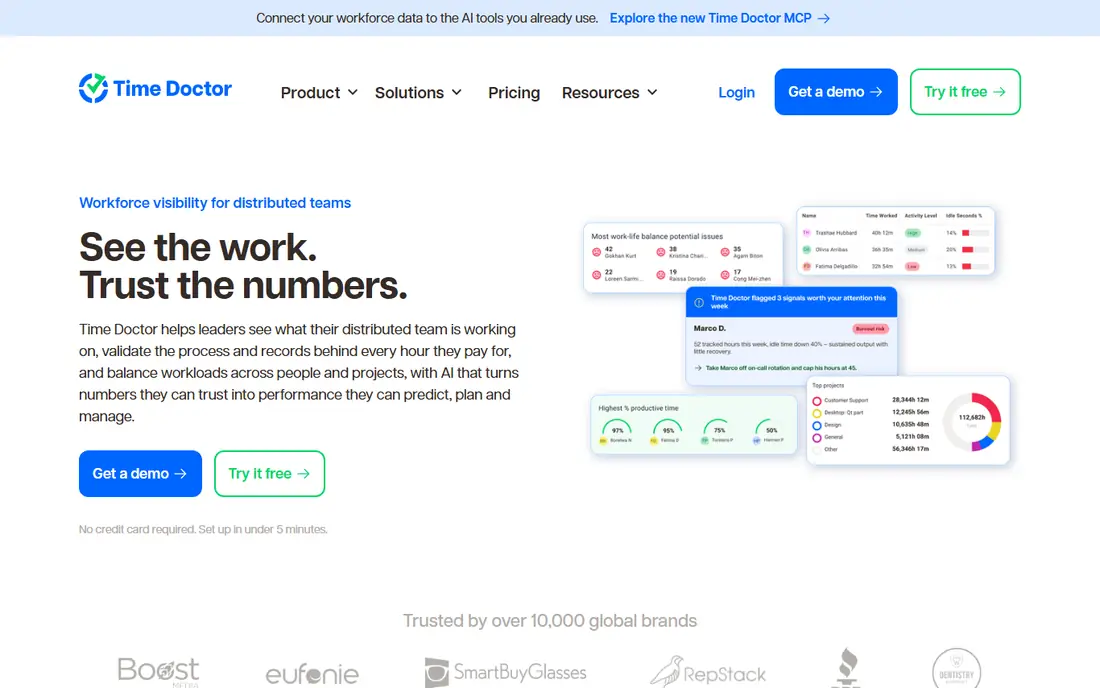
Time Doctor gives remote and hybrid teams a structured record of the workday: time on tasks, app and website use, attendance, and optional screenshots. Managers can see workload patterns and client time without asking staff to fill in timesheets by hand. Payroll features help teams that pay contractors by tracked hours, and reports can be shared with clients for billed work.
Time Doctor works best when tracking is transparent and tied to a clear purpose, such as payroll or client billing. Teams that only want high-level trends may find daily detail more than they need. Set screenshot and idle-time rules openly, and let staff see their own reports so tracking feels fair.
- Structured time records
- Optional screenshots with privacy controls
- Payroll and client reporting
- No free plan
- Some teams find daily tracking strict
- Advanced analytics sit on higher plans
Insightful focuses on workforce trends rather than single-employee surveillance. It reports app and website use, attendance, idle time, and workload balance at team level, which helps managers spot overload, training needs, and process problems. Staff can often see their own data, which supports a more open approach to monitoring than tools that only report to managers.
As with any monitoring tool, the settings matter more than the brand. Use team-level views for planning, limit individual detail to cases with a clear business reason, and publish the policy. Insightful fits mid-sized remote and hybrid teams that want analytics for workload planning, with disclosure built into the rollout.
- Team-level productivity trends
- Attendance and app use reports
- Employee-facing visibility options
- No free plan
- Pricing varies by plan type
- Deep monitoring options need policy review
DeskTime is the easiest tool here to start with. It tracks time automatically, sorts apps and websites into productive and unproductive groups, and produces simple daily reports. Staff do not need to remember a timer, which reduces friction for small teams. Optional screenshots can be turned on, but many small teams leave them off and rely on time and app reports alone.
That simplicity is also its limit. DeskTime does not offer the deep security rules of Teramind or the payroll depth of Hubstaff. It fits small teams that want automatic time records and honest workload reports without a complex setup, provided the tracking policy is shared in advance.
- Automatic time tracking with no timer to press
- Simple productivity reports
- Optional screenshots
- Reporting is simpler than analytics-first tools
- Mobile features are limited
- No free plan
Monitask is built for small remote teams and freelancers who want transparent tracking at a low price. It records time, screenshots, app use, and activity levels, and it presents them in a simple dashboard that managers and staff can both understand. The low entry price makes it easy for a team of five or ten to try monitoring without a large contract.
Larger organizations may outgrow it, since enterprise controls, retention settings, and compliance reporting are thinner than on Teramind or Insightful. For a small team with a written policy and a clear purpose, such as payroll or project time, Monitask is a direct and affordable option.
- Low price for small teams
- Screenshots and activity tracking
- Simple team dashboard
- Fewer enterprise controls
- Reporting is basic compared with larger platforms
- No free plan
Controlio stands out for video-based records of screen activity, which some teams use as evidence for work completed or for investigating a security incident. It also offers live viewing and content filtering, which can help IT teams in regulated settings. That level of detail can be useful in narrow, documented cases.
Video recording also carries the highest privacy risk on this list. Use it only on company devices, only with clear written notice, only for a stated purpose, and only for as long as records are needed. Most small teams should not start here. Controlio fits only where a video record has a specific, lawful business reason and a strict retention policy.
- Video-based screen records
- Live session viewing
- Web and app filtering options
- Video recording is highly sensitive and needs strict policy limits
- Storage and review time can grow fast
WorkTime takes a lighter path. It reports productivity patterns, attendance, and active time from app and website metadata, without capturing screen content or keystrokes. That approach reduces privacy risk and can build more trust with staff, while still giving managers useful trends on workload and focus time. For many teams, that level of detail is enough to fix scheduling and process problems.
The trade-off is evidence. If you need screen proof for a client dispute or a security investigation, WorkTime will not provide it. It fits teams that want transparency and trend data, and that prefer to avoid invasive recording by design.
- Productivity reports without screenshots or keystroke logging
- Attendance and active time tracking
- Clear team dashboards
- Less detail for investigations
- No screen content records
- Some teams may want screenshot proof for billing
Rize tracks how knowledge teams spend work hours by reading app and website metadata, then groups sessions into projects and clients. It never takes screenshots and does not log keystrokes, which makes it one of the least invasive options here. That design suits teams that want to answer where the hours went, rather than watch each screen.
Rize is not a surveillance tool, and it should not be bought as one. It fits distributed knowledge teams that want automatic time records, utilization reports, and a lighter privacy footprint, with staff notice still required. Teams that need forensic detail should look at Teramind or Controlio instead, with a stricter policy.
- Automatic time tracking from app metadata
- No screenshots or keyloggers
- AI categorization into projects and clients
- Less suited to strict compliance investigations
- Team pricing varies by plan
- Best for knowledge work teams
How we picked these
We compared official pricing and feature pages in October 2026, and we favored tools that are live, support disclosed workplace monitoring, and offer privacy controls such as screenshot settings, work-hour limits, and staff-visible reports. We excluded stalkerware, covert tracking apps, and tools marketed for monitoring personal devices without consent. Where a vendor does not publish a clear entry price, we wrote See website rather than guessing.
How to roll out monitoring lawfully and fairly
Start with a written policy before you install anything. State what is recorded, what is not recorded, when tracking runs, who can see reports, and how long data is kept. Share that policy with staff, answer questions, and keep a signed acknowledgment on file. Check state and country rules, since notice and consent requirements differ, and get legal advice if you operate in more than one jurisdiction.
Choose the least invasive setting that meets the goal
If the goal is payroll, timers and time reports may be enough. If the goal is workload balance, team-level trends may be enough. Turn off webcam capture, keystroke logging, and personal app tracking unless you have a documented reason, and limit tracking to work devices and work hours. Review settings each quarter, since defaults can change after an update.
Let staff see their own data
Teams accept monitoring more readily when they can see the same reports managers see, correct errors, and pause tracking for breaks where the policy allows it. Share team trends in regular reviews, and use the data to fix workload, training, or tool problems, not only to flag individuals. If a tool cannot show staff their own data, treat that as a drawback in your decision.
Frequently asked questions
What are the top alternatives to activtrak?
Teramind, Hubstaff, Time Doctor, Insightful, DeskTime, Monitask, Controlio, WorkTime, and Rize are the main disclosed workplace options. Teramind suits compliance needs, Hubstaff and Time Doctor suit hourly remote teams, and WorkTime and Rize suit teams that want lighter, screenshot-free tracking.
Is employee monitoring legal?
It can be lawful when it is disclosed, limited to a legitimate business purpose, and used in line with state and country law. Rules differ by location, and covert monitoring is illegal in many jurisdictions. Tell staff in writing what is tracked, get consent where required, and seek legal advice before rollout.
Which alternative does not take screenshots?
WorkTime and Rize avoid screenshots by design and report from app and website metadata instead. DeskTime, Hubstaff, Time Doctor, and others offer screenshots as an optional setting that you can turn off. Check the setting after setup, since defaults vary.
Which tool is cheapest for a small team?
Hubstaff starts at $4.99 per user per month on yearly billing, with DeskTime, Monitask, and WorkTime close behind. Compare the full plan, since screenshot, payroll, and reporting features may sit on higher tiers, and confirm whether a minimum seat count applies.
Should I use monitoring on personal devices?
No, unless you have clear written consent, a lawful purpose, and a separate work profile or device policy that limits tracking to work activity. Most teams should limit monitoring to company devices and work hours, and keep personal activity out of reports entirely.
Sources
See where you really rank - block by block
ProMapRanker scans Google Maps across a grid of your service area. Simple monthly plans from $19, white-label on every plan.
Start freeKeep reading
 wpforms alternatives
Best WPForms Alternatives in 2026
We compare 9 wpforms alternatives for WordPress forms, with free and paid options, current pricing notes, and honest limits for small business sites in 2026.
Read → windows task scheduler alternatives
Best Windows Task Scheduler Alternatives in 2026
Looking for Windows Task Scheduler alternatives? We compare 9 schedulers for Windows and cross-platform work, from free tools to enterprise automation.
Read → which ai video service is best
Which AI Video Service Is Best in 2026
which ai video service is best? We compare 10 legitimate AI video services on price, avatars, editing and output quality to help you pick the right tool.
Read →