 ProMapRanker
Best Squarespace Alternatives in 2026

Key takeaways
- Wix is the closest all-round swap for people who want a drag-and-drop builder with many templates and built-in business tools.
- WordPress.com gives the most room to grow, from a free blog to a full store, but it asks more of the site owner over time.
- Shopify is the clear pick when selling is the main job, while Webflow and Framer suit design-led sites that need finer control.
- Free plans from Wix, Webflow, Framer, WordPress.com and Carrd are useful for testing, but a custom domain usually needs a paid plan.
- Prices below are starting prices, and several builders charge much more when a plan renews, so check the pricing page before you pay.
Quick comparison
| Pick | Great for | Pricing starts at | Free tier | |
|---|---|---|---|---|
 Wix | All-round small business sites | $17 per month | Yes | Visit |
 WordPress.com | Blogs and sites that need room to grow | Free | Yes | Visit |
 Shopify | Selling online at scale | $29 per month | Free trial | Visit |
 Webflow | Design-led marketing sites | $15 per month | Yes | Visit |
 Framer | Fast modern portfolios and landing pages | $10 per month | Yes | Visit |
 Duda | Agencies building client sites | $19 per month | Free trial | Visit |
 Weebly | Simple sites with little fuss | See website | Yes | Visit |
 GoDaddy Website Builder | Getting a basic site live quickly | See website | Yes | Visit |
 Hostinger Website Builder | Low-cost starter sites | $2.99 per month | No | Visit |
 Carrd | One-page sites and profiles | $9 per year | Yes | Visit |
The best Squarespace alternatives
These are alternatives to Squarespace, not Squarespace itself, and each one suits a different kind of site. We compared official feature pages, pricing pages, app store listings and public reviews to build this list.

Wix is the safest first stop for most people leaving Squarespace, because it covers the same ground and then adds more. Its editor lets you place text, images, forms and booking tools where you want them, and the template range covers restaurants, salons, photographers, shops and service businesses. That breadth matters when you are not yet sure what your site will need in a year.
The trade-off is that freedom can turn into clutter, and a site built freely can be harder to tidy later than one built inside stricter rules. Wix also shows its branding on the free plan and reserves a custom domain for paid plans. Still, for a small business that wants one tool for its site, store and bookings, Wix is hard to beat on convenience.
- Very large template library
- Built-in booking, store and marketing tools
- Easy drag-and-drop editor
- Switching templates after launch is awkward
- Costs rise on higher plans
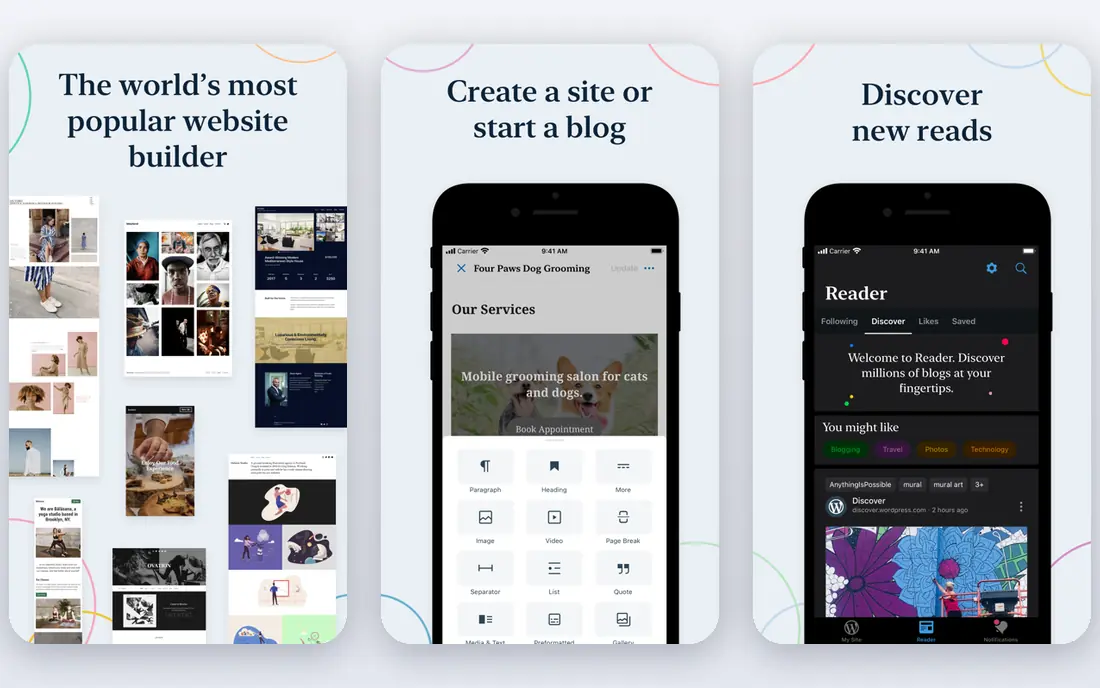
WordPress.com starts where many writers and small publishers already are: a clean blogging platform with a free tier. Paid plans add a custom domain, remove WordPress.com ads and, on higher tiers, open up plugins and themes that can turn a blog into a store, a membership site or a booking site. That path from simple to complex is the main reason to choose it over a closed builder.
It is not as tidy as Squarespace out of the box, and picking themes and plugins takes judgment. Some free themes look dated, and too many plugins can slow a site. But if you plan to publish a lot and want control over your content and structure, WordPress.com gives you a longer runway than most builders here.
- Huge theme and plugin ecosystem on paid plans
- Strong blogging tools
- Free plan to start
- Plugin installs need a higher plan
- Maintenance falls on the owner on self-hosted setups

Shopify earns its place here for one reason: it treats selling as the whole job, not an add-on. Product pages, discounts, inventory, shipping and checkout are built in, and the app store covers reviews, subscriptions, upsells and email marketing. A store that starts small can grow into thousands of products without moving platforms, which is a real saving in time and disruption.
The catch is cost and focus. A simple brochure site does not need Shopify, and a $29 per month starting plan plus paid apps can soon pass the price of a general builder. Design control is also more limited than in Webflow, since themes set much of the layout. If sales are the point of the site, though, Shopify is the most complete tool on this list.
- Mature checkout and store tools
- Very large app store
- Strong payment and shipping options
- Monthly costs add up with paid apps
- Less design freedom than Webflow or Framer
Webflow is the pick for teams that care about exactly how a page looks and behaves. Its visual editor gives designer-level control over spacing, animation and responsive layouts, and its CMS handles blogs, portfolios and case studies without a separate tool. That combination suits agencies, startups and studios that publish marketing content often and want it to look considered.
Beginners should expect a learning curve. Webflow assumes some comfort with layout ideas like boxes, margins and breakpoints, and its pricing splits site plans from workspace plans, which can confuse a first-time buyer. The free Starter plan is a fair way to learn the editor before paying. For a polished marketing site, the effort pays off.
- Precise layout control
- Built-in CMS for blogs and case studies
- Clean code output
- Steeper learning curve
- CMS features need a higher plan
Framer feels closer to a design tool than a traditional builder, and that is its appeal. You can start from a template, adjust type and layout visually, add animation, and publish quickly. Portfolios, personal sites and product landing pages look current with little effort, and the free plan lets you try the editor before spending anything.
It is less suited to large content sites or full stores. CMS collections and page limits are tighter on cheaper plans, and extra editors cost extra. If your site is mainly a small set of beautiful pages that need to load fast and look sharp, Framer is one of the best Squarespace alternatives here. If you need a deep store or a large blog archive, look at Shopify or WordPress.com instead.
- Quick to publish a polished page
- Smooth animations
- Free plan for testing
- CMS limits on lower plans
- No native online store of Shopify depth
Duda is built for people who build sites for other people. It adds client billing, site handover, white-label branding and team workflows to a capable builder, so an agency can manage dozens of small business sites from one dashboard. That focus shows in the editor too, which is quick to learn and produces clean, mobile-friendly pages.
A single site owner may not need those agency features and may prefer the larger template libraries of Wix or WordPress.com. Duda also has a smaller community, so answers to unusual problems can take longer to find. For freelancers and agencies, however, the time saved on client management can matter more than any single template.
- Client management and white-label options
- Fast setup for many sites
- Built-in store tools
- Less well known, so fewer tutorials
- Overkill for a single personal site
Weebly is the quiet option on this list, and that can be a virtue. Its drag-and-drop editor is one of the easiest to pick up, and a small shop, club or restaurant can get a working site online in an afternoon. The free plan is enough to test the editor, and paid plans add a custom domain and store features.
The downside is that Weebly has not kept pace with the design polish of Framer or Webflow, and its template range feels narrower than Wix. It is also now part of Square, so its store tools fit best for sellers already using Square. For a simple site where ease matters more than the latest design trends, Weebly still does the job well.
- Very easy editor
- Decent store tools for small catalogs
- Free plan available
- Fewer modern templates than rivals
- Development pace feels slower
GoDaddy Website Builder is aimed at owners who want a site up this week, not a design project. It can generate a starting site from a few answers about the business, then lets you edit text, images and sections in a simple editor. Keeping a domain, email and site in one GoDaddy account also removes a common point of confusion for new owners.
Design freedom is the price of that speed. Layout options are more limited than in Webflow or Wix, and serious selling needs the higher commerce plan. People who enjoy shaping every detail may feel boxed in. People who mainly need a credible online presence, with contact details, services and opening hours, will find it fast and practical.
- Very fast setup with AI help
- Domain and hosting in one account
- Simple editor
- Limited design control
- Commerce features need a higher plan
Hostinger Website Builder is the budget pick among the best Squarespace alternatives, and its headline price is genuinely low. The builder includes AI-assisted site creation, hosting and, on eligible plans, a free domain for the first year. For a first site, a hobby project or a tight startup budget, that package is hard to argue with.
Read the term before you buy, because the lowest monthly figure applies to a long commitment, and the renewal rate rises sharply. Support is chat-based rather than phone-based, which suits some owners and frustrates others. If you accept the term and the renewal jump, Hostinger gives a working site for less than most rivals charge.
- Lowest starting price here
- Includes hosting and AI builder
- Free domain for the first year on some plans
- Lowest price needs a long term
- Renewal price is much higher
Carrd answers a different question from the rest of this list: what if you only need one page? A profile page, a link page, a simple landing page or a holding page can be built in under an hour, and the Pro plans cost a few dollars a year rather than a few dollars a month. The free plan covers up to three sites with Carrd branding and no custom domain.
That focus is also the limit. Carrd is not a blog platform, not a store and not a multi-page business site. Anyone who outgrows one page will need to move. But as a cheap, fast alternative to paying a full builder price for a single page, Carrd is the most honest value on this list.
- Extremely cheap Pro plans
- Fast one-page sites
- Simple and focused
- One page only
- No real blog or store
How we picked these
We compared official feature pages, pricing pages, app store listings, privacy and help pages, and public reviews for each builder. We kept only tools that are live and usable in October 2026, that offer a real website builder or store, and that fit a clear use case such as selling, blogging, design work or client work. Where a price could not be confirmed on the vendor site at the time of writing, we wrote See website rather than guessing.
We did not claim hands-on testing that did not happen. Our judgment comes from the published features, limits and prices, and from how each tool positions itself for a particular kind of site owner. That is why the list mixes large builders with smaller ones like Carrd and Duda, rather than ranking by size alone.
What to check before you switch
Match the tool to the main job
Start with the one thing the site must do well. Selling points to Shopify, blogging points to WordPress.com, design-led marketing points to Webflow or Framer, and a simple presence points to Wix, GoDaddy or Hostinger. A tool that is average at everything will disappoint once the main job grows.
Count the full cost, not the headline price
Check the billing term, the renewal price, the cost of a custom domain after year one, and the price of add-ons such as extra editors, email or store apps. A builder that looks cheap on a long term can cost more in year two than a pricier rival with stable pricing.
Test with your real content
Use the free plan or trial to build one real page with your own text, photos and menu, not placeholder content. That test shows whether the editor suits you, whether pages load well on a phone, and whether forms and checkout behave as expected.
Plan the move
Before cancelling anything, export what you can, note your domain settings, and keep the old site live until the new one is checked. Moving a domain and rebuilding pages takes longer than most owners expect, and a short overlap avoids a gap where customers find nothing.
Frequently asked questions
What are the best Squarespace alternatives for small businesses?
Wix and WordPress.com cover the most small business needs, with GoDaddy and Hostinger as faster or cheaper routes to a basic site. The right pick depends on whether you need booking, selling or blogging most, so shortlist by that main job before comparing prices.
What are the best free alternatives to Squarespace?
Wix, WordPress.com, Webflow, Framer and Carrd all offer free plans, though each limits something, such as a custom domain, page count or branding. A free plan is best for testing the editor and for a personal page, while a business site usually needs a paid plan for its own domain.
Which Squarespace alternative is best for online stores?
Shopify is the strongest choice for a store that may grow, thanks to its checkout, inventory and app ecosystem. Wix and Duda handle smaller catalogs well, and Weebly suits sellers already using Square, but none matches Shopify for store depth.
Is WordPress.com a good alternative to Squarespace?
Yes, for people who publish often and want room to grow. WordPress.com gives strong blogging tools and, on higher plans, plugins and themes that extend a site far beyond a builder. It asks more setup effort than Squarespace, so it suits owners who are comfortable learning a little as they go.
Can I move my domain from Squarespace to another builder?
In most cases yes, by releasing the domain and changing its settings, or by pointing it to the new site. Keep the old site live until the new one is tested, and allow time for domain changes to take effect across the internet.
Are free alternatives to Squarespace really free?
The builder may be free, but a custom domain, removal of builder branding, store features and extra storage usually need a paid plan. Treat the free plan as a trial of the editor, and budget for at least the entry paid plan if the site represents a business.
Sources
- https://www.wix.com/pricing
- https://wordpress.com/pricing
- https://www.shopify.com/pricing
- https://webflow.com/pricing
- https://www.framer.com/pricing
- https://www.duda.co/pricing
- https://www.weebly.com/pricing
- https://www.godaddy.com/websites/website-builder
- https://www.hostinger.com/website-builder
- https://carrd.co/pricing
See where you really rank - block by block
ProMapRanker scans Google Maps across a grid of your service area. Simple monthly plans from $19, white-label on every plan.
Start freeKeep reading
 wix alternatives
Wix Alternatives in 2026: 8 Products Compared
Compare the best Wix alternatives in 2026 for portfolios, stores and blogs, with current prices, free plans and the right builder by site type in this guide.
Read → webflow alternatives
Best Webflow Alternatives in 2026
Looking for webflow alternatives? We compared 8 website builders on design control, CMS, hosting and price, so you can build without the learning curve.
Read → redbubble alternatives
Best Redbubble Alternatives in 2026
Best Redbubble alternatives compared for artists and sellers, covering marketplaces, print partners and storefronts, fees, control and who buys there.
Read →