 ProMapRanker
Best Slido Alternatives in 2026


Polished interactive presentations · Pricing starts at: $11.99 per month
Key takeaways
- Mentimeter and AhaSlides cover most Slido use cases, with polls, word clouds, quizzes, and Q&A in a presentation format.
- Vevox offers one of the most generous free tiers, with up to 100 participants in recent comparisons.
- Poll Everywhere suits PowerPoint-first presenters, while Pigeonhole Live suits large moderated conferences.
- Check how free limits are counted, per session or per month, because that difference decides whether a free plan works for weekly sessions.
Quick comparison
| Pick | Great for | Pricing starts at | Free tier | |
|---|---|---|---|---|
| Mentimeter | Polished interactive presentations | $11.99 per month | Yes | Visit |
 AhaSlides | Low-cost polls and quizzes | $7.95 per month | Yes | Visit |
 Vevox | Anonymous Q&A for large groups | $11.95 per month | Yes | Visit |
 Poll Everywhere | Polls inside PowerPoint | $10 per month | Yes | Visit |
 Wooclap | Many question types for education | $13 per month | Yes | Visit |
 Kahoot | Gamified quizzes for classes | See website | Yes | Visit |
 Pigeonhole Live | Moderated conference Q&A | $8 per month | Yes | Visit |
 Crowdpurr | Live trivia and leaderboards | See website | Yes | Visit |
 ClassPoint | Interactive PowerPoint teaching | See website | Yes | Visit |
The best Slido alternatives
Slido is a solid choice for live Q&A and polls, especially inside Webex and Teams, but its free plan limits polls per event and its paid pricing can be hard to compare. The tools below offer live polls, Q&A with upvoting, word clouds, and quizzes, with different free limits and presentation styles. We compared official pricing pages and recent public comparisons, and we kept only tools that are live and working in October 2026. We did not list Slido itself, since this guide is about alternatives to it.
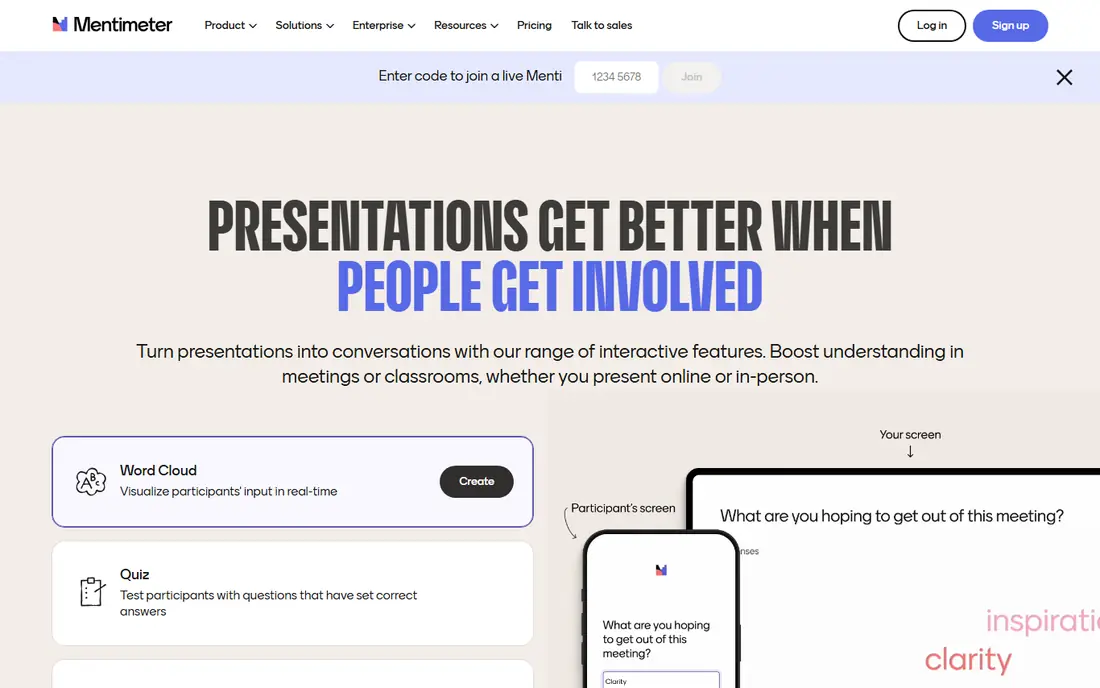
Mentimeter is the most polished alternative for a presenter who wants slides and interaction in one place. You build a presentation, add poll or word cloud slides, and the audience joins by code on their phones, with results updating live on screen. For a town hall or lecture, that flow feels smooth and professional.
The free limit needs attention. Recent comparisons list 50 participants per month on the free plan, which is stricter than a per-session limit if you present weekly. Paid plans start at $11.99 per month billed annually in recent summaries, with a higher Basic tier listed at $14 per presenter per month in other comparisons, so check the current pricing page for your region before you budget.
- Clean presentation design
- Word clouds, polls, quizzes, and Q&A
- Easy audience join by code
- Free plan counts participants per month, not per session
- Exports sit on paid plans
- Annual billing on many plans
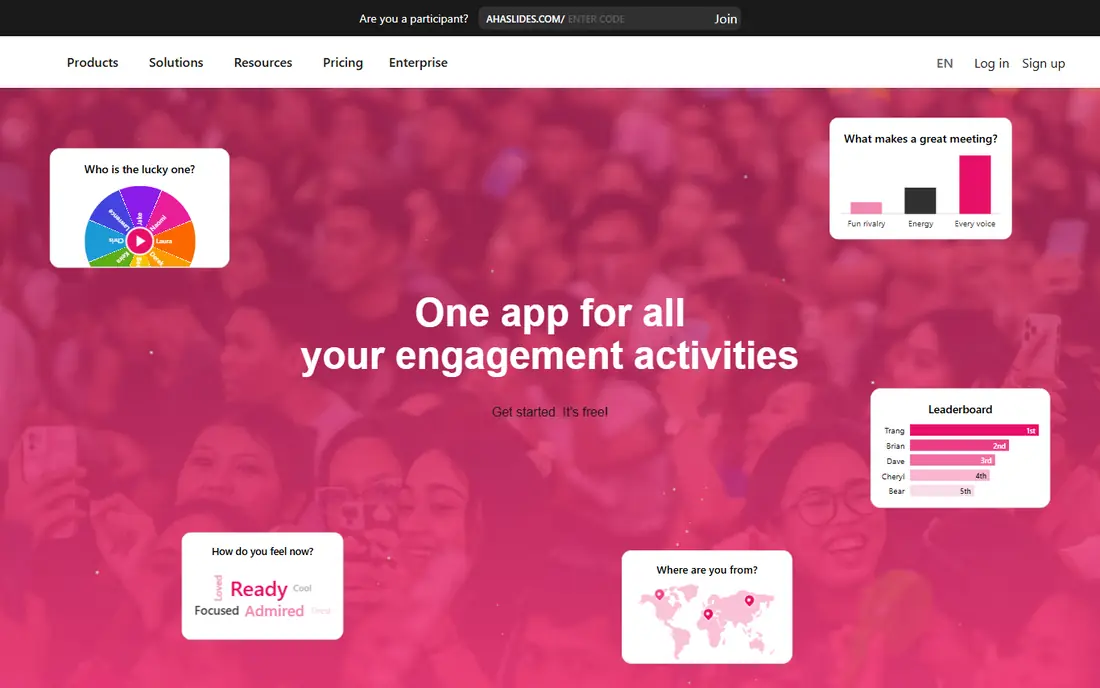
AhaSlides is the budget pick that still covers the core Slido jobs. It offers live polls, Q&A with upvoting, word clouds, rating scales, and scored quizzes, plus PowerPoint and Google Slides add-ins. Its free plan covers up to 50 participants per session in recent comparisons, with a limit on quiz and poll questions per presentation, which suits occasional presenters well.
Paid plans start at $7.95 per month billed annually in recent comparisons, which undercuts most rivals. The trade-off is reporting depth and a more playful style in some templates. For classrooms, team meetings, and community events, that balance is usually a good one.
- Low entry paid price
- Many slide types including quizzes and spinner wheel
- Free plan for up to 50 participants per session
- Reporting is lighter than enterprise tools
- Some templates feel playful for formal events
- Participant limits rise with plan tier
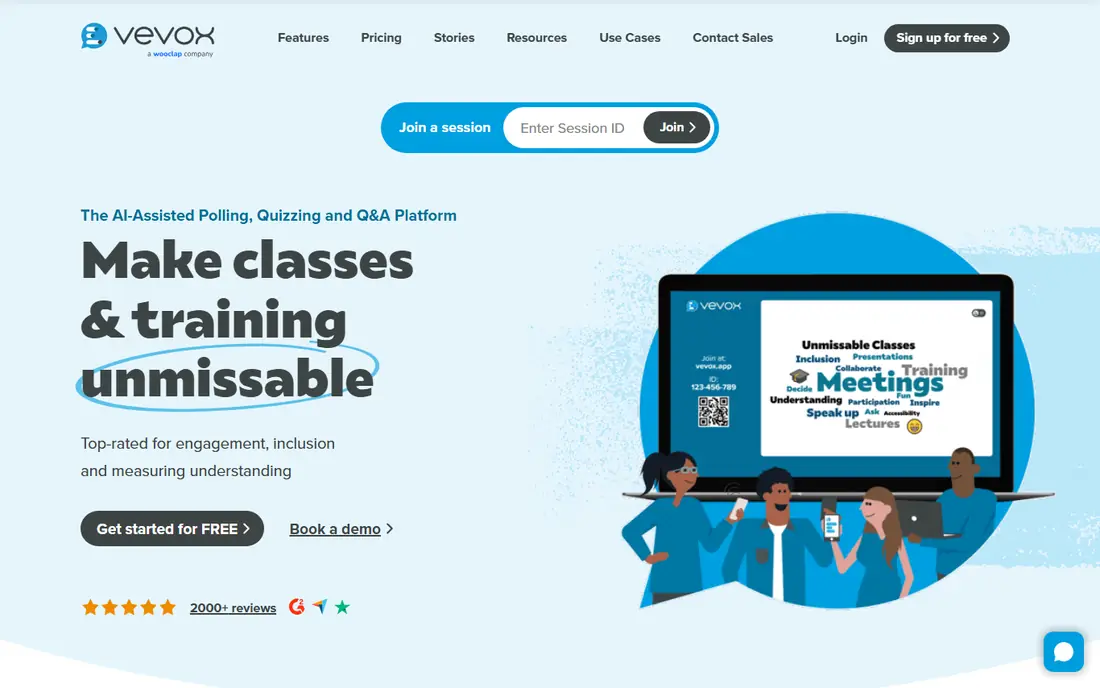
Vevox is the straightest swap for Slido, and its free tier is a major reason to try it. Recent comparisons list up to 100 participants on the free plan, with unlimited basic polling and Q&A, which covers many town halls and lectures at no cost. Its Microsoft Teams and PowerPoint integrations suit organisations that already live in Microsoft tools.
Paid plans start at $11.95 per month in recent summaries, with higher tiers for larger events. Vevox is less focused on gamified quizzes than Kahoot or AhaSlides, so a teacher who wants leaderboards and game modes may prefer those tools. For formal Q&A, voting, and surveys, Vevox is a strong, low-cost choice.
- Generous free tier for up to 100 participants
- Anonymous Q&A and polling
- Strong Teams and PowerPoint integration
- Quiz and gamification features are lighter than Kahoot
- Branding options sit on paid plans
- Large-event tiers are custom priced
Poll Everywhere suits presenters who never want to leave PowerPoint. Polls sit inside your existing deck, audiences answer by phone, web, or SMS, and results appear on the slide itself. That embedding is deeper than most rivals, and it matters for trainers and lecturers who already have large slide libraries.
The free plan covers 40 responses per poll in recent comparisons, which suits small classes and team meetings. Paid plans start at $10 per month per presenter in recent summaries, but higher tiers for engagement features cost much more, so check whether the tier you need includes attendance and competition features before you buy.
- Deep PowerPoint and Google Slides embedding
- Many poll types including SMS responses
- Strong education pricing
- Free plan limits audience size to 40 responses
- Interface is functional rather than stylish
- Higher tiers jump in price
Wooclap stands out for variety. With 21 question types, it covers multiple choice, word clouds, ranking, matching, fill-in-the-blank, and more, which helps teachers and trainers vary activities across a session. It integrates with PowerPoint, Google Slides, Teams, Zoom, and learning systems on suitable plans, and it supports self-paced sessions for homework or training follow-up.
The free plan limits questions per event, so a long session with many activities will need a paid plan. Paid plans start at $13 per month in recent comparisons, with a lower education rate. If question variety matters more than polished presentation design, Wooclap is a strong pick.
- 21 question types
- Works with PowerPoint, Google Slides, Teams, and Zoom
- Self-paced sessions and competition mode
- Free plan limits questions per event
- Learning curve for all question types
- Some LMS features sit on campus plans
Kahoot is the fun option, and for classrooms that is often the point. Students join by code, answer timed questions, and compete on a leaderboard, which keeps energy high in a way that a standard poll does not. Teachers can use ready-made quizzes or build their own, and the format works well for revision and training checks.
For a formal town hall or board Q&A, Kahoot is less fitting, since its strength is games rather than moderated questions and surveys. Free plans limit participants, and paid pricing differs for schools, businesses, and individuals, so check the plan for your audience type on the pricing page.
- Highly engaging game-based quizzes
- Leaderboards and music
- Huge library of ready-made quizzes
- Less suited to formal Q&A and surveys
- Free plan limits participants
- Paid plans vary widely by audience type
Pigeonhole Live suits conferences and large meetings where Q&A must be moderated. Questions can be submitted, upvoted, filtered, and answered in order, which keeps a large audience session orderly. It supports PowerPoint, Google Slides, Zoom, Teams, and Webex, and it handles multi-session events better than a simple polling tool.
It is less of a presentation builder than Mentimeter or AhaSlides, so presenters who want beautiful interactive slides may pair it with their existing deck. Paid plans start at $8 per month in recent comparisons, with a free plan for up to 100 participants, which makes it worth testing for a single large event.
- Strong moderated Q&A with upvoting
- Polls and quizzes for large events
- PowerPoint, Zoom, Teams, and Webex support
- Less focused on slide design
- Free plan limits participants
- Setup takes more planning for multi-session events
Crowdpurr is built for events where trivia and games drive engagement. Hosts run live trivia, bingo, or polls from a browser, audiences join on phones, and leaderboards update in real time. For fundraisers, social events, and team celebrations, that game format works better than a standard Q&A tool.
For a corporate town hall or lecture, Crowdpurr is less fitting, since its focus is entertainment rather than structured Q&A and surveys. Its free plan covers up to 20 participants per experience in recent comparisons, so larger events need a paid plan. Use it when fun and competition are the goal.
- Live trivia with points and leaderboards
- Polls and Q&A alongside games
- Browser-based, no app needed for audiences
- Less suited to formal presentations
- Free plan limits participants per experience
- Pricing scales with audience size
ClassPoint is different from the rest of this list because it lives inside PowerPoint. Teachers add interactive questions, drawing activities, and quizzes directly to their existing slides, without rebuilding a deck in another tool. Gamification with stars, badges, and leaderboards helps keep younger students engaged, and AI quiz generation from slides saves preparation time.
The limitation is platform. ClassPoint is PowerPoint-first, so a team that uses Google Slides or Keynote will need a different tool. Its free plan covers 25 students per class in recent comparisons, which suits small classes but not large lectures. For a PowerPoint teacher, it is one of the most practical picks here.
- Works inside PowerPoint as an add-in
- Eight activity types including slide drawing
- Stars, badges, and leaderboards for classes
- PowerPoint-only, so Google Slides users need another tool
- Free plan limits students per class
- Windows-focused for full features
How we picked these
We compared official pricing pages, feature pages, and recent public comparisons for live polling and Q&A tools, and we kept only products that are live and working in October 2026. We favoured tools with a free plan and clear participant limits, and we used See website where pricing varied by audience type or billing term. We did not claim hands-on testing, and we did not list Slido itself.
What to check before you switch
Check how free limits are counted. Mentimeter counts free participants per month, AhaSlides and Vevox count per session, and Poll Everywhere counts responses per poll. A weekly presenter can exhaust a monthly limit fast, while a monthly presenter may never notice it. Match the counting method to your schedule.
Next, test moderation and anonymity. For a town hall, check whether questions can be moderated, upvoted, and answered anonymously, and whether profanity filtering is available. For a classroom, check whether student names, leaderboards, and attendance tracking fit your privacy rules.
Finally, test the join flow on a real phone. Audiences should join by code or QR code without an account, and results should update without a page refresh. A tool that works well on a laptop but lags on a phone will lose an audience in the first poll.
If you run town halls and conferences
Vevox and Pigeonhole Live suit moderated Q&A at scale, with Mentimeter as the polished presentation option. Test moderation, anonymity, and large-audience performance before a major event.
If you teach or train
AhaSlides, Wooclap, Kahoot, and ClassPoint suit classrooms, with ClassPoint best for PowerPoint teachers and Kahoot best for game-based revision. Check student limits and privacy settings for your school or training provider.
Frequently asked questions
What is the best free alternative to Slido?
Vevox and AhaSlides are strong free picks, with Vevox covering up to 100 participants and AhaSlides covering up to 50 participants per session in recent comparisons. Mentimeter also offers a free plan, but its monthly participant count is stricter for weekly presenters. The best free tool depends on whether you present weekly or occasionally.
Can I use Mentimeter instead of Slido?
Yes, Mentimeter covers Slido's core jobs of polls, word clouds, quizzes, and Q&A, with a more polished presentation builder. Its free plan is more limited for frequent presenters, since participants are counted per month. Paid plans add unlimited participants, exports, and branding, so check the tier that matches your audience size.
Which Slido alternative works best in PowerPoint?
Poll Everywhere and ClassPoint work best inside PowerPoint, with Poll Everywhere embedding polls in any deck and ClassPoint adding interactive activities as an add-in. Vevox and Pigeonhole Live also offer PowerPoint support, but their strength is Q&A rather than slide building. Choose Poll Everywhere for broad PowerPoint use and ClassPoint for teaching inside PowerPoint.
Do these tools work for hybrid meetings?
Yes, most tools in this guide work for hybrid meetings, since audiences join on their own devices while the presenter shares results on screen. AhaSlides, Mentimeter, and Vevox all run in a browser without a plugin for audiences. For Teams-first organisations, Vevox and Pigeonhole Live offer Teams integrations that reduce setup friction.
Is anonymous Q&A available in Slido alternatives?
Yes, Vevox, Mentimeter, and Pigeonhole Live all support anonymous or moderated Q&A, which helps shy participants ask honest questions. Check moderation settings, upvoting, and filtering options during a trial, since the default settings vary by tool. For formal events, moderation and anonymity together usually give the best results.
How do I switch from Slido without losing past results?
Export your past poll and Q&A results from Slido before you cancel, and save them as spreadsheets for your records. Rebuild your recurring polls and question templates in the new tool, and run a small test session before a major event. Audience join codes and links will change, so update any slides, invites, or intranet pages that point to the old tool.
Sources
See where you really rank - block by block
ProMapRanker scans Google Maps across a grid of your service area. Simple monthly plans from $19, white-label on every plan.
Start freeKeep reading
 wpforms alternatives
Best WPForms Alternatives in 2026
We compare 9 wpforms alternatives for WordPress forms, with free and paid options, current pricing notes, and honest limits for small business sites in 2026.
Read → windows task scheduler alternatives
Best Windows Task Scheduler Alternatives in 2026
Looking for Windows Task Scheduler alternatives? We compare 9 schedulers for Windows and cross-platform work, from free tools to enterprise automation.
Read → which ai video service is best
Which AI Video Service Is Best in 2026
which ai video service is best? We compare 10 legitimate AI video services on price, avatars, editing and output quality to help you pick the right tool.
Read →