 ProMapRanker
Shared Services Best Practices in 2026


Enterprise service intake and workflows · Pricing starts at: See website
Key takeaways
- This article treats shared services best practices as tools that put those practices into practice, since the topic is a way of working, not a single product type.
- The strongest shared services centers standardize intake, automate routine work, measure service levels, and keep one clear owner for each process.
- Finance, HR, IT, and procurement tools work best when they share data and workflows, rather than running as separate silos.
- Start with one process, prove the model, then expand, instead of trying to move every service at once.
Quick comparison
| Pick | Great for | Pricing starts at | Free tier | |
|---|---|---|---|---|
| ServiceNow | Enterprise service intake and workflows | See website | No | Visit |
 Workday | HR and finance shared services | See website | No | Visit |
 SAP S/4HANA Cloud | Large-scale finance and operations | See website | No | Visit |
 Oracle Fusion Cloud ERP | Unified finance and procurement | See website | No | Visit |
 UiPath | Automating routine shared services work | See website | Free trial | Visit |
 BlackLine | Finance close and reconciliations | See website | No | Visit |
 Coupa | Spend and procure-to-pay control | See website | No | Visit |
 Microsoft Dynamics 365 | Mid-size shared services on Microsoft tools | See website | Free trial | Visit |
 Freshservice | Service desk for growing shared services teams | See website | Free trial | Visit |
The best shared services best practices tools
Shared services best practices mean doing common work once, well, for many business units, with clear service levels and measurable results. The tools below help teams put that idea into practice: one intake channel, standard workflows, automation for repeatable tasks, and reporting that shows cost, speed, and quality. Use them to judge your own center, not as a shopping list to buy all at once.
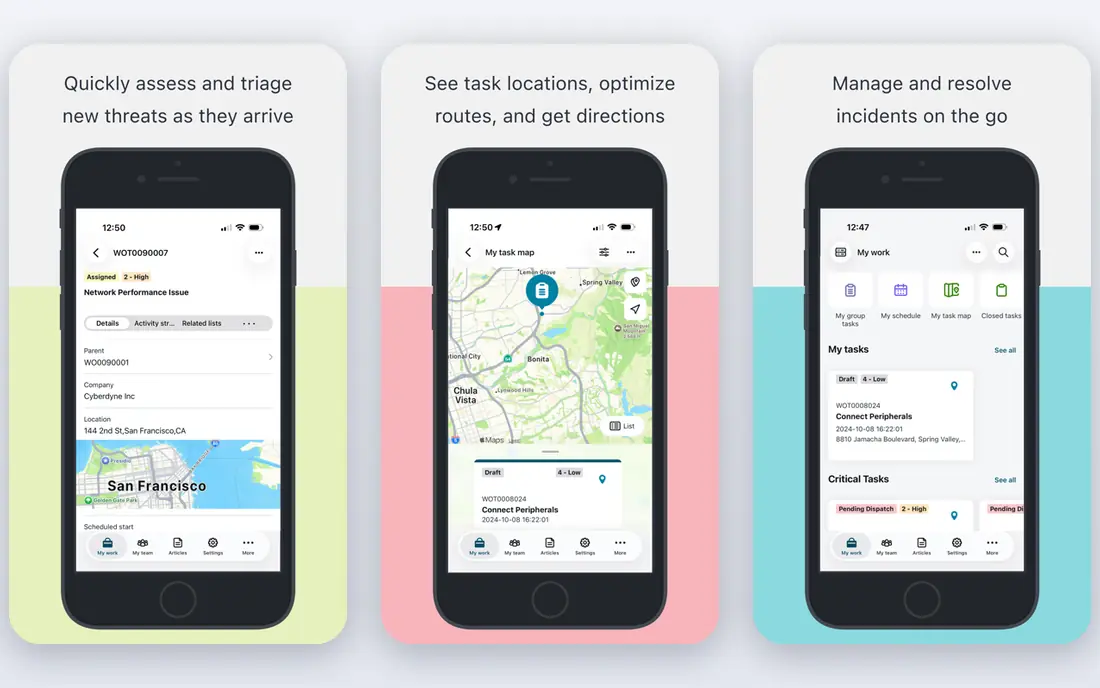
ServiceNow puts a core shared services practice into action: one front door for requests. Staff submit IT, HR, or facilities requests through a portal, work is routed by rule, and managers see volume, backlog, and service levels in one place. That visibility is what lets a center move from firefighting to planned improvement.
The risk is complexity. Without strict standards, teams build custom workflows for every exception and lose the benefit of a shared model. ServiceNow works best when a center agrees on standard processes first, then configures the tool to match them. For large enterprises, it is the most complete platform in this list.
- One intake and workflow system across IT, HR, and operations
- Strong automation and reporting
- Widely used by large shared services centers
- Enterprise pricing and implementation effort
- Needs governance to avoid sprawling custom workflows
Workday supports another best practice: one source of truth for people and money data. In a shared services center, HR and finance teams often serve many units from the same records, and Workday keeps those records consistent. Employees can update details, request leave, and view pay through self-service, which cuts routine tickets.
The catch is scale. Workday is built for larger organizations, and smaller centers may find the cost and setup heavy for their needs. It also rewards clean master data: if job, cost center, and manager data are messy, reports will be too. For a large shared services operation, that discipline is exactly the point.
- Unified HR and finance data
- Self-service for employees and managers
- Strong controls and audit trails
- Enterprise cost and change effort
- Best fit for larger organizations
SAP S/4HANA Cloud embodies the practice of standardizing on one core process model across business units. Finance, procurement, and operations share the same data definitions, which reduces reconciliation work and makes intercompany processes cleaner. Shared services teams benefit because the same invoice, payment, or close step works the same way everywhere.
That standardization is also the challenge. Moving to SAP requires process decisions, data cleanup, and training, and the project can take many months. For global companies that need that level of control, SAP is a proven foundation. For a small center, it is far more than needed.
- Unified data model across finance and operations
- Standardized processes
- Strong audit and control features
- Large implementation program
- Needs skilled internal or partner teams
Oracle Fusion Cloud ERP helps shared services teams apply consistent finance and procurement practices across units. Central master data, configurable approval workflows, and audit trails support traceability from requisition to payment. Managers can see spend, open invoices, and close status without chasing spreadsheets from each unit.
As with other enterprise ERPs, the main cost is change, not just licenses. Teams need to agree on chart of accounts, approval rules, and vendor data standards before the tool can deliver its benefit. For organizations already on Oracle, or those standardizing finance globally, it is a natural shared services core.
- Centralized finance, procurement, and project data
- Strong audit trails
- Cloud updates and controls
- Enterprise pricing
- Implementation needs careful planning
UiPath puts automation into practice for shared services centers that handle thousands of similar transactions. Bots can copy data between systems, check invoices against orders, and prepare routine reports, freeing staff for exceptions and customer contact. That fits the best practice of automating the routine and keeping humans on judgment work.
The honest limit is maintenance. Every bot depends on the screens and files it touches, so system changes can break automations until they are updated. Centers should start with stable, high-volume processes and track time saved honestly. Used with discipline, UiPath can cut manual work sharply.
- Automates high-volume, rule-based tasks
- Works across many existing systems
- Strong for invoice and data tasks
- License costs grow as automation scales
- Bots need maintenance when systems change
BlackLine supports a finance shared services best practice: a controlled, visible month-end close. Instead of tracking reconciliations in spreadsheets and email, finance teams get task lists, due dates, approvals, and evidence in one system. Managers see which accounts are done, which are late, and where bottlenecks sit.
The tool cannot fix bad source data. If ERP balances and transaction references do not match, reconciliations will still need manual work. BlackLine works best after basic data standards are in place. For finance centers that close for many units each month, it brings order to a process that often runs on habit.
- Policy-driven close workflows
- Audit-ready evidence for reconciliations
- Task tracking for finance teams
- Value depends on clean ERP data
- Finance-only focus
Coupa helps shared services teams apply spend best practices: buy from approved suppliers at contracted rates, route approvals by policy, and see total spend across units. Guided buying steers employees to the right catalog, while AP automation links invoices to orders and approvals. That reduces maverick spending and late payments.
The catch is integration. Approval routing and invoice matching depend on clean ERP, supplier, and identity data, and advanced modules add cost. Centers should start with procurement and AP basics, prove savings, then add analytics or sourcing tools. For large spend programs, Coupa is a strong control layer.
- Guided buying to preferred suppliers
- Spend visibility across units
- Approval and AP automation
- Modular pricing with add-ons
- Needs strong ERP and identity integration
Microsoft Dynamics 365 fits centers that already run on Microsoft 365 and want finance, supply chain, and service workflows without a separate enterprise stack. Staff find the interface familiar, and Power Automate can handle smaller automation tasks alongside the core ERP. That lowers training time for many teams.
The limit is scope creep. Dynamics can be customized heavily, which can recreate the local variations a shared services model is meant to remove. Keep processes standard, use built-in workflows where possible, and reserve custom work for real differences. For mid-size organizations, Dynamics offers a practical shared services core.
- Finance and operations in a familiar Microsoft environment
- Configurable workflows
- Good for mid-size centers
- Needs Microsoft 365 alignment for full benefit
- Customization can grow complex
Freshservice gives smaller shared services teams a service desk without enterprise overhead. Teams can publish a service catalog, route tickets by category, automate approvals for common requests, and track service levels. That covers the core best practice of one intake channel and measurable response times.
Larger global centers may outgrow it, especially where complex HR and finance workflows need deep ERP links. For a growing company setting up its first shared services desk, though, Freshservice is a fast, affordable start. Prove the model here, then move to a larger platform if volume and complexity demand it.
- Clear service catalog and ticketing
- Automation for routine requests
- Easier setup than enterprise platforms
- Less depth for global enterprise complexity
- Advanced features sit on higher plans
How we picked these
We compared official product pages, shared services guidance, and public reviews for tools that support standard shared services work: intake, workflow, automation, finance close, spend control, and HR and finance operations. We kept tools that are live in October 2026 and that serve multiple business units from a shared model, rather than single-team point tools. We favored a mix of enterprise platforms and accessible service desk options.
How to apply shared services best practices
Start by naming one process and one owner. Pick a high-volume, repeatable process such as invoice processing, employee onboarding, or IT password resets, and give a single team responsibility for its design, service level, and reporting. Without an owner, local units will keep their own versions and the center will never standardize.
Next, standardize intake and measure from day one. Use one portal or form, publish response and resolution targets, and report volume, backlog, cost per transaction, and satisfaction each month. Those numbers let leaders see whether the center is improving or just moving work around. Automate only after the process is stable, starting with the most repetitive steps.
Finally, expand in stages and protect data quality. Add the next process only when the first meets its service level, and invest in master data for vendors, employees, and cost centers. Tools help, but they amplify whatever process and data you feed them. A disciplined center with a simple tool will beat a messy center with an expensive platform.
Frequently asked questions
What are shared services best practices?
They are proven ways to run common work once for many units: standard processes, one intake channel, clear service levels, automation for routine tasks, and regular reporting on cost, speed, and quality. The goal is consistent service at lower total cost.
What is a shared service center?
It is a team that handles common services such as finance, HR, IT support, or procurement for multiple business units or locations, instead of each unit running its own version. Centers usually serve internal staff, not outside customers.
Which tool is best for a new shared services center?
Freshservice or Microsoft Dynamics 365 are practical starting points for growing teams, while ServiceNow, Workday, SAP, and Oracle suit large enterprises with global scope. Start with your most painful process and the tool that covers it well.
How do shared services centers measure success?
Common measures include cost per transaction, first-contact resolution, time to resolve, backlog age, service level attainment, and internal satisfaction. Report them monthly by process, not just as a single center average.
Should a shared services center automate everything at once?
No. Automate stable, high-volume, rule-based work first, such as data copying and invoice matching, and keep humans on exceptions and judgment calls. Automation built on a messy process will only produce errors faster.
What is the biggest mistake in shared services?
Moving work without standardizing it. If each unit keeps its own forms, approvals, and data rules, the center inherits the chaos instead of fixing it. Agree on one standard process before you move the work.
Sources
See where you really rank - block by block
ProMapRanker scans Google Maps across a grid of your service area. Simple monthly plans from $19, white-label on every plan.
Start freeKeep reading
 wpforms alternatives
Best WPForms Alternatives in 2026
We compare 9 wpforms alternatives for WordPress forms, with free and paid options, current pricing notes, and honest limits for small business sites in 2026.
Read → windows task scheduler alternatives
Best Windows Task Scheduler Alternatives in 2026
Looking for Windows Task Scheduler alternatives? We compare 9 schedulers for Windows and cross-platform work, from free tools to enterprise automation.
Read → which ai video service is best
Which AI Video Service Is Best in 2026
which ai video service is best? We compare 10 legitimate AI video services on price, avatars, editing and output quality to help you pick the right tool.
Read →