 ProMapRanker
Reclaim.ai Alternatives in 2026


Full auto-scheduling for busy people · Pricing starts at: $19 per seat per month
Key takeaways
- Motion is the closest match for full auto-scheduling, while Clockwise suits teams that need shared focus time.
- Sunsama and Akiflow suit people who prefer to plan the day themselves rather than hand the calendar to an algorithm.
- Clockwise and TickTick offer useful free tiers, while Motion, Sunsama, and Akiflow are paid after a trial.
- Dropbox acquired Reclaim.ai in August 2024, and Reclaim has continued under its own name since then, but ownership changes are a fair reason to compare alternatives.
Quick comparison
| Pick | Great for | Pricing starts at | Free tier | |
|---|---|---|---|---|
| Motion | Full auto-scheduling for busy people | $19 per seat per month | Free trial (7 days) | Visit |
 Clockwise | Team focus time and meeting moves | Free | Yes | Visit |
 Sunsama | Guided daily planning ritual | $20 per month | Free trial (14 days) | Visit |
 Akiflow | Keyboard-first task and calendar planning | $19 per month | Free trial (7 days) | Visit |
 Morgen | One view across several calendars | $15 per month | Free trial (14 days) | Visit |
 SkedPal | Smart scheduling around priorities | See website | Free trial | Visit |
 Ellie Planner | Simple daily planning for individuals | See website | Free trial | Visit |
 TickTick | Low-cost tasks plus calendar | Free | Yes | Visit |
 FlowSavvy | AI auto-scheduling at a lower price | Free | Yes | Visit |
The best Reclaim.ai alternatives
Reclaim.ai is known for defending focus time, scheduling habits and tasks, and moving blocks when meetings change. Dropbox acquired Reclaim.ai in August 2024, and public pricing listings in October 2026 still show Reclaim offered under its own name, with a free Lite plan and paid Starter and Business plans. This article lists alternatives only, and it does not list Reclaim itself, so you can compare tools that are independent of that ownership change.
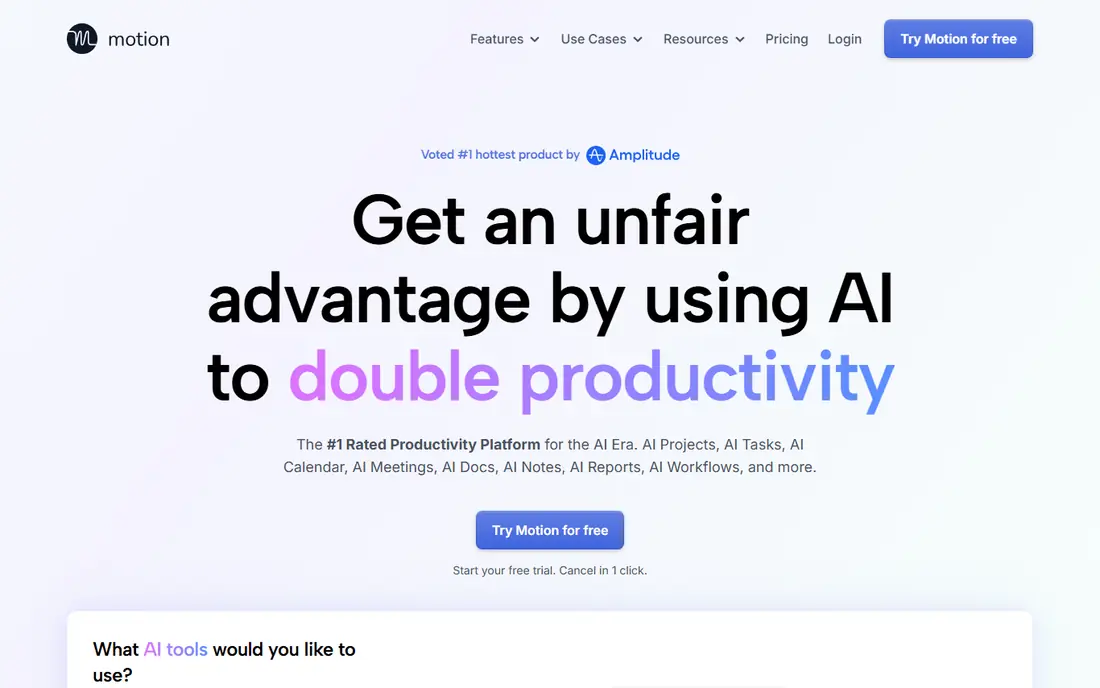
Motion is the closest direct replacement for Reclaim auto-scheduling. Give it tasks, priorities, and deadlines, and it builds your day around meetings, then rebuilds the day when a meeting moves or a deadline shifts. Projects, docs, and time tracking sit in the same app, so teams can plan work and calendars together.
The Individual plan costs $19 per seat per month on annual billing, with higher business tiers above it. Motion works best when your task estimates are honest, because a four-hour task marked as 30 minutes will be placed in gaps where it cannot be finished. If you prefer to choose each block yourself, Sunsama or Akiflow will suit you better.
- Auto-schedules tasks and projects around meetings
- Reschedules when plans change
- Includes projects and docs
- No permanent free plan
- Algorithm needs good durations and deadlines to work well
- Price rises per seat
Clockwise focuses on the team calendar rather than the personal task list. It finds meeting times that protect focus blocks, moves flexible meetings to open longer stretches of uninterrupted time, and shows when a team is overloaded with meetings. That team view is useful for managers who want to protect deep work across a whole group.
A free plan covers individual use, with paid team and business plans adding more controls and analytics. Clockwise does not auto-schedule personal tasks in the way Motion or Reclaim do, so pair it with a task tool if task placement is your main need.
- Free plan for individuals
- Moves meetings to create focus blocks
- Works with Google and Outlook calendars
- Auto-scheduling of tasks is limited
- Team features need paid plans
- Value depends on team adoption
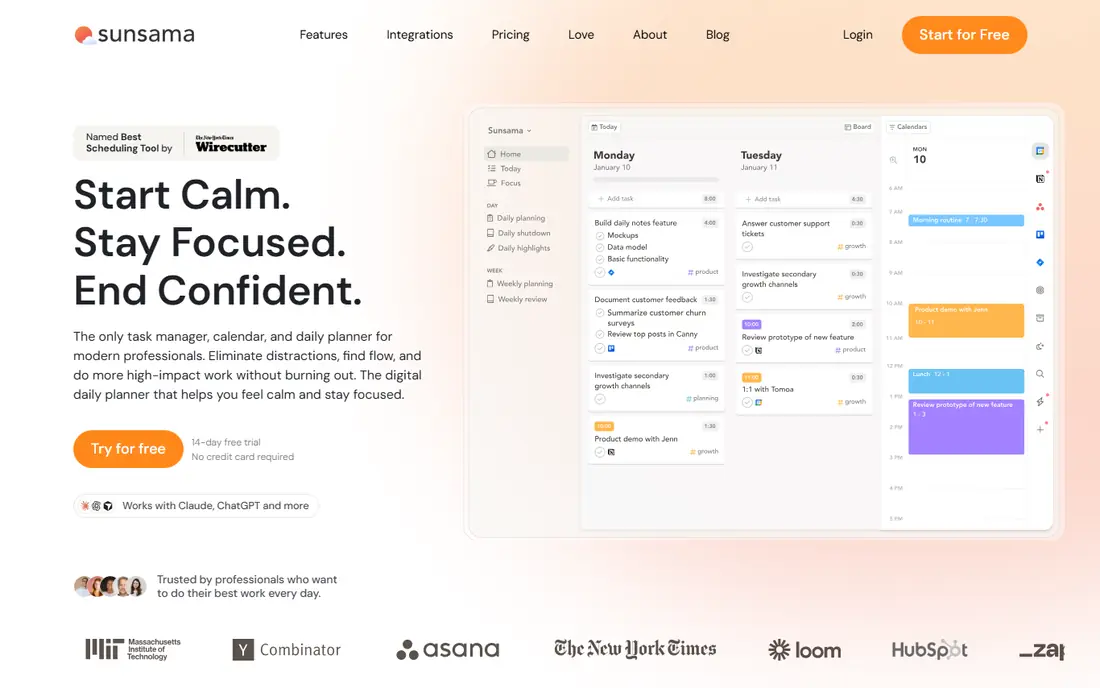
Sunsama takes the opposite approach to Motion. Each morning it walks you through choosing today's tasks from tools such as Asana, Trello, Notion, and Gmail, estimating them, and dragging them onto your calendar. The plan holds only what fits, and an end-of-day shutdown reviews what got done. That ritual helps people who overcommit and want a calmer, shorter list.
Pricing is $20 per month on annual billing, or $22 per month if you pay monthly, with a 14-day trial and no card required. Sunsama will not rebuild your whole day automatically when meetings change, so it suits deliberate planners who want control over each block.
- Guided daily and weekly planning
- Pulls tasks from many tools
- End-of-day review builds a habit
- No permanent free plan
- No full auto-scheduling
- Built for one day at a time
Akiflow collects tasks from email, Slack, Notion, Todoist, and other tools into one inbox, then lets you drag them onto your calendar to create time blocks. A command bar and keyboard shortcuts make capture and planning fast, which suits people who plan at a keyboard all day. An AI assistant can help plan the day, but you still approve the placement.
The Pro plan costs $19 per month on annual billing, or $34 per month if you pay monthly, with a 7-day trial that requires a card. That price is high for a planning tool, so use the trial to test whether the inbox and shortcuts actually save you time compared with Sunsama or TickTick.
- Universal task inbox from many apps
- Fast command bar and shortcuts
- Drag tasks onto the calendar
- No permanent free plan
- Trial needs a card
- Connects Google and Outlook calendars only
Morgen suits people with calendars in more than one place. It shows Google, Outlook, and other calendars beside your tasks in one view, with AI-assisted time blocking that suggests placements you can approve or change. That single view helps consultants, freelancers, and managers who juggle work and personal calendars.
The Pro plan costs $15 per month on annual billing, or $30 per month if you pay monthly, with a 14-day trial and no card required. Morgen is less automatic than Motion, since you approve suggestions rather than letting the app rebuild the day, but that control suits people who want oversight.
- Combines several calendars and tasks in one view
- AI-assisted time blocking
- Team plan available
- No permanent free plan
- AI suggestions need approval
- Less auto-scheduling than Motion
SkedPal has scheduled tasks intelligently for years, before AI scheduling became fashionable. You set priorities, time maps for when you work on different kinds of tasks, and deadlines, and SkedPal places tasks into your calendar around fixed meetings. That structure suits people with complex, recurring workloads and strict priorities.
The interface is plainer than Motion or Sunsama, and setup takes time to get priorities and time maps right. Pricing is listed on its own site, with a free trial to test the scheduling logic. If you like the idea of smart scheduling but want a tool focused on that job alone, SkedPal is worth a trial.
- Schedules tasks by priority and time maps
- Handles recurring and flexible tasks
- Good for complex weeks
- Interface feels dated next to newer apps
- Pricing is listed on its own site
- Setup takes effort
Ellie Planner keeps daily planning simple. Tasks and calendar blocks sit together in a clean view, so you can plan the day without learning a complex system. That simplicity suits individuals who found Reclaim or Motion too automatic or too busy, and who want a calm planner for personal and work tasks.
Team features and integrations are thinner than the larger tools on this list, so Ellie fits individuals better than teams. Check current pricing on its own site, and test whether its task and calendar views cover your tools before you commit.
- Clean daily planning view
- Tasks and calendar in one place
- Light and fast to use
- Smaller feature set than Motion or Akiflow
- Team features are limited
- Pricing varies by plan
TickTick is the budget pick on this list. The free plan covers tasks, lists, and basic calendar use, while Premium costs $49.99 per year and adds full calendar features, custom filters, and more. Habits, reminders, and a pomodoro timer sit in the same app, so it can replace several small tools at once.
Auto-scheduling is basic compared with Motion or Reclaim, and TickTick does not defend focus time across a team. For an individual who wants a low-cost task and calendar tool with a good mobile app, it is strong value, especially at the annual Premium price.
- Free plan is generous
- Tasks, calendar, habits, and pomodoro in one app
- Low Premium price
- Auto-scheduling is basic
- Calendar tools need Premium
- Less team focus than Clockwise
FlowSavvy offers AI auto-scheduling at a lower price than Motion. It builds your schedule from tasks and priorities, then rebuilds it after changes, which is the core Reclaim-style job. A free plan lets you test that scheduling logic, with a paid plan at $14 per month or $120 per year adding more capacity.
As a smaller, newer tool, FlowSavvy has fewer integrations and less team depth than Clockwise or Motion. For an individual who wants auto-scheduling without the Motion price, it is a sensible trial, but check that it connects to your calendar and task tools first.
- AI auto-scheduling rebuilds the day after changes
- Free plan to start
- Simple interface
- Smaller and newer than Motion
- Fewer integrations
- Team features are limited
How we picked these
We compared official pricing pages, feature pages, and public guides for tools that cover auto-scheduling, focus time, time blocking, or daily planning. We kept only tools live in October 2026, and we excluded Reclaim itself so the list is a true set of alternatives. Where prices differ by billing period, we used the annual-billing figure where it was clear, and we wrote See website where pricing was not clear from public listings.
How to choose a Reclaim.ai alternative
Decide first whether you want the app to schedule for you or to help you schedule yourself. Motion, FlowSavvy, and SkedPal lean toward automation, while Sunsama, Akiflow, and Ellie lean toward guided manual planning. Clockwise leans toward team focus time, and Morgen leans toward viewing many calendars together.
Then test with a real week. Add your meetings, tasks, habits, and deadlines, and watch what happens when a meeting moves. The best tool is the one whose rescheduling, or whose manual planning flow, still feels right on a messy day, not just on a calm demo day.
Frequently asked questions
What are the best Reclaim.ai alternatives?
Motion is best for full auto-scheduling, Clockwise is best for team focus time, Sunsama is best for guided daily planning, and Akiflow is best for keyboard-first planning. TickTick and FlowSavvy are the strongest low-cost options.
Is Reclaim.ai still available after the Dropbox acquisition?
Dropbox acquired Reclaim.ai in August 2024, and public pricing listings in October 2026 still show Reclaim offered under its own name, with a free Lite plan and paid plans. This guide lists alternatives for people who prefer a tool outside that ownership, or who want a different planning style.
Which Reclaim.ai alternative is free?
Clockwise offers a free plan for individuals, TickTick offers a generous free plan, and FlowSavvy offers a free plan to start. Motion, Sunsama, Akiflow, and Morgen offer free trials but no permanent free plan.
Which alternative is best for teams?
Clockwise is best for protecting focus time across a team, because it moves meetings and shows meeting load for the group. Motion also works for teams, with per-seat pricing and shared projects, but it costs more per person.
Do these alternatives work with Google Calendar and Outlook?
Most do, but the details matter. Clockwise, Sunsama, Akiflow, Morgen, and FlowSavvy connect to Google and Outlook calendars in some form, while other tools may favor one calendar system. Confirm your calendar provider is supported before you pay, especially if your team uses Outlook.
Sources
- https://www.usemotion.com
- https://www.clockwise.com
- https://www.sunsama.com
- https://www.akiflow.com
- https://morgen.so
- https://www.skedpal.com
- https://ellieplanner.com
- https://www.ticktick.com
- https://flowsavvy.app
- https://www.taskade.com/blog/best-time-blocking-apps
- https://gravity.fast/blog/motion-alternatives/
- https://akiflow.com/blog/akiflow-vs-sunsama-comparison
- https://www.chronock.ai/blog/reclaim-ai-vs-onecal
- https://whataitools.co.uk/reclaim-ai-review/
See where you really rank - block by block
ProMapRanker scans Google Maps across a grid of your service area. Simple monthly plans from $19, white-label on every plan.
Start freeKeep reading
 wpforms alternatives
Best WPForms Alternatives in 2026
We compare 9 wpforms alternatives for WordPress forms, with free and paid options, current pricing notes, and honest limits for small business sites in 2026.
Read → windows task scheduler alternatives
Best Windows Task Scheduler Alternatives in 2026
Looking for Windows Task Scheduler alternatives? We compare 9 schedulers for Windows and cross-platform work, from free tools to enterprise automation.
Read → which ai video service is best
Which AI Video Service Is Best in 2026
which ai video service is best? We compare 10 legitimate AI video services on price, avatars, editing and output quality to help you pick the right tool.
Read →