 ProMapRanker
Plex Alternatives in 2026

Key takeaways
- Jellyfin is the strongest free, fully open source replacement for most self-hosted libraries, with no paid tier gating its core features.
- Emby is the closest polished match if you want ready-made apps and live TV support without building everything yourself.
- Kodi, Stremio and Infuse solve different problems, so pick by device and habit rather than by feature count alone.
- DLNA tools such as Universal Media Server and Serviio are best when you only need playback on a TV or speaker, not a full library app.
Quick comparison
| Pick | Great for | Pricing starts at | Free tier | |
|---|---|---|---|---|
 Jellyfin | Free, open source self-hosted libraries | Free | Yes | Visit |
 Emby | Polished server apps and live TV | See website | Yes | Visit |
 Kodi | Local playback and deep customisation | Free | Yes | Visit |
 Stremio | Simple streaming aggregation across devices | Free | Yes | Visit |
 Universal Media Server | Simple DLNA playback to any device | Free | Yes | Visit |
 Serviio | Lightweight DLNA serving | Free | Yes | Visit |
 Infuse | High-quality playback on Apple devices | See website | Free trial | Visit |
 Channels DVR | Live TV recording and playback | See website | No | Visit |
 MediaPortal | Free Windows media centre with TV support | Free | Yes | Visit |
The best Plex alternatives
Plex is not on this list, because this guide is about replacements. We compared self-hosted servers, local players and streaming front ends that can organise or play media you already own.
For many readers, Jellyfin is the first name to check. It fits households that want full control at no cost. That every core feature is free, with no subscription wall in the way, and that is why it earns a place here. We compared it on official feature pages, pricing pages and public comparisons, not on a claim of hands-on use, so check the current plan details before you commit.
The honest catch is that setup takes more care, and support comes mainly from community docs. That does not rule it out, but it does change who should pick it first. If that catch touches your main need, compare the next option before you decide. Ask for a trial or a demo where one is offered, and test it with a real example from your own work before you move a whole team or library to it.
- Fully free and open source
- No paid tier for core features
- Apps for many devices including smart TVs
- Setup and maintenance fall to you
- Some clients feel less polished than paid rivals
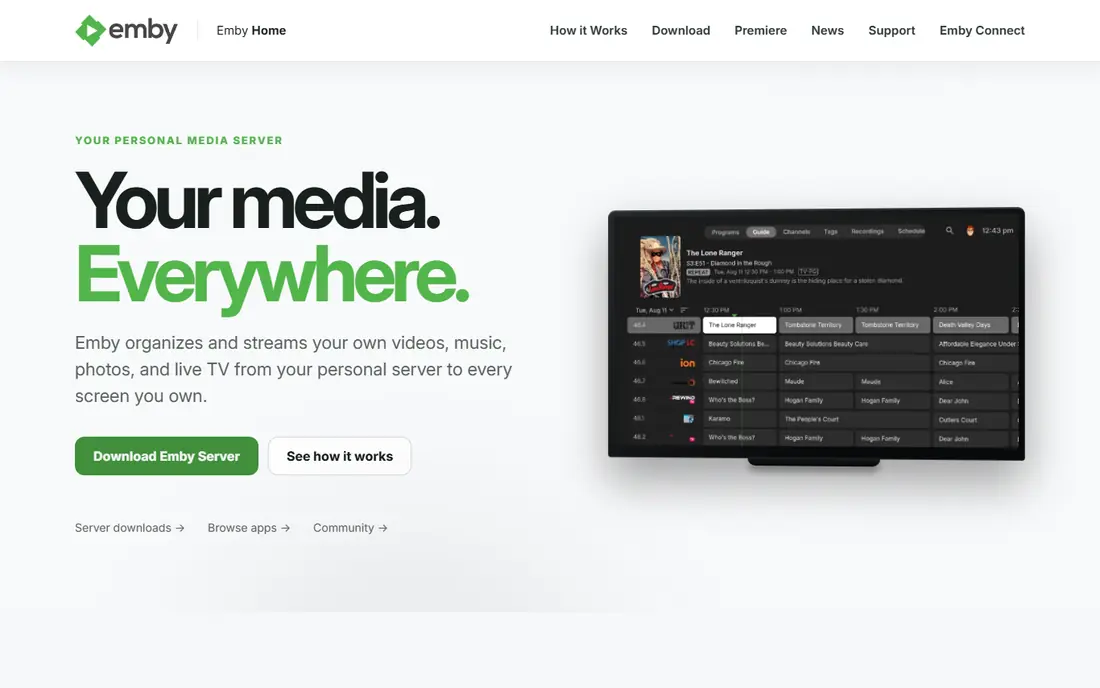
Emby takes a different route. It fits families who want polished apps with less tinkering. A balance of polish and self-hosting that suits non-technical viewers. We compared it on official feature pages, pricing pages and public comparisons, not on a claim of hands-on use, so check the current plan details before you commit.
The catch to weigh is that the best extras sit behind a paid tier, so check what the free tier covers first. For readers where that matters less, the strengths above may still win. For readers where it matters more, a different pick in this list will fit better. Ask for a trial or a demo where one is offered, and test it with a real example from your own work before you move a whole team or library to it.
- Polished apps across devices
- Live TV and DVR options
- Migration help for Plex libraries
- Some useful features need the paid Premiere tier
- The free tier is limited
If home theatre fans who want one TV setup tuned exactly to their taste is your priority, Kodi deserves a close look. Customisation depth that few players can match. We compared it on official feature pages, pricing pages and public comparisons, not on a claim of hands-on use, so check the current plan details before you commit.
Watch out, though, because multi-device sync needs extra work, and the learning curve is real. Put that against your own priorities, and the choice becomes clearer. A tool can be excellent overall and still be wrong for one specific setup. Ask for a trial or a demo where one is offered, and test it with a real example from your own work before you move a whole team or library to it.
- Free and open source
- Plays a very wide range of formats
- Huge add-on and skin community
- Not a true multi-device server by itself
- Setup can take time
Stremio is a practical pick. It fits viewers who want one simple front end for many sources, and Simplicity, with a clean interface that needs little setup. We compared it on official feature pages, pricing pages and public comparisons, not on a claim of hands-on use, so check the current plan details before you commit.
The honest catch is that it does not replace a local library server for people with large owned collections. That does not rule it out, but it does change who should pick it first. If that catch touches your main need, compare the next option before you decide. Ask for a trial or a demo where one is offered, and test it with a real example from your own work before you move a whole team or library to it.
- Simple cross-device interface
- Add-on system
- Synced progress across devices
- Not a classic home media server
- Relies on add-ons for much of its value
Consider Universal Media Server when you want homes that only need files to play on a TV or speaker. Plug-and-play simplicity for basic playback. We compared it on official feature pages, pricing pages and public comparisons, not on a claim of hands-on use, so check the current plan details before you commit.
The catch to weigh is that library browsing and watched tracking are limited. For readers where that matters less, the strengths above may still win. For readers where it matters more, a different pick in this list will fit better. Ask for a trial or a demo where one is offered, and test it with a real example from your own work before you move a whole team or library to it.
- Free and open source
- No account needed
- Works with many DLNA devices
- No full library app experience
- Browsing is basic compared with Jellyfin or Emby
Serviio stands out for a clear reason. It fits households with older hardware or simple DLNA needs. Low resource use that suits older computers. We compared it on official feature pages, pricing pages and public comparisons, not on a claim of hands-on use, so check the current plan details before you commit.
Watch out, though, because the free tier is limited, and the look is functional rather than polished. Put that against your own priorities, and the choice becomes clearer. A tool can be excellent overall and still be wrong for one specific setup. Ask for a trial or a demo where one is offered, and test it with a real example from your own work before you move a whole team or library to it.
- Lightweight and easy to run
- Automatic device profiles
- Free tier for basic serving
- Full features need the paid Pro version
- Interface is plain
For Apple households that want the best playback front end, Infuse is worth shortlisting. Playback quality and design on Apple devices. We compared it on official feature pages, pricing pages and public comparisons, not on a claim of hands-on use, so check the current plan details before you commit.
The honest catch is that it pairs with a server or share rather than replacing one. That does not rule it out, but it does change who should pick it first. If that catch touches your main need, compare the next option before you decide. Ask for a trial or a demo where one is offered, and test it with a real example from your own work before you move a whole team or library to it.
- Excellent playback on Apple TV, iPhone, iPad and Mac
- Works well as a front end for servers and shares
- Apple only in practice
- Not a server by itself
Channels DVR is not the flashiest pick, but it is a useful one. It fits viewers whose priority is live TV and recording. Live TV done properly, with recording and commercial skipping in supported setups. We compared it on official feature pages, pricing pages and public comparisons, not on a claim of hands-on use, so check the current plan details before you commit.
The catch to weigh is that cost and tuner setup make it a poor pick if you only watch owned files. For readers where that matters less, the strengths above may still win. For readers where it matters more, a different pick in this list will fit better. Ask for a trial or a demo where one is offered, and test it with a real example from your own work before you move a whole team or library to it.
- Strong live TV and DVR focus
- Works with tuners for over-the-air recording
- Polished apps
- Paid subscription model
- Live TV setup needs a tuner or source
Start with MediaPortal if Windows home theatre builders who want TV and local playback together matters most to you. Windows-focused TV and media centre depth. We compared it on official feature pages, pricing pages and public comparisons, not on a claim of hands-on use, so check the current plan details before you commit.
Watch out, though, because Windows-only support and a steeper setup limit its audience. Put that against your own priorities, and the choice becomes clearer. A tool can be excellent overall and still be wrong for one specific setup. Ask for a trial or a demo where one is offered, and test it with a real example from your own work before you move a whole team or library to it.
- Free and open source
- TV tuner support
- Deep customisation for Windows home theatre setups
- Windows only
- Setup is more involved than modern server apps
How we picked these
We compared official feature pages, pricing pages, app store listings where relevant, and public comparisons from 2026. We only included products that exist and work now and that truly fit the topic, and we left prices as See website where we could not verify a current figure from the vendor. We did not claim hands-on testing, and we did not invent ratings, counts or awards. We also weighed fit for different readers, not just popularity. A well-known product can still be a poor pick for a small team, a single device, or a tight budget, so each write-up notes who it fits and where it falls short. That trade-off view is what turns a long list into a useful shortlist.
How to pick a Plex replacement
Decide first whether you want a server or a player. A server such as Jellyfin or Emby keeps one library, tracks watched status and serves many devices. A player such as Kodi or Infuse plays files well but does not always give you that shared, multi-device library without extra setup.
Check your devices before you commit. Smart TV support, mobile apps and web playback differ a lot between tools, and a server that lacks an app for your main TV will frustrate the whole household. Test playback on the TV you use most, not only on a computer.
Think about who else will use it. A free, open source server suits a household with one technical person to maintain it. A paid, polished option suits a household where everyone needs simple apps and less troubleshooting.
Finally, plan the move. Export or note your library folders, check how each tool handles metadata and watched status, and run the new tool alongside your old setup until playback, subtitles and remote access all work as expected.
Frequently asked questions
What is the best free alternative to Plex?
Jellyfin is the best free pick for most people, because it is fully open source and does not gate core server features behind a paid tier. It needs some setup, but the saving and control are hard to beat.
Are there alternatives to Plex that do not need an account?
Yes. Jellyfin, Kodi and Universal Media Server can run without a vendor account for local use, which appeals to people who want their library to stay local. Check remote access settings separately if you watch away from home.
What is the best Plex alternative for Apple devices?
Infuse is a strong front end for Apple TV, iPhone, iPad and Mac, especially when paired with a server or network share. It focuses on playback quality rather than running its own server.
Can I migrate a Plex library to another platform?
In many cases, yes, but the ease varies. Emby has migration help for Plex libraries, while other tools usually need you to point them at the same media folders and let them rebuild metadata. Keep your original folders untouched until the new library looks right.
Is Kodi a direct Plex replacement?
Not exactly. Kodi is a media centre that plays local files with deep customisation, but it is not a client-server system in the same way. It suits a single TV setup or a household that shares files over a network, rather than a hosted multi-user library.
Sources
See where you really rank - block by block
ProMapRanker scans Google Maps across a grid of your service area. Simple monthly plans from $19, white-label on every plan.
Start freeKeep reading
 which software is best for pdf page removal
Which Software Is Best for PDF Page Removal in 2026
Find which software is best for pdf page removal, from free online tools to desktop editors, with page controls, privacy, safety, and pricing compared.
Read → when i work alternatives
Best When I Work Alternatives in 2026
Looking for when i work alternatives? We compare 8 scheduling apps for hourly teams, covering pricing, free plans, time clocks and the best fit for business.
Read → the best tool for keyword analysis
The Best Tool for Keyword Analysis in 2026
Find the best tool for keyword analysis with our 2026 comparison of 10 keyword analysis software tools on data depth, difficulty scores and price today.
Read →