 ProMapRanker
Best Pantheon Alternatives in 2026

Key takeaways
- Pantheon is known for developer workflows, staging environments and WordPress and Drupal hosting, so the closest replacements keep those workflows intact.
- Kinsta and WP Engine are the most direct managed WordPress replacements for teams that want support to handle performance and updates.
- Cloudways gives more control over the underlying cloud server, but it asks you to make more infrastructure choices.
- SiteGround and Nexcess are useful when budget matters more than enterprise tooling, while Platform.sh and Acquia suit larger, more complex sites.
- Check visit limits, renewal prices and migration help before you move, because those three items often change the real cost.
Quick comparison
| Pick | Great for | Pricing starts at | Free tier | |
|---|---|---|---|---|
 WP Engine | Managed WordPress for agencies | $30 per month | Free trial | Visit |
 Kinsta | Fast managed WordPress hosting | $35 per month | No | Visit |
 Cloudways | Flexible cloud hosting | $14 per month | Free trial | Visit |
 Flywheel | Design-led WordPress teams | See website | Free trial | Visit |
 SiteGround | Small business WordPress sites | See website | No | Visit |
 Pressable | Managed WordPress at scale | $25 per month | No | Visit |
 Platform.sh | Multi-app cloud hosting | See website | Free trial | Visit |
 Acquia | Enterprise Drupal and WordPress | See website | No | Visit |
 Nexcess | Managed WordPress and WooCommerce | See website | No | Visit |
The best Pantheon alternatives
This guide covers alternatives to the Pantheon web hosting platform. Pantheon is built around WordPress and Drupal, with development, staging and live environments, version control workflows and performance tooling for teams. The options below keep different parts of that mix, so your choice depends on whether you value hands-off management, developer control, price or enterprise support most. We compared official feature pages, pricing pages and public documentation for each platform.
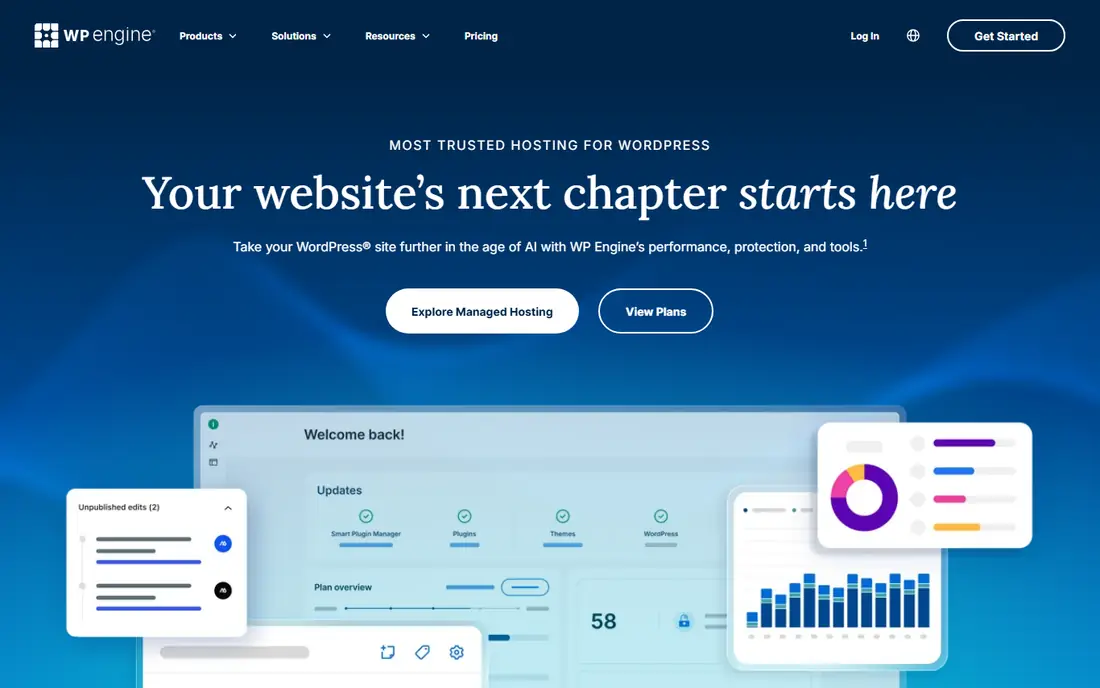
WP Engine suits agencies and business sites that want WordPress handled for them. Daily backups, managed core updates and staging are part of the core offer, which reduces the routine work that falls on a small team. The platform also includes tools for client billing and bulk site management, so it fits teams that run many sites rather than one blog.
The trade-off is price and limits. A single small site may pay for agency features it never uses, and traffic overages can build up during a busy week. Check the visit allowance on your plan and ask how overages are billed before you commit. For a busy business site, the support and managed stack often justify the cost.
- Managed updates and daily backups
- Staging environments
- Agency tools for managing many client sites
- Entry price is high for a single small site
- Visit limits can add cost when traffic spikes

Kinsta is a strong direct replacement for teams leaving Pantheon for performance and support. Each site runs in its own container, which helps keep one busy site from slowing down its neighbours. Staging, cloning and backup tools are built in, and the dashboard is clear enough for non-developers to use with confidence.
The main limits are price and email. Kinsta does not include email hosting, so you will need a separate email provider. It is also a premium service, so a hobby site will find cheaper options elsewhere. For a business site where speed and reliable help matter, Kinsta is one of the safest picks in this list.
- Container-based hosting on Google Cloud
- Staging and cloning tools
- Strong support reputation
- Premium price
- Email hosting is not included

Cloudways sits between a raw cloud server and a fully managed host. You pick a provider such as DigitalOcean, Vultr, AWS or Google Cloud, then Cloudways manages the server layer, security patching and backups. That gives developers room to tune performance without running a server by hand. Staging and cloning make it easier to test changes before they go live.
This freedom is also the catch. You need to understand server size, storage and bandwidth, and the support team will not manage your WordPress site in the same way a premium managed host does. If your team is comfortable with those choices, Cloudways offers strong value and room to grow.
- Choice of cloud providers
- Pay-as-you-go style scaling
- Staging and server cloning
- You must choose server size and provider
- Support is less hands-on than fully managed hosts
Flywheel is built for designers, freelancers and small agencies that hand sites over to clients. The dashboard is simple, collaboration tools make it easy to share a site with a client or teammate, and you can build a demo site before paying for hosting. That workflow suits creative teams that value clarity over deep infrastructure control.
It is not the best fit for very large or complex enterprise sites, where deeper controls and custom infrastructure matter more. Traffic and storage limits still apply, so check the plan details against your largest client site. For small agency work, Flywheel keeps the handover process tidy.
- Simple dashboard for designers and small agencies
- Staging and collaboration tools
- Free demo sites
- Fewer enterprise features than larger platforms
- Pricing varies by plan and traffic
SiteGround is a practical pick for a small business site that needs WordPress hosting without a premium bill. Setup is guided, email hosting is included, and support is available around the clock. Higher plans add staging and more resources, which helps as a site grows from a brochure site into something busier.
Renewal pricing deserves a close look. The first-term price is often much lower than the renewal rate, so compare the renewal price, not just the headline offer. Entry plans also have tighter resource limits, so a site with heavy traffic or many plugins may need a higher tier. For modest sites, SiteGround balances price and ease of use well.
- Easy WordPress setup
- Email hosting included
- Staging on higher plans
- Introductory prices rise at renewal
- Resource limits on entry plans
Pressable is a managed WordPress host built for growing sites and agencies. It handles updates, backups and security basics, and staging lets you test changes safely. The inclusion of Jetpack security tools adds malware scanning and related protection without a separate plugin purchase. That bundle suits teams that want fewer separate tools to manage.
Pressable is WordPress focused, so Drupal teams should look at Platform.sh or Acquia instead. Traffic limits still matter, and larger sites will need a higher plan. For WordPress sites that have outgrown shared hosting, Pressable is a clean step up.
- Managed WordPress on a cloud platform
- Staging and backups
- Jetpack security tools included
- Less suited to Drupal sites
- Higher plans needed for large traffic
Platform.sh is the closest match in this list for Pantheon-style developer workflows. Every branch can get its own preview environment, deployments follow Git, and the platform supports PHP, Python, Node.js and other stacks alongside WordPress and Drupal. Teams that deploy often will appreciate how closely the hosting matches their code workflow.
That power comes with complexity. Platform.sh is less beginner friendly than Kinsta or SiteGround, and pricing depends on resources and environments, so a quote may be needed for a clear total. If your team already works with Git and wants preview environments for each change, Platform.sh is a strong fit.
- Git-driven workflows
- Many languages and frameworks
- Preview environments for every branch
- Steeper learning curve
- Pricing can be hard to compare at a glance
Acquia is aimed at large organisations, especially those running Drupal at scale. It offers cloud hosting plus marketing and personalisation tools, security controls and support for complex, multi-site setups. Organisations with compliance needs and large content teams will find depth here that smaller hosts do not offer.
The sales-led pricing and enterprise focus make Acquia a poor fit for a single blog or small business site. Setup and contracts take longer, and you pay for enterprise capacity. If you run a large Drupal estate and need vendor support at that level, Acquia belongs on your shortlist.
- Enterprise Drupal expertise
- Strong security and compliance tooling
- Large-site scaling
- Enterprise pricing and sales process
- Overkill for a single small site
Nexcess suits WordPress sites and online stores that need managed hosting with store-specific tuning. WooCommerce plans include features aimed at store speed and sales, while staging and backups protect you when you change themes or plugins. Email hosting on some plans also removes one separate purchase for small teams.
The dashboard packs in many options, which can feel busy at first. As with other hosts, check storage, visit and bandwidth limits against your real traffic before signing up. For a store or content site that wants managed care without enterprise pricing, Nexcess is a solid middle option.
- Managed WordPress and WooCommerce tuning
- Staging and backups
- Email included on some plans
- Dashboard can feel busy
- Plan limits need careful checking
How we picked these
We compared official pricing pages, feature pages and public documentation for managed WordPress and Drupal hosts that offer staging, backups and support as core features. We kept only platforms that are live and selling hosting in October 2026, and we favoured hosts that cover a clear use case, from budget small business hosting to enterprise Drupal. Prices shown are starting prices from vendor pages or recent public listings, and we wrote See website where a vendor uses quote-based pricing or where the starting price varies by configuration.
What to check before you switch hosts
Moving a site is more than copying files. A host that looks cheaper on paper can cost more once traffic limits, renewal rates and add-ons are counted.
Match the workflow, not just the price
List the Pantheon features you actually use. If you rely on multiple development environments, pick a host with staging and preview environments. If you rarely touch code, a managed host with strong support will save more time than a flexible cloud platform. Write down your must-have list before you compare plans.
Test migration and support early
Ask each shortlisted host how migration works, whether it is free, and how long it usually takes. Use the trial or demo period to test support response times and to check that backups restore cleanly. A host that answers slowly during a trial is unlikely to answer faster during an outage.
Read the limits in full
Check monthly visits, storage, bandwidth, PHP workers and backup retention on the plan you would actually buy. Confirm the renewal price after any introductory term, and ask about overage charges. Those details decide whether a plan stays affordable after the first year.
Frequently asked questions
What is the closest alternative to Pantheon?
Kinsta and WP Engine are the closest managed WordPress replacements for most teams, because both include staging, backups and managed updates. Platform.sh is closer for teams that want Git-driven workflows and preview environments for every branch. Acquia is the closer enterprise pick for large Drupal sites.
Can I move a WordPress site from Pantheon to another host?
Yes, most hosts in this list offer migration help or a migration plugin, and WordPress sites can be moved with a backup and restore. Check whether migration is free, how long it takes, and whether email and domain settings move with the site. Test the moved site on staging before you point your domain at the new host.
Are Pantheon alternatives cheaper than Pantheon?
Some are, and some are not. SiteGround and Cloudways can cost less than a premium managed plan, while Kinsta, WP Engine and Acquia sit at premium or enterprise prices. Compare renewal prices and traffic limits, not just the first-term price, to get a fair total.
Do these hosts support Drupal as well as WordPress?
Platform.sh and Acquia support Drupal well, and Pantheon itself is known for Drupal hosting. Most other hosts in this list focus on WordPress, so Drupal teams should shortlist Platform.sh and Acquia first. Always confirm the Drupal version and PHP version your site needs before you sign up.
Which alternative is best for an agency?
WP Engine and Flywheel suit agencies because both include client management and handover tools. Kinsta also works well for agencies that prioritise speed and support. The best agency pick depends on how many sites you manage and whether you need white-label billing.
Do I need a developer to use Cloudways or Platform.sh?
Not always, but both ask for more technical comfort than SiteGround or Flywheel. Cloudways asks you to pick a cloud provider and server size, while Platform.sh uses Git workflows. If your team has no developer, a fully managed host will be easier to run day to day.
Sources
See where you really rank - block by block
ProMapRanker scans Google Maps across a grid of your service area. Simple monthly plans from $19, white-label on every plan.
Start freeKeep reading
 wpforms alternatives
Best WPForms Alternatives in 2026
We compare 9 wpforms alternatives for WordPress forms, with free and paid options, current pricing notes, and honest limits for small business sites in 2026.
Read → windows task scheduler alternatives
Best Windows Task Scheduler Alternatives in 2026
Looking for Windows Task Scheduler alternatives? We compare 9 schedulers for Windows and cross-platform work, from free tools to enterprise automation.
Read → which ai video service is best
Which AI Video Service Is Best in 2026
which ai video service is best? We compare 10 legitimate AI video services on price, avatars, editing and output quality to help you pick the right tool.
Read →