 ProMapRanker
Best Notability Alternatives in 2026

Key takeaways
- Goodnotes is our pick for most people leaving Notability, thanks to its large template range, cross-platform apps, and low-cost annual plan.
- Microsoft OneNote is the best free starting point, especially if you already use Microsoft 365 or need a notebook that works everywhere.
- Noteshelf and Noteful suit Apple-first users who want paper-style notebooks without a heavy subscription.
- Nebo stands out for handwriting conversion, while CollaNote and Penbook offer strong free options for students on a budget.
- Check platform editions before paying, since a purchase on one device does not always open every other version.
Quick comparison
| Pick | Great for | Pricing starts at | Free tier | |
|---|---|---|---|---|
 Goodnotes | Most Notability switchers | $11.99 per year | Yes | Visit |
 Microsoft OneNote | Free cross-platform notes | Free | Yes | Visit |
 Noteshelf | Paper-style notebooks with audio | $9.99 one-time | Yes | Visit |
 Nebo | Handwriting to text | See website | Yes | Visit |
 CollaNote | Free iPad handwriting | Free | Yes | Visit |
 Flexcil | PDF-heavy study notes | See website | Yes | Visit |
 Penbook | Simple, clean notebooks | See website | Yes | Visit |
 ZoomNotes | Power users with deep customization | See website | No | Visit |
 Noteful | Lightweight Apple notebooks | See website | Yes | Visit |
The best notability alternatives
We focused on apps that handle handwriting, PDFs, and everyday notes, since those are the reasons most people pick Notability. Some picks are close matches, while others trade audio recording for better organization or a lower price.
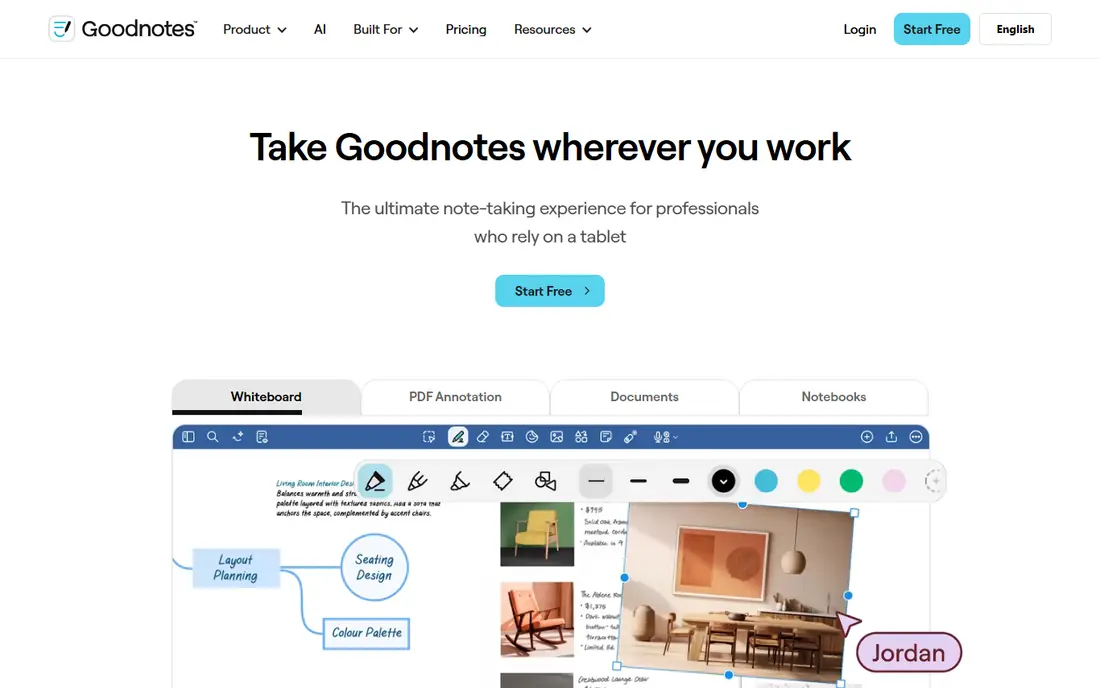
Goodnotes is the easiest recommendation for most Notability users, because it covers the same core ground: handwriting, PDF annotation, and organized notebooks. Its template and planner range is broad, and the folder system makes it simple to keep subjects or projects separate. If you take notes across an iPad, an Android tablet, and a Windows PC, the cross-platform apps are a real advantage over an Apple-only tool.
The free plan is limited to three notebooks, so heavy users will need the Essential plan at $11.99 per year or the Pro plan at $35.99 per year. That is still low compared with many subscriptions, and the one-time Special Edition option on Apple devices may suit people who dislike yearly payments. Check which AI features are included in your plan, since the top features sit behind higher tiers or an add-on.
- Unlimited notebooks on paid plans
- Strong PDF tools
- Apps for Apple, Android, and Windows
- Free plan is limited to three notebooks
- Top AI features cost extra
- Some features vary by platform
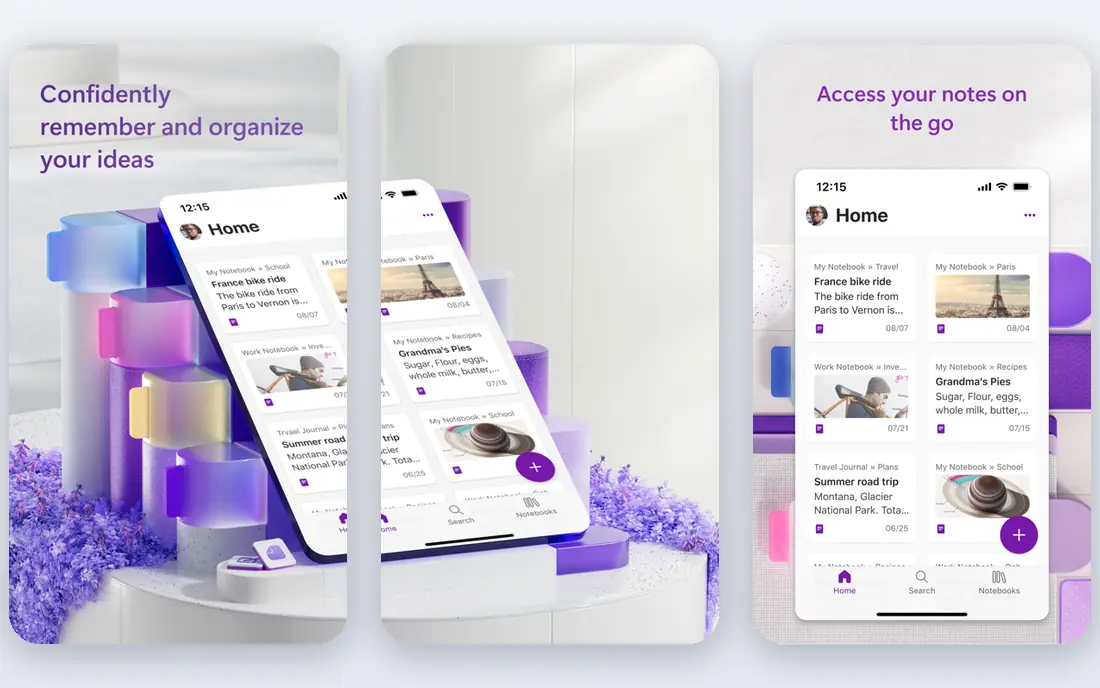
OneNote is free and available on Windows, Mac, iOS, Android, and the web, which makes it the lowest-risk place to start. You get notebooks, sections, and pages, plus ink, typing, images, and audio in one place, and your notes sync through OneDrive. For students and workers who move between devices all day, that reach matters more than a perfect pen feel.
The trade-off is polish for handwriting. OneNote is a general note app first, so its paper templates and pen settings are not as focused as Goodnotes or Noteshelf. Ink behavior also varies by device, so test it on your main tablet before moving a large library. If your priority is free, everywhere access, it is hard to argue with OneNote.
- Free core app
- Works on almost every device
- Strong search and organization
- Handwriting feel is less paper-like than specialist apps
- Ink features vary by device
- Large notebooks can feel slow
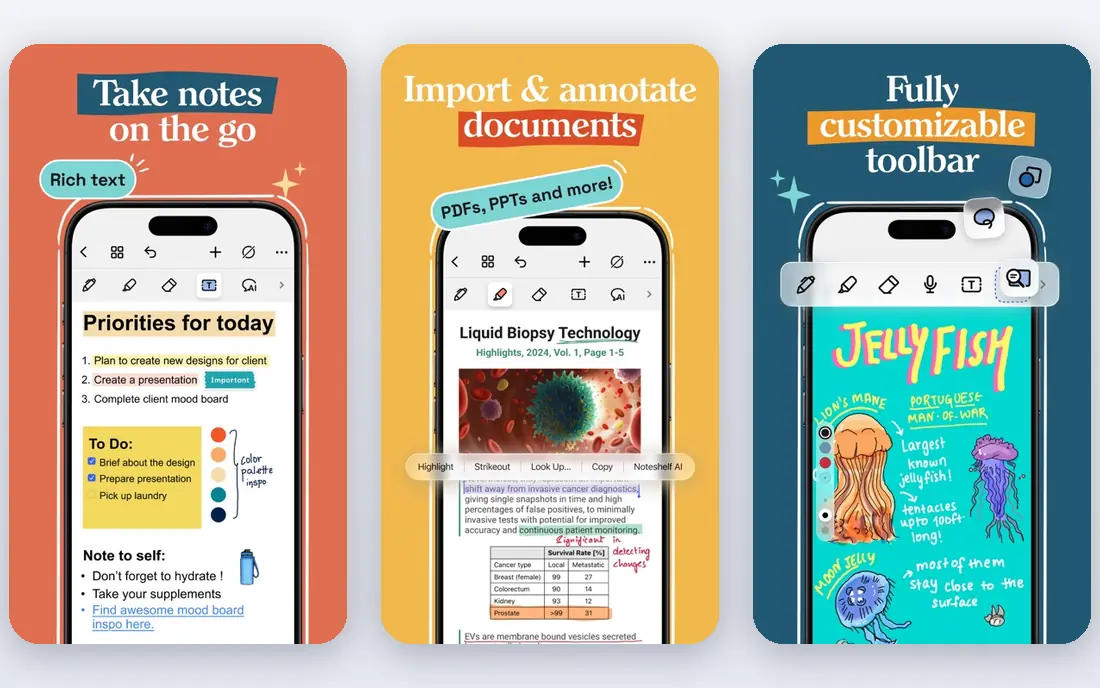
Noteshelf is a close cousin to Notability, with paper-style notebooks, covers, PDF markup, and audio recording alongside your handwriting. That combination suits lectures and meetings, where you want to hear the explanation again while you review your notes. The Android edition lists three free notebooks and a $9.99 one-time Premium upgrade, which is attractive if you want to avoid a yearly fee.
The main warning is edition differences. A purchase on one platform does not always open the same features on another, and free allowances differ too. Read the edition page for your device before paying, and test sync with a small notebook first. When the edition matches your device, Noteshelf is a calm, paper-first alternative.
- Paper-like notebooks and covers
- Audio recording
- Editions for Apple, Android, and Windows
- Purchases and free allowances differ by platform
- AI features vary by edition
- Sync needs checking before you buy
Nebo, from MyScript, is built around turning handwriting into usable text. You can write, convert pages to typed documents, and work with diagrams and math notation in ways that many notebook apps do not handle well. That makes it a strong pick for students and professionals who need clean, searchable notes after a handwritten session.
The free version limits how much you can do per notebook, so check the current offer before planning a full course around it. The interface also rewards a little patience, since conversion and document tools sit alongside the notebook view. If your main goal is readable, searchable text from your pen, Nebo earns its place.
- Strong handwriting recognition
- Converts ink to typed text and documents
- Supports diagrams and math
- Free pages are limited
- Interface takes time to learn
- Export needs care for complex layouts
CollaNote is one of the best free starting points on iPad, with handwriting, PDF annotation, and planner templates in the core app. Students on a tight budget can take a full set of class notes without paying first, and the pen feel is pleasant for everyday writing. It also supports collaboration features that help study groups share notes.
The limits are clear. CollaNote is iPad only, so Android and Windows users need another pick, and premium pens, tools, and AI features sit behind a paid upgrade. If you live on an iPad and want a free app that feels like a real notebook, it is an easy first download. If you need cross-platform sync, look at Goodnotes or OneNote instead.
- Free core app
- Good pen tools
- PDF annotation and planners
- IPad only
- Premium pens and AI features cost extra
- Smaller community than Goodnotes
Flexcil is designed for people who study from PDFs, with tools for selecting text, adding notes, and linking annotations to the source page. That workflow suits law, medicine, and research reading, where the PDF is the main document and your notes need to stay tied to it. The basic tier gives you a way to test the core experience before paying.
Gesture controls take a short while to learn, and paid pricing varies by platform, so check the store listing for your device. Flexcil also works best when PDFs are central to your study, rather than as a general diary or planner. For textbook-heavy courses, it is a focused and useful alternative.
- Strong PDF annotation
- Gesture tools for selecting text
- Good for textbooks and papers
- Paid plan pricing varies by store
- Some features are platform-specific
- Learning curve for gesture controls
Penbook keeps things simple, with clean notebooks and live paper that responds as you write. That calm design suits people who find larger apps busy, and the free tier lets you test the writing feel before you pay. It is a good fit for journals, meeting notes, and everyday lists.
Power users may miss the deeper PDF tools, automation, and template libraries of larger rivals. Penbook is best judged on writing feel and simplicity rather than feature count. If you want a notebook that stays out of your way, it is worth a try.
- Clean, distraction-free notebooks
- Live paper templates
- Free tier to try
- Fewer power features than Goodnotes
- Smaller template range
- Platform coverage is narrower
ZoomNotes is the power-user pick in this list, with sub-pages, linking, and a wide range of customization options for people who build complex notebooks. It combines handwriting, audio, and PDF annotation, so you can keep a whole project in one document rather than splitting it across apps. That depth suits researchers and long-term planners.
The cost is complexity. There is no free plan, and the interface can feel dense until you learn its layout. New users should expect a setup period and a smaller set of ready-made templates than Goodnotes. If you like tuning every part of your notebook, ZoomNotes rewards the effort.
- Deep customization
- Sub-pages and linking
- Handwriting, audio, and PDF tools in one app
- No free plan
- Interface can feel dense
- Setup takes longer than simpler apps
Noteful is a lightweight Apple notebook app with a basic free tier and a Pro upgrade for layers, iCloud sync, and extra tools. It feels fast for everyday notes, and the clean layout suits students who want notebooks without a long learning curve. PDF annotation and handwriting sit in one place, which keeps study notes tidy.
The limits match its size. Noteful is Apple only, and the most useful organization features sit behind Pro, so check the current upgrade terms before building a large library. For Apple users who want a small, quick app rather than a full platform, it is a sensible choice.
- Lightweight and fast
- ICloud sync
- Layers and PDF tools on paid tier
- Apple only
- Pro layers and sync features cost extra
- Smaller feature set than Goodnotes
How we picked these
We compared official product pages, app store listings, and current pricing, and we favored apps that are live in October 2026 and handle handwriting or PDF notes well. We included free, one-time, and subscription options, and we noted where platform editions differ, since that is a common surprise when switching from Notability. We used See website where pricing varies by store or edition.
How to choose the right note app
Start with your device, then your main task. An iPad-only app can be excellent, but it is a poor fit if you also take notes on Android or Windows. A PDF-first app suits textbook study, while a conversion-first app suits people who need typed notes after writing by hand.
Try the free tier with real notes
Import a real lecture PDF or a week of class notes, and test handwriting, search, export, and sync before you pay. A short trial with sample pages hides problems that show up in a full notebook, such as slow search or awkward export. Check backup options too, so your notes survive a device change.
Watch the long-term cost
A low yearly price can still add up over four years of study, while a one-time purchase can save money if the app stays supported. Compare the free limits, the paid tier you actually need, and any AI add-ons separately, since top-tier features are often sold apart from the base plan.
Frequently asked questions
What are the best free alternatives to Notability?
Microsoft OneNote, CollaNote, and the free tiers of Goodnotes and Penbook are strong starting points. OneNote works on the most devices, while CollaNote is iPad only but free at its core. Check notebook limits, since free tiers often cap notebooks or pages.
Are there good one-time purchase alternatives to Notability?
Noteshelf lists a $9.99 one-time Premium upgrade on Android, and Goodnotes offers a one-time Special Edition on Apple devices. Terms differ by platform, so read the edition page for your device and confirm what future updates include.
Which Notability alternative is best for handwriting to text?
Nebo is the strongest pick here, since handwriting conversion is its core strength. Goodnotes and Noteshelf also offer handwriting search and conversion on some plans, but Nebo is built around turning ink into typed documents.
Can I use these apps on Android and Windows?
OneNote and Goodnotes cover Android and Windows, while Noteshelf has separate editions for those platforms. CollaNote and Noteful are Apple focused, so they suit iPad and Mac users rather than mixed-device setups.
How do I move my notes from Notability?
Export notebooks as PDFs from Notability, then import those PDFs into your new app for reading and annotation. Handwriting itself does not always transfer as editable ink, so keep your original Notability files as a backup until you are sure the move worked.
Sources
See where you really rank - block by block
ProMapRanker scans Google Maps across a grid of your service area. Simple monthly plans from $19, white-label on every plan.
Start freeKeep reading
 wpforms alternatives
Best WPForms Alternatives in 2026
We compare 9 wpforms alternatives for WordPress forms, with free and paid options, current pricing notes, and honest limits for small business sites in 2026.
Read → windows task scheduler alternatives
Best Windows Task Scheduler Alternatives in 2026
Looking for Windows Task Scheduler alternatives? We compare 9 schedulers for Windows and cross-platform work, from free tools to enterprise automation.
Read → which ai video service is best
Which AI Video Service Is Best in 2026
which ai video service is best? We compare 10 legitimate AI video services on price, avatars, editing and output quality to help you pick the right tool.
Read →