 ProMapRanker
Best NetSuite Alternatives in 2026

Key takeaways
- Acumatica is the closest like for like cloud ERP swap, with consumption pricing and unlimited users instead of per user fees.
- Sage Intacct suits finance led teams, while Odoo suits budget conscious teams with technical skill.
- Microsoft Dynamics 365 Business Central is the natural pick for firms already deep in Microsoft 365.
- ERP cost is mostly implementation and support, not just the license, so get a full quote before you compare prices.
Quick comparison
| Pick | Great for | Pricing starts at | Free tier | |
|---|---|---|---|---|
 Acumatica | Mid market cloud ERP | See website | No | Visit |
 Sage Intacct | Finance led teams | See website | No | Visit |
 Microsoft Dynamics 365 Business Central | Microsoft 365 firms | $70 per user per month | No | Visit |
 Odoo | Budget modular ERP | $24.90 per user per month | Yes | Visit |
 SAP Business One | Small manufacturers | See website | No | Visit |
 Epicor Kinetic | Discrete manufacturing | See website | No | Visit |
 Infor CloudSuite | Industrial and distribution | See website | No | Visit |
 QuickBooks Enterprise | Small firms scaling up | See website | No | Visit |
The best NetSuite alternatives
We picked ERP systems that are still sold in October 2026 and cover finance plus inventory, operations or manufacturing, not accounting only tools. NetSuite itself is not listed, since this guide covers alternatives to it.
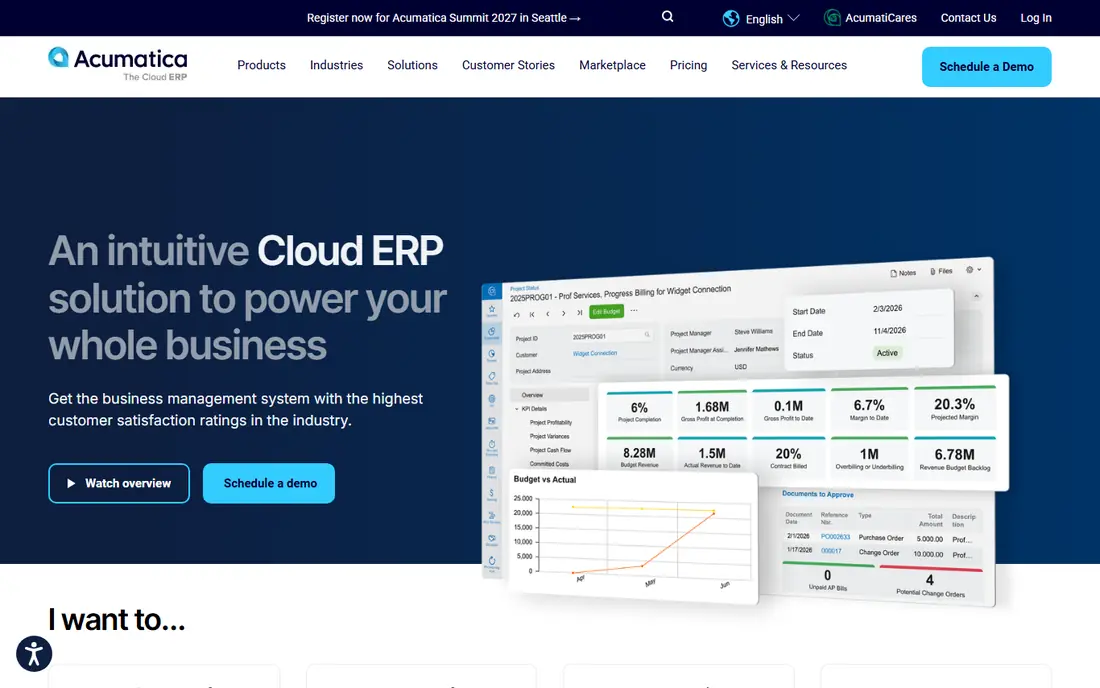
Acumatica is the closest direct rival to NetSuite for many mid market firms. It covers financials, inventory, distribution, manufacturing and CRM in one cloud system, with an open API and a modern interface. The key difference is licensing, since Acumatica charges by resource consumption rather than per user, so a firm with many occasional users can save compared with per user ERP pricing.
The catch is budgeting. Resource based pricing is harder to forecast than a flat per user rate, and implementation still needs a partner, with costs that can exceed the license in year one. Third party guides put Acumatica near $20,000 or more per year, but vendor pricing is quoted by scope, so we list it as See website. If you have many users and moderate transaction volume, Acumatica is a strong first quote to get.
- Consumption pricing with unlimited users
- Broad finance, inventory and CRM
- Cloud or hosted options
- Pricing is quoted by resource use
- Implementation needs a partner
Sage Intacct suits a CFO led team that needs strong financial management more than shop floor control. Its dimensional general ledger, multi-entity consolidation, AP automation and reporting are widely praised, and it fits professional services, nonprofits and multi-entity firms well. For a finance team leaving NetSuite because the finance tools felt heavy or costly, Intacct can feel more focused.
The limit is operational breadth. Intacct does not cover inventory, manufacturing and commerce as deeply as NetSuite or Acumatica, so product firms will need add ons or a second system. Third party guides put annual costs near $15,000 to $35,000 or more, depending on users and modules, but Sage quotes by scope, so we list it as See website. Choose Intacct for finance depth, not as a full operational ERP.
- Deep dimensional reporting
- Multi-entity consolidation
- Strong AP automation
- Weaker inventory and manufacturing than full ERP
- Pricing is quoted
Business Central is the natural NetSuite alternative for a firm that already lives in Outlook, Teams, Excel and Power BI. Finance, sales, purchasing, inventory and light manufacturing sit in one system, with Copilot AI features in newer releases and a familiar Microsoft interface. The Essentials plan is listed near $70 per user per month in third party guides, with Premium near $100, which makes budgeting simpler than resource pricing.
The drawback is depth at the top end. Very large or complex manufacturers may outgrow Business Central and need Dynamics 365 Finance and Supply Chain Management, which costs more and needs more implementation. Customization also needs partner help, so a firm with unique workflows should budget for that. If your team already uses Microsoft 365 daily, Business Central is an easy adoption win.
- Deep Microsoft 365 and Teams links
- Predictable per user pricing
- Finance and supply chain modules
- Premium plan costs more
- Customization needs partner skill
Odoo is the lowest cost full ERP option in this guide, with an Enterprise edition near $24.90 per user per month in third party guides, and a free open source Community edition for self hosting. You start with one app, such as accounting or inventory, then add CRM, manufacturing, eCommerce and project apps as you grow. That modular path suits a small firm that wants ERP breadth without a large upfront license.
The trade off is effort. Odoo needs more in house or partner configuration than a turnkey cloud ERP, and the free Community edition lacks some Enterprise features and official support. A technically capable team can build a strong system at low license cost, while a team with no IT help may spend more on implementation than it saves. Test Odoo with one module and real data before you commit the whole business to it.
- Low entry price
- Modular apps
- Free open source Community edition
- Needs technical skill to configure well
- Support depends on partner or community
SAP Business One serves smaller manufacturers and distributors that need finance, inventory, production and sales in one system, with the backing of SAP. It offers on premise and cloud deployment, named user licensing and a partner network that knows manufacturing workflows. For a small maker leaving NetSuite for cost or complexity reasons, Business One can feel more focused on operations.
The weakness is user experience and total cost. The interface feels older than Acumatica or Business Central in places, and third party guides note entry license packages near $20,000 per year, with implementation multiples on top. That makes the headline license only part of the story. If you are a small manufacturer with SAP partners nearby, get a full implementation quote. If you are a services firm, a finance led tool may fit better.
- Strong for small manufacturing and distribution
- On premise or cloud options
- SAP ecosystem
- Older interface in places
- Implementation can be costly for its size
Epicor Kinetic, formerly Epicor ERP, is built for discrete and make to order manufacturers that need shop floor control, scheduling, MES links and advanced planning. If your factory runs complex bills of material, routings and job costing, Kinetic goes deeper than NetSuite, Acumatica or Business Central in production. That depth is why manufacturers shortlist it even when the project is large.
The cost is the barrier. Implementation is a major project, pricing is quoted, and third party guides put costs near $4,000 per user per year in some ranges, varying by scope. A distributor or services firm does not need that depth and should not pay for it. Choose Kinetic only if manufacturing is your core operation and your team can support a full ERP project.
- Deep shop floor, MES and scheduling
- Make to order strength
- Cloud or on premise
- Heavy implementation
- Pricing is quoted and high for small firms
Infor CloudSuite covers industrial, distribution and manufacturing firms with industry specific editions, rather than one generic ERP for all sectors. That industry focus can mean less customization for a distributor or industrial firm, since workflows, reporting and compliance pieces are built for that sector. Cloud deployment and a large partner network support multi-site operations.
The challenge is choosing the right CloudSuite edition and scoping it correctly, since Infor sells several related products and the names can confuse buyers. Pricing is quoted, implementation is a project, and a small firm may find the scope heavy. If you are an industrial or distribution firm with complex operations, Infor deserves a quote. If you are a small services firm, a lighter ERP will be faster to adopt.
- Industry specific editions
- Strong distribution and industrial features
- Cloud deployment
- Complex product family
- Pricing and scope need careful scoping
QuickBooks Enterprise suits a small business that has outgrown QuickBooks Online but is not ready for a full cloud ERP project. It adds advanced inventory, pricing, reporting and user permissions to a familiar QuickBooks base, with desktop or hosted deployment and payroll add ons. For a firm with one entity, a modest product range and a small finance team, that step up is practical.
The limit is scale. It does not offer the multi-entity consolidation, global operations or deep manufacturing of NetSuite, Acumatica or Epicor, and third party guides put annual costs in a wide range depending on users and add ons. If you need multi-subsidiary consolidation or complex manufacturing, look higher in this list. If you need a stronger QuickBooks with inventory, Enterprise is a sensible bridge.
- Familiar QuickBooks interface
- Lower learning curve
- Inventory and payroll add ons
- Not a full multi-entity ERP
- Limited manufacturing depth
How we picked these
We compared vendor feature pages, ERP comparison guides and published pricing signals, and we kept only systems that are still sold in October 2026 and cover finance plus operations. We favored a mix of finance led, Microsoft led, manufacturing led and budget options, since NetSuite buyers leave for different reasons. Where a vendor quotes by scope, we wrote See website rather than presenting a third party estimate as a vendor price.
How to choose a NetSuite alternative
Start with the work you cannot compromise on. List your must have processes, such as multi-entity consolidation, inventory, manufacturing, distribution or project accounting, and score each system against that list, not against a generic feature count. A finance led firm and a manufacturer will pick different winners from the same shortlist, and that is normal.
Next, get full quotes, not license prices alone. Ask each vendor or partner for license, implementation, data migration, training and annual support, and ask how long implementation will take with a team like yours. Run a demo with your own data, such as a real order, a real bill of material or a real consolidation, and check reporting, permissions and integrations. Finally, plan the exit from NetSuite early, since data migration and parallel running take time and should be in the project plan, not an afterthought.
Frequently asked questions
What is the best alternative to NetSuite?
Acumatica is often the closest direct alternative for mid market firms, while Sage Intacct suits finance led teams and Business Central suits Microsoft 365 firms. Odoo is the cheapest modular option for technically capable teams. The best choice depends on whether finance, manufacturing, Microsoft links or low cost matters most to you.
What are the top 5 alternatives to NetSuite?
The five systems most often evaluated alongside NetSuite are Acumatica, Sage Intacct, Microsoft Dynamics 365 Business Central, SAP Business One and Odoo. Each suits a different profile, from consumption pricing and finance depth to Microsoft links, manufacturing and budget modularity. Shortlist two or three and get full implementation quotes before you decide.
Is Odoo a good NetSuite alternative?
Odoo can be a good alternative for budget conscious, technically capable teams, since it offers a free Community edition and a low cost Enterprise plan with many modules. It needs more configuration and partner help than a turnkey cloud ERP, so a team with no technical support may find implementation harder. Test it with real data before a full switch.
How much does a NetSuite alternative cost?
License costs range from free for Odoo Community, to about $24.90 per user per month for Odoo Enterprise, to about $70 per user per month for Business Central Essentials, with other systems quoted by scope. Implementation, migration and support often cost as much as or more than the license in year one, so compare total project cost, not license alone.
Can I migrate from NetSuite to another ERP?
Yes, but migration needs planning. Export financials, customers, items, inventory, open orders and history in a clean format, map them to the new system, and run both systems in parallel for a period if possible. Work with a partner who has done NetSuite migrations before, and test reporting and closing the books in the new system before you cut over.
Sources
See where you really rank - block by block
ProMapRanker scans Google Maps across a grid of your service area. Simple monthly plans from $19, white-label on every plan.
Start freeKeep reading
 wix alternatives
Wix Alternatives in 2026: 8 Products Compared
Compare the best Wix alternatives in 2026 for portfolios, stores and blogs, with current prices, free plans and the right builder by site type in this guide.
Read → webflow alternatives
Best Webflow Alternatives in 2026
Looking for webflow alternatives? We compared 8 website builders on design control, CMS, hosting and price, so you can build without the learning curve.
Read → squarespace alternatives
Best Squarespace Alternatives in 2026
We compared the best Squarespace alternatives for portfolios, stores, blogs and client work, with current pricing, free plans and honest trade-offs in 2026.
Read →