 ProMapRanker
Lucidchart Alternatives in 2026

Key takeaways
- Diagrams.net, formerly draw.io, is the best free alternative, with unlimited diagrams at no cost and storage in your own Drive or device.
- Miro is the best whiteboard first alternative for workshops, while Whimsical is the fastest pick for clean flowcharts and wireframes.
- Microsoft Visio is the best alternative for teams already on Microsoft 365, and FigJam suits teams that already design in Figma.
- Check import and export before switching, since moving a large diagram library is the hardest part of leaving any diagram tool.
Quick comparison
| Pick | Great for | Pricing starts at | Free tier | |
|---|---|---|---|---|
 Miro | Whiteboard workshops and diagrams | $8 per user per month | Yes | Visit |
 Diagrams.net | Free unlimited diagramming | Free | Yes | Visit |
 Whimsical | Fast clean flowcharts | $10 per editor per month | Yes | Visit |
 Microsoft Visio | Microsoft 365 teams | $5 per user per month | No | Visit |
 Creately | Visual team collaboration | $8 per month | Yes | Visit |
 EdrawMax | Affordable desktop diagramming | $119 per year | Yes | Visit |
 FigJam | Figma design teams | See website | Yes | Visit |
 Mural | Structured team workshops | $9.99 per member per month | Free trial | Visit |
 SmartDraw | Template driven business diagrams | $9.95 per month | Free trial | Visit |
The best Lucidchart alternatives
We compared diagram tools and whiteboards that can replace flowchart, org chart and system diagram work, and we left the original product out of the list as an alternatives roundup should.

Miro is the best alternative to Lucidchart for teams that want diagrams inside a wider workshop canvas. You can brainstorm on sticky notes, turn ideas into a flowchart, add docs, tables and timelines, and run the whole session live with your team. Its Starter plan costs 8 dollars per member per month on annual billing, and the free plan covers three editable boards.
For a single technical diagram, Miro can feel like more tool than you need, and its free board limit bites fast if you make many diagrams. If your diagrams live inside workshops, planning sessions and cross team reviews, Miro is the pick that covers the most ground.
- Huge template library for workshops and diagrams
- Real time collaboration with comments and video
- Strong integrations with Jira, Asana and Teams
- Free plan limited to three editable boards
- Canvas can feel busy for a single simple flowchart
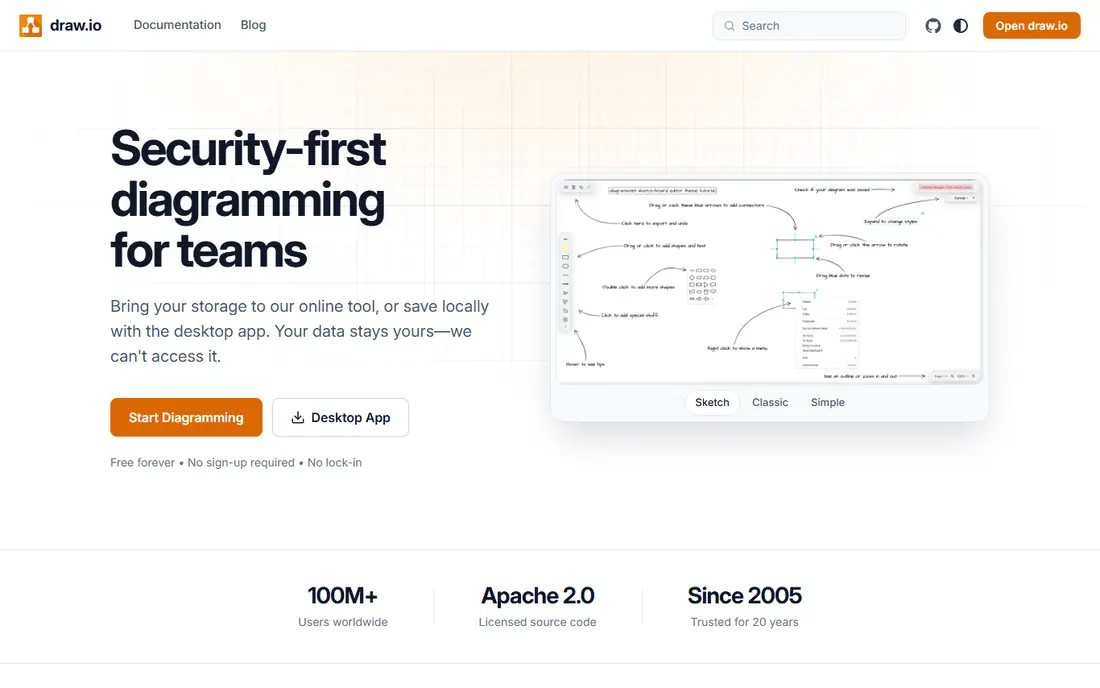
Diagrams.net, also known as draw.io, is the best free alternative to Lucidchart by a clear margin. It costs nothing, places no limit on the number of diagrams you make, and lets you store files where you already keep them, including Google Drive, OneDrive and your own device. Flowcharts, network diagrams, UML, org charts and floor plans are all covered with a large shape library.
The trade off is collaboration polish. Real time co editing and commenting are thinner than in paid whiteboards, and the interface favors function over style. If you need solid diagrams at zero cost and you do not need live workshop features, start here and spend nothing.
- Completely free with no diagram limit
- Works in browser or desktop
- Stores files in Drive, OneDrive or on device
- Collaboration is lighter than Miro or Whimsical
- Interface is more functional than polished

Whimsical is the fastest tool in this list for turning an idea into a clean flowchart. Shapes snap into place, connectors stay tidy, and the result looks presentation ready without much styling work. It also covers wireframes, mind maps, docs and project boards, which suits product and design teams that sketch flows before building.
Pricing is 10 dollars per editor per month on annual billing for Pro, with a free plan limited to three team boards. That free limit is fine for solo use and small projects, but a team making many diagrams will need Pro. If speed and readability matter more than a huge template catalog, Whimsical is our pick.
- Very fast flowchart and wireframe creation
- Clean, readable output
- Mind maps, docs and boards in one workspace
- Free plan limited to three team boards
- Fewer enterprise controls than Miro or Visio
Microsoft Visio is the best alternative for a team that already lives in Microsoft 365. Visio Plan 1 costs 5 dollars per user per month and gives web based diagramming with core templates and shapes, plus storage and sharing through OneDrive and SharePoint. Higher plans add the desktop app and more advanced shapes for engineering and network work.
Visio is less inviting for freeform brainstorming than Miro or Mural, and there is no free tier to test it without paying. If your company already pays for Microsoft 365 and your diagrams are technical, Visio keeps everything in one ecosystem and is easy to justify.
- Deep shape libraries for network and engineering diagrams
- Strong fit with Teams, SharePoint and OneDrive
- Desktop app on higher plans
- No free plan
- Web only on the cheapest plan
- Less friendly for casual whiteboard work
Creately covers flowcharts, org charts, mind maps, UML and business canvases in one workspace, with a template library that helps a team start from a proven layout rather than a blank page. Collaboration is built in, with live editing, comments and sharing controls, and paid plans from 8 dollars per month for a personal plan.
The interface packs a lot into each screen, so new users may need a short learning period before they move fast. For a team that wants one tool for both business diagrams and technical diagrams, with a free plan to test first, Creately is a solid middle ground.
- Large template library across business and technical diagrams
- Real time collaboration and commenting
- Data linked diagrams on higher plans
- Interface can feel crowded
- Some advanced features need higher tiers
EdrawMax is a desktop diagram tool with one of the widest diagram ranges in this list, covering flowcharts, org charts, floor plans, network diagrams, infographics and more. The individual annual plan is listed at 119 dollars per year, with a limited free plan for testing. Offline desktop use suits engineers and analysts who work without a constant connection.
Web collaboration is not its strength, so a team that co edits diagrams live should look at Miro, Whimsical or Creately instead. For a solo professional who wants a Visio style desktop tool at a lower price, EdrawMax is a strong value pick.
- 280 plus diagram types in one desktop tool
- One time style annual pricing under many rivals
- Works offline on desktop
- Collaboration is weaker than web first tools
- Annual price is still a commitment for casual users
FigJam is Figma's whiteboard, and it is the best alternative for a team that already designs in Figma. Brainstorms, user flows and wireframes made in FigJam move into Figma design files without an export step, which saves time for product teams. A free starter tier covers basic use, with paid access through Figma seat plans.
For heavy technical diagramming, FigJam is lighter than Visio, Diagrams.net or EdrawMax, with fewer specialized shapes. If your diagrams are mostly user flows and product sketches that feed design work, that trade off is worth it. If you need network or engineering shapes, pair FigJam with Diagrams.net.
- Whiteboard inside the Figma ecosystem
- Easy handoff from brainstorm to design file
- Free starter access for small teams
- Diagram shapes are lighter than Visio or Diagrams.net
- Pricing sits inside Figma seat plans
Mural is built for facilitated workshops, with templates, timers, voting and structured activities that guide a group through a session. Its paid plans start at 9.99 dollars per member per month on annual billing, with a free trial for testing. For design thinking, agile retrospectives and strategy sessions, Mural is more structured than a blank whiteboard.
Pure diagram makers should note the focus. Mural can make flowcharts and maps, but its strength is running a session, not drawing a complex technical diagram. Choose Mural when the workshop matters as much as the diagram it produces.
- Strong facilitation tools for guided workshops
- Templates for design thinking and agile work
- Enterprise controls on higher plans
- No permanent free plan
- Diagramming is secondary to workshop facilitation
SmartDraw suits teams that start from templates and want the tool to handle formatting. Pick a flowchart, org chart, floor plan or network template, add your content, and SmartDraw keeps spacing and alignment tidy. Pricing starts at 9.95 dollars per month for an individual plan, or lower on annual billing, with a free trial.
The lack of a permanent free plan makes it harder to test long term than Diagrams.net or Miro. Its Visio file support is a plus for teams migrating diagrams, so check import quality on your own files during the trial before committing.
- Large template library for business and technical diagrams
- Automatic formatting keeps diagrams tidy
- Visio file import and export
- No permanent free plan
- Web and desktop experience varies by plan
How we picked these
We compared official pricing pages, free tier limits, template ranges and import options, and we kept only tools that still operate in 2026 and can truly replace flowchart and diagram work. We excluded the original product itself, since this is an alternatives list, and we favored tools with a free plan or trial so readers can test before paying.
How to switch without losing your diagrams
Export a sample of your most complex diagrams first, and test import in each shortlisted tool before you move the whole library. Check that connectors, swimlanes, custom shapes and text survive the move, and note which tool needs manual fixes. For teams, also check sharing permissions, guest access and single sign on, since those controls decide whether a free tool can work at company scale.
Match the tool to the job
Pick Diagrams.net for free technical diagrams, Miro or Mural for workshops, Whimsical for fast product flows, Visio for Microsoft shops, and EdrawMax or SmartDraw for template heavy desktop work. A team that needs both workshops and technical diagrams may reasonably run two tools, one for sessions and one for documentation, rather than forcing one tool to do both jobs badly.
Frequently asked questions
What are the best alternatives to Lucidchart?
Miro, Diagrams.net and Whimsical are the best alternatives to Lucidchart for most teams. Diagrams.net wins on free cost, Miro wins on workshops, and Whimsical wins on fast, clean flowcharts.
What are the free alternatives to Lucidchart?
Diagrams.net is the best free alternative to Lucidchart, with unlimited diagrams at no cost. Miro, Whimsical and Creately also offer free plans, but each limits boards or features, so check the limit against how many diagrams you make.
What is the best Lucidchart alternative for Microsoft 365 teams?
Microsoft Visio is the best Lucidchart alternative for Microsoft 365 teams, since it shares storage, sharing and identity with Teams, SharePoint and OneDrive. Visio Plan 1 starts at 5 dollars per user per month.
Can I import Lucidchart diagrams into an alternative?
Many alternatives support Visio file import and common formats, and some support direct import, but results vary by diagram complexity. Test a sample of your hardest diagrams during a free plan or trial before migrating a full library.
Which alternative is best for technical diagrams?
Diagrams.net, Visio and EdrawMax are the strongest picks for technical diagrams, with deep shape libraries for networks, UML and engineering work. Miro and FigJam suit product flows and workshops better than heavy technical documentation.
Sources
See where you really rank - block by block
ProMapRanker scans Google Maps across a grid of your service area. Simple monthly plans from $19, white-label on every plan.
Start freeKeep reading
 which software is best for pdf page removal
Which Software Is Best for PDF Page Removal in 2026
Find which software is best for pdf page removal, from free online tools to desktop editors, with page controls, privacy, safety, and pricing compared.
Read → when i work alternatives
Best When I Work Alternatives in 2026
Looking for when i work alternatives? We compare 8 scheduling apps for hourly teams, covering pricing, free plans, time clocks and the best fit for business.
Read → the best tool for keyword analysis
The Best Tool for Keyword Analysis in 2026
Find the best tool for keyword analysis with our 2026 comparison of 10 keyword analysis software tools on data depth, difficulty scores and price today.
Read →