 ProMapRanker
Local SEO Benchmarking: How to Set and Beat Your Baselines

Local SEO benchmarking is the process of establishing measurable baselines for your local search performance, comparing those baselines against historical data, industry standards, and local competitors, and then tracking progress over time. It is essential for understanding what "good" looks like for your business in your specific service area, identifying areas for improvement, and demonstrating the tangible impact of your local SEO efforts. By setting clear benchmarks, businesses can move beyond guesswork, make data-driven decisions, and strategically allocate resources to achieve superior local search visibility and customer acquisition.
What is Local SEO Benchmarking and Why is it Essential for Local Businesses?
Local SEO benchmarking involves setting performance targets and measuring your current local search standing against historical data, competitors, and industry averages. This practice is crucial because it provides a clear roadmap for growth, helps identify gaps in your strategy, and quantifies the return on investment (ROI) for your local marketing initiatives.
Without benchmarking, local businesses operate in the dark, unable to accurately assess the effectiveness of their SEO efforts. For instance, knowing your Google Business Profile (GBP) views increased by 15% is good, but understanding that competitors saw a 30% increase, or that your category typically achieves 25% growth, provides context. Benchmarking allows you to:
- Understand Performance Context: See how your local search visibility and engagement metrics stack up against others in your immediate area.
- Identify Growth Opportunities: Pinpoint specific areas where competitors are outperforming you, such as map pack rankings for key services or higher review counts.
- Set Realistic Goals: Establish achievable, data-backed targets for local rankings, GBP interactions, and website traffic.
- Measure ROI: Clearly demonstrate the impact of your local SEO strategies on business growth and revenue.
- Justify Investment: Provide concrete data to support ongoing investment in local SEO tools and services.
What Are the Key Local SEO KPIs and Metrics to Track?
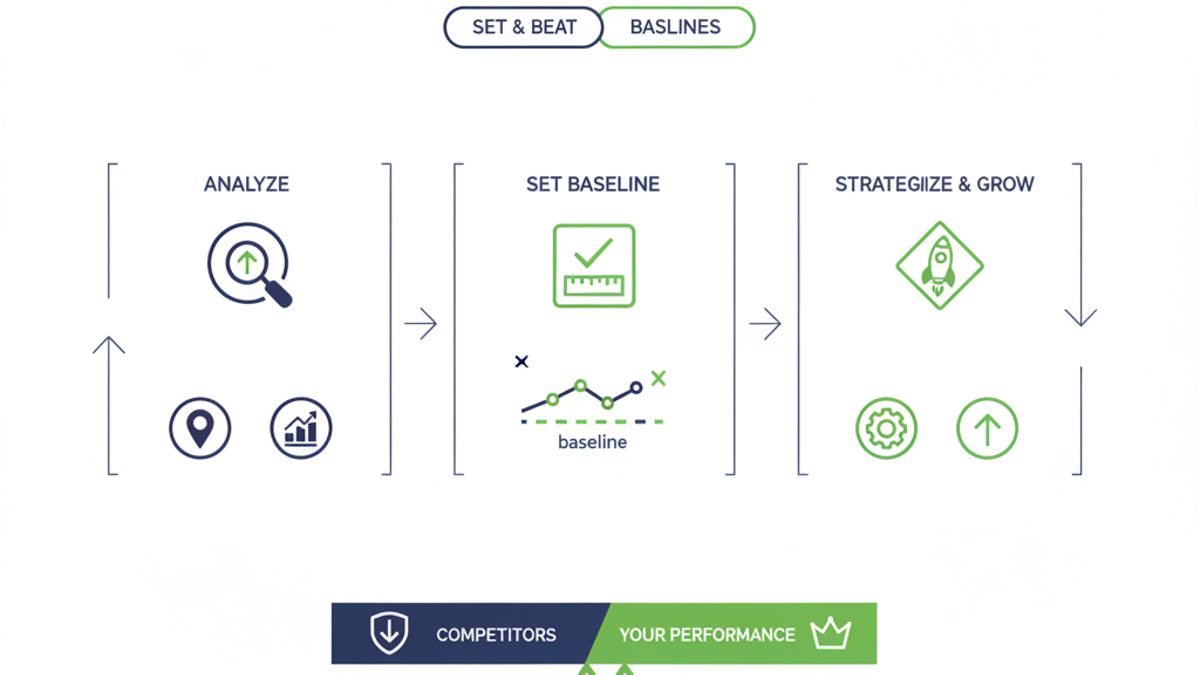
To effectively benchmark local SEO performance, focus on a core set of Key Performance Indicators (KPIs) and metrics that directly reflect local search visibility, engagement, and conversion. These metrics provide a holistic view of your presence in the local search ecosystem, from Google Maps to local pack results.
Here are the local SEO KPIs and metrics that matter most:
Google Business Profile (GBP) Performance Metrics
- GBP Views: Total number of times your GBP listing appeared in search results (Search and Maps).
- Benchmarking Threshold: Aim for consistent month-over-month growth. A 10-15% increase is a good starting point, but top performers can see 20%+ depending on seasonality and market.
- GBP Actions: Clicks on your website, calls, direction requests, and message interactions directly from your GBP.
- Benchmarking Threshold: Aim for a minimum 5-10% action rate relative to views. For high-intent businesses (e.g., emergency services), this can be significantly higher.
- Search Queries: The actual keywords users searched for to find your GBP. Categorize these into direct, discovery, and branded queries.
- Benchmarking Threshold: Focus on increasing discovery queries, indicating growth in non-branded visibility. A healthy mix might be 60% discovery, 30% direct, 10% branded initially, shifting towards more discovery.
- Review Count & Rating: Total number of reviews and your average star rating.
- Benchmarking Threshold: Aim for a 4.5+ star rating and consistent new reviews. Many top-ranking local businesses gather 5-10 new reviews monthly.
- Photo Views: How often your GBP photos are viewed compared to competitors.
- Benchmarking Threshold: Your photos should receive significantly more views than the average competitor, often 5-10x more for well-optimized profiles.
Local Ranking Metrics
- Geo-Grid Rankings: Your business's rank in the Google Map Pack and organic local results across a defined geographical grid (e.g., a 5x5 grid at 1-mile intervals).
- Benchmarking Threshold: Aim for an average rank position (ARP) of 1-3 within your primary service area (the central points of your grid). ProMapRanker's geo-grid rank tracker provides this granular data.
- Share of Local Voice (SoLV): The percentage of top local search results your business occupies for a set of target keywords compared to competitors.
- Benchmarking Threshold: Target an SoLV of 30% or higher for your core services, striving for 50%+ in your immediate vicinity.
- AI Overview Ranking: Your business's inclusion and position within Google's AI Overview answers for local queries.
- Benchmarking Threshold: This is an emerging metric. Aim for frequent inclusion. ProMapRanker is tracking how businesses can optimize for these new AI-powered results.
Website Performance Metrics (Local Context)
- Local Organic Traffic: Website visitors arriving from local organic search results (excluding direct, referral, or paid).
- Benchmarking Threshold: Aim for at least 15-20% month-over-month growth in local organic traffic for new campaigns, stabilizing at 5-10% for mature campaigns.
- Conversion Rate (Local): Percentage of local organic visitors who complete a desired action (e.g., fill out a contact form, call, book an appointment).
- Benchmarking Threshold: Varies by industry, but 3-5% is a common baseline for local service businesses. E-commerce often sees higher.
- Mobile Performance: Core Web Vitals (LCP, FID/INP, CLS) specifically for mobile users, as most local searches happen on mobile.
- Benchmarking Threshold: According to Google's Core Web Vitals guidelines, aim for LCP under 2.5 seconds, INP under 200 milliseconds, and CLS under 0.1 for 75% of page loads.
By tracking these local SEO KPIs, you gain a clear, quantitative understanding of your performance.
How Do You Establish Your Local SEO Baseline?
Establishing your local SEO baseline is the critical first step before you can measure progress or compare yourself to competitors. This involves collecting a comprehensive snapshot of your current performance across all key metrics.
To establish your baseline, follow these steps:
- Audit Your Google Business Profile:
- Record your current average star rating and total review count.
- Note the number of GBP posts, photos, and services listed.
- Access your GBP Insights (Performance tab) for the last 3-6 months. Record total views, search queries (direct, discovery, branded), website clicks, calls, and direction requests.
- Check for NAP (Name, Address, Phone Number) consistency across your GBP and primary website. Inconsistencies can hinder performance.
- ProMapRanker Tip: Use our free GBP audit to quickly assess your profile's strengths and weaknesses against best practices.
- Perform Initial Geo-Grid Rank Tracking:
- Select your primary service area and key local keywords (e.g., "plumber near me," "bakery [city name]").
- Run a geo-grid scan (e.g., a 7x7 grid at 0.5-mile intervals for dense urban areas, or 5x5 at 1-mile intervals for suburban).
- Record your average rank position (ARP) and the overall visual "heatmap" of your rankings. This provides a visual baseline of your local search dominance. A mostly red grid indicates poor visibility, while green indicates strong performance. Learn more about reading local search heatmaps.
- Analyze Website Analytics for Local Organic Traffic:
- In Google Analytics (GA4), segment your traffic to identify local organic search visitors. Look for users whose geographic location matches your service area.
- Record baseline metrics like sessions, users, bounce rate, average session duration, and conversion rates for these local segments.
- Check your Google Search Console for keyword performance and local search query visibility.
- Document Citation & Backlink Profile:
- Identify your current number of high-quality local citations (directories, industry-specific sites). Tools like Whitespark or BrightLocal can help.
- Note the number of local backlinks pointing to your website.
This initial data set, collected over a consistent period (e.g., 30-90 days), forms your baseline. All future measurements will be compared against these starting points.
How Can You Benchmark Against Local Competitors?
Benchmarking against local competitors is crucial for understanding your market position and identifying actionable strategies. It allows you to see where you excel and where you need to improve to capture more local search market share.
Here's how to conduct effective competitive local SEO benchmarking:
- Identify Your Top Local Competitors:
- Don't just consider direct business competitors; also look at who consistently ranks in the Google Map Pack and local organic results for your target keywords. Often, these are not the same.
- Identify 3-5 key competitors who appear frequently in a 3x3 or 5x5 geo-grid scan around your primary business location.
- Compare Google Business Profile Performance:
- Review Count & Rating: Manually (or using tools) compare their average star rating and total review count. Note their review velocity (how many new reviews they get per month).
- GBP Completeness: Assess if their profiles are fully optimized, including services, hours, photos, and posts. Are they using all available GBP features?
- Engagement: While direct competitor GBP insights aren't public, observe their frequency of GBP posts and how actively they respond to reviews.
- Analyze Geo-Grid Ranking Performance:
- Run geo-grid scans for your target keywords, including your top competitors. This will create a side-by-side comparison of who dominates which areas on the map.
- Tools like ProMapRanker allow you to track multiple competitors on the same grid, providing a clear visual representation of who holds the strongest Map Pack positions across your service area. This is invaluable for understanding your geo-grid heatmap relative to others.
- Evaluate Website Local SEO Signals:
- On-Page Optimization: Review competitor websites for local keyword usage, local landing pages, and proper schema markup (e.g., LocalBusiness schema).
- Content Strategy: Do they have a local blog, community pages, or service area pages that you lack?
- Backlink & Citation Profile: Use backlink analysis tools (e.g., Ahrefs, SEMrush) to see where competitors are getting their local links and citations. Look for industry-specific directories or local partnerships they leverage. Aim to replicate or exceed their efforts, focusing on high-quality, relevant citations (see our guide on citations by category).
- Determine Share of Local Voice (SoLV):
- The most advanced way to benchmark is by calculating your SoLV. This metric measures your business's overall visibility in the local search results for a basket of keywords, compared to your competitors. For example, if there are 10 top local results for a query and you appear 3 times, your SoLV for that query is 30%.
- ProMapRanker offers SoLV tracking, providing a single metric to understand your market dominance against competitors across multiple keywords and locations. This holistic view helps you pinpoint exactly where competitors are winning and guides your strategy.
What Tools Are Indispensable for Local SEO Benchmarking?
Effective local SEO benchmarking relies on accurate, granular data, which is best gathered using specialized tools. These tools provide insights into your performance, track competitor activity, and help visualize your local search footprint.
Here are the indispensable tools for local SEO benchmarking:
- ProMapRanker (Geo-Grid Local Rank Tracker & GBP Audit):
- Functionality: Provides highly accurate geo-grid rankings (Map Pack and AI Overview) for any location, tracks multiple competitors, offers Share of Local Voice (SoLV) and Average Rank Position (ARP), and includes comprehensive Google Business Profile audit features. It's built for granular, hyper-local insights.
- Why it's indispensable: Standard rank trackers only show one-point rankings. ProMapRanker reveals your true local search footprint, showing how your rank changes across your service area. It allows you to monitor local pack rankings and AI Overview inclusions on the same grid, crucial for the evolving search landscape. Its competitive features enable direct comparisons of local visibility and market share. Start benchmarking with ProMapRanker today!
- Google Business Profile Insights (Performance Tab):
- Functionality: Provides first-party data directly from Google on how users find your business (queries), where they find you (Search vs. Maps), and what actions they take (website clicks, calls, directions).
- Why it's indispensable: This is the most accurate source for your GBP performance metrics. It's free and essential for establishing baselines for views, queries, and actions.
- Google Analytics (GA4):
- Functionality: Tracks website traffic, user behavior, conversions, and demographics. Allows for segmentation to isolate local organic traffic.
- Why it's indispensable: Essential for understanding how local search users interact with your website and convert into leads or sales.
- Google Search Console:
- Functionality: Provides data on your website's search performance, including keywords, impressions, clicks, and average position. Identifies technical issues.
- Why it's indispensable: Helps monitor organic search visibility, identify ranking keywords, and ensure your website is crawlable and indexable.
- Citation & Review Management Tools (e.g., BrightLocal, Whitespark, Yext):
- Functionality: Helps audit, build, and manage local citations, track reviews, and monitor online mentions.
- Why it's indispensable: Ensures NAP consistency, identifies citation opportunities, and helps manage your online reputation, all critical factors for local SEO. ProMapRanker offers a BrightLocal alternative with a focus on deep geo-grid insights.
By combining these tools, you gain a comprehensive view of your local SEO performance, enabling precise benchmarking and strategic optimization.
How Do You Interpret Your Local SEO Benchmarking Data?
Interpreting local SEO benchmarking data goes beyond merely looking at numbers; it involves understanding what those numbers mean in context and translating them into actionable insights. This step is where you identify trends, uncover opportunities, and diagnose problems.
Here’s how to interpret your data effectively:
1. Compare Against Your Baseline
- Growth vs. Stagnation: Is your current performance (e.g., GBP calls, geo-grid ARP) better, worse, or the same as your baseline? Consistent growth is ideal.
- Identify Trends: Look for sustained increases or decreases over 3-6 month periods. A sudden drop might indicate a Google algorithm update or a new competitor, while a steady rise confirms your strategies are working.
2. Evaluate Against Competitors
- Gap Analysis: Where are competitors outperforming you? If their geo-grid is greener, or they have a higher review count, these are areas to focus on.
- Market Share: Use metrics like Share of Local Voice (SoLV) to understand your true market position. If your SoLV is 20% but your top competitor has 40%, there's significant room to grow.
- Best Practices: Observe what successful competitors are doing on their GBPs and websites. Are they using more photos, getting more reviews, or publishing local content?
3. Cross-Reference Metrics
- GBP Views vs. Actions: High views but low actions could mean your profile lacks compelling calls to action, or your business information isn't convincing enough.
- Geo-Grid Rank vs. Website Traffic: If your geo-grid rank improves but local organic website traffic doesn't, investigate your website's landing page experience or the relevance of your GBP link.
- Reviews vs. Conversions: A high review count and rating usually correlates with better conversion rates. If not, perhaps your review content isn't addressing key customer concerns.
4. Set SMART Goals
Based on your interpretation, set Specific, Measurable, Achievable, Relevant, and Time-bound goals. For example:
- “Increase GBP calls by 15% within the next quarter.”
- “Improve Average Rank Position (ARP) within a 3-mile radius from 5.2 to 3.0 for our top 5 keywords in 60 days.”
- “Surpass Competitor X's review count by 20 new reviews in 45 days.”
| Metric | Baseline (Start) | Current (After 3 Months) | Competitor Average | Interpretation & Action |
|---|---|---|---|---|
| GBP Calls | 150 | 180 (+20%) | 220 | Interpretation: Good growth, but still behind competitors. Action: Optimize GBP description, add booking links, encourage reviews mentioning service quality. |
| Geo-Grid ARP (3-mile) | 4.8 | 3.5 | 2.1 | Interpretation: Significant improvement, but still not dominant. Action: Focus on more GBP posts, local link building, and targeted landing pages for specific zones. |
| Review Rating | 4.2 stars (90 reviews) | 4.4 stars (115 reviews) | 4.7 stars (180 reviews) | Interpretation: Positive trend, but review volume & average rating still lag. Action: Implement a more aggressive review request strategy, respond to all reviews (positive & negative). |
| Local Organic Traffic | 500 sessions | 580 sessions (+16%) | 800 sessions | Interpretation: Healthy growth, but competitors have more overall visibility. Action: Create more localized content, optimize service pages for long-tail local keywords. |
What Strategies Help You Beat Your Local SEO Baselines?
Beating your local SEO baselines requires a strategic and consistent approach, focusing on enhancing the core local ranking factors. It's about optimizing your online presence to be the most relevant, prominent, and trustworthy option for local searchers.
Here are proven strategies to improve your local SEO performance and surpass your benchmarks:
1. Master Your Google Business Profile
- Complete & Optimize Every Section: Ensure your GBP is 100% complete. This includes business hours, categories, services, products, accessibility attributes, and an engaging business description (utilizing up to 750 characters with keywords). For more, see our guide on GBP optimization for local SEO.
- Consistent Posting: Post weekly updates, offers, events, or product news to your GBP. Consistent activity signals to Google that your business is active and relevant.
- High-Quality Photos & Videos: Upload a minimum of 5-10 new high-resolution photos monthly, including interior, exterior, team, and "at work" shots. Businesses with more photos typically receive more views.
- Review Management: Actively solicit new reviews from satisfied customers. Respond to ALL reviews, both positive and negative, promptly (within 24-48 hours). A high review count and rating (e.g., 4.5+ stars) are strong ranking signals.
- Q&A Engagement: Monitor and answer questions in the Q&A section of your GBP. This is an opportunity to provide helpful information and naturally include keywords.
2. Enhance Local Citations and NAP Consistency
- Audit & Clean Up Citations: Use tools to audit your existing citations and ensure NAP (Name, Address, Phone) consistency across all platforms. Inconsistent NAP can confuse search engines and hurt rankings. Our guide on NAP consistency can help.
- Build High-Quality Citations: Secure listings on relevant, authoritative local directories, industry-specific sites, and national aggregators (e.g., Yelp, Yellow Pages, TripAdvisor, local chambers of commerce). Aim for 20-30 core directories.
3. Optimize Your Website for Local Search
- Local Keyword Integration: Naturally integrate local keywords (e.g., "plumber in [city name]," "best coffee shop [neighborhood]") into your website's content, meta titles, descriptions, and headings.
- Create Location-Specific Landing Pages: If you serve multiple areas, create dedicated, optimized landing pages for each service area with unique content, testimonials, and local schema markup.
- Schema Markup: Implement LocalBusiness schema markup on your website to provide search engines with structured information about your business, including NAP, hours, services, and reviews.
- Mobile-First Design & Speed: Ensure your website is responsive, loads quickly on mobile devices (aim for Core Web Vitals targets: LCP < 2.5s, INP < 200ms, CLS < 0.1), and provides an excellent user experience.
- Local Content Strategy: Publish blog posts or resources about local events, community news, or specific problems relevant to your service area. This builds local relevance and attracts local links.
4. Improve Local Backlinks
- Local Partnerships: Seek backlinks from other reputable local businesses, community organizations, local news sites, or industry associations.
- Sponsorships & Events: Sponsor local events or charities, often earning you a link from their website.
- Guest Posting: Offer to write guest posts for local blogs or industry websites.
5. Proactive Monitoring and Adjustment
- Regular Geo-Grid Scans: Schedule weekly or bi-weekly geo-grid scans with ProMapRanker to monitor ranking changes across your service area. This helps you quickly identify if a strategy is working or if a competitor is gaining ground.
- Analyze GBP Insights: Regularly review your GBP performance tab for changes in views, actions, and query types.
- A/B Test GBP Elements: Experiment with different GBP photos, descriptions, or post types to see what drives more engagement.
By consistently implementing these strategies and leveraging tools like ProMapRanker for precise tracking, you can systematically improve your local SEO performance and consistently beat your established baselines.
How to Report on Local SEO Benchmarking Progress?
Reporting on local SEO benchmarking progress is essential for demonstrating value, gaining client trust, and making informed decisions for future strategies. Effective reports translate complex data into clear, actionable insights.
Here’s a structured approach to reporting on your local SEO benchmarking progress:
- Start with a Summary:
- Begin with a high-level overview of key wins and overall performance trends. Example: "Overall local search visibility increased by X% this quarter, leading to a Y% increase in qualified leads."
- Highlight the most impactful improvements against the baseline.
- Present Baseline vs. Current Performance:
- Use clear charts and graphs to compare current metrics against your established baselines (e.g., Q1 vs. Q2, or Month 1 vs. Month 6).
- Focus on key KPIs like GBP views, actions, average review rating, and geo-grid Average Rank Position (ARP).
- Example: "GBP Calls increased from 150 (baseline) to 180 (current), a 20% improvement."
- Show Competitive Analysis:
- Visually represent your performance against key competitors. ProMapRanker's geo-grid heatmaps are excellent for this, showing side-by-side ranking comparisons.
- Present Share of Local Voice (SoLV) metrics to illustrate market share shifts.
- Example: "Our SoLV for 'local plumber' improved from 25% to 32%, closing the gap on Competitor A (38%)."
- Detail Key Metrics with Context:
- Google Business Profile: Report on views (Search & Maps), direct/discovery queries, website clicks, calls, direction requests, review count, average rating, and photo views. Explain what each metric signifies.
- Local Rankings: Use geo-grid reports to show changes in rankings for target keywords. Highlight improvements in specific areas on the map. Mention AI Overview inclusions if applicable.
- Website Performance: Include local organic traffic, bounce rate, average session duration, and conversion rates from Google Analytics.
- Citations & Reviews: Update on new citations built, NAP consistency improvements, and review acquisition velocity.
- Provide Insights and Actions Taken:
- Explain why certain metrics changed. Connect performance to specific SEO strategies implemented (e.g., "Increased GBP posts led to a 10% rise in discovery queries").
- List the actions taken during the reporting period and their direct impact.
- Outline Future Recommendations:
- Based on current performance and competitive analysis, suggest the next steps and prioritize strategies.
- Set new, adjusted SMART goals for the upcoming reporting period.
- Example: "Recommendation: Focus on building more local backlinks to improve website authority, targeting a 10% increase in local organic traffic next quarter."
- Use Visuals:
- Incorporate screenshots from your tools (e.g., ProMapRanker geo-grids, GBP Insights), charts, and tables to make the data easy to digest.
For more detailed guidance, explore resources on local SEO reporting for clients. Regular, clear reporting ensures that your local SEO efforts are transparent and their impact is fully understood.
Frequently asked questions
What is a good local SEO benchmark for Google Business Profile views?
A good benchmark for Google Business Profile (GBP) views often shows consistent month-over-month growth, typically aiming for 10-15% for established businesses and potentially 20%+ for newer or rapidly optimizing profiles. The key is not just volume, but also the quality of views, which leads to actions like website clicks or calls.
How often should I benchmark my local SEO performance?
You should establish your initial baseline and then benchmark your local SEO performance monthly to track progress and identify trends. Geo-grid rankings should be checked weekly or bi-weekly for specific keywords, while comprehensive reviews of all KPIs can be done quarterly to assess long-term strategy effectiveness.
What does a "red" geo-grid mean for my local SEO?
A "red" geo-grid indicates poor visibility and low rankings (typically outside the top 3) in the Google Map Pack across your service area for target keywords. This signals a need for significant optimization, focusing on your Google Business Profile, local website content, and citation building to improve your local search dominance.
Can I benchmark against competitors without direct access to their data?
Yes, you can benchmark against competitors using publicly available data and specialized tools. You can compare their Google Business Profile reviews, ratings, and activity, analyze their website's local SEO signals, and use tools like ProMapRanker to track their geo-grid rankings and calculate their Share of Local Voice (SoLV) against yours.
What is the
See where you really rank - block by block
ProMapRanker scans Google Maps across a grid of your service area. Simple monthly plans from $19, white-label on every plan.
Start free