 ProMapRanker
Best Linear Alternatives in 2026

Key takeaways
- Linear is a fast, keyboard first issue tracker for software teams, so the closest replacements keep sprint and issue workflows simple.
- Jira, Shortcut, YouTrack and Plane suit engineering teams that need real issue tracking, while Asana and monday.com suit mixed teams.
- ClickUp, Trello and Notion suit teams that want project tracking beside docs, goals or general work.
- GitHub Projects suits teams whose work already lives in GitHub, with no extra tracker to maintain.
Quick comparison
| Pick | Great for | Pricing starts at | Free tier | |
|---|---|---|---|---|
 Jira | Configurable tracking at scale | See website | Yes | Visit |
 Asana | Cross team project coordination | See website | Yes | Visit |
 ClickUp | All in one workspace | $7 per user per month | Yes | Visit |
 Shortcut | Fast software team tracking | See website | Yes | Visit |
 Plane | Self hosted Linear style tracking | See website | Yes | Visit |
 YouTrack | Low cost agile tracking | See website | Yes | Visit |
 GitHub Projects | Tracking inside GitHub | Free | Yes | Visit |
 monday.com | Visual boards for mixed teams | See website | Yes | Visit |
 Trello | Simple Kanban boards | See website | Yes | Visit |
 Notion | Docs plus light project tracking | See website | Yes | Visit |
The best Linear alternatives
Linear is known for speed, a clean interface and a cycle based workflow for product and engineering teams. People leave it when they need deeper permissions, broader team use, self hosting, or a lower price. The tools below all track issues or projects, and we compared official feature pages, pricing pages and public documentation.
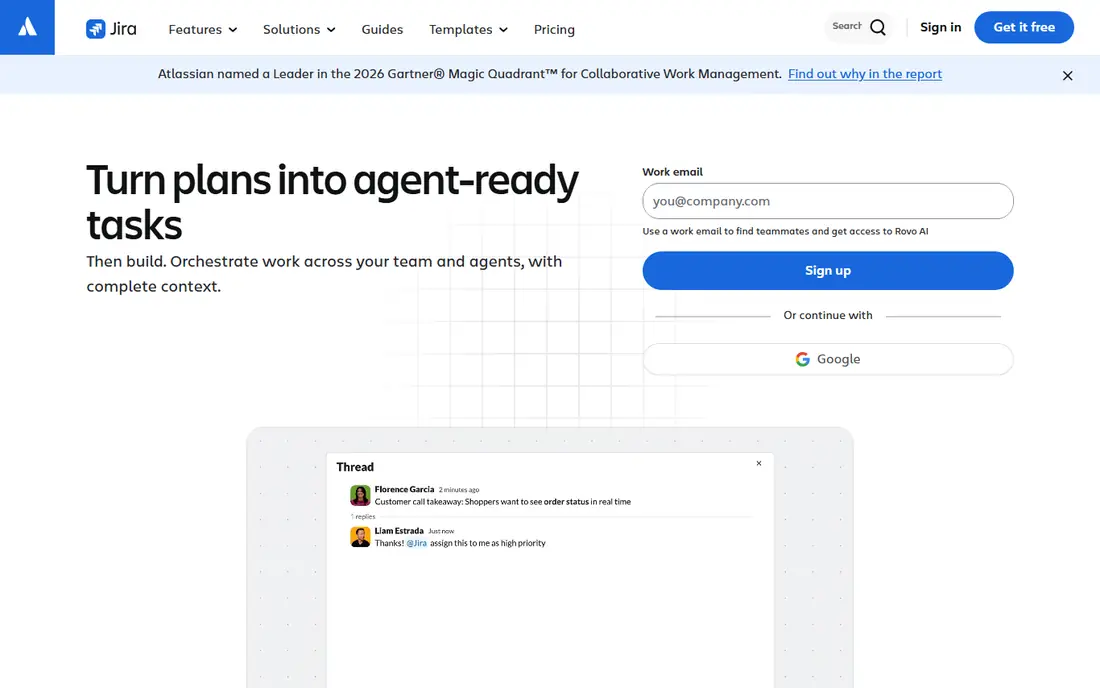
Jira is the default enterprise issue tracker, with configurable workflows, permissions, sprints, roadmaps and reporting that scale across many teams. It suits organisations that need strict process control, compliance rules and detailed release tracking. A free tier covers up to ten users, which helps small teams test it.
The trade-off is complexity. Jira can feel slow and cluttered compared with Linear, and setting up workflows well takes time and admin skill. Teams that want Linear speed will find Jira heavier. Teams that need granular control and enterprise reporting will find Jira the most capable alternative here.
- Deep workflows and permissions
- Strong reporting
- Huge integration range
- Can feel slow and complex
- Setup takes real time

Asana suits mixed teams where engineering works beside marketing, design and operations. Tasks, timelines, portfolios and goals give managers a clear view across departments, and the interface is friendly for non-technical users. A free tier covers small teams, with paid plans adding timelines and reporting.
Asana is weaker as a pure engineering tracker. Developer integrations and issue specific workflows are lighter than Linear or Jira, so teams that live on GitHub pull requests may miss that depth. If your goal is coordination across the whole company, Asana is a strong Linear alternative.
- Clean tasks and timelines
- Portfolios and goals
- Easy for non-technical teams
- Weaker developer integrations than Linear
- Issue workflows are less strict

ClickUp aims to replace several tools at once, with tasks, docs, goals, whiteboards and chat in one workspace. That breadth suits teams that want engineering, marketing and support planning in the same place, with views from Kanban to Gantt to calendar. The free tier is generous for small teams.
Breadth is also the risk. ClickUp can feel overwhelming, and teams need discipline to keep views and automations tidy. It is also less focused than Linear for pure issue tracking. If consolidation matters more than tracker purity, ClickUp is a practical alternative.
- Tasks, docs, goals and chat in one place
- Many views
- Free tier available
- Feature breadth can feel overwhelming
- Setup needs discipline
Shortcut, formerly Clubhouse, is a fast issue tracker built for software teams, with stories, epics, iterations and reporting on velocity and cycle time. It feels closer to Linear than Jira does, with a lighter interface and a focus on delivery rather than admin. A free tier covers small teams.
The ecosystem is smaller than Jira, and Shortcut is less suited to marketing or operations teams that need general project tools. For a startup engineering team that finds Linear too rigid or too costly, Shortcut is one of the most direct replacements.
- Fast agile boards
- Velocity and cycle reports
- Built for software teams
- Smaller ecosystem than Jira
- Less suited to non-technical departments
Plane is an open source issue tracker with a Linear style feel, including projects, cycles, modules and views for software teams. It can be self hosted for data control, or used on a cloud plan with a free tier for smaller teams. That mix makes it popular with teams that want Linear speed plus data ownership.
Self hosting moves cost rather than removing it, since upgrades, backups and security still need someone to manage them. Some migration features, such as the Linear importer, need a cloud or paid self hosted licence. If self hosting or data residency matters, Plane is the best Linear alternative here.
- Open source and self hostable
- Linear style cycles and modules
- Cloud free tier
- Self hosting needs maintenance
- Linear importer needs a paid plan in some cases
YouTrack from JetBrains is a customisable agile tracker with boards, sprints, time tracking and a query language for finding issues fast. It suits developer teams that want full agile workflows at a low price, with a free tier for small teams and low cost cloud plans beyond that.
The interface feels more technical than Linear or Asana, which can slow adoption for non-developers. The community and integration range are also smaller than Jira. For a small software team that wants a capable tracker on a tight budget, YouTrack is a strong value pick.
- Agile boards and time tracking
- Low cost
- Custom workflows and queries
- Interface feels technical
- Smaller community than Jira
GitHub Projects suits teams whose work already lives in GitHub. Issues, pull requests and project boards stay in one place, with no context switching to a separate tracker. It is included with GitHub Free, which makes it the lowest cost option for open source and small dev teams.
Project management features are less polished than Linear, with weaker roadmaps, reporting and non-technical views. Stakeholders outside engineering may find it harder to use. If your team never leaves GitHub, GitHub Projects is a simple and effective Linear alternative.
- Native to GitHub repos
- No extra tool to maintain
- Free with GitHub Free
- Less polished project management
- Weaker for non-technical stakeholders
monday.com offers visual boards, timelines, automations and dashboards that mixed teams can shape to their own process. It suits product teams that coordinate engineering with marketing, sales and support in one workspace. A free tier covers small teams, with paid plans adding automations and integrations.
monday.com is not a specialised issue tracker, so sprint, cycle and Git workflows are lighter than Linear or Shortcut. Cost also rises as seats grow. If visual planning across departments matters more than strict issue tracking, monday.com is a friendly alternative.
- Visual boards and automations
- Flexible views
- Broad team use
- Not specialised for software issues
- Cost rises with seats
Trello is the simplest tracker on this list, with Kanban boards, cards, lists and checklists that anyone can learn in minutes. It suits small teams, personal projects and lightweight sprint boards where a full issue tracker would be overkill. The free tier covers basic boards and collaboration.
Trello lacks the sprint, cycle and reporting depth of Linear, Jira or Shortcut, so larger engineering teams will outgrow it. Paid plans and power-ups add features, but they do not turn Trello into a full issue tracker. For simple visual tracking, Trello remains a fast and free Linear alternative.
- Very simple Kanban boards
- Fast to start
- Free tier available
- Limited sprint and reporting depth
- Large projects need paid power-ups
Notion suits teams that want specs, research and sprint tasks on the same page. Databases can act as lightweight issue trackers, with boards, timelines and filters, while docs hold context beside the work. The free personal plan makes it easy to test.
Notion does not enforce workflows the way Linear or Jira do, and Git and sprint integrations are lighter. Teams that need strict issue states, cycle reports and developer tooling will miss that depth. If documentation first tracking suits your team, Notion is a flexible alternative.
- Docs, wikis and databases in one place
- Flexible project views
- Free personal plan
- No workflow enforcement
- Weaker sprint and Git integration
How we picked these
We compared official feature pages, pricing pages and public documentation, and we kept only tools that are live in October 2026 and that track issues or projects for software or mixed teams. We favoured tools with a free tier or a low entry price, since cost is a common reason teams leave Linear. Prices marked See website are ones where plan details varied by billing period or seat count.
What to check before you switch
Start with your sprint workflow. Check whether cycles, backlogs, estimates and velocity reports work the way your team uses them, since names differ across tools. Test Git integration with a real pull request, and check whether issue links, comments and history survive an import.
Next, pilot with one team for one or two sprints. That pilot will reveal whether the new tool is fast enough for daily use and whether non-technical stakeholders can follow progress. Finally, check pricing at your real seat count, since free tiers often cap issues, teams or history.
Frequently asked questions
What are the best alternatives to Linear?
Jira, Asana, ClickUp, Shortcut, Plane, YouTrack, GitHub Projects, monday.com, Trello and Notion all replace Linear in different ways. Jira and Shortcut suit engineering teams, Asana and monday.com suit mixed teams, and Plane suits self hosting.
Is there a free alternative to Linear?
Yes. Jira, Asana, ClickUp, Shortcut, Plane, YouTrack, GitHub Projects, monday.com, Trello and Notion all offer free tiers. Free plans usually cap users, issues or features, so check limits at your team size before switching.
Which Linear alternative is best for small software teams?
Shortcut and YouTrack suit small software teams with fast boards and low prices, while Plane suits teams that want self hosting. GitHub Projects suits teams that already live in GitHub and want no extra tool.
Which Linear alternative is best for non-technical teams?
Asana and monday.com suit non-technical teams, with clean tasks, timelines and visual boards. Trello suits very simple Kanban work, while Notion suits teams that want docs beside tasks.
Can I migrate issues from Linear to a new tool?
Many tools offer Linear importers, including Plane, Jira and Shortcut, but imports vary in completeness. Test with a small project first, and check whether comments, attachments, cycle history and custom fields carry over before moving everything.
Sources
See where you really rank - block by block
ProMapRanker scans Google Maps across a grid of your service area. Simple monthly plans from $19, white-label on every plan.
Start freeKeep reading
 wpforms alternatives
Best WPForms Alternatives in 2026
We compare 9 wpforms alternatives for WordPress forms, with free and paid options, current pricing notes, and honest limits for small business sites in 2026.
Read → windows task scheduler alternatives
Best Windows Task Scheduler Alternatives in 2026
Looking for Windows Task Scheduler alternatives? We compare 9 schedulers for Windows and cross-platform work, from free tools to enterprise automation.
Read → which ai video service is best
Which AI Video Service Is Best in 2026
which ai video service is best? We compare 10 legitimate AI video services on price, avatars, editing and output quality to help you pick the right tool.
Read →