 ProMapRanker
Best LibreOffice Alternatives in 2026


Microsoft file fidelity · Pricing starts at: Free
Key takeaways
- ONLYOFFICE Desktop Editors is our pick for most people leaving LibreOffice, thanks to strong Microsoft file handling and a free desktop app.
- Google Docs, Sheets, and Slides suit teams that edit together live, while Microsoft 365 for the web suits occasional native Office work.
- WPS Office offers a familiar interface and PDF tools at no cost, with ads on the free tier as the main trade-off.
- Apple iWork is the natural choice on Mac, iPhone, and iPad, with capable free apps for documents, spreadsheets, and presentations.
- If you need full offline control, pick a desktop suite first and treat cloud collaboration as a second requirement, not the starting point.
Quick comparison
| Pick | Great for | Pricing starts at | Free tier | |
|---|---|---|---|---|
| ONLYOFFICE Desktop Editors | Microsoft file fidelity | Free | Yes | Visit |
 Google Docs, Sheets, Slides | Live collaboration | Free | Yes | Visit |
 Microsoft 365 for the web | Native Office formats | Free | Yes | Visit |
 WPS Office | Familiar all-in-one suite | Free | Yes | Visit |
 Apple iWork | Apple device users | Free | Yes | Visit |
 Zoho Workplace | Small teams on a budget | See website | Yes | Visit |
 SoftMaker FreeOffice | Older or low-spec PCs | Free | Yes | Visit |
 Apache OpenOffice | Long-time open-source users | Free | Yes | Visit |
 Collabora Office | Self-hosting and privacy | See website | Yes | Visit |
The best libreoffice alternatives
LibreOffice is a full, free, open-source suite with a word processor, spreadsheet, presentation tool, and more. People look for an alternative when they want closer Microsoft file compatibility, better live collaboration, a more modern interface, or a lighter app for older hardware. The nine suites below cover those reasons without repeating the same desktop package. We compared official feature pages, pricing pages, and public reviews.
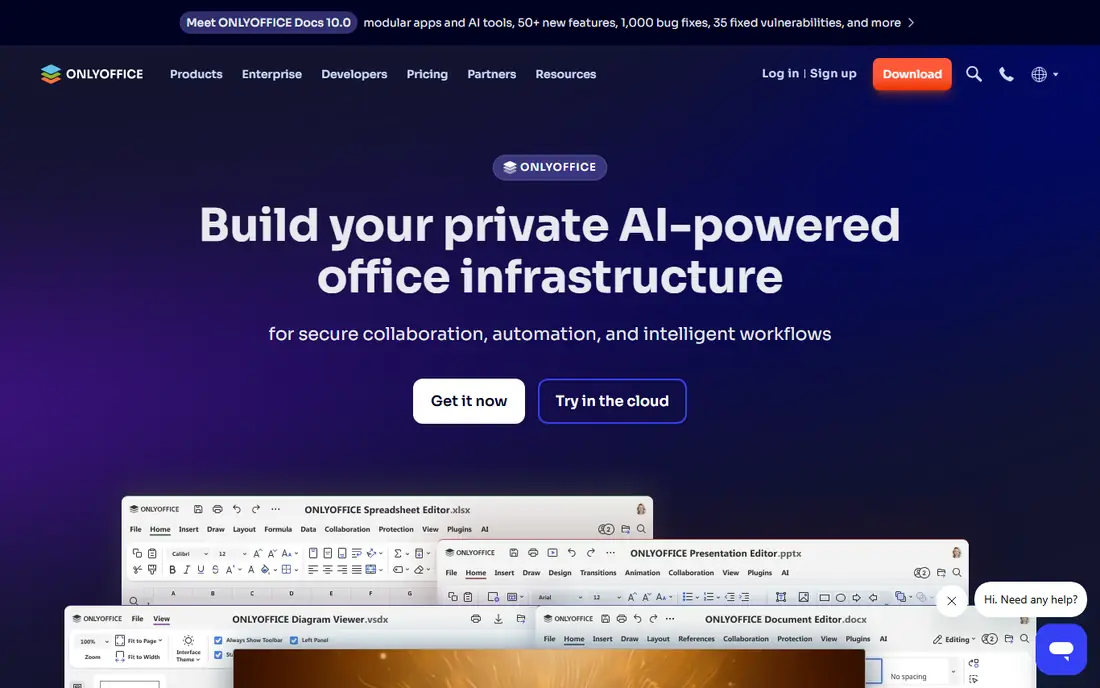
ONLYOFFICE Desktop Editors is the easiest switch for people who share files with Microsoft Office users every day. Documents, spreadsheets, and presentations open and save in Microsoft formats as their native form, which reduces layout surprises. The interface also feels closer to modern Office than LibreOffice, so the learning curve is short.
The desktop apps are free and work offline. Live collaboration is a different story: it needs a connected cloud or self-hosted setup, and hosted plans have storage and room limits on free tiers. For single users and small teams that mainly exchange files, that trade-off rarely matters.
- Desktop apps use Microsoft formats natively
- Clean modern interface
- No ads in the desktop editors
- Cloud collaboration requires a separate hosted plan
- Some advanced features sit behind paid tiers
Google Docs, Sheets, and Slides win when several people edit the same file at once. Comments, suggestions, and version history are simple, and sharing a link is faster than sending attachments back and forth. For school, volunteer, and small-team work, the free Google account tier covers most needs.
Offline work is the weak point. You can enable offline access in Chrome, but it is not as complete as a desktop suite. Heavy spreadsheets and richly formatted documents can also lose detail when exported to Microsoft formats, so keep a desktop tool for final formatting.
- Best-in-class live editing and comments
- Autosave to Google Drive
- Works in any modern browser
- Limited offline use
- Complex Microsoft formatting can shift on export
Microsoft 365 for the web gives you the real Word, Excel, and PowerPoint apps without a subscription, as long as you work in a browser. That matters when a file must stay in native Office form and you only need it now and then. It also pairs well with OneDrive storage.
It is not a full desktop replacement. Advanced features, large files, and offline work are limited, and the free tier storage can fill up if you store everything in OneDrive. Still, as a companion to another suite, it is hard to beat for format safety.
- True Word, Excel, and PowerPoint in the browser
- Native format handling
- Free for personal use
- Requires internet
- Fewer features than desktop Office
- Storage tied to OneDrive
WPS Office feels familiar from the first launch, with Writer, Spreadsheets, Presentation, and PDF tools in one install. Tabbed documents make it easy to keep reference files open, and Microsoft format support is strong for everyday work. It runs on Windows, macOS, Linux, Android, and iOS.
The free tier shows occasional ads, and the full PDF toolkit and extra cloud storage sit behind WPS Pro, listed from about $29 per year in recent vendor and review material. If ads bother you, the paid tier or a fully open-source suite may fit better.
- Familiar tabbed interface
- Built-in PDF tools
- Strong Microsoft format support
- Free version shows ads
- Some AI and cloud features need a connection
Pages, Numbers, and Keynote come free with Mac, iPhone, and iPad, and they are a genuine alternative rather than a stripped-down extra. Templates look polished, the apps run well on Apple hardware, and iCloud web versions let you open files from other devices.
The catch is ecosystem fit. Sharing with Windows users means exporting to Microsoft formats, and complex documents can shift in that step. For a household or team that already uses Apple devices, though, iWork removes the need for another suite entirely.
- Free with Apple devices
- Polished templates
- Pages, Numbers, and Keynote work well together
- Best inside the Apple ecosystem
- Microsoft export can shift complex layouts
Zoho Workplace bundles Writer, Sheet, Show, mail, and team chat, which suits small businesses that want one account for daily work. Collaboration is built in, and pricing is generally lower than larger business suites. A free tier exists for small teams, with paid plans adding storage and admin controls.
It is cloud-first, so offline desktop editing is not its strength. Teams that need heavy offline spreadsheet work should test their largest files first. For browser-based teams, the bundle value is the main draw.
- Docs, sheets, slides, mail, and chat in one bundle
- Good team pricing
- Cloud-first collaboration
- Desktop offline editing is limited
- Interface takes time to learn
SoftMaker FreeOffice is built for machines that struggle with heavier suites. It starts fast, uses modest resources, and offers TextMaker, PlanMaker, and Presentations with an interface that Office users recognize at once. That makes it a good pick for older laptops and school computers.
FreeOffice is not a collaboration platform. Live co-editing and cloud features are thinner than Google or Zoho, and some advanced tools sit in paid SoftMaker Office. If speed and simplicity matter more than live editing, it is a strong, honest choice.
- Lightweight and fast
- Familiar Office-style interface
- Good Microsoft format support
- Free version has limits
- Fewer collaboration features than cloud suites
Apache OpenOffice is the long-running open-source suite from which LibreOffice was forked. It still offers Writer, Calc, Impress, Draw, and Base at no cost, and it handles legacy formats well. Users who liked older office suites often feel at home here.
Development moves more slowly than LibreOffice, and the interface shows its age. There is no built-in live collaboration comparable to cloud suites. Choose it if you want a stable, free desktop suite and do not need frequent updates or team editing.
- Fully free and open source
- Familiar full suite
- Runs on Windows, macOS, and Linux
- Slower development pace
- Interface feels dated
- Fewer modern collaboration tools
Collabora Office builds on LibreOffice technology and adds online and enterprise options for teams that want control over their data. Organizations can self-host, keep files on their own servers, and still offer browser editing to staff. That control is the main reason to pick it over a consumer cloud suite.
For a single home user, Collabora is more setup than needed. Pricing for business and hosted plans varies, so check the vendor site for the current terms. Teams with privacy or data-residency needs should shortlist it alongside ONLYOFFICE self-hosting.
- Based on LibreOffice technology
- Self-hosting options
- Strong privacy control for organizations
- Setup is more technical
- Consumer pricing and plans vary
How we picked these
We compared official feature pages, pricing pages, and public reviews for suites that cover documents, spreadsheets, and presentations, and that are live in October 2026. We favored a mix of free desktop suites, cloud suites, and platform-native options, and we left LibreOffice itself out, since this list is about alternatives to it. Prices shown are entry prices where vendors publish them clearly, and we wrote See website where plans vary by team size or hosting.
What to check before you switch
Test your real files first
Open copies, never originals, of your most complex documents, spreadsheets, and slide decks. Check fonts, tables, formulas, charts, and tracked changes. A suite that handles a simple letter well can still shift a detailed report.
Decide how much offline work you need
Desktop suites win for travel, rural connections, and large files. Cloud suites win for live editing and link sharing. Many people end up with one of each: a desktop suite for final work and a cloud suite for drafts and comments.
Count the full cost
Free can still cost time if ads, storage limits, or export fixes slow you down. Compare paid tiers, storage, and PDF tools together, and check whether a plan charges per user or per device before budgeting for a team.
Frequently asked questions
What is the best free alternative to LibreOffice?
ONLYOFFICE Desktop Editors is our top free pick for most users, because it is free on desktop, handles Microsoft formats well, and has a modern interface. WPS Office is close behind if you want built-in PDF tools and can accept ads on the free tier.
Can these suites open Microsoft Word, Excel, and PowerPoint files?
Yes, all nine can open and save Microsoft formats, but fidelity varies. ONLYOFFICE and Microsoft 365 for the web preserve layouts best, while Google and Apple tools may shift complex formatting on export. Test your hardest files before switching.
Do I need internet to use these alternatives?
Desktop suites such as ONLYOFFICE, WPS Office, FreeOffice, Apache OpenOffice, and Collabora Office work offline. Google, Microsoft 365 for the web, and Zoho Workplace are mainly online, with limited offline modes in some cases.
Is WPS Office really free?
Yes, WPS Office has a free tier for Writer, Spreadsheets, Presentation, and basic PDF tools. Paid Pro plans add full PDF features, more templates, extra cloud storage, and remove ads. Check the current Pro price on the vendor site before buying.
Which alternative is best for a small team?
Google Docs, Sheets, and Slides suit teams that edit together live, while Zoho Workplace suits teams that want mail and chat in the same bundle. Teams that share files with outside Office users should lean toward ONLYOFFICE or Microsoft 365 for the web.
Sources
- https://www.onlyoffice.com
- https://workspace.google.com
- https://www.microsoft.com
- https://www.wps.com
- https://www.apple.com
- https://www.zoho.com
- https://www.softmaker.com
- https://www.openoffice.org
- https://www.collaboraoffice.com
- https://www.freesoftwarex.com/alternatives/libreoffice.html
- https://www.fdaytalk.com/free-microsoft-office-alternatives/
See where you really rank - block by block
ProMapRanker scans Google Maps across a grid of your service area. Simple monthly plans from $19, white-label on every plan.
Start freeKeep reading
 wpforms alternatives
Best WPForms Alternatives in 2026
We compare 9 wpforms alternatives for WordPress forms, with free and paid options, current pricing notes, and honest limits for small business sites in 2026.
Read → windows task scheduler alternatives
Best Windows Task Scheduler Alternatives in 2026
Looking for Windows Task Scheduler alternatives? We compare 9 schedulers for Windows and cross-platform work, from free tools to enterprise automation.
Read → which ai video service is best
Which AI Video Service Is Best in 2026
which ai video service is best? We compare 10 legitimate AI video services on price, avatars, editing and output quality to help you pick the right tool.
Read →