 ProMapRanker
Best Halp Alternatives in 2026

Key takeaways
- ClearFeed, Suptask, Wrangle, and OfficeAmp are the closest Slack-native replacements for Halp, since tickets are created and worked inside Slack itself.
- Jira Service Management and Freshservice suit teams that need full ITSM depth, but their Slack features are mostly notifications and triage, not a full Slack help desk.
- Zendesk suits customer facing support teams that want a traditional help desk with Slack as a secondary channel.
- Halp became Atlassian Assist inside Jira Service Management, so former Halp users who stay on Atlassian face a higher price tier for the same Slack experience.
- Pick by where agents actually work: inside Slack, in a web help desk, or in an ITSM portal, since that habit decides which tool sticks.
Quick comparison
| Pick | Great for | Pricing starts at | Free tier | |
|---|---|---|---|---|
 ClearFeed | Fully Slack-native ticketing | See website | Free trial | Visit |
 Suptask | Lightweight Slack help desk for small teams | See website | Yes | Visit |
 Wrangle | Slack workflows and approvals plus tickets | See website | Free trial | Visit |
 OfficeAmp | Halp style Slack ticketing without Atlassian | See website | Free trial | Visit |
 Jira Service Management | Full ITSM with Atlassian Assist on higher tiers | Free | Yes | Visit |
 Freshservice | Traditional ITSM help desk | See website | Free trial | Visit |
 Zendesk | Large scale customer service platform | See website | Free trial | Visit |
The best Halp alternatives
Halp was a Slack help desk that turned messages into tickets with an emoji, and it later became Atlassian Assist inside Jira Service Management. The tools below replace it in different ways. Some keep ticketing inside Slack, some move work to a web help desk, and some offer full ITSM. The right pick depends on whether your team lives in Slack or just uses it for alerts.
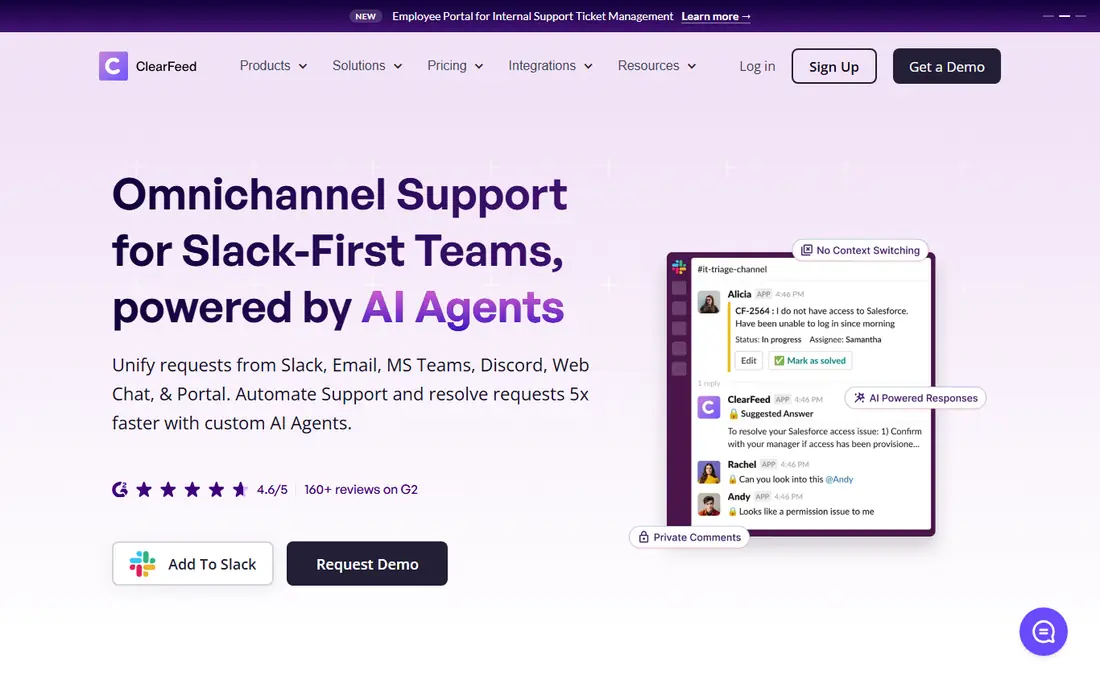
ClearFeed is the closest Slack-native replacement for Halp in this list, because the work stays in Slack. Agents create tickets from messages, threads, direct messages, emoji reactions, and forms, and they can work the ticket without leaving the channel where the request arrived. That matters for internal teams whose users already ask for help in Slack: forcing those users into a separate portal is exactly the friction Halp removed. ClearFeed adds automation, routing, and integrations on top of that Slack core, so it scales beyond a simple message-to-ticket trick.
The trade-off is price and focus. Recent comparisons list ClearFeed from $24 to $49 per agent per month, with usage based options from around $40 per month, so check current pricing for your agent count before budgeting. Teams that prefer a web help desk as the main workspace may also find the Slack first design less central to their day. If your support happens in Slack, ClearFeed deserves the first trial.
- Tickets created and managed directly in Slack threads, direct messages, emoji reactions, and forms
- Automation and integrations beyond basic ticketing
- Supports internal and customer support in Slack
- Pricing has been listed from $24 to $49 per agent per month in some comparisons, so larger teams should get a quote
- Slack first design matters less for teams that work in a web portal
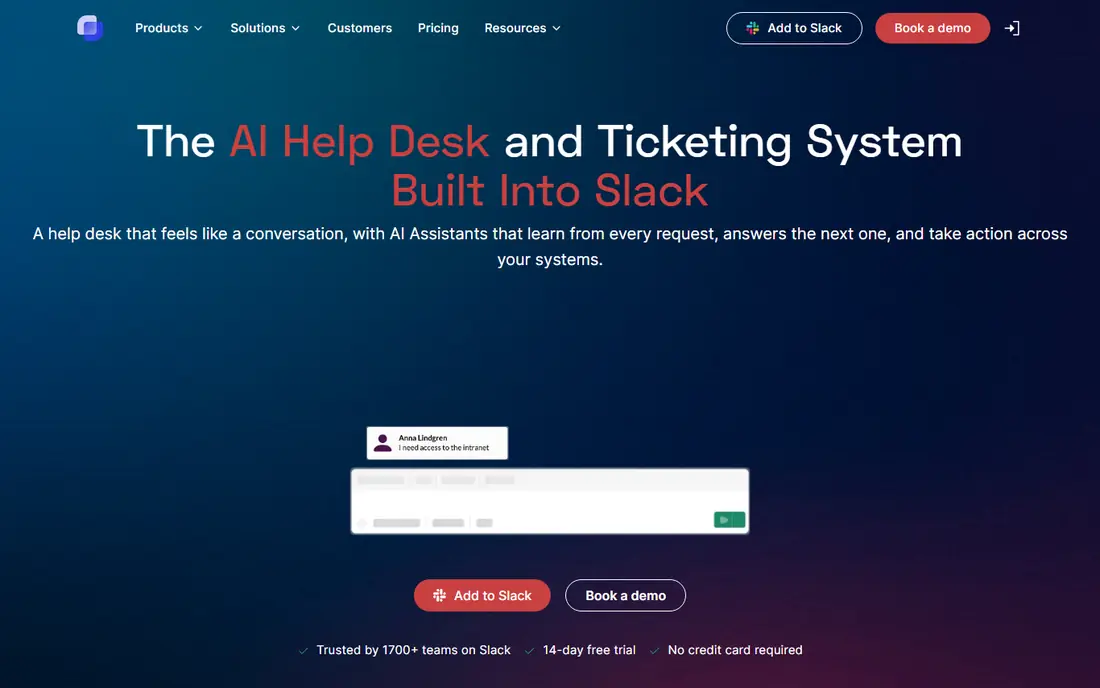
Suptask suits small internal teams that want Halp style ticketing without a large platform. It turns Slack messages into tickets with simple workflows, keeps the queue visible in Slack, and offers a free plan for small teams, with paid plans listed from $7 to $13 per month in some comparisons. That price and simplicity make it easy to start: a small IT or ops team can set it up, invite agents, and start handling requests in Slack the same day, without a portal rollout or a training session for users.
The limit is depth. Suptask is deliberately lightweight, so teams that need asset management, change management, or complex approval chains will outgrow it and need a tool like Wrangle, Freshservice, or Jira Service Management. It is best viewed as a small team help desk, not as an enterprise ITSM platform. If your queue is mostly simple requests from colleagues in Slack, Suptask is a strong low cost pick.
- Simple Slack-native ticketing with message-to-ticket workflows
- Free plan available
- Low paid pricing in recent listings for small teams
- Lighter feature set than full ITSM platforms
- Less suited to complex approval or asset workflows
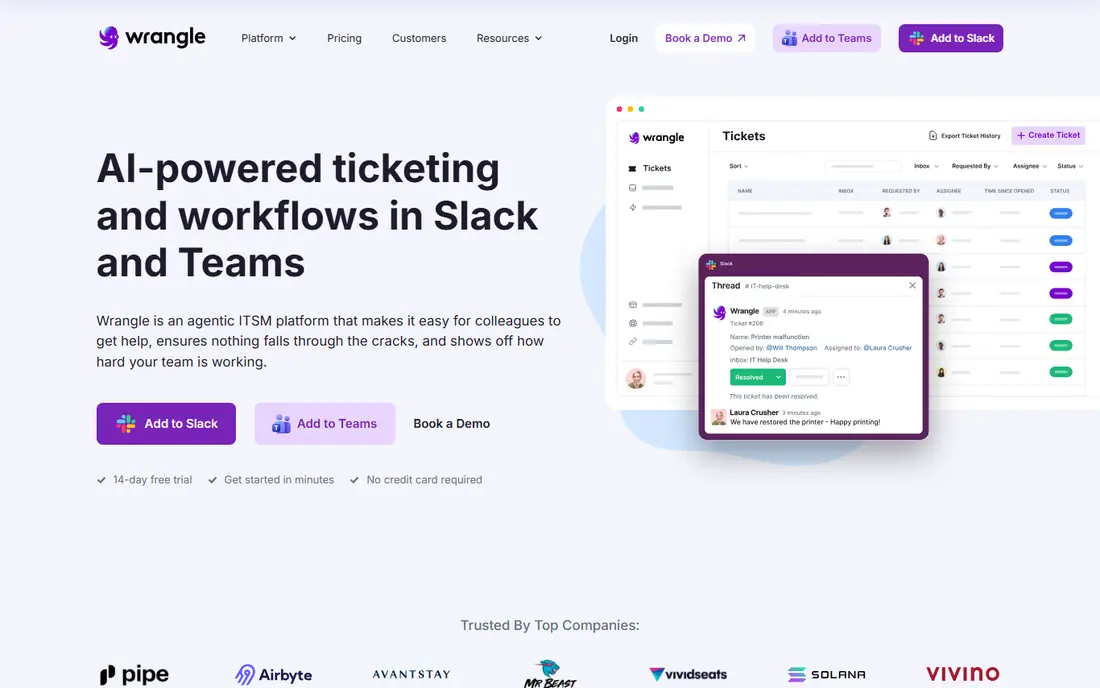
Wrangle is the pick for teams whose Halp replacement also needs to handle approvals and structured workflows inside Slack. It offers Slack-native ticketing with approval routing and automation, so a request for access, equipment, or a policy exception can move through sign-off without leaving Slack or falling back to email. IT and operations teams that handle many requests with a decision step will value that structure, since a plain ticket queue does not track approvals well on its own.
The price reflects that depth. Recent comparisons list Wrangle from $39 to $59 per user per month, which is more than Suptask and more than some traditional help desks. Teams with simple, no-approval requests will not need that workflow layer and should choose a cheaper tool. Teams where approvals are the bottleneck, and where Slack is already the place work gets approved, will find Wrangle worth the premium.
- Slack-native ticketing plus workflow and approval routing
- Useful for IT and ops requests that need sign-off
- Automation for routine requests
- Pricing listed from $39 to $59 per user per month in some comparisons, so it costs more than lightweight tools
- Best value only for workflow heavy teams
OfficeAmp pitches itself directly at former Halp users who do not want to move to Atlassian Assist pricing. It replicates the core Halp experience: ticket creation in Slack, automated routing, and resolution tracking, without requiring a Jira Service Management Premium subscription. Its pitch lists a 14 day free trial with no card required, and past listings describe a Standard plan from $1 per user per month plus a $29 per month base fee on annual billing, though current pricing should be confirmed on its site. For a team of 20 to 200 people that wants conversational ticketing in Slack, that model is a clear cost saving over the Atlassian path.
The caution is profile. OfficeAmp is smaller and less widely reviewed than the large platforms here, so teams should trial it with real Slack requests and check support responsiveness before migrating a full queue. Teams that also need Microsoft Teams support should confirm current Teams coverage, since Halp alternatives vary on that point. If staying out of the Atlassian ecosystem matters, and Slack ticketing is the core need, OfficeAmp is a focused pick.
- Purpose built to replicate Halp style Slack ticketing without a Jira Service Management subscription
- 14 day free trial in its pitch
- Lower entry pricing in past listings than Atlassian Assist tiers
- Smaller public profile than Jira or Zendesk
- Check current pricing and Teams support before committing
Jira Service Management
Great for: Full ITSM with Atlassian Assist on higher tiers
Jira Service Management is the official successor path for Halp, since Halp became Atlassian Assist inside it. For teams already using Jira, Confluence, or other Atlassian tools, that continuity is valuable: tickets, knowledge, assets, and change records live in one ecosystem, and Atlassian Assist adds Slack based help requests on top. The free plan for up to three agents in past listings lets a tiny team start, and Standard plans have been listed from $20 per agent per month, though Assist itself is not included on Standard.
The price jump is the honest catch. Atlassian Assist requires Premium or Enterprise, with Premium listed from around $51 per agent per month in some comparisons, which is a large increase over standalone Halp pricing for the same Slack experience. Core work also happens in the Jira portal, with Slack mainly for requests and notifications, so teams that want fully Slack-native work may prefer ClearFeed or OfficeAmp. Choose Jira Service Management when full ITSM depth and Atlassian fit matter more than pure Slack-native work.
- Full ITSM with incident, problem, change, and asset features
- Free plan for up to three agents in past listings
- Atlassian Assist brings Halp style Slack help into Jira
- Atlassian Assist needs Premium or Enterprise tiers, with Premium listed from around $51 per agent per month in some comparisons
- Core work happens in Jira, not fully in Slack
Freshservice is a traditional ITSM help desk from Freshworks, and it suits teams that want a full service desk rather than a Slack-only queue. It covers ticketing, incident management, asset management, configuration, and change workflows, with automation and SLAs to route and escalate work. Slack integration exists for alerts and triage, but agents work mainly in the Freshservice web interface, which is the right model for teams that want a single portal for all service work. Reporting helps managers track volume, response times, and backlog in a way a Slack channel alone cannot.
The trade-off is the Slack experience. If your users expect to stay in Slack for the whole request, Freshservice will feel like a step back from Halp, since the conversation moves to a portal. Pricing also varies by plan and agent count, with Pro plans listed at much higher totals for multi-agent teams in some comparisons, so get a quote for your agent count. Choose Freshservice when ITSM depth matters more than Slack-native work, and when your users will accept a portal.
- Full ITSM ticketing, asset management, and incident workflows
- Slack integration for alerts and triage
- Mature reporting and automation
- Slack is a secondary channel, not the main workspace
- Pricing rises with agents and features, so larger teams need a quote
Zendesk is the large scale option for teams that need a full customer service platform, not just a Slack ticket queue. It covers email, chat, voice, social, and self-service, with AI assistance, workforce tools, and analytics for large teams. Its integration ecosystem is wide, including Slack and Jira, so it can sit alongside other tools rather than replacing every workflow at once. For a company with hundreds of agents, multiple support tiers, and complex routing, Zendesk scale is hard to match with a small Slack tool.
The cost and setup are the limits. Suite pricing has been listed from $55 per agent per month on annual billing for Team, rising sharply for Professional, and implementation takes planning for large teams. A small internal team that only needs Slack ticketing will find Zendesk far heavier and more expensive than ClearFeed, Suptask, or OfficeAmp. Choose Zendesk when customer service scale, omnichannel coverage, and analytics drive the purchase, not when a simple Slack queue is the whole need.
- Large scale customer service platform with omnichannel support, AI, and analytics
- Wide integration ecosystem including Slack and Jira
- Scales to large teams
- Higher pricing, with Suite Team listed from $55 per agent per month on annual billing in some listings
- Heavier setup than a Slack-native tool
How we picked these
We compared official product pages, pricing pages, and recent comparisons of Halp alternatives that are live in October 2026. We kept tools that offer Slack or Teams ticketing, a help desk, or ITSM ticketing as a real product, and we left out generic chat tools with no ticket queue. We favored a mix of Slack-native tools and traditional help desks so readers can choose by where agents actually work, not just by feature count.
How to choose a Halp replacement
Start by watching where requests actually arrive today. If users message in Slack and agents reply in Slack, a Slack-native tool will stick, while a portal tool will face adoption resistance no matter how strong its ITSM features are. If users email or submit a portal form, a traditional help desk will fit better, and Slack can stay as an alert channel. Count requests by channel for two weeks before you trial anything, since that count is more honest than a preference survey.
Next, trial the top two tools with real requests, not demo data. Create tickets from a Slack message, an emoji, and a form, assign them, reply in thread, and close them, then check the reporting. Test approvals if your team needs them, and test how a request moves when the first agent is away. A tool that looks simple in a demo can still fail on routing, permissions, or reporting, and those failures only show up with real work.
Finally, compare total cost at your agent count, including any required higher tier for Slack features. Jira Service Management looks affordable on Standard until you add Premium for Atlassian Assist, and a cheap Slack tool can look expensive once you add a second tool for assets or reporting. Get a written quote, keep Halp or your current queue running in parallel until the pilot team is stable, and move the full team only after the pilot has handled a full week of real requests.
Frequently asked questions
What are the best Halp alternatives?
ClearFeed, Suptask, Wrangle, and OfficeAmp are the closest Slack-native Halp alternatives, while Jira Service Management is the official Atlassian successor path. Freshservice and Zendesk suit teams that prefer a traditional web help desk.
What happened to Halp?
Halp became Atlassian Assist inside Jira Service Management, so standalone Halp pricing ended and the Slack help experience moved into Jira Service Management Premium and Enterprise tiers. Teams that do not want that Atlassian tier often move to a Slack-native alternative such as ClearFeed or OfficeAmp.
Is there a free Halp alternative?
Yes, for small teams. Suptask offers a free plan, and Jira Service Management offers a free plan for up to three agents in past listings. Free plans usually limit agents or features, so check current terms.
Do Halp alternatives work with Microsoft Teams?
Some do, but coverage varies by tool, so check Teams support on the vendor site before choosing. Slack-native tools are strongest on Slack, while larger help desks such as Zendesk and Freshservice offer broader channel integrations that may include Teams.
Should I choose a Slack-native tool or a full ITSM platform?
Choose a Slack-native tool when requests and agent work both happen in Slack, since adoption will be higher. Choose a full ITSM platform such as Jira Service Management or Freshservice when you need asset, change, and incident management alongside ticketing, even if Slack becomes a secondary channel.
How much does a Halp alternative cost?
Prices range from free plans for small teams to around $55 per agent per month for Zendesk Suite Team on annual billing in some listings, with Atlassian Assist requiring a Jira Premium tier. Compare the total at your agent count, including any tier needed for Slack features, before deciding.
Sources
See where you really rank - block by block
ProMapRanker scans Google Maps across a grid of your service area. Simple monthly plans from $19, white-label on every plan.
Start freeKeep reading
 wpforms alternatives
Best WPForms Alternatives in 2026
We compare 9 wpforms alternatives for WordPress forms, with free and paid options, current pricing notes, and honest limits for small business sites in 2026.
Read → windows task scheduler alternatives
Best Windows Task Scheduler Alternatives in 2026
Looking for Windows Task Scheduler alternatives? We compare 9 schedulers for Windows and cross-platform work, from free tools to enterprise automation.
Read → which ai video service is best
Which AI Video Service Is Best in 2026
which ai video service is best? We compare 10 legitimate AI video services on price, avatars, editing and output quality to help you pick the right tool.
Read →