 ProMapRanker
Best Gantt Chart Alternatives in 2026

Key takeaways
- Trello and Basecamp suit teams that find Gantt charts too heavy, because boards and simple schedules show current work without constant timeline edits.
- Asana, Monday Work Management, ClickUp, and Wrike suit teams that still want timelines, but with boards and lists alongside them.
- Notion suits small teams that want docs, tasks, and a simple timeline in one workspace.
- Smartsheet suits spreadsheet-friendly teams that need reports and structured plans without a classic project tool.
Quick comparison
| Pick | Great for | Pricing starts at | Free tier | |
|---|---|---|---|---|
 Trello | Simple Kanban boards | Free | Yes | Visit |
 Asana | Team tasks with timelines | Free | Yes | Visit |
 Monday Work Management | Custom workflows and views | See website | Free trial | Visit |
 ClickUp | All-in-one task management | Free | Yes | Visit |
 Notion | Docs plus tasks in one place | Free | Yes | Visit |
 Smartsheet | Spreadsheet-style planning | See website | Free trial | Visit |
 Wrike | Structured team projects | Free | Yes | Visit |
 Basecamp | Calm, flat-price projects | $79 per month | Free trial | Visit |
The best gantt chart alternatives
A Gantt chart shows tasks as bars on a timeline, with dependencies and a critical path. That view helps for fixed, sequenced projects, but it can be slow to update and hard to read when priorities change daily. The tools below replace or soften that view with boards, lists, calendars, and simpler timelines, while still keeping work visible.
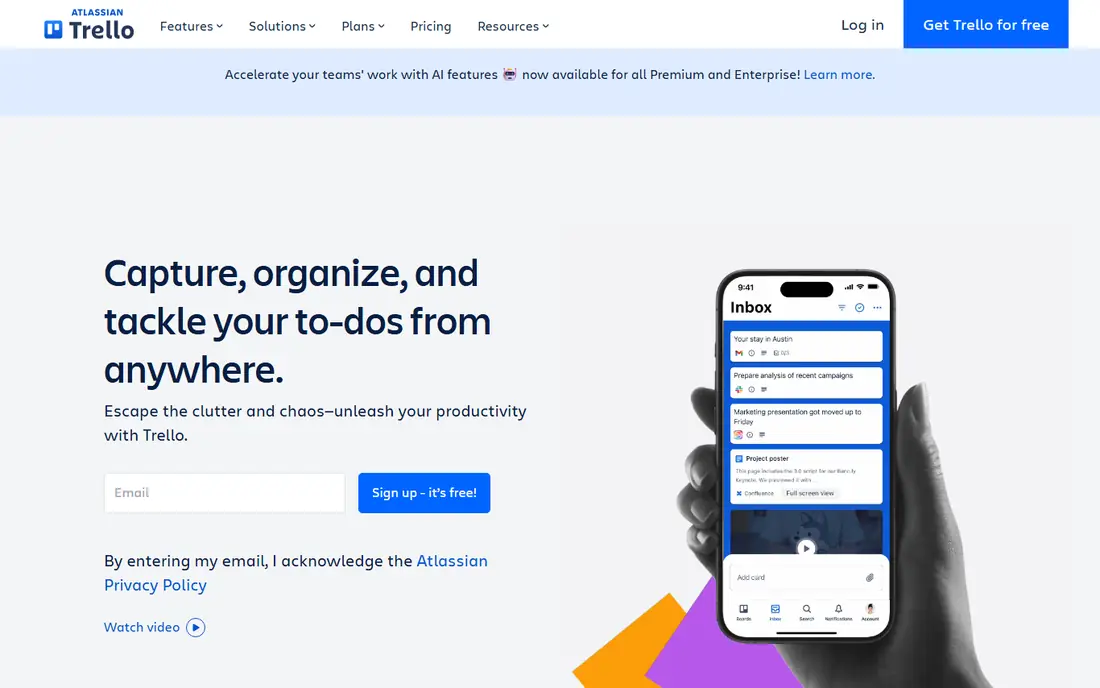
Trello turns work into cards on columns, such as To do, Doing, and Done. That view answers the daily question a Gantt chart often hides: what is everyone working on right now. Cards can hold checklists, due dates, attachments, and comments, which is enough for many small teams and personal projects.
The limit appears when you need portfolio reporting or dependencies across many projects. Trello has timeline and calendar views on paid plans, but it is not built for complex critical-path planning. Use it when flow matters more than a fixed schedule, and move to Asana or Wrike when dependencies become the main problem.
- Very easy to start
- Drag-and-drop boards
- Useful free plan
- Limited reporting on free plan
- Timeline view needs a paid plan
Asana lets a team switch between a list, a board, a calendar, and a timeline without rebuilding the project. That flexibility is the point: a manager can check the timeline, while the team works from a board. Dependencies, milestones, and portfolios help when a project still needs dates, but the daily view does not have to be a Gantt chart.
The free plan covers basic personal and small-team use, while timeline, reporting, and workload features sit on paid tiers. If your team is large or needs cross-project reporting, budget for a paid plan and spend time on templates, since a messy Asana setup can feel as heavy as a Gantt chart.
- List, board, calendar, and timeline views
- Goals and portfolios
- Strong integrations
- Advanced timelines and reporting need paid plans
- Setup takes time for large teams
Monday Work Management builds work around boards with columns you define, such as status, owner, date, and priority. You can view the same board as a Kanban board, a calendar, a timeline, or a table, which lets different roles see the same work in the way they prefer. Automations can move items, send reminders, and update statuses without manual checks.
That flexibility can also become clutter. Teams that add too many columns and automations at once may find the board harder to read than the Gantt chart they left. Start with one board, a small set of statuses, and one timeline view, then add complexity only when a real workflow needs it.
- Highly customizable boards
- Many views including timeline and Kanban
- Automation options
- Pricing depends on seats and plan
- Can feel complex if you only need a simple board
ClickUp tries to replace several tools at once: tasks, docs, goals, chat, and time tracking live in one workspace. You can view work as a list, board, calendar, or timeline, and switch views without moving data. For a team that wants one home for planning and daily work, that breadth is appealing.
The breadth is also the risk. New teams can spend weeks configuring ClickUp instead of doing the work, and the full Gantt view sits on paid plans. Start with lists and boards, turn off features you do not use, and add timelines only for projects with real date dependencies.
- Many views in one app
- Docs, goals, and time tracking
- Generous free plan
- So many features that setup can overwhelm new teams
- Gantt view is paid on higher tiers
Notion suits teams that plan in documents as much as in tasks. A project page can hold the brief, the meeting notes, and a task database, with board, calendar, and timeline views drawn from the same data. That closeness between writing and tasks helps small teams and startups that do not want a separate docs tool.
For larger programs, Notion lacks the reporting, workload management, and dependency controls of Asana, Wrike, or Smartsheet. It works best as a Gantt alternative for small projects and personal planning, not as a replacement for enterprise project controls.
- Notes, docs, and databases in one workspace
- Flexible task views
- Good free plan
- Not built for heavy project reporting
- Timeline view needs a paid plan for full use
Smartsheet looks like a spreadsheet, which helps teams that already plan in Excel or Google Sheets. Rows hold tasks, columns hold dates, owners, and status, and you can switch to card or calendar views without losing the grid. Reports and dashboards roll up work across sheets, which suits managers who need a portfolio view.
The trade-off is feel. Smartsheet is more structured and formal than a Kanban tool, and it rewards teams that keep data tidy. If your team resists spreadsheets, Trello or Asana will get faster adoption. If your team loves grids, Smartsheet is a natural step up from a spreadsheet.
- Familiar grid layout
- Reports and dashboards
- Card and calendar views alongside grids
- Interface feels more formal than Trello
- Pricing needs a quote check for teams
Wrike suits teams that run many projects with approvals, resources, and reporting needs. Work can appear as a board for daily flow, a table for detail, or a timeline for dates, and managers can track workload and progress across projects. That structure helps marketing, professional services, and operations teams with repeatable workflows.
The free plan is limited to board and table views, with Gantt and advanced reporting on paid tiers. That is fine if you are leaving Gantt charts behind, but less helpful if you still need a timeline sometimes. Budget for a paid plan if timelines, approvals, and reporting are core to your work.
- Board, table, and timeline views
- Approvals and reporting
- Workload tools on paid plans
- Gantt and AI features need paid plans
- Interface takes time to learn
Basecamp takes a deliberately simple approach: each project gets to-dos, a message board, a schedule, docs, and chat, at a flat monthly price for a set number of users. That simplicity suits small businesses that want one calm place for client work without per-user costs climbing as the team grows.
The limit is intentional. Basecamp has no Gantt view and fewer automations than Asana, Monday, or ClickUp. If your work needs dependencies, critical paths, or deep reporting, Basecamp will feel too light. If your main problem is that Gantt charts made planning feel heavy, that lightness is the point.
- Flat pricing instead of per-user fees
- To-dos, schedule, docs, and chat in each project
- Simple setup
- No Gantt view
- Fewer integrations and automations than rivals
How we picked these
We compared official feature and pricing pages for planning tools that offer a credible alternative view to a Gantt chart, such as Kanban boards, lists, calendars, and simplified timelines. We included tools for small teams, growing teams, and spreadsheet-friendly managers, and we noted where timeline or Gantt views require a paid plan. We left out single-purpose diagram tools that do not manage tasks day to day.
How to replace a Gantt chart without losing control
Start by naming what the Gantt chart was actually doing for you. If it showed deadlines, a calendar view may be enough. If it showed dependencies, you need a tool with dependencies and a timeline view, even if you do not open that view daily. If it showed workload, you need workload or reporting features, not just a board.
Next, run one real project in the new view for two weeks. Move cards, update dates, and hold a status meeting from the board or list, not from a separate timeline. You will learn quickly whether the team updates the tool, which matters more than any feature list.
Finally, keep a simple timeline for stakeholders even if the team works from a board. A monthly milestone list or a shared calendar can give leaders the date view they need, while the team keeps the flexible daily view that made you look for an alternative.
Frequently asked questions
What are the best alternatives to gantt chart views?
Kanban boards, simple timelines, calendars, and task lists are the most common replacements. Trello suits boards, Asana and ClickUp suit mixed views, and Basecamp suits teams that want a simple project hub without timelines.
Can I use a gantt chart alternative for free?
Yes. Trello, Asana, ClickUp, Notion, and Wrike all offer free plans for basic use. Timeline and advanced reporting features often need a paid plan, so check the plan details for the view you need.
Which tool is best if I still need a timeline sometimes?
Asana, Monday Work Management, ClickUp, and Wrike all offer timeline views alongside boards and lists. That lets your team work from a board while managers check dates in a timeline.
Is a Kanban board better than a Gantt chart?
It depends on the work. Kanban suits continuous work with changing priorities, such as support and content tasks. A Gantt chart suits fixed, sequenced projects with hard dependencies, such as construction or product launches.
How do I switch a team from Gantt charts to boards?
Pick one project, define clear columns and owners, and run status updates from the board. Keep a milestone list for stakeholders, and review after two weeks whether dates and dependencies stayed visible.
Sources
See where you really rank - block by block
ProMapRanker scans Google Maps across a grid of your service area. Simple monthly plans from $19, white-label on every plan.
Start freeKeep reading
 wpforms alternatives
Best WPForms Alternatives in 2026
We compare 9 wpforms alternatives for WordPress forms, with free and paid options, current pricing notes, and honest limits for small business sites in 2026.
Read → windows task scheduler alternatives
Best Windows Task Scheduler Alternatives in 2026
Looking for Windows Task Scheduler alternatives? We compare 9 schedulers for Windows and cross-platform work, from free tools to enterprise automation.
Read → which ai video service is best
Which AI Video Service Is Best in 2026
which ai video service is best? We compare 10 legitimate AI video services on price, avatars, editing and output quality to help you pick the right tool.
Read →