 ProMapRanker
Best Excalidraw Alternatives in 2026

Key takeaways
- tldraw is the closest free, open-source swap for Excalidraw, with a cleaner canvas and strong multiplayer support.
- Miro and FigJam win when a team needs workshops, templates and persistent boards rather than a quick sketch.
- diagrams.net is the best free pick for precise, structured diagrams such as flowcharts and network maps.
- If you love the hand-drawn look, stay close to tldraw or Excalidraw-style tools; if you need strict shapes, pick a structured diagram tool.
Quick comparison
| Pick | Great for | Pricing starts at | Free tier | |
|---|---|---|---|---|
 tldraw | Closest free canvas swap | Free | Yes | Visit |
 Miro | Team workshops | $8 per user per month | Yes | Visit |
 FigJam | Design-team whiteboarding | $5 per user per month | Yes | Visit |
 diagrams.net | Precise structured diagrams | Free | Yes | Visit |
 Mural | Facilitated workshops | See website | Yes | Visit |
 Lucidchart | Business diagrams | $9 per month | Yes | Visit |
 Whimsical | Fast mind maps and flowcharts | $10 per user per month | Yes | Visit |
 Obsidian Canvas | Diagrams inside notes | Free | Yes | Visit |
 Penpot | Open-source design plus boards | Free | Yes | Visit |
The best Excalidraw alternatives
Excalidraw wins on speed: open a page, sketch a diagram, share a link. The alternatives below trade some of that speed for team features, precise shapes, or a place inside your notes. Pick based on how long a board needs to live and who else needs to use it.
tldraw is the alternative most similar in spirit to Excalidraw. It is free, open source and browser based, and it focuses on a clean drawing experience rather than a pile of menus. Shapes feel precise, performance stays smooth on large canvases, and multiplayer lets several people sketch at once without a heavy setup.
The trade-off is familiar. Like Excalidraw, tldraw does not organise boards into a searchable workspace, so it suits single-session sketches more than a growing library of diagrams. If you want the same lightweight feel with a more refined canvas, tldraw is our first pick.
- Free and open source
- Smooth, polished canvas
- Multiplayer and embedding support
- No built-in cross-board search or note system
- Fewer diagram templates than Miro

Miro is a full visual collaboration platform, not just a sketch pad. Teams use it for retrospectives, roadmaps, product discovery and workshops that run over days, with sticky notes, frames, comments and version history in a shared workspace. Templates and integrations with tools such as Jira and Slack help a board become part of ongoing work rather than a one-off sketch.
That depth costs simplicity. You need an account, the interface takes longer to learn, and the free plan limits the number of editable boards. For a quick architecture sketch, Excalidraw is still faster. For work a team returns to again and again, Miro is the stronger home.
- Huge template library
- Voting, timers and facilitation tools
- Strong integrations with work tools
- Paid plans needed beyond the free board limit
- Heavier than a quick sketch tool
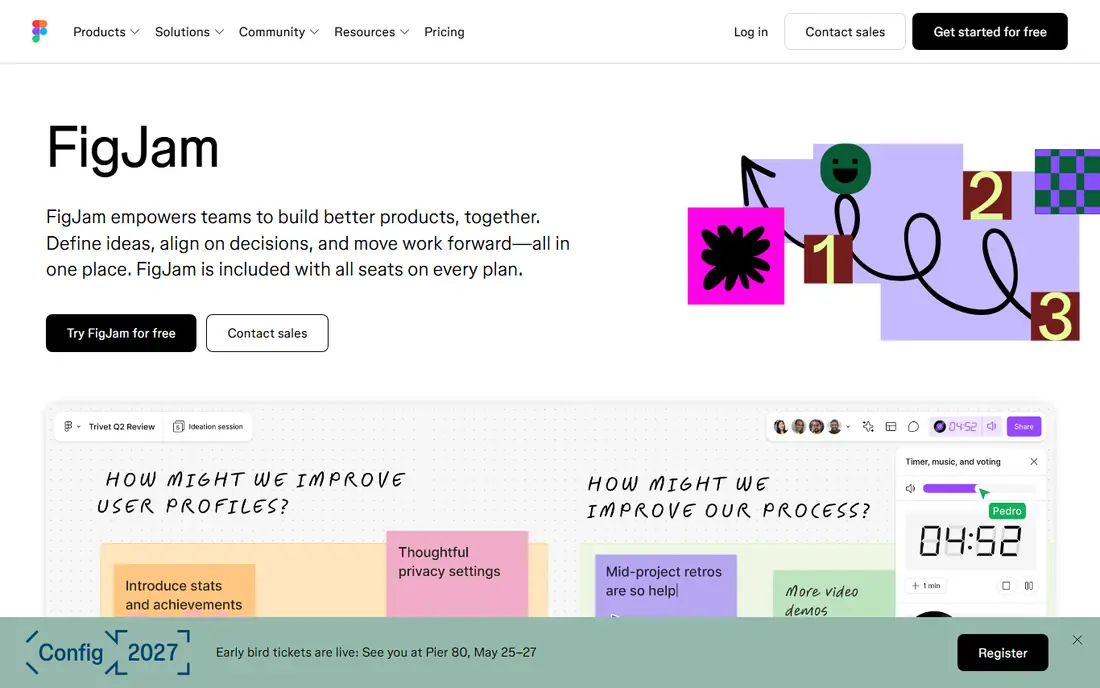
FigJam is Figma's whiteboard, and it shows in the best way for product and design teams. You can brainstorm, map user flows and run a workshop, then move promising ideas into Figma design files without rebuilding them. Sticky notes, shapes, connectors and stamps keep sessions light, and collaboration feels instant.
The catch is context. If your team does not use Figma, some of the value fades, and the free plan limits the number of files you can edit. Design-led teams will get the most from FigJam, while engineering-only teams may prefer tldraw or diagrams.net.
- Fits teams already using Figma
- Playful, fast whiteboarding
- Easy handoff to design files
- Free plan limits files
- Less suited to teams outside the Figma world
diagrams.net, also known as draw.io, is the pick when a diagram must be exact. It offers shape libraries for flowcharts, UML, network diagrams, cloud architecture and org charts, with alignment, snapping and export options that a freehand canvas cannot match. You can save files to Google Drive, OneDrive, a local device or a desktop app.
It will not feel like sketching on paper, and that is the point. For documentation, architecture reviews and diagrams that other engineers must read and update, diagrams.net gives you precision and a price of zero. For informal brainstorming, a looser canvas will feel faster.
- Free
- Strong shape libraries for technical diagrams
- Works with cloud storage and desktop apps
- Hand-drawn style is absent
- Interface is more formal than a sketch canvas
Mural is built around facilitated sessions, with templates for design thinking, retrospectives and planning, plus controls that let a facilitator guide participants, lock content and run activities in order. That structure helps when a workshop has many people and a tight agenda, and it keeps outputs tidy enough to share with stakeholders afterwards.
Smaller teams may find the structure heavier than they need, and larger plans require a sales conversation. If your main job is running workshops with clear steps and outcomes, Mural is a strong, focused choice. If you just want to sketch, a free canvas is enough.
- Built for guided workshops
- Templates and facilitation controls
- Enterprise access controls
- Pricing is not as transparent for larger plans
- More structure than casual sketchers need
Lucidchart sits between a whiteboard and a documentation tool. It covers flowcharts, org charts, process maps and system diagrams, with templates that help non-designers produce clean results. Collaboration, commenting and data linking let teams keep diagrams current as systems and orgs change, which matters for documentation that must stay accurate.
The free plan is limited, so regular users will need a paid plan. It also feels more formal than Excalidraw, which is a drawback for quick sketches and a benefit for diagrams that will be presented or audited. Choose Lucidchart when polish and structure matter more than speed.
- Wide diagram types and templates
- Data linking and collaboration
- Good import and export options
- Free plan limits documents and features
- Paid plans needed for team use
Whimsical is best when you know the shape of the diagram before you start. Mind maps, flowcharts, wireframes and sticky-note boards come together quickly, and the results look tidy without much fiddling. That speed makes it popular for product thinking, content planning and meeting notes that need a clear structure.
It is less suited to loose, hand-drawn sketching, and it does not try to be a full workshop platform like Miro. If your diagrams are mostly maps and flows, Whimsical will feel faster than a general whiteboard. If you want to doodle freely, tldraw is the better fit.
- Very fast mind maps, flowcharts and wireframes
- Clean, readable output
- Simple sharing
- Less of a freeform sketch canvas
- Paid plans needed for larger team use
Obsidian Canvas is a different kind of alternative, because the diagram lives inside your notes. You can place notes, images, web links and cards on an infinite canvas, connect them, and jump back to the source note with a click. For researchers, writers and students who already keep notes in Obsidian, that link between thinking and drawing is hard to match.
The drawback is scope. Obsidian is a personal knowledge tool first, so real-time team workshops are not its strength, and new users face a learning curve. If your diagrams support your own thinking and notes, Canvas is a strong free pick. If you run team sessions, look at Miro or Mural instead.
- Free for personal use
- Diagrams link to notes and files
- Local-first storage
- Learning curve for new Obsidian users
- Collaboration is not its main strength
Penpot is an open-source design platform with whiteboard-style boards, and it appeals to teams that want design tools without a closed, paid ecosystem. You can design interfaces, prototype flows and sketch ideas in one place, and self-hosting gives teams control over their data and deployment. Its use of open standards also helps with file portability.
For a five-minute sketch, Penpot is heavier than tldraw or Excalidraw. For teams that want an open-source path from early sketches to finished interface designs, that extra weight buys a full workflow in one tool, and the free tier makes it easy to test.
- Free and open source
- Design and prototyping tools
- Self-hosting option
- More of a design platform than a quick sketch tool
- Setup takes more effort when self-hosted
How we picked these
We compared official feature pages, pricing pages and documentation for each tool, and we kept only tools that exist and work now. We looked for a real canvas or diagram workflow, a clear difference from Excalidraw, and honest pricing. Tools that were discontinued, that required an unrelated purchase to try, or that lacked a working homepage were left out.
How to choose between a sketch canvas and a structured tool
Start with how the diagram will be used after you draw it. If it is a throwaway sketch for a meeting, pick the fastest canvas you enjoy, such as tldraw. If the diagram must be read, updated and shared weeks later, pick a tool with templates, version history and a workspace, such as Miro, Lucidchart or diagrams.net.
Next, check who else needs access. A solo sketcher can use a free canvas with no account friction. A team needs permissions, comments and a shared library, and that usually means a paid plan or a self-hosted option. Test collaboration with one real session before you move a whole team.
Finally, think about file ownership. Export a test board in a common format, check that links and text survive, and confirm you can leave without losing work. A beautiful board that cannot be exported is a risky place to store important diagrams.
Frequently asked questions
What is the closest alternative to Excalidraw?
tldraw is the closest match, because it is free, open source and browser based, with a clean freeform canvas and multiplayer support. It feels more polished than Excalidraw, while keeping the same low-friction approach to sketching.
Which Excalidraw alternative is best for teams?
Miro is the best pick for most teams, thanks to its templates, facilitation tools and persistent workspaces. FigJam fits design teams already using Figma, and Mural fits teams that run guided workshops with a facilitator.
Is there a free alternative to Excalidraw for technical diagrams?
Yes. diagrams.net is free and strong for flowcharts, UML, network diagrams and cloud architecture, with shape libraries and export options. tldraw and Obsidian Canvas are also free for the uses described here, though they suit looser sketches and notes more than strict diagrams.
Can I self-host an Excalidraw alternative?
Yes, in some cases. Penpot and diagrams.net offer self-hosting paths, and tldraw can be embedded in your own apps, though multiplayer hosting takes extra work. Check the vendor documentation for the current self-hosting terms before you commit.
What is the best alternative for mind maps?
Whimsical is a strong choice for fast mind maps and flowcharts, because its layouts stay readable with little effort. Miro also handles mind maps well inside a larger workshop board, if you already use it for team work.
Do these tools work without an account?
tldraw and diagrams.net let you start quickly in a browser, much like Excalidraw. Miro, FigJam, Mural and Lucidchart generally need an account for saving and collaboration, even when they offer a free plan.
Sources
See where you really rank - block by block
ProMapRanker scans Google Maps across a grid of your service area. Simple monthly plans from $19, white-label on every plan.
Start freeKeep reading
 wpforms alternatives
Best WPForms Alternatives in 2026
We compare 9 wpforms alternatives for WordPress forms, with free and paid options, current pricing notes, and honest limits for small business sites in 2026.
Read → windows task scheduler alternatives
Best Windows Task Scheduler Alternatives in 2026
Looking for Windows Task Scheduler alternatives? We compare 9 schedulers for Windows and cross-platform work, from free tools to enterprise automation.
Read → which ai video service is best
Which AI Video Service Is Best in 2026
which ai video service is best? We compare 10 legitimate AI video services on price, avatars, editing and output quality to help you pick the right tool.
Read →