 ProMapRanker
Best DigitalOcean Alternatives in 2026

Key takeaways
- Vultr and Linode are the closest like for like replacements for simple virtual servers with predictable monthly pricing.
- Hetzner Cloud offers strong value for European and US workloads, but its region range and support model differ from larger clouds.
- Render and Heroku suit teams that want to deploy code without managing servers, at a higher cost per unit of compute.
- Fly.io fits apps that need to run close to users in many regions, while UpCloud and Kamatera suit custom or larger configurations.
- Always price bandwidth, backups, and managed databases separately, since the headline server price is rarely the full monthly bill.
Quick comparison
| Pick | Great for | Pricing starts at | Free tier | |
|---|---|---|---|---|
 Vultr | Simple global virtual servers | $5 per month | Free trial | Visit |
 Linode | Predictable Linux hosting with strong docs | $5 per month | Free trial | Visit |
 Hetzner Cloud | High value servers in Europe and the US | See website | No | Visit |
 Render | Deploying web apps without server chores | Free | Yes | Visit |
 Fly.io | Running apps close to users in many regions | See website | Free trial | Visit |
 Heroku | Fast deployment for product teams | See website | No | Visit |
 UpCloud | Fast servers with flexible configuration | See website | Free trial | Visit |
 Kamatera | Custom servers that scale up or down | See website | Free trial | Visit |
The best DigitalOcean alternatives
We focused on hosts that offer virtual servers, app platforms, or both, and that a small team can run without an enterprise contract. DigitalOcean itself is not listed, since this guide covers alternatives to it.
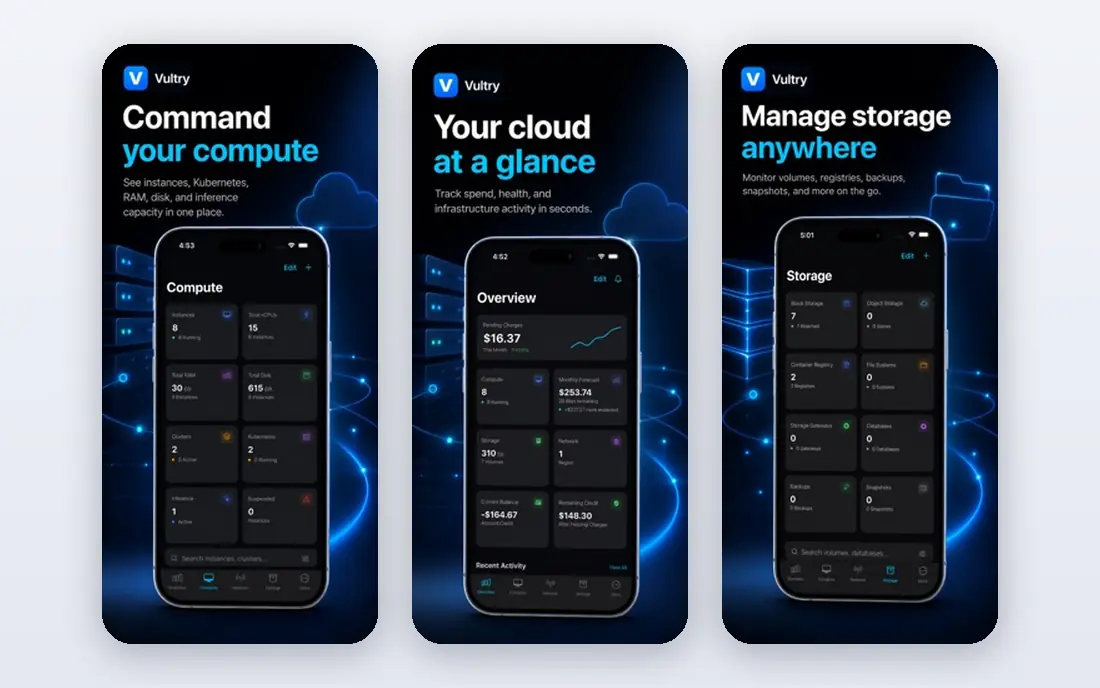
Vultr is the easiest switch for a team running one or more Linux servers. You pick a location, a size, and an operating system image, and the server is ready in minutes. The pricing model is familiar to DigitalOcean users, with small instances for side projects and larger dedicated CPU options for production sites.
The gap shows up when you need managed help. Vultr covers the core server, storage, and networking well, but you will still handle updates, backups, and database care yourself unless you add a managed layer. That trade is fine for developers, and less fine for a business with no one on call for server work.
- Many global locations
- Simple hourly and monthly billing
- Wide operating system choice
- Managed services are thinner than larger clouds
- Support is mainly ticket based
Linode, now part of Akamai, has long appealed to developers who want a plain virtual server and good guides. Shared CPU plans keep small projects cheap, while dedicated CPU plans suit busier apps. Managed Kubernetes and managed databases are available when a project outgrows a single server.
The main limit is breadth. Linode does not try to match every service from the largest cloud providers, so teams that need a wide menu of managed AI, analytics, or enterprise tools may need a second provider. For straightforward web apps, APIs, and sites, that narrower menu is often a benefit, since pricing stays easier to predict.
- Clear pricing
- Strong documentation
- Managed Kubernetes and databases available
- Fewer regions than the largest clouds
- Windows support is limited
Hetzner Cloud is the value pick in this list, especially for workloads based in Europe or the eastern and western US. Its plans include a large traffic allowance, and its price per unit of memory often undercuts larger providers by a wide margin. For a self hosted stack, a single mid size server can run a site, a database, and several small services.
You should check availability and region fit before you move. Hetzner has fewer locations than Vultr or Linode, and its support model suits teams that are comfortable managing servers themselves. If your users are spread across Asia, South America, or Oceania, test latency from the available regions first.
- Generous included traffic
- Strong specs per dollar
- Simple cloud console
- Fewer regions than global clouds
- No managed database service comparable to larger clouds
Render removes the server from your daily work. Connect a repository, and Render builds and runs your web service, background worker, or static site, with managed PostgreSQL and Redis available alongside. That model suits small teams that want to ship features rather than patch servers.
The free tier is for testing and hobby projects, since free web services spin down when idle. Paid instances stay awake and add more memory and CPU, but a busy app with several services can cost more than a single raw server doing the same job. Price the full set of services, not just the web instance, before you compare Render with a VPS host.
- Git based deploys
- Managed databases and background workers
- Free tier for testing
- Free instances sleep and are slower
- Costs rise as traffic and services grow
Fly.io turns your app into small machines that run near your users. You deploy a container, and Fly.io places it in regions you choose, with built in networking between machines. That design suits APIs, real time features, and apps with users in several continents.
The learning curve is real. You need to understand machines, volumes, and scaling settings to get steady performance and a predictable bill. Teams that already use containers will adapt quickly, while teams used to a single server control panel should budget time for the first deployment and for monitoring.
- Global edge deployment
- Good for APIs and real time apps
- Docker based workflow
- Pricing and machine sizing take learning
- Small teams may need time to tune it
Heroku remains a strong choice when speed matters more than server control. Push code, and Heroku builds and runs it, with add-ons for databases, caching, logging, and monitoring. Product teams use it to launch quickly, and to keep operations light while a product finds its audience.
The cost trade is the point to check. Heroku charges per dyno and per add-on, so a production setup with a database, a worker, and monitoring can cost far more than a single VPS. If your team has no server experience and values a simple workflow, that premium can be worth it. If cost per unit of compute is the priority, a VPS host will usually win.
- Very simple deploy flow
- Large add-on marketplace
- Good for prototypes and products
- No free tier now
- Costs climb with add-ons and larger dynos
- Less control than a VPS
UpCloud focuses on performance and flexibility. You can size CPU, memory, and storage independently in many cases, which helps when an app needs more disk speed or memory without paying for unneeded CPU. Its console and API are straightforward, and its storage performance is a selling point for database heavy work.
The ecosystem is smaller than the largest clouds, so you may need third party tools for some managed services. That is not a problem for teams that run their own databases and queues, but it is worth checking if you depend on a long list of managed integrations. Trial credits make it easy to benchmark a real workload before moving.
- Fast storage performance
- Flexible server sizing
- Data centers in several regions
- Smaller ecosystem than larger clouds
- Managed services are more limited
Kamatera suits teams with a specific server shape in mind. You can choose CPU type, memory, storage, and data center, and scale resources as demand changes, with hourly billing for short lived work. That flexibility helps for test environments, seasonal traffic, and apps with unusual resource needs.
The console is more technical than a beginner friendly panel, and fully managed support is a separate consideration. Teams that know Linux server administration will get the most from Kamatera, while beginners may prefer a simpler host or a managed platform such as Render or Heroku for their first production app.
- Highly custom configurations
- Hourly billing
- Many global data centers
- Interface feels more technical
- Managed help costs extra on some plans
How we picked these
We compared official pricing pages, product documentation, and recent provider comparisons, and we kept hosts that are live in October 2026 and that serve small teams or developers without an enterprise contract. We included both raw server hosts and app platforms, because DigitalOcean users split into those two groups: people who want a server, and people who want to deploy code without managing one. We did not invent performance scores, uptime claims, or prices, and where a starting price varied by region or configuration, we wrote See website.
What to check before you switch
Start with where your users are and what your app needs. A raw VPS gives you the lowest cost per unit of compute and the most control, but it also gives you the most maintenance. An app platform costs more for the same compute, but it removes patching, deploys, and basic scaling from your week. That choice matters more than a small difference in headline server price.
Price the full stack, not just the server
Add backups, snapshots, extra storage, bandwidth overages, and any managed database or load balancer you need. A host that looks cheapest on a single server can become expensive once you add a managed database and daily backups. Run the same stack on two hosts for a month, or at least price every part on paper, before you move production traffic.
Test latency and backup restores
Deploy a test copy in each region you are considering, and measure response times from your main user locations. Also test a backup restore, not just a backup creation, since a backup you cannot restore quickly is not a safety net. Check how snapshots, images, and data export work, so you are not locked into a host by a format you cannot move.
Plan the migration in stages
Move a staging app first, then a low traffic service, then the main app, and keep the old server running until DNS and data checks pass. Snapshot the old server before you start, and keep database migration steps in a written checklist. A staged move costs a little more for a short overlap period, and it avoids a long outage if one step fails.
Frequently asked questions
What is the best DigitalOcean alternative for beginners?
Render and Heroku are the easiest for beginners, because you deploy code rather than manage a server. Vultr and Linode are the easiest raw server hosts, with clear panels and guides. Choose an app platform if you have no server experience, and a VPS host if you want lower cost and more control.
Are there free DigitalOcean alternatives?
Render offers a free tier for testing, and several hosts offer trial credits, but none here is a free production host. Free tiers usually sleep when idle, cap resources, or expire, so they suit evaluation and hobby projects. Budget for a paid plan for any site or app that must stay online.
Which alternative is cheapest for a small VPS?
Hetzner Cloud often offers the lowest cost per unit of memory in its regions, followed by small plans from Vultr and Linode. The cheapest choice depends on region, traffic, and whether you need managed backups or databases. Compare the full monthly stack, not just the smallest server price.
Can I move a DigitalOcean Droplet to another host?
Yes, in most cases you can move an app by rebuilding it on the new host from code, data exports, and configuration files. Some hosts offer migration tools or images, but a clean rebuild is often safer than a disk copy, since drivers and network settings differ. Test the new server fully before you change DNS.
Should I choose a VPS or an app platform?
Choose a VPS if you want control, lower compute cost, and you can handle updates and backups. Choose an app platform if you want fast deploys, managed services, and less operations work, and you accept a higher price. Many teams use both: a VPS for steady services, and an app platform for fast moving product work.
Sources
See where you really rank - block by block
ProMapRanker scans Google Maps across a grid of your service area. Simple monthly plans from $19, white-label on every plan.
Start freeKeep reading
 wpforms alternatives
Best WPForms Alternatives in 2026
We compare 9 wpforms alternatives for WordPress forms, with free and paid options, current pricing notes, and honest limits for small business sites in 2026.
Read → windows task scheduler alternatives
Best Windows Task Scheduler Alternatives in 2026
Looking for Windows Task Scheduler alternatives? We compare 9 schedulers for Windows and cross-platform work, from free tools to enterprise automation.
Read → which ai video service is best
Which AI Video Service Is Best in 2026
which ai video service is best? We compare 10 legitimate AI video services on price, avatars, editing and output quality to help you pick the right tool.
Read →