 ProMapRanker
ClickUp Alternatives in 2026


Cross-team projects and timelines · Pricing starts at: $10.99 per user per month
Key takeaways
- Asana is the closest like-for-like swap for teams that run campaigns and cross-team projects, with timeline views and a clear paid ladder.
- Trello and Todoist suit smaller teams and solo users who want less setup, while Notion suits teams that live in docs and wikis as much as in tasks.
- Monday.com and Wrike are the strongest visual and enterprise-leaning options, but both can feel heavy for a team that only needs a shared to-do list.
- Free plans differ sharply, so check seat limits, board limits, and storage before you move a whole team.
- Migrating is easier if you export your ClickUp tasks first, map your statuses to the new tool, and run both tools in parallel for one week.
Quick comparison
| Pick | Great for | Pricing starts at | Free tier | |
|---|---|---|---|---|
| Asana | Cross-team projects and timelines | $10.99 per user per month | Yes | Visit |
 monday.com | Visual boards and fast onboarding | $9 per seat per month | Yes | Visit |
 Notion | Docs, wikis, and tasks in one place | $10 per seat per month | Yes | Visit |
 Trello | Simple kanban for small teams | $5 per user per month | Yes | Visit |
 Todoist | Personal and small-team task lists | See website | Yes | Visit |
 Wrike | Complex workflows and reporting | $10 per user per month | Yes | Visit |
 Basecamp | Simple, flat-priced team work | $15 per user per month | Yes | Visit |
 Smartsheet | Spreadsheet-style project tracking | $9 per member per month | Free trial | Visit |
The best clickup alternatives
ClickUp packs a lot into one workspace, and that is exactly why some teams leave it. The setup can feel heavy, the free plan storage limit can bite, and not every team needs docs, whiteboards, chat, and dashboards in one place. The tools below are not ranked by feature count alone. Each one is a cleaner fit for a specific kind of team, from a solo freelancer to a large marketing department.
Note that ClickUp itself is not listed here, since this guide is about alternatives to it. Prices below are per month with annual billing where the vendor states it, and you should confirm the current plan page before you buy, since vendors change prices during the year.

Asana is the most direct replacement for teams that used ClickUp for structured projects rather than for chat or whiteboards. Projects, tasks, subtasks, and timelines map across in a fairly natural way, and the Timeline view gives managers a Gantt-style picture without a separate tool. Portfolios on higher plans help when one team runs several campaigns at once and needs a single view of progress.
The free Personal plan covers up to two users, which is fine for a pair but not for a team, so most groups will need the Starter plan at $10.99 per user per month with annual billing. That price is higher than ClickUp Unlimited, so Asana is not a money-saving move. It is a clarity move. If your team found ClickUp noisy, Asana feels calmer, with fewer features competing for attention on every screen.
- Timeline and portfolio views
- Clear project structure
- Wide integration list
- Free Personal plan limited to two users
- Paid plans start above some rivals
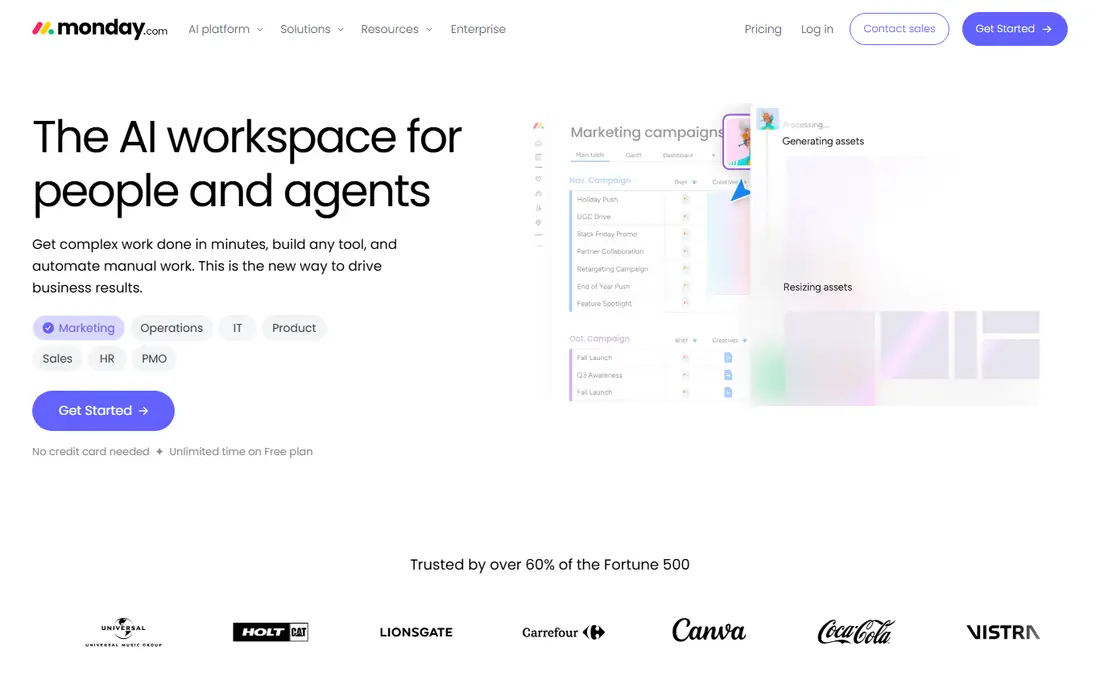
Monday.com suits teams that think in boards and columns rather than in task lists. Status columns, people columns, dates, and files sit on one board, and the color coding makes it easy to see at a glance which items are stuck. Templates for marketing, sales, HR, and operations mean a new team can start with a sensible structure instead of building one from scratch.
The free Individual plan covers up to two seats and three boards, so it works as a trial but not as a team plan. Paid Basic starts at $9 per seat per month with annual billing, with a three-seat minimum, which puts the real starting cost at $27 per month. Teams that need time tracking or guests will need higher plans. If your team likes visual work and wants a gentle learning curve, monday.com is a strong pick, but count the seats before you compare prices.
- Colorful, visual boards
- Fast setup for non-technical teams
- Many templates
- Free plan limited to two seats and three boards
- Paid plans need a three-seat minimum
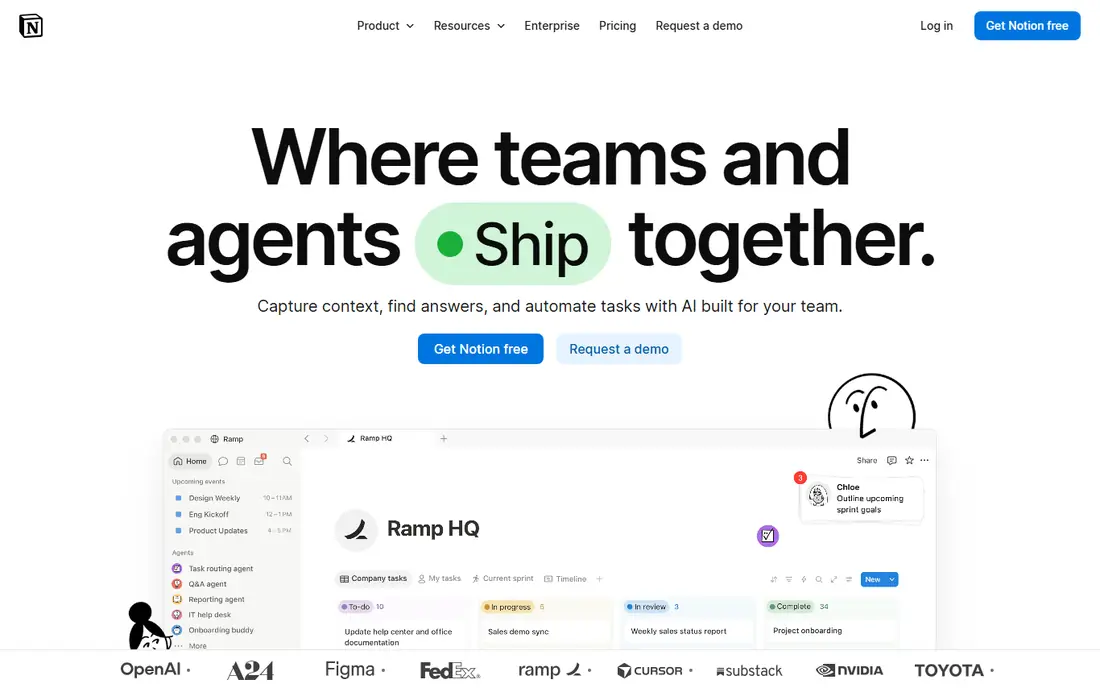
Notion is the best alternative if your team used ClickUp Docs as much as ClickUp tasks. Pages, wikis, and databases live in one workspace, so a project page can hold the brief, the task board, and the meeting notes together. That matters for knowledge-heavy teams, such as content, product, and operations groups, where the written record is as important as the task status.
The free plan works well for individuals, with unlimited pages, while Plus starts at $10 per seat per month with annual billing. The weakness is project depth. Notion has boards, timelines, and calendars, but it lacks some of the workload, proofing, and reporting depth found in Asana or Wrike. If your work is mostly tasks with dates and owners, Notion is enough. If you need resource planning, pair it with a clearer project tool or pick a different option here.
- Docs and databases in one workspace
- Flexible page structure
- Good free plan for individuals
- Project features are lighter than Asana or Wrike
- Large databases can feel slow
Trello is the simplest tool on this list, and that is its strength. A board, a few lists, and cards with checklists, dates, and attachments cover most small-team work without any training. Teams that found ClickUp overwhelming often find Trello a relief, because there is almost nothing to configure before work starts moving.
The free plan allows up to 10 boards and 10 collaborators per workspace, which suits a small team or a freelancer with a few clients. Standard starts at $5 per user per month with annual billing and adds unlimited boards, advanced checklists, and custom fields. The limit is depth. Trello does not offer the same reporting, workload, or timeline tools as Asana or Wrike, so larger teams may outgrow it. For a team of five or fewer with straightforward work, it is hard to beat on price and ease.
- Easiest kanban to learn
- Low starting price
- Fast to set up
- Free plan limited to 10 boards per workspace
- Advanced views need paid plans
Todoist is not trying to be a project platform, and that focus makes it a good ClickUp alternative for people who mainly need reliable task lists. You can add a task in seconds, type a date in plain words, set a priority, and move on. The app is available on phones, desktops, browsers, and watches, so capture is rarely more than a tap away.
The free plan covers basic tasks and projects, while paid plans add reminders, filters, and team features. Check the current pricing page, since Todoist has changed its plan names and prices over time. The honest catch is scope. Todoist will not replace ClickUp dashboards, docs, or timelines, and a team that needs shared boards with custom fields should look at Trello or Asana instead. For personal work and small shared lists, though, its speed is hard to match.
- Fast task capture
- Natural language dates
- Works on almost every device
- Not a full project platform
- Reporting and workload views are limited
Wrike suits teams that outgrew a simple board and need real control over workflows, approvals, and reports. Custom workflows, request forms, time tracking, and dashboards let an agency or operations team run intake, production, and delivery in one system. Resource views show who is overloaded, which is a feature smaller tools often lack.
The free plan covers small teams getting started, and Team starts at $10 per user per month with annual billing. Business and higher plans add proofing, advanced reporting, and more automation. The drawback is setup time. Wrike has many settings, and a team that rushes the setup will end up with a messy workspace. Plan a short pilot with one real project, agree on your statuses and fields first, and only then roll it out wider.
- Strong reporting and workload views
- Flexible custom workflows
- Good for agencies
- Setup takes time
- Higher plans needed for proofing and advanced features
Basecamp takes a different approach from the rest of this list. Instead of boards packed with columns, it gives each project a home with message boards, to-dos, schedules, files, and chat in one place. That structure suits teams that communicate a lot about their work and want the discussion attached to the project, not lost in a separate chat app.
Pricing is $15 per user per month on Plus, or $299 per month flat on Pro Unlimited with annual billing, which becomes good value once a team passes about 20 people. The free plan covers personal projects with limits. The catch is flexibility. Basecamp has fewer custom views, automations, and reporting options than Asana, monday.com, or Wrike, so teams with complex workflows may find it too plain. If simplicity and predictable pricing matter more than power, Basecamp is a solid swap.
- One flat Pro Unlimited price for larger teams
- Message boards and to-dos in one place
- Calm interface
- Fewer project views than rivals
- Per-user price is high for tiny teams
Smartsheet is the pick for teams that already think in spreadsheets. The grid layout feels familiar, but each row can hold attachments, dates, owners, and status, and you can switch the same sheet to Gantt, card, or calendar views. Formulas and automation rules let operations teams build trackers that update themselves, which is useful for budgets, content calendars, and intake lists.
Pro starts at $9 per member per month with annual billing, and there is a 30-day free trial rather than a lasting free plan. That makes Smartsheet a weaker choice for a team on a tight budget, and add-ons can push the cost up. The interface also feels more functional than pretty. But if your team already runs its work in Excel or Google Sheets and wants structure without learning a new visual system, Smartsheet is the least disruptive move on this list.
- Familiar grid layout
- Gantt and card views
- Strong formulas and automation
- No free plan, only a trial
- Interface can feel dated
- Costs rise with add-ons
How we picked these
We compared official pricing pages, free plan limits, and public feature lists for tools that cover the core ClickUp job: shared tasks, projects, and team visibility. We left out tools that only handle docs, only handle chat, or only handle time tracking, since they do not replace ClickUp on their own. We also favored tools with a current free plan or trial, a clear paid ladder, and a track record of working for small businesses as well as larger teams. We did not test each tool hands-on for this guide; we based the comparison on vendor pages, pricing, and public reviews.
How to switch without losing work
Start by exporting your ClickUp tasks, including statuses, assignees, dates, and comments where the export allows it. Then map your ClickUp statuses to the new tool before you import anything, because a messy status map is the most common cause of a failed migration. Keep custom fields to a short list at first, and leave the rest for later, since every extra field adds setup time and confusion.
Run both tools in parallel for one week with one real project, not a test project. That week will show you which views your team actually uses and which ClickUp features nobody misses. At the end of the week, pick a cutover date, archive the old workspace rather than deleting it, and keep it read-only for a month. That way, if a file or comment is missing, you can still find it without restarting the migration.
Frequently asked questions
What are the best clickup alternatives for small teams?
Trello and Todoist are the best starting points for small teams, because both are cheap, fast to set up, and easy to learn. Asana is the next step up when a small team needs timelines and portfolios. Try the free plan of each with one real project before you commit.
What is the best free clickup alternative?
Trello has one of the most useful free plans here, with up to 10 boards and 10 collaborators per workspace. Notion is also strong for individuals, and Asana and monday.com offer free plans for up to two users. The best free option depends on whether you need boards, docs, or structured projects.
Are there alternatives to clickup that are simpler?
Yes. Trello, Todoist, and Basecamp are all simpler by design, with fewer features competing for attention. Trello is simplest for kanban, Todoist for task lists, and Basecamp for project discussion plus to-dos. Simpler tools mean less setup, but also less reporting depth.
What is the best alternative to clickup for agencies?
Wrike and Asana are the strongest agency options here, thanks to workload views, request forms, and reporting. Wrike gives more workflow control, while Asana is easier to roll out. Agencies that bill by project should also check Smartsheet for budget and tracker views.
Can I migrate from ClickUp to Asana or monday.com?
Yes, both tools offer import options and guides for moving tasks from other platforms, and third-party migration tools can help with larger workspaces. Export your ClickUp data first, map your statuses, and test the import with one project before moving everything. Keep the old workspace archived for a month as a backup.
Is Notion a good replacement for ClickUp?
Notion is a good replacement if docs and wikis matter as much as tasks, and if your projects are fairly straightforward. It is a weaker replacement if you need workload planning, proofing, or deep reporting. In that case, Asana or Wrike will fit better, and you can still use Notion alongside them for docs.
Sources
- https://rankite.com/blog/best-project-management-tools-for-teams
- https://www.pawvian.com/2026/10/best-project-management-tools-2026.html
- https://saascrmreview.com/best-free-project-management/
- https://asana.com
- https://monday.com
- https://www.notion.com
- https://trello.com
- https://todoist.com
- https://www.wrike.com
- https://basecamp.com
- https://www.smartsheet.com
See where you really rank - block by block
ProMapRanker scans Google Maps across a grid of your service area. Simple monthly plans from $19, white-label on every plan.
Start freeKeep reading
 free alternatives to grok imagine
Free Alternatives to Grok Imagine in 2026
We compared the best free alternatives to grok imagine for image generation, from fast daily credits to design tools, so you can create without paying.
Read → best tools for instagram content creation
Best Tools for Instagram Content Creation in 2026
Compare the best tools for Instagram content creation, from Canva and CapCut to Later and Buffer, on design, video, planning, scheduling, and price in 2026.
Read → best tool to split pdf files
Best Tool to Split PDF Files in 2026
We compared the best tool to split pdf files on split modes, file limits, privacy and price, so you can split a PDF cleanly and keep every page in one go.
Read →