 ProMapRanker
Best Bluehost Alternatives in 2026


Beginners who want low prices and AI tools · Pricing starts at: $2.99 per month
Key takeaways
- Hostinger, SiteGround and DreamHost offer the lowest starting prices, but renewal prices are much higher, so check the renewal line before you buy.
- Cloudways suits users who want managed cloud hosting without a long contract, while WP Engine and Kinsta suit WordPress sites that need managed performance.
- GreenGeeks and InMotion Hosting suit buyers who want eco-friendly hosting or long-established support, with different strengths on backups and refunds.
- Every host in this guide is an alternative to Bluehost only: Bluehost itself is not listed, and the right pick depends on sites, traffic and budget.
Quick comparison
| Pick | Great for | Pricing starts at | Free tier | |
|---|---|---|---|---|
| Hostinger | Beginners who want low prices and AI tools | $2.99 per month | No | Visit |
 SiteGround | WordPress sites that need strong support | $2.99 per month | No | Visit |
 DreamHost | Owners running many sites | $2.89 per month | No | Visit |
 Cloudways | Managed cloud hosting without a long contract | $14 per month | Free trial | Visit |
 WP Engine | Managed WordPress for growing sites | $20 per month | No | Visit |
 Kinsta | High-traffic WordPress on Google Cloud | $30 per month | No | Visit |
 GreenGeeks | Eco-friendly shared hosting | $2.95 per month | No | Visit |
 InMotion Hosting | Established support and a long refund window | See website | No | Visit |
The best Bluehost alternatives
We compared eight alternatives to Bluehost on starting price, renewal price, WordPress support, backups and ease of use. The best Bluehost alternatives below cover budget shared hosting, managed WordPress and flexible cloud hosting, so a small blog and a growing business site can both find a fit. Prices are first-term prices unless stated, and renewal prices are often higher.

Hostinger is the most popular budget alternative to Bluehost, and its appeal is simple: a low starting price, a dashboard that beginners can follow, and an AI website builder that generates a layout from a few prompts. The Premium plan at $2.99 per month on a 48-month term covers a typical small site, with a free domain for the first year and a content delivery network included.
The trade-offs are support and renewals. Hostinger offers live chat around the clock but no phone support, and entry-plan backups are weekly rather than daily. The renewal price of about $10.99 per month is also far above the starting price, so the long-term cost is higher than the headline suggests. If you want the cheapest capable start and you are comfortable with chat support, Hostinger is hard to beat.
- Low starting price
- AI website builder and simple dashboard
- Free domain for the first year on many plans
- No phone support
- Weekly backups on the entry plan
- Renews at about $10.99 per month

SiteGround is the pick for buyers who value support over the lowest price. Its StartUp plan at $2.99 per month on a 12-month term includes daily backups, free email accounts and a content delivery network, and support is available by chat, phone and tickets at any hour. That support quality is why many WordPress users move to SiteGround when a cheaper host leaves them waiting.
Renewal is the catch. The StartUp plan renews at $17.99 per month, the highest renewal in this guide for shared hosting, so the second year costs far more than the first. Storage on the entry plan is also limited. If you run one WordPress site and want expert help when something breaks, SiteGround is worth the renewal, but budget for it from day one.
- Chat, phone and ticket support around the clock
- Daily backups
- Google Cloud hosting with free content delivery
- Steep renewal at $17.99 per month
- Entry plan covers one site with limited storage
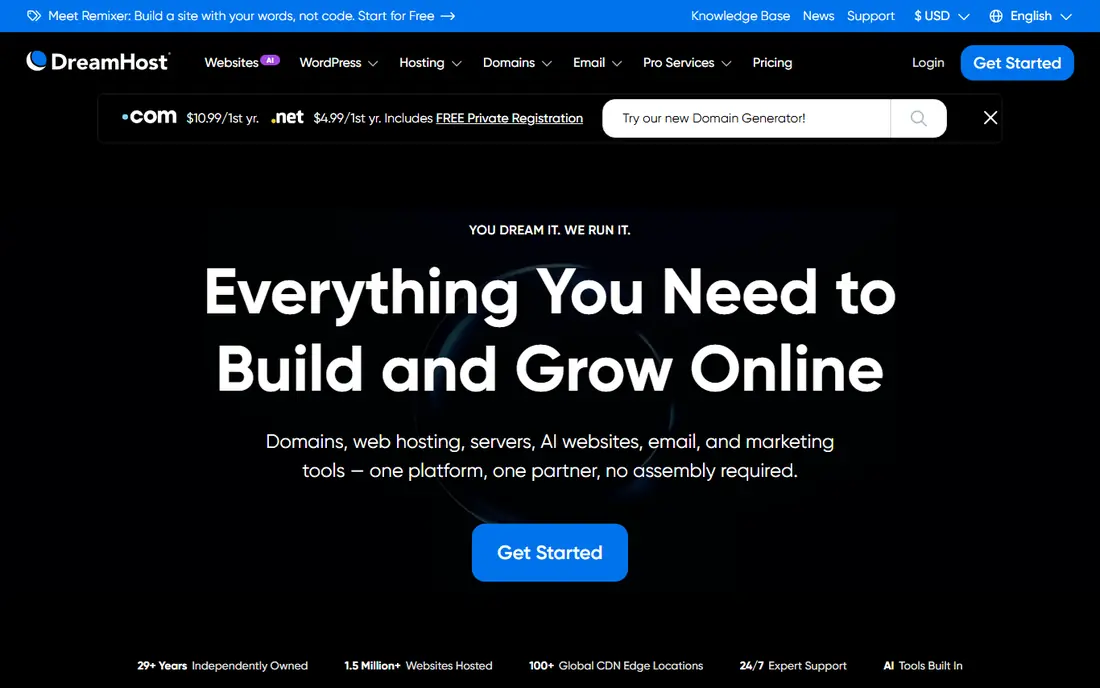
DreamHost suits owners who run several small sites and do not want to pay per site. Its Launch plan at $2.89 per month for the first year allows many websites, includes daily backups, and renews at $10.99 per month in published comparisons. That multi-site allowance sets it apart from SiteGround and GreenGeeks, whose entry plans cover a single site.
Support is chat and email only, with no phone option, which matters if you prefer to talk through a problem. Email is also free for only the first three months on the entry plan, after which it is a paid extra. If you manage a portfolio of small sites and you are comfortable with chat support, DreamHost offers the best multi-site value in this guide.
- Entry plan allows many sites
- Daily backups
- Free domain and privacy protection on many plans
- No phone support, only chat and email
- Email is free for only 3 months on the entry plan
Cloudways is different from the shared hosts above: it is managed cloud hosting, billed monthly, with no long contract required. Starting at about $14 per month on DigitalOcean infrastructure, it lets you choose a cloud provider, scale the server as traffic grows, and avoid the server administration that raw cloud hosting demands. Staging, backups and server-level caching are handled for you.
The trade-offs are extras and expertise. Email and domains are not included, so you buy those separately, and the final bill depends on server size, storage and backup choices rather than a fixed plan price. Cloudways suits developers, agencies and growing sites that have outgrown shared hosting but do not want a managed WordPress price. Beginners should start with Hostinger or SiteGround instead.
- Pay monthly with no long contract
- Choice of cloud providers
- Managed servers without server administration
- No email or domain included
- More technical than shared hosting
- Final bill depends on server size and add-ons
WP Engine is the managed WordPress choice for sites that have grown past shared hosting. It handles updates, caching, security and backups, provides staging environments for testing changes, and offers expert WordPress support by chat and phone. Agency workflow tools, including site transfer and team access, make it a natural fit for agencies managing client WordPress sites.
Price is the barrier. Starting prices around $20 per month on annual billing are reported in recent comparisons, though other reports list higher figures, so the live checkout and renewal line are the final word. Some plugins are also restricted for performance or security reasons. If your WordPress site earns money or carries real traffic, WP Engine's managed service is worth the premium over shared hosting.
- Fully managed WordPress with expert support
- Staging, backups and content delivery included
- Agency workflow tools
- More expensive than shared hosting
- Plugin restrictions apply
- Starting price varies by billing term and plan
Kinsta is the premium managed WordPress host in this guide, built on Google Cloud and connected to Cloudflare Enterprise content delivery. The Starter plan at $30 per month on annual billing, or $35 monthly, covers one WordPress install with 25,000 monthly visits and 10 GB of storage, with 14-day backup retention and expert chat support around the clock. Performance and security are the selling points, not price.
Small sites will find Kinsta expensive, and email hosting is not included, so you need a separate mailbox provider. Traffic and storage overages also add cost, so a site with sudden spikes should check overage terms. For a high-traffic business site, a membership site or a store where speed directly affects revenue, Kinsta's infrastructure justifies the price in a way shared hosting cannot.
- Google Cloud hosting with Cloudflare Enterprise content delivery
- Expert support by chat
- Automatic scaling and strong security
- Costly for small sites
- Storage limits on the entry plan
- No email hosting included
GreenGeeks appeals to buyers who want shared hosting with a smaller environmental footprint. The company matches its energy use with renewable energy credits, and its Lite plan at $2.95 per month on a 12-month term covers one website with 25 GB of storage, a free domain for the first year and a 30-day money-back guarantee. Support is available by chat and phone.
Renewal is the familiar shared-hosting catch: the Lite plan renews at about $13.95 per month, far above the starting price. Storage on the entry plan is also modest compared with some rivals. If eco-friendly hosting matters to you and you run one or two small sites, GreenGeeks is a solid budget alternative, provided you budget for the renewal price.
- Eco-friendly hosting with renewable energy matching
- Lite plan at $2.95 per month
- 30-day money-back guarantee
- Renews at about $13.95 per month
- Entry plan covers one site with 25 GB of storage
InMotion Hosting has been a steady shared and WordPress host for many years, and its strengths are support and buyer protection. Phone and chat support are available around the clock, and the money-back guarantee runs to 90 days on terms of six months or longer, far longer than the 30 days most rivals offer. That window gives a new site owner time to test performance and support properly.
Starting prices vary by plan and term, with published comparisons listing WordPress plans from about $3.69 per month, so the live plan page is the final source. InMotion is not the cheapest signup in this guide, and its plan names and prices change more often than some rivals. If you value a long refund window and phone support over the lowest headline price, it is a reassuring alternative.
- Long-established host with phone and chat support
- 90-day money-back guarantee on terms of 6 months or longer
- WordPress and business plans
- Starting prices vary by plan and term
- Some plans are pricier than budget rivals at signup
How we picked these
We compared official pricing pages and published 2026 hosting comparisons that checked prices against each host's own pages in October 2026, and we kept only hosts that are live and sell shared, managed WordPress or managed cloud hosting in the United States. We excluded Bluehost itself throughout, since this is an alternatives guide, and we favoured a mix of budget, managed and cloud options rather than eight similar shared hosts. We wrote See website for InMotion Hosting because its starting price varies by plan and term, instead of inventing a single figure.
How to choose a Bluehost alternative
Start with the site, not the price. A single small blog fits Hostinger, SiteGround or GreenGeeks, a portfolio of sites fits DreamHost, and a growing WordPress business fits WP Engine or Kinsta. Cloudways fits sites that need cloud flexibility without a long contract, while InMotion suits buyers who want phone support and a long refund window.
Next, read the renewal price and the refund terms before you pay. The cheapest first-term price often renews at three or four times the starting rate, and a 48-month term locks you into that host for years. Check backups, email costs and support channels too, since those extras decide whether a cheap plan stays cheap. Migrate during a quiet period, keep a backup of the old site until the new one is fully live, and test contact forms and checkout before you cancel the old host.
Frequently asked questions
What is the best alternative to Bluehost?
Hostinger is the best budget alternative for most beginners, SiteGround is the best for support-focused WordPress users, and WP Engine or Kinsta suit growing WordPress sites that need managed performance. The best choice depends on your site count, traffic and budget, not on a single ranking.
Are Bluehost alternatives cheaper than Bluehost?
Many are cheaper at signup, with Hostinger, SiteGround and DreamHost starting under $3 per month on first terms, compared with Bluehost WordPress plans from $3.99 per month. Renewal prices tell a different story, so compare the second-year price, not just the first-term offer, before you decide.
What is the best Bluehost alternative for WordPress?
SiteGround suits most WordPress users with strong support and daily backups, while WP Engine and Kinsta suit larger WordPress sites that need managed hosting, staging and expert support. Hostinger is a capable budget WordPress option, and DreamHost suits owners running several WordPress sites.
Can I migrate my site from Bluehost to another host?
Yes. Most hosts in this guide offer free migration, either automated or assisted, and WordPress sites can also be moved with a migration plugin and a backup. Keep the old site live until the new site is tested, including forms, checkout and email, before you cancel the old plan.
Does Cloudways replace shared hosting?
Cloudways suits sites that have outgrown shared hosting and want managed cloud servers billed monthly, but it is more technical and does not include email or domains. Small blogs and new sites are usually better served by shared hosting from Hostinger, SiteGround or DreamHost.
Which Bluehost alternative has the best support?
SiteGround and InMotion Hosting stand out for support, with SiteGround offering chat, phone and tickets around the clock and InMotion offering phone and chat plus a 90-day refund window on longer terms. Hostinger and DreamHost rely on chat and email, which suits buyers comfortable without phone support.
Sources
See where you really rank - block by block
ProMapRanker scans Google Maps across a grid of your service area. Simple monthly plans from $19, white-label on every plan.
Start freeKeep reading
 free alternatives to grok imagine
Free Alternatives to Grok Imagine in 2026
We compared the best free alternatives to grok imagine for image generation, from fast daily credits to design tools, so you can create without paying.
Read → best tools for instagram content creation
Best Tools for Instagram Content Creation in 2026
Compare the best tools for Instagram content creation, from Canva and CapCut to Later and Buffer, on design, video, planning, scheduling, and price in 2026.
Read → best tool to split pdf files
Best Tool to Split PDF Files in 2026
We compared the best tool to split pdf files on split modes, file limits, privacy and price, so you can split a PDF cleanly and keep every page in one go.
Read →