 ProMapRanker
Best Writing Software for Novelists in 2026


Long-form drafting and structure · Pricing starts at: $59.99 one-time
Key takeaways
- Scrivener remains the standard for long-form drafting, with a one-time price and deep structure tools.
- Dabble and LivingWriter suit novelists who want cloud drafting with less setup than Scrivener.
- Plottr and Campfire are planning tools first, so pair them with a drafting app rather than replacing it.
- ProWritingAid is the strongest editing companion here, but it does not replace a human editor.
Quick comparison
| Pick | Great for | Pricing starts at | Free tier | |
|---|---|---|---|---|
| Scrivener | Long-form drafting and structure | $59.99 one-time | Free trial | Visit |
 Dabble | Cloud drafting for novelists | See website | Free trial | Visit |
 LivingWriter | Easy cloud novel drafting | See website | Free trial | Visit |
 Plottr | Visual plotting and timelines | $25 per year | Free trial | Visit |
 Ulysses | Distraction free Apple drafting | See website | Free trial | Visit |
 Atticus | Drafting plus book formatting | See website | Free trial | Visit |
 Novelcrafter | Series planning with AI help | See website | Free trial | Visit |
 Campfire | Worldbuilding and character tracking | See website | Free trial | Visit |
 ProWritingAid | Fiction editing and style checks | See website | Yes | Visit |
The best writing software for novelists
A novel is not a single document. It is scenes, chapters, character notes, research, and revisions that must stay in order for months. The tools below handle that job in different ways, from full drafting suites to planning and editing companions, and we compared them on structure, ease of use, price, and how cleanly a finished draft exports.
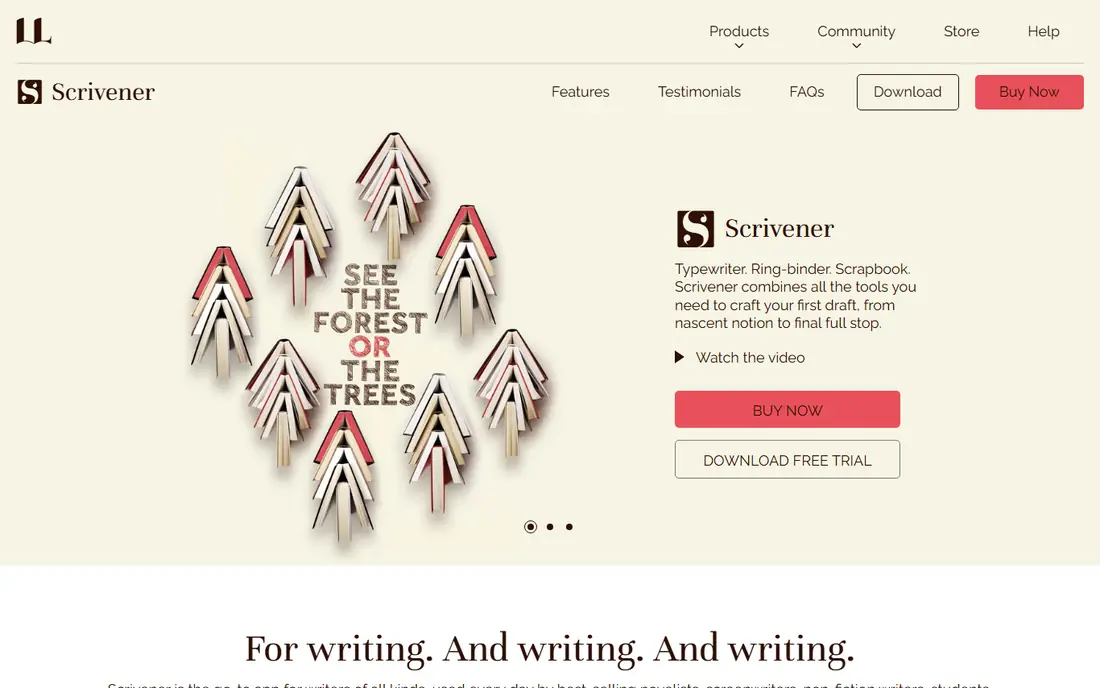
Scrivener is still the default serious novel tool for good reason. You write scenes out of order, move them on a corkboard, keep character sheets and research in the same project, and compile the finished draft into Word, ebook, or print formats. That structure is what makes a 90,000 word draft manageable instead of a single endless document.
The price helps too: 59.99 dollars for a standard desktop license, with no monthly fee, plus a free trial. The catch is learning time. Compile, the export system, takes practice, and sync across devices relies on Dropbox rather than built-in cloud. If you are willing to learn it, Scrivener repays the effort on every long project after the first.
- Binder, corkboard, and outliner for scenes and chapters
- Snapshots for revisions
- One-time desktop license
- Steep learning curve, especially Compile
- Mobile version is separate
- Sync needs Dropbox setup
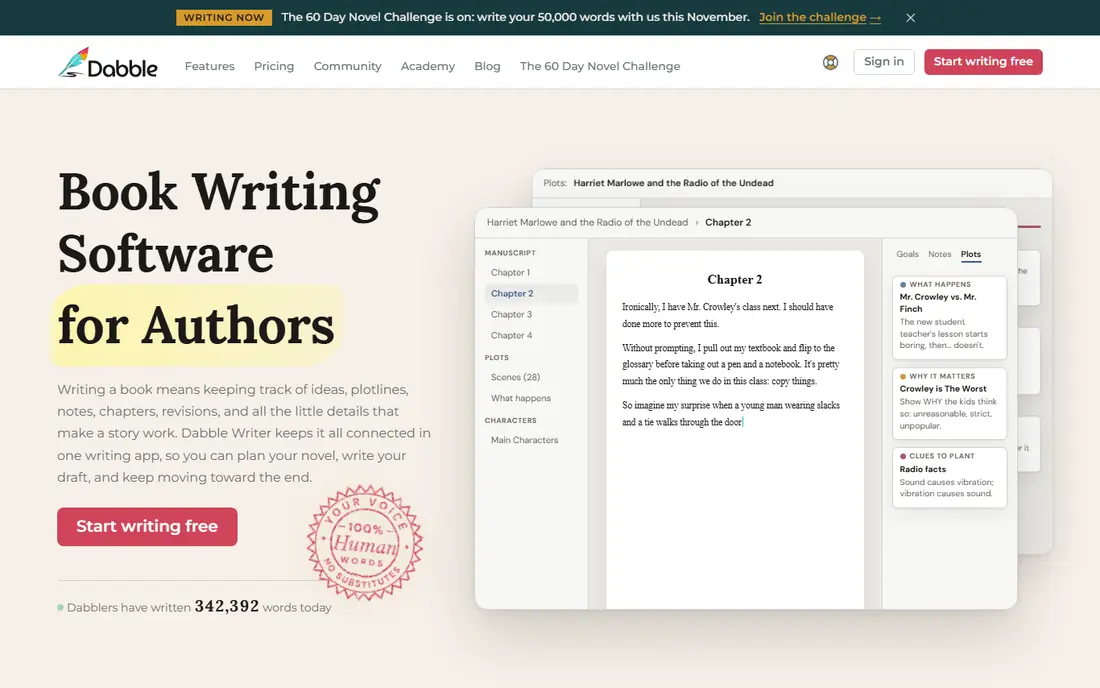
Dabble is the cloud-first answer to Scrivener. It gives novelists a manuscript view, chapter and scene organization, plot notes, and word count goals, all in a browser or app that saves as you write. For writers who switch devices often or fear losing a local file, that cloud habit is a real comfort.
You give up some depth. Dabble does not match Scrivener for Compile customization or research storage, and it is a subscription rather than a one-time buy. If ease of use and access from any device matter more than deep control, Dabble is the better daily writing home.
- Cloud based with automatic saving
- Plot grid and story notes
- Simpler to learn than Scrivener
- Subscription pricing rather than one-time
- Fewer deep customization options than Scrivener
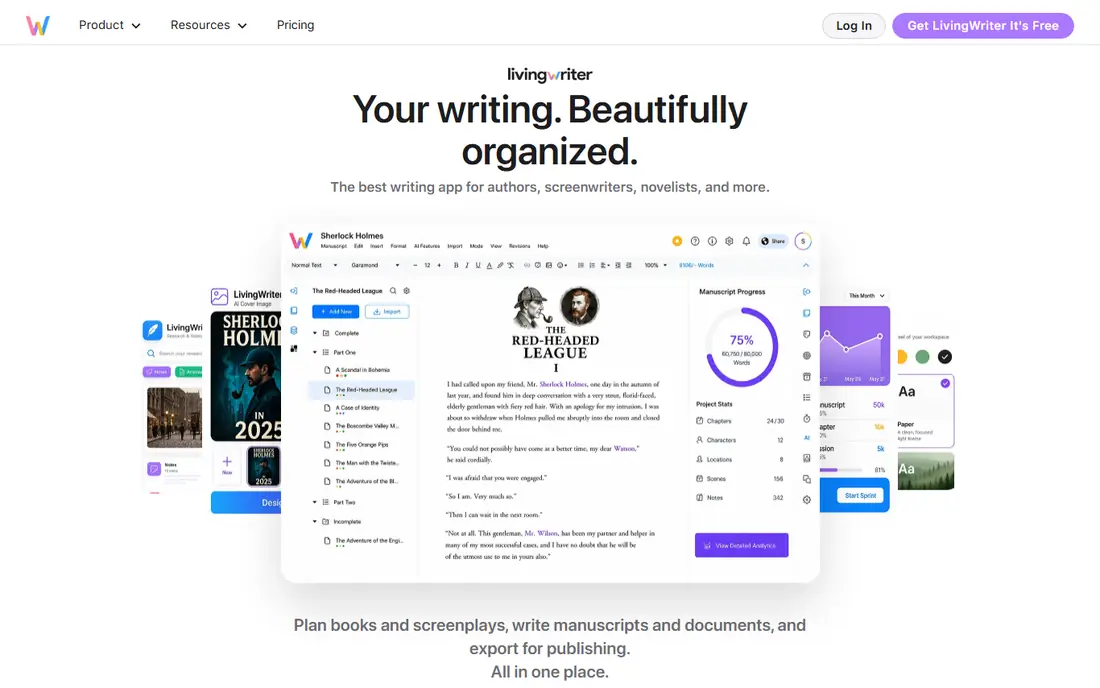
LivingWriter aims at the same writer as Dabble: someone who wants Scrivener style structure without Scrivener style setup. Its story elements keep characters, locations, and items linked to scenes, and chapters reorder with a drag. The interface stays calm, which helps on long writing days when menus become a distraction.
The trade is similar to Dabble. You pay a subscription, and export and formatting options are narrower than Scrivener Compile. For a first novel, that simplicity is a plus. For a writer with complex formatting needs for print, Scrivener or Atticus may fit better at the end of the project.
- Clean cloud interface
- Story elements for characters and places
- Easy chapter reordering
- Subscription pricing
- Smaller template and export range than Scrivener
Plottr is the strongest dedicated plotting tool here. Its timeline lets you see scenes, plotlines, and character arcs side by side, which makes gaps and pacing problems visible before you draft them. Templates for common story structures help new novelists start, and the price of 25 dollars per year is low for a specialist tool.
Be clear about its role. Plottr plans a book; it does not replace a drafting app for writing the full manuscript. Most novelists use Plottr to plan, then draft in Scrivener, Dabble, or LivingWriter, and export the outline between them. Used that way, it is the cheapest way to fix structure early.
- Timeline view shows a whole book at once
- Plot templates for common structures
- Affordable yearly price
- Planning tool, not a full drafting app
- Best paired with Scrivener or another writer
Ulysses suits Apple users who want a calm page and nothing else. It organizes writing into sheets and groups, supports goals and deadlines, and exports cleanly to Word, PDF, and ebook formats. For a novelist who drafts in short daily sessions and values focus over features, that calm matters.
The limits are platform and structure. Ulysses runs on Mac and iOS only, and it does not offer a corkboard or deep character database like Scrivener. It is a fine drafting app for a novel written in order, and a weaker choice for a complex multi-viewpoint book that needs heavy reordering and research storage.
- Clean writing environment on Mac and iOS
- Strong export to ebook and Word
- Good for daily word count habits
- Apple only
- Subscription pricing
- Less novel structure than Scrivener
Atticus is the pick for indie authors who want to draft and format in the same place. It covers writing, chapter organization, and print and ebook formatting, so you do not need a separate layout tool at publication time. That matters for Windows authors, who have fewer formatting options than Mac authors with tools such as Vellum.
Planning depth is thinner than Plottr or Campfire, and character tracking is basic. Atticus works best as a drafting and finishing tool, with Plottr handling the outline if you need one. For an author who self-publishes regularly, saving a formatting step on every book adds up fast.
- Writing and formatting in one app
- Works on Mac and Windows
- Good for indie publishing
- Formatting focus means less planning depth
- One-time price needs checking at purchase
Novelcrafter is built for series writers who struggle to keep continuity straight. Its Codex stores characters, locations, magic systems, and plot threads, and AI tools can draw on those notes when helping with scenes. For a writer on book three of a series, that memory is worth more than a generic AI chat window.
The cost is complexity and price. Setting up a Codex takes time, and AI tiers add to the bill. Novelcrafter suits writers who already feel the pain of lost continuity. For a standalone first novel, Scrivener or Dabble will feel simpler and cheaper.
- Codex tracks characters, places, and series lore
- AI assistance with your own notes
- Good for long series
- AI features add cost and complexity
- Newer tool with a learning curve for the Codex
Campfire suits fantasy, sci-fi, and other world heavy genres. Its modules cover characters, locations, timelines, magic, and cultures, so you can build a world bible alongside the draft. That modular approach lets you buy or use only the parts your book needs, rather than learning one large system.
The downside is spread. With many modules, a project can feel scattered, and drafting itself is not as deep as Scrivener. Use Campfire as a worldbuilding companion and draft in a dedicated writer, or use Campfire alone only when world notes are the main job and the draft is short.
- Modular tools for characters, places, and timelines
- Visual worldbuilding
- Good for fantasy and sci-fi
- Many modules can feel scattered
- Drafting is not as deep as Scrivener
ProWritingAid is the editing companion most novelists in our sources pair with a drafting app. It checks grammar, style, repeated words, sentence length, dialogue tags, and readability, with reports tuned for fiction. Integrations with Scrivener and Word mean you can edit without copying chapters into a new tool.
Do not mistake reports for editing judgment. ProWritingAid flags mechanics, not story. It cannot tell you if a scene drags, a character arc fails, or a twist lands. Use it for a clean self-edit pass, then send the manuscript to beta readers or a human editor for story feedback. That order saves money and improves the final book.
- Deep style, grammar, and readability reports for fiction
- Integrates with Scrivener and Word
- Free tier for basic checks
- Reports can overwhelm new writers
- Does not judge story, pacing, or character arcs
How we picked these
We compared official feature and pricing pages, plus recent novel writing guides, for tools that support long-form fiction in October 2026. We kept drafting apps, planning tools, and one editing companion, because novelists use all three stages. We did not claim hands-on testing we did not do, and where pricing varied by plan or region we wrote See website rather than guessing a single figure.
How to choose your writing setup
Start with how you draft. If you write out of order and keep heavy research, Scrivener is the standard. If you write in order on several devices, Dabble or LivingWriter will feel easier. If structure is your weak point, add Plottr before you draft, not after. If worldbuilding is the hard part, add Campfire. One drafting app plus one planning tool plus ProWritingAid covers most novelists without stacking subscriptions.
Check export before you commit. Your draft must leave the app as a clean Word file or ebook file, with chapters intact, for agents, editors, and publishers. Test a short sample export during a trial, including italics, scene breaks, and chapter titles. A tool that traps your book in a proprietary format will cost you time at the worst moment, which is submission week.
Free options and when they work
Google Docs and Microsoft Word remain usable for a first draft, and both are free or widely available. They lack scene organization, corkboards, and novel specific goals, but they work for a short novel or a writer testing a habit. Move to a dedicated novel app when chapters, notes, and revisions start to crowd a single document. That point usually arrives around 20,000 words.
Frequently asked questions
What is the best app for writing a novel?
Scrivener is our pick for most novelists, because it handles scenes, chapters, research, and export in one project. Dabble and LivingWriter are easier cloud options for writers who prefer less setup. Try a trial with a real chapter, not a blank page, before you decide.
What is the best book writing software free?
Google Docs is the best free starting point, with cloud saving and easy sharing for beta readers. It lacks novel structure tools, so pair it with a free trial of Plottr for planning if you need an outline. For a full novel, a paid drafting app usually saves time by the middle of the book.
Is Scrivener better than LivingWriter?
Scrivener offers deeper structure, snapshots, and Compile control, plus a one-time price. LivingWriter is easier to learn and works in the cloud without setup. Choose Scrivener for complex, long projects and LivingWriter for a simpler cloud workflow on a first or second novel.
What are the best tools for writers after drafting?
ProWritingAid is the strongest editing tool here for style and grammar checks. Beta readers and a human editor come next for story feedback, because software cannot judge pacing or character arcs. Formatting tools such as Atticus help indie authors finish print and ebook files.
Do I need both a plotting tool and a drafting app?
Not always. Scrivener, Dabble, and LivingWriter all include basic outlining. Add Plottr when you struggle with structure, pacing, or multi-thread plots, and add Campfire when worldbuilding is the main challenge. One extra tool that fixes a real weakness beats three tools you rarely open.
Can writing software replace a professional editor?
No. Software improves mechanics, consistency, and readability, but it cannot evaluate narrative structure, pacing, character development, or theme. Use software for self-editing, then hire a developmental or copy editor for the story and line level work that readers notice.
Sources
See where you really rank - block by block
ProMapRanker scans Google Maps across a grid of your service area. Simple monthly plans from $19, white-label on every plan.
Start freeKeep reading
 free alternatives to grok imagine
Free Alternatives to Grok Imagine in 2026
We compared the best free alternatives to grok imagine for image generation, from fast daily credits to design tools, so you can create without paying.
Read → best tools for instagram content creation
Best Tools for Instagram Content Creation in 2026
Compare the best tools for Instagram content creation, from Canva and CapCut to Later and Buffer, on design, video, planning, scheduling, and price in 2026.
Read → best tool to split pdf files
Best Tool to Split PDF Files in 2026
We compared the best tool to split pdf files on split modes, file limits, privacy and price, so you can split a PDF cleanly and keep every page in one go.
Read →