 ProMapRanker
Best White Noise App in 2026: 8 Apps Compared

Key takeaways
- BetterSleep is the best all-round pick for sleep, with a large sound library and a mixer for layered soundscapes.
- myNoise is the best choice for precise control, with frequency-level shaping for people who find standard white noise too harsh.
- Dark Noise is the best Apple-focused pick, with a clean design, widgets and Shortcuts support.
- White Noise Lite, SimplyNoise and A Soft Murmur are the simplest free options for a single sound with no fuss.
- White noise apps are general information and comfort tools, not medical advice, and persistent sleep problems deserve a doctor visit.
Quick comparison
| Pick | Great for | Pricing starts at | Free tier | |
|---|---|---|---|---|
 BetterSleep | Layered sleep soundscapes | Free | Yes | Visit |
 myNoise | Precise frequency control | Free | Yes | Visit |
 Dark Noise | Apple ecosystem and simplicity | Free | Yes | Visit |
 White Noise Lite | Simple reliable sounds | Free | Yes | Visit |
 Noisli | Mixing for work and focus | Free | Yes | Visit |
 A Soft Murmur | Simple web and mobile mixing | Free | Yes | Visit |
 SimplyNoise | Free colour noise in a browser | Free | Yes | Visit |
 Endel | Adaptive soundscapes | Free | Yes | Visit |
The best white noise apps
White noise apps fall into two groups: simple sound machines that play one sound well, and mixers that let you layer rain, fans and nature sounds into a custom blend. The eight apps below cover both, so you can pick based on how much control you want at bedtime.
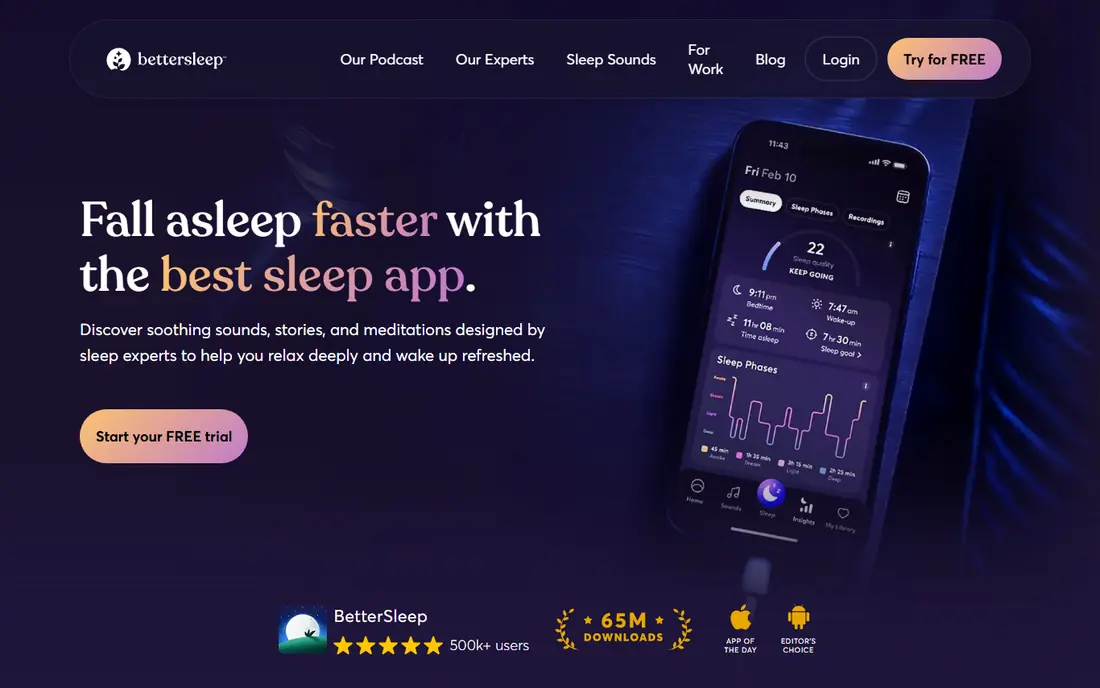
BetterSleep, formerly Relax Melodies, is our pick for most sleepers. It offers more than 200 sounds across nature, water, city, animal and brainwave categories, and its mixer lets you layer several sounds at different volumes into a saved mix. That layering matters, since many people sleep better with rain plus a low fan hum than with a single loop. Sleep tracking, guided meditations and stories sit alongside the sounds, and a fade-out timer stops playback gradually as you fall asleep.
The free tier is useful but limited, with only part of the library available without paying, and Premium costs about $59.99 per year in published listings after a trial. The app is also large and packed with features, which can feel like overkill if you just want rain sounds. If you want a full bedtime routine in one app, though, BetterSleep is the most complete option here. Note that this app is a comfort tool for sleep, not medical advice, and ongoing sleep problems should be checked by a doctor.
- Large library of sounds, mixes and stories
- Mixer for layered soundscapes
- Sleep tracking and fade-out timers
- Free tier covers only part of the library
- Premium at about $59.99 per year in published listings
- App is large and feature-heavy
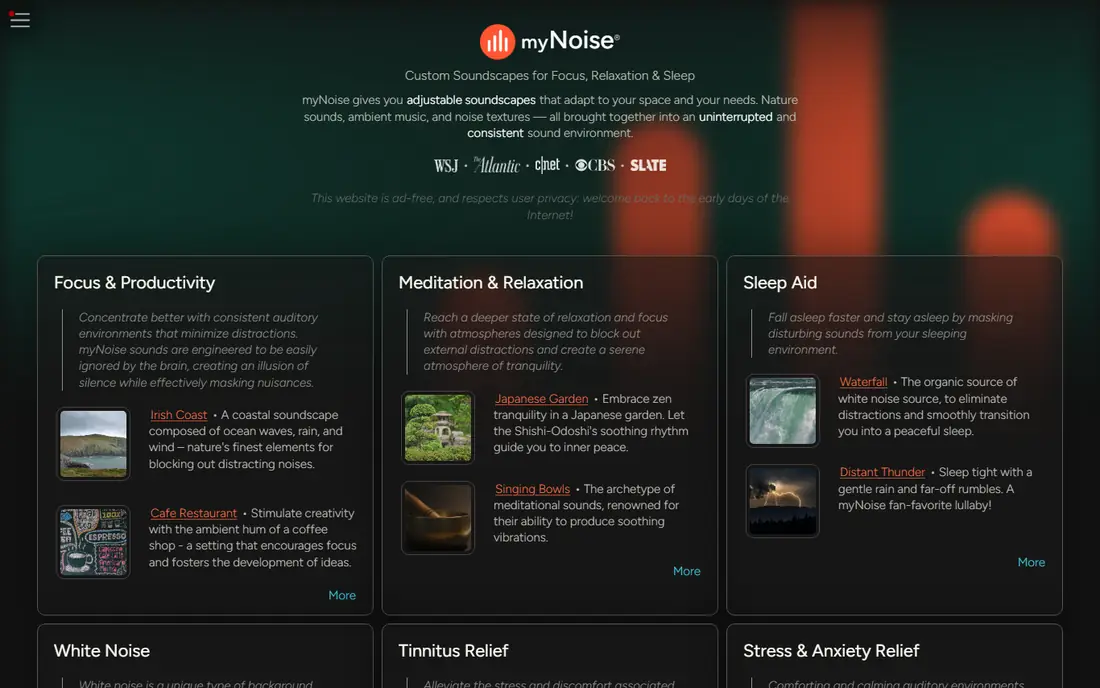
myNoise is the app for people who have tried white noise before and found it too sharp, too dull or just not right. Instead of a single volume slider, it gives you sliders for different frequency bands, so you can shape a sound to your hearing and your room. You can move from clean white, pink and brown noise to detailed soundscapes such as rain on a tent or a distant train, all with the same level of control. Offline playback helps on flights and in places with poor signal.
The interface is plain and technical, and new users may need a few sessions to learn how the sliders work. The core app is free, with full access available as a one-time in-app purchase listed at about $11.99 in published comparisons. If you are sensitive to certain frequencies, or you want a sound shaped exactly to your taste, myNoise is worth the learning curve.
- Frequency-level control over each sound
- Huge range of noise generators and soundscapes
- Offline playback on mobile
- Utilitarian interface
- Learning curve for new users
- Full access is a paid in-app purchase
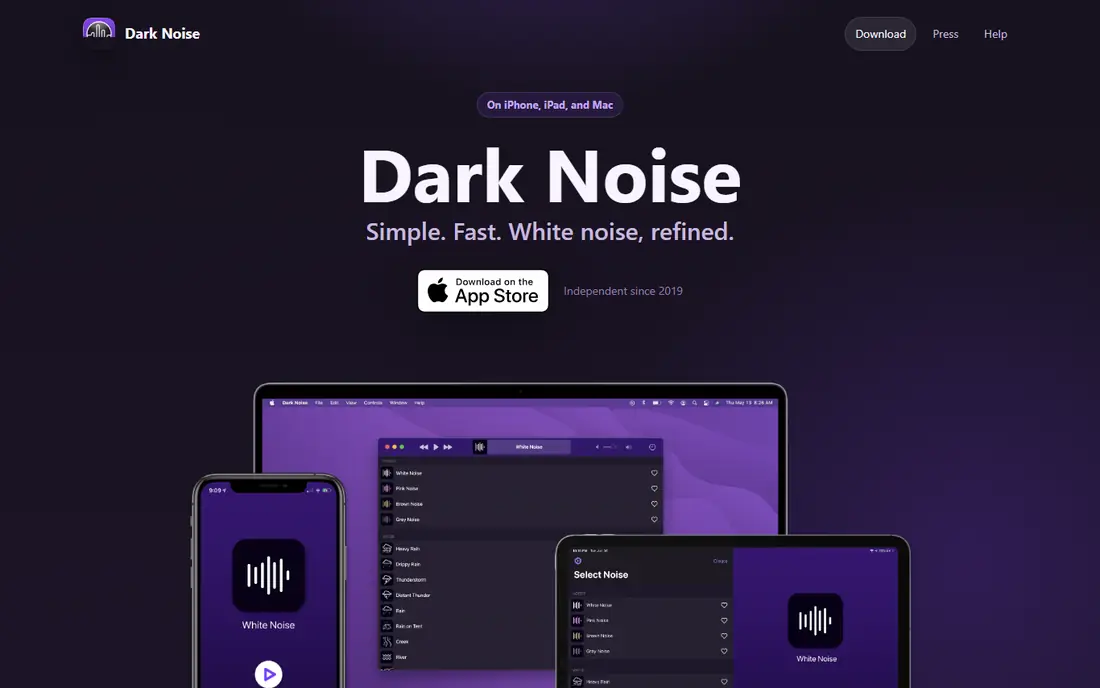
Dark Noise is the easiest white noise app to live with on an iPhone or Mac. Open it, pick a sound, and you are done, with no account setup and no clutter. Widgets and Shortcuts let you start a favourite sound from the home screen or with Siri, which matters at bedtime when you do not want to fumble through menus in the dark. Sound quality is high, with remastered loops for rain, thunder, beach and airplane sounds.
The limits are platform and price. Dark Noise is Apple only, so Android users need another app, and the full version for new users costs $2.99 per month or $19.99 per year, with a lifetime option at $49.99 in published reports, after a free tier with a smaller set of sounds. If you are in the Apple ecosystem and want calm without complexity, Dark Noise is a polished, dependable pick.
- Clean, fast design
- Widgets, Shortcuts and Siri support
- High quality sound loops
- Apple only, on iOS and macOS
- Full version needs a subscription or lifetime purchase
- Fewer sounds than BetterSleep on the free tier
White Noise Lite, by TMSoft, is the no-fuss option. It plays a wide range of white noise, fan, rain and nature sounds, with a timer and background playback, and it does not ask you to learn mixing or accounts first. That simplicity suits guests, children, and anyone who wants to press one button at bedtime. The free version covers the core sounds well, and the Pro version is listed at $2.99 in published comparisons.
The interface looks dated compared with Dark Noise or BetterSleep, and ads appear in the free version. Those are minor issues for a bedtime tool you use with your eyes closed. If you want a simple sound machine on your phone, and you do not need layered mixes or sleep tracking, White Noise Lite is a solid, honest choice.
- Very simple to use
- Large sound library for a free app
- Reliable playback with timers
- Interface looks dated on newer phones
- Ads on the free version
- Pro upgrade needed to remove ads and open all sounds
Noisli is best known as a focus tool, but it works just as well at night. Its mixer lets you combine rain, thunder, wind, forest, cafe chatter and white noise at different volumes, with a clean, calm interface that does not distract you. A built-in timer and a plain text editor help for work sessions, and the web version means you can use it on a laptop as well as a phone. For people who want one app for both work focus and sleep masking, Noisli covers both jobs.
The free tier is limited to 90 minutes per day in published listings, which is enough for a work session but short for a full night of sleep, so overnight users will likely need Pro at $10 per month. Sleep tracking and bedtime stories are also missing, since Noisli is a sound mixer first. If focus is your main need and sleep is secondary, Noisli is a strong pick.
- Easy mixer for rain, thunder, wind and cafe sounds
- Works on web, iOS and Android
- Timer and text editor for focused work
- Free tier limited to 90 minutes per day in published listings
- Pro at $10 per month
- Fewer sleep-specific features than BetterSleep
A Soft Murmur is the simplest mixer on this list. Open the site or app, turn up rain, thunder, waves, wind or a crackling fire, and mix them by volume. There is no account, no subscription push and no learning curve, which makes it ideal for a quick test of whether mixed sounds help you sleep or focus. It also works well on a laptop for office masking, since it runs in a browser.
The limit is scope. With only ten sounds and volume as the main control, A Soft Murmur cannot match myNoise for shaping or BetterSleep for variety. There is no sleep tracking, no fade-out routines and no stories. If you want a free, instant sound mixer with no fuss, it is excellent. If you want a full sleep system, pair it with, or upgrade to, BetterSleep.
- Free and very simple
- Ten mixable sounds including rain, thunder and waves
- Works in a browser with no account
- Only ten sounds
- No deep customisation beyond volume
- No sleep tracking or stories
SimplyNoise does one job well: it plays white, pink and brown noise, with a slider to shape the tone, in a browser for free. That simplicity is the point. If you know that brown noise helps you sleep, or white noise helps you focus, you do not need a library of rain and ocean sounds, you just need clean, steady noise without ads or accounts getting in the way. The mobile app is listed at $0.99, which makes it one of the cheapest paid options here.
There is no mixing, no nature library and no sleep features, so SimplyNoise will feel too basic if you want variety. It is also a browser-first tool, which suits a laptop at work better than a phone at bedtime, though the app covers mobile use. For pure colour noise, free and reliable, SimplyNoise is hard to beat.
- Free white, pink and brown noise on the web
- Very simple
- App version costs only $0.99 in published listings
- No mixing and no timers beyond basic playback
- No nature sounds
- Plain design
Endel takes a different approach, generating soundscapes that adapt to the time of day, your activity and, where linked, wearable data. Instead of looping a rain recording, it builds a changing soundscape for sleep, focus or relaxation, which some listeners find less repetitive over a full night. Modes are clearly labelled, so you can pick sleep at bedtime and focus during work without building a mix yourself.
Full access is subscription-led, with published listings around $19.99 per month or $119.99 per year on app stores, though a free tier exists for basic use. Control is also less direct than myNoise, since you guide Endel rather than shaping every frequency yourself. If you like adaptive, ever-changing sound and you do not want to build mixes, Endel is an interesting, modern option. If you want exact control, myNoise remains the better pick.
- AI-adaptive soundscapes that change with time of day
- Modes for sleep, focus and relaxation
- Works on iOS, Android and macOS
- Subscription-led pricing for full access
- Personalisation benefits from wearable or time data
- Less direct control than myNoise
How we picked these
We compared official app pages, app store listings and published 2026 roundups for white noise and sleep sound apps that are actively maintained. We favoured apps with a working free tier, reliable background playback, timers, and a clear sound library, and we left out meditation-only apps and apps that had closed. Prices change often in this category, so we used published app store figures and marked uncertain prices as See website where needed.
How to choose a white noise app for sleep
Start with the sound that actually helps you. White noise is bright and hissy, pink noise is softer, and brown noise is deeper, and people react differently to each, so try all three before you settle. Next, test the app at night, not just in the daytime. A timer, a fade-out and background playback matter more at 2 a.m. than a large library, since you will use the app with your eyes closed and your phone on charge.
Also think about where you listen. A phone speaker is fine for masking light noise, but a Bluetooth speaker or a sleep headband gives a fuller sound for louder rooms. Keep the volume moderate, since very loud noise all night is not helpful, and keep the phone charging if you play all night. Finally, remember that white noise apps are general information and comfort tools, not medical advice. If snoring, waking often, or daytime tiredness persist, talk to a doctor, since no app can treat sleep apnoea or other sleep conditions.
Frequently asked questions
What is the best white noise app for sleep?
BetterSleep is our best overall pick for sleep, because it combines a large sound library, a layered mixer, sleep tracking and fade-out timers. myNoise is best if you want precise control over the sound, and Dark Noise is best for Apple users who want simplicity. Try the free tiers first, since the best sound is the one you actually sleep well with.
What is the best free white noise app?
White Noise Lite, myNoise, A Soft Murmur and SimplyNoise all offer strong free options. White Noise Lite is the simplest free sound machine, myNoise is the best free mixer for control, A Soft Murmur is the easiest free web mixer, and SimplyNoise is the best free source of pure white, pink and brown noise. Dark Noise and BetterSleep also have free tiers with smaller libraries.
What is the best app to fall asleep?
BetterSleep is built for falling asleep, with mixes, stories and a fade-out timer that stops playback gradually. Dark Noise is a simpler alternative for Apple users, with one-tap sounds and widgets. Whichever app you choose, use a timer and keep the volume moderate, and build a regular bedtime routine around the sound rather than relying on the app alone.
Are white noise apps safe to use all night?
For most people, white noise at moderate volume is a common comfort tool, but very loud playback all night is not a good idea, especially for babies and young children. Keep the volume low enough that you can still hear a smoke alarm, keep the device away from the head where possible, and talk to a doctor if sleep problems persist. These apps are general information, not medical advice.
Do white noise apps work for focus as well as sleep?
Yes, many people use the same sounds for focus, since steady noise masks office chatter and street sounds. Noisli and Endel are especially good for work, with focus modes and timers, while myNoise suits listeners who want a shaped sound for long work sessions. Test a sound during work before you rely on it for an important task.
Sources
See where you really rank - block by block
ProMapRanker scans Google Maps across a grid of your service area. Simple monthly plans from $19, white-label on every plan.
Start freeKeep reading
 free alternatives to grok imagine
Free Alternatives to Grok Imagine in 2026
We compared the best free alternatives to grok imagine for image generation, from fast daily credits to design tools, so you can create without paying.
Read → best tools for instagram content creation
Best Tools for Instagram Content Creation in 2026
Compare the best tools for Instagram content creation, from Canva and CapCut to Later and Buffer, on design, video, planning, scheduling, and price in 2026.
Read → best tool to split pdf files
Best Tool to Split PDF Files in 2026
We compared the best tool to split pdf files on split modes, file limits, privacy and price, so you can split a PDF cleanly and keep every page in one go.
Read →