 ProMapRanker
Best Website Feedback Tool in 2026

Key takeaways
- Hotjar covers behaviour and surveys in one place, while Maze and UserTesting are stronger for structured usability tests with real participants.
- Visual feedback tools such as Marker.io, Userback and BugHerd suit teams that need clear bug reports from clients and colleagues, not just analytics.
- Free plans vary widely, so check session, response and project limits before you rely on a tool for a live site.
- The best choice depends on the question you need answered, whether it is what users do, what they say, or what needs fixing on a page.
Quick comparison
| Pick | Great for | Pricing starts at | Free tier | |
|---|---|---|---|---|
 Hotjar | Heatmaps, recordings and surveys | Free | Yes | Visit |
 Maze | Prototype and website usability tests | $99 per month | Yes | Visit |
 UserTesting | Moderated and unmoderated video feedback | See website | No | Visit |
 Lyssna | Fast preference and first-click tests | See website | Yes | Visit |
 Qualaroo | On-site surveys and feedback prompts | See website | Free trial | Visit |
 Userback | Visual feedback and annotated screenshots | See website | Free trial | Visit |
 Marker.io | Visual bug reports for web teams | See website | Free trial | Visit |
 BugHerd | Client feedback pinned to a page | See website | Free trial | Visit |
The best website feedback tools
We compared official feature pages, pricing pages and plan limits, and we kept only tools that are live in October 2026 and clearly built for website feedback. The list covers behaviour, surveys, usability tests and visual bug reports, because those answer different questions.

Hotjar is a good starting point for a team that wants to see where visitors click, scroll and stall. Heatmaps show patterns across many sessions, recordings show single journeys in detail, and surveys add the reason behind a pattern. That mix helps a small team fix a confusing form or a weak call to action without guessing from page views alone.
The change to watch is that Hotjar now sits inside Contentsquare, and newer pricing separates experience analytics from voice-of-customer surveys. A team that needs both should check the current plan page and confirm which product holds surveys, recordings and response limits before signing up.
- Heatmaps, recordings and surveys in one product
- Free plan for small sites
- Simple setup with a tracking snippet
- Surveys are billed as a separate product on newer plans
- High-traffic sites need a paid tier for higher limits

Maze suits design and product teams that need to test a flow before it is built. You can set tasks on a prototype or a live site, share a link, and get success rates, time on task and misclick maps without running live sessions. That speed makes it useful for checking a new checkout, navigation change or onboarding flow in days rather than weeks.
The limit is depth. Maze tells you what testers clicked and where they struggled, but it does not explain why they hesitated in the way a live interview can. Use it for validation and comparison, then follow up with surveys or interviews when a result is surprising.
- Strong Figma integration for prototype tests
- Clear task metrics such as success rate and misclicks
- Fast turnaround
- Quantitative results need follow-up questions for the reasons behind them
- Paid plans rise with team needs
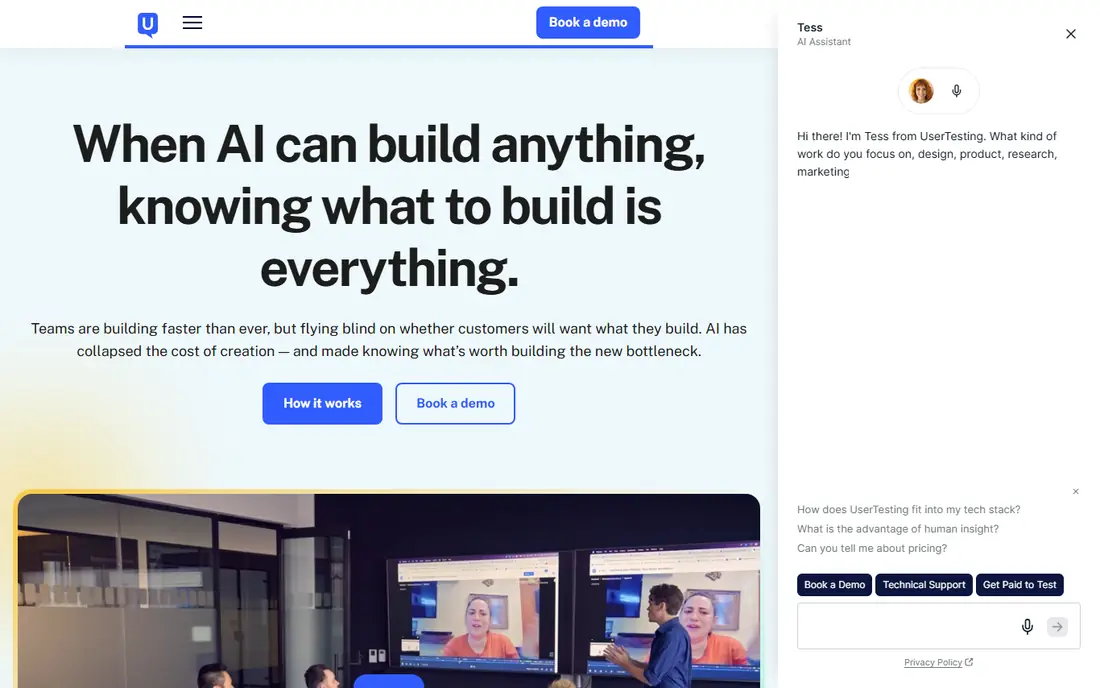
UserTesting is the enterprise option in this list, and it fits teams that need video of real people thinking aloud while they use a site. Moderated sessions help researchers probe a confusing step in real time, while unmoderated tests give quick video and survey results at scale. Highlight reels make it easier to show a stakeholder the exact moment a user got stuck.
Cost is the barrier. Annual pricing is custom and reported as high for small teams, so a solo founder or a small agency will usually get better value from Maze, Lyssna or Hotjar. Choose UserTesting when panel quality, live interviews and governance matter more than a low monthly price.
- Large participant panel and video feedback
- Moderated live sessions and unmoderated tests
- Highlight reels for sharing findings
- Pricing is custom and high for small teams
- Plan structure needs a sales conversation to confirm
Lyssna is useful when the question is narrow, such as which headline, button or page layout a visitor notices first. Five-second tests, first-click tests and preference tests give a fast signal without a full usability study. That makes it a good fit for landing page tweaks, navigation labels and early design choices.
It is not a replacement for a full research platform. Teams that need diary studies, long interviews or complex branching will need a broader tool. For quick, repeatable checks, though, Lyssna keeps feedback close to the design decision it supports.
- Quick first-click, preference and five-second tests
- Simple test setup for small teams
- Panel access for recruited testers
- Less suited to long moderated research
- Higher plans are needed for larger research programmes
Qualaroo fits teams that want to ask a question at the exact moment it matters, such as on a pricing page, after a failed checkout or on an exit attempt. Targeting by page, behaviour and visitor type helps avoid showing the same survey to everyone, and branching keeps short surveys relevant. The result is feedback that can be linked to a page and a journey, not just a general opinion.
The risk is survey fatigue. Too many prompts, or prompts on every page, will lower response quality and annoy visitors. Keep surveys short, show them only where the answer changes a decision, and review results alongside analytics before making a change.
- Targeted on-site surveys and prompts
- Branching and sentiment questions
- Feedback tied to page and visitor behaviour
- No permanent free plan
- Survey design needs care to avoid annoying visitors
Userback helps teams collect feedback that a plain comment box cannot capture. A visitor or client can annotate a screenshot, point to the exact element, and add a note, which cuts the back-and-forth that often follows a vague bug report. That clarity helps designers and developers fix the right element first time, especially on client sites.
It works best as a feedback layer on top of analytics, not as a replacement for them. Pair it with a heatmap or survey tool if you also need to know how many visitors hit the same problem, and confirm project and seat limits on the pricing page before rolling it out to many clients.
- Annotated screenshots and video feedback on a page
- Feedback widgets for visitors and clients
- Project organisation for teams
- Pricing needs checking per project and seat
- Less useful as a standalone analytics tool
Marker.io is built for the handoff between a person who finds a problem and a developer who must fix it. A report can carry an annotated screenshot, page address, browser details and console information, which removes much of the guesswork from bug fixing. Integrations with project management tools help a team turn feedback into a tracked task without copying details by hand.
The trade-off is focus. Marker.io excels at bug and design feedback, but it is not a survey or analytics platform. Teams that need both should use it alongside Hotjar or Qualaroo, and keep one owner for triage so reports do not pile up unreviewed.
- Annotated bug reports with page and browser details
- Integrations with project tools
- Guest feedback without a login for clients
- Built for web teams, so non-technical feedback needs may fit a simpler survey tool
- Pricing varies by plan
BugHerd suits agencies and small teams that collect feedback from clients who are not technical. A client can click on a page element, leave a note, and see it tracked as a task, which avoids long email threads with vague descriptions. That direct pinning makes review rounds faster and keeps the conversation tied to the live page.
It is not designed for panel-based usability research or for large survey programmes. Use BugHerd for client review and fix tracking, and use a test or survey tool when you need feedback from a wider audience or a structured study.
- Feedback pinned directly to page elements
- Simple for non-technical clients
- Task boards for tracking fixes
- Less suited to large-scale user research
- Pricing and limits need checking for high-volume projects
How we picked these
We compared official feature pages, pricing pages and plan limits for tools that are live in October 2026 and clearly built for website feedback. We favoured tools with a clear feedback method, a published free plan or trial, and features that match a real job, from behaviour analysis to surveys, tests and visual bug reports. We left out tools that had closed, that only offered general analytics with no feedback collection, or that required a custom sales process with no clear public plan for small teams.
How to choose the right feedback method
Start with the question, not the tool. If you need to know where users struggle, use heatmaps and recordings. If you need to know why they struggle, use surveys or video tests. If you need to fix a page, use a visual feedback tool that pins the problem to the exact element.
Next, set limits for collection. Decide how many sessions, responses or tests you need, how long data will be kept, and who will review results each week. Feedback that no one reviews is worse than no feedback, because it creates a false sense that problems are being handled.
Finally, close the loop. Tell the team what changed because of feedback, and tell participants where possible. A short note that a form was simplified after survey results builds trust and makes the next round of feedback easier to collect.
Frequently asked questions
What is the best website feedback tool for a small business?
For most small businesses, Hotjar is a strong start because it covers heatmaps, recordings and surveys in one place with a free plan. Add a visual tool such as Userback or BugHerd if clients or colleagues need to report page problems clearly. Choose Maze if you need structured tests on a prototype or a new flow.
What are the best website feedback tools for usability testing?
Maze, Lyssna and UserTesting are the strongest usability options here. Maze suits prototype and task-based tests, Lyssna suits fast preference and first-click checks, and UserTesting suits video feedback and moderated sessions. Pick by study depth, panel needs and budget, not by feature count alone.
How do heatmaps differ from surveys?
Heatmaps show where many visitors click, scroll and spend time, while surveys ask visitors why they acted that way. Heatmaps find patterns, surveys explain them, and recordings show single journeys in detail. A good feedback process uses at least two of these methods before changing a page.
Should I use a free website feedback tool?
A free plan works well for a small site, a single project or a first test, but check session, response and retention limits. High-traffic sites, client work and long research programmes usually need a paid tier for higher limits, longer data retention and team features. Start free, then upgrade when limits block a decision.
How do I avoid annoying visitors with feedback prompts?
Show a survey only where the answer changes a decision, keep it short, and limit how often the same visitor sees it. Avoid prompts on every page, avoid blocking content, and test the prompt on mobile as well as desktop. Respect privacy rules and avoid collecting personal details you do not need.
What should a good bug report include?
A good bug report includes the page address, a screenshot or annotation, the browser and device where it happened, and the steps to repeat it. Visual tools in this list capture much of that detail automatically, which helps developers fix the issue without extra questions. Always add a short note about what you expected to happen.
Sources
See where you really rank - block by block
ProMapRanker scans Google Maps across a grid of your service area. Simple monthly plans from $19, white-label on every plan.
Start freeKeep reading
 wpforms alternatives
Best WPForms Alternatives in 2026
We compare 9 wpforms alternatives for WordPress forms, with free and paid options, current pricing notes, and honest limits for small business sites in 2026.
Read → windows task scheduler alternatives
Best Windows Task Scheduler Alternatives in 2026
Looking for Windows Task Scheduler alternatives? We compare 9 schedulers for Windows and cross-platform work, from free tools to enterprise automation.
Read → which ai video service is best
Which AI Video Service Is Best in 2026
which ai video service is best? We compare 10 legitimate AI video services on price, avatars, editing and output quality to help you pick the right tool.
Read →