 ProMapRanker
Best Web Site Hosting Services in 2026

Key takeaways
- Intro prices are not renewal prices, so check the renewal rate and term before you judge a host on cost.
- Hostinger leads on value, SiteGround leads on support and WordPress care, and Cloudways leads for sites that need to scale on cloud servers.
- WordPress beginners should favor one-click installs, free SSL, backups, and migration help over raw server specs.
- For a business site, uptime, support response, and backup policy matter more than a small speed difference between good hosts.
Quick comparison
| Pick | Great for | Pricing starts at | Free tier | |
|---|---|---|---|---|
 Hostinger | Best overall value | $2.49 per month | No | Visit |
 Bluehost | WordPress beginners | $2.95 per month | No | Visit |
 SiteGround | Support and WordPress care | $2.99 per month | No | Visit |
 DreamHost | Flexible multi-site hosting | $2.89 per month | No | Visit |
 WP Engine | Managed WordPress for growth | $20 per month | No | Visit |
 Cloudways | Managed cloud scaling | $11 per month | Free trial | Visit |
 InterServer | Fixed pricing without renewal hikes | $2.50 per month | No | Visit |
 A2 Hosting | Speed-focused shared hosting | See website | No | Visit |
 HostGator | Budget starter sites | $3.75 per month | No | Visit |
The best web site hosting services
Web hosting puts your site files on a server and serves them to visitors. The hosts below cover shared hosting for new sites, managed WordPress for growing sites, and managed cloud hosting for sites that need room to scale, with prices that reflect intro offers and renewal terms.
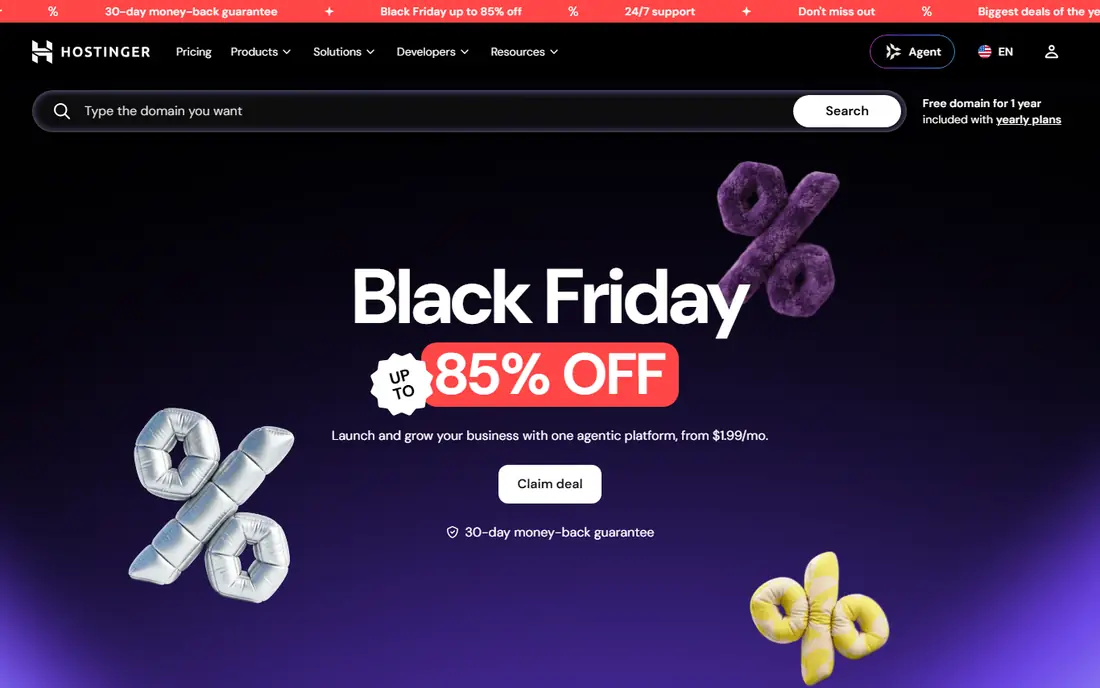
Hostinger wins on value for new sites. Shared plans include LiteSpeed caching, a custom control panel, and WordPress tools that get a site live quickly. For a blog, portfolio, or small business site, the performance at the intro price is hard to match.
The catch is renewal. Intro rates apply to longer terms, and renewal can be several times higher, so check the renewal price for your plan before checkout. Support is helpful by chat, but phone support fans should look at Bluehost or SiteGround. For value-first buyers who accept renewal pricing, Hostinger is our top pick.
- Low intro price with fast shared hosting
- Free SSL and CDN on many plans
- AI website builder and one-click WordPress
- Renewal prices rise sharply
- Support is chat-based rather than phone-based
Bluehost has long been a default first host for WordPress, and its setup still suits beginners. WordPress installs in a few clicks, a free domain often comes with longer terms, and support is available by phone and chat. That guidance helps owners who do not want to learn server settings.
Renewal pricing is the main warning, as intro rates climb at renewal. Performance is solid for small sites, but busy stores or high-traffic blogs will need higher plans sooner. For a first WordPress site with a need for phone help, Bluehost remains a safe, simple choice.
- Simple WordPress setup
- Free domain on many plans
- Phone and chat support
- Renewal prices rise
- Higher tiers needed for larger sites

SiteGround suits owners who value support and care over the lowest price. Its WordPress tools include automatic updates, staging for testing changes, and daily backups, while support teams are known for helpful, specific answers. Speed is also strong on Google Cloud infrastructure.
The price reflects that care, especially at renewal, and entry plans cap storage and site count. For a business site where downtime or a broken update costs money, SiteGround is worth the premium. For a hobby blog on a tight budget, Hostinger offers similar basics for less.
- Strong support by phone, chat, and ticket
- Fast WordPress-optimized servers
- Free daily backups and staging
- Higher renewal prices
- Storage limits on entry plans
DreamHost appeals to owners who want flexibility without strict traffic caps. Shared plans allow unlimited traffic on many tiers, WordPress installs are simple, and the money-back window is longer than most rivals. That makes it a low-risk way to test a site idea.
The custom control panel takes a little learning if you are used to cPanel, and phone support is not the main channel. For multi-site owners and WordPress users who value a long trial window, DreamHost is a solid alternative to Bluehost and Hostinger.
- Generous money-back terms on shared plans
- Unlimited traffic on many plans
- Strong privacy stance
- Control panel differs from standard cPanel
- Support is mainly chat and ticket
WP Engine is for WordPress sites that have outgrown shared hosting. It handles updates, caching, security, and backups, and it offers staging environments so changes can be tested before going live. Support teams know WordPress deeply, which helps when a plugin or theme causes trouble.
The price starts well above shared hosting, and the platform only runs WordPress, so non-WordPress projects need another host. For a growing business site or a content site with steady traffic, WP Engine removes much of the maintenance burden. For a new blog, it is more than needed.
- Managed WordPress with staging, backups, and security
- Fast platform for high-traffic sites
- Expert WordPress support
- WordPress only
- Premium price
- Plugin and visitor limits on some plans
Cloudways sits between shared hosting and raw cloud servers. You choose a cloud provider and server size, and Cloudways manages the server layer, backups, and caching, while you keep control over apps and scaling. That suits agencies and growing sites that need more power than shared plans offer.
The cost starts higher, and beginners may find server choices confusing at first. For a site with traffic spikes or many client sites, Cloudways offers a clear upgrade path without hiring a server administrator. For a single small site, shared hosting is cheaper and simpler.
- Managed hosting on major cloud providers
- Pay-as-you-go scaling
- Server-level control without full sysadmin work
- Higher starting price than shared hosting
- Support is chat and ticket based
InterServer stands out for price honesty. Its price-lock plan holds its rate for life, which removes the renewal shock common with other hosts. Shared plans include LiteSpeed servers, free SSL, and daily backups, with support available around the clock.
The main limits are location and extras: shared data centers are US-based, so global sites should pair it with a CDN, and a free domain is not standard. For owners who plan to keep a site for years and hate price surprises, InterServer is an appealing long-term pick.
- Price-lock options that avoid renewal hikes
- Unlimited storage on many plans
- US-based support by phone and chat
- US-only data centers on shared plans
- No free domain on standard plans
A2 Hosting focuses on speed, with Turbo plans that use more resources and advanced caching. Shared, VPS, and dedicated options give a clear upgrade path, and free migration helps owners move an existing site without downtime worry. Developers also get staging and version tools on higher plans.
The catch is that the fastest features sit on higher tiers, so the entry plan is less distinct from other shared hosts. For a site where speed is a priority and the budget allows a Turbo plan, A2 Hosting is a strong choice. For a basic site, a cheaper shared plan may serve just as well.
- Turbo server options for faster page loads
- Free site migration on many plans
- Developer-friendly tools
- Turbo features cost more
- Pricing varies by plan and term, so check the vendor site
HostGator suits first-time site owners who want a cheap start with room to add sites. Shared plans include a website builder, one-click installs, and unmetered bandwidth, which helps small sites that grow slowly. Support is available around the clock by chat and phone.
Renewal pricing and upsells are the usual warnings, and performance is solid rather than leading. For a starter site on a tight budget, HostGator is a workable choice. For a business site that needs top support, SiteGround or WP Engine may justify their higher cost.
- Low intro price
- Unmetered bandwidth on many plans
- Free domain and SSL on longer terms
- Renewal prices rise
- Support quality varies by channel
How we picked these
We compared official pricing pages, renewal terms, WordPress tools, backup policies, and public reviews for web hosts live in October 2026. We kept hosts with clear shared or managed plans, free SSL, and support for WordPress and small business sites. We favored a mix of budget, support-led, managed WordPress, and managed cloud options.
What to check before you choose a host
Start with total cost over three years, not the intro month. Note the intro price, the renewal price, and the term required for each, then add domain renewal and any paid backups or security add-ons. A host that looks cheap for year one can cost more by year three than a host with stable pricing.
Next, check backups, SSL, and migration help. Daily backups, free SSL, and a free migration service save time and stress when a site breaks or moves. Also check support channels and hours: a business site needs help at night and on weekends, not only on weekdays.
Finally, match hosting type to traffic. Shared hosting suits new sites, managed WordPress suits growing WordPress sites, and managed cloud suits sites with spikes or many client sites. Starting small and upgrading is usually cheaper than buying a large plan before traffic arrives.
Frequently asked questions
What is the best web site hosting service?
Hostinger offers the best overall value, SiteGround offers the best support and WordPress care, and WP Engine suits growing WordPress sites that need managed care. The best host depends on budget, traffic, and how much maintenance you want handled.
How much does web hosting cost?
Shared hosting in this list starts from about $2.49 to $3.75 per month on intro terms, while managed WordPress starts from about $20 per month and managed cloud starts from about $11 per month. Renewal prices are usually higher, so check them before checkout.
Is shared hosting enough for a small business site?
Yes, for most new small business sites, shared hosting with SSL, backups, and caching is enough. Move to managed WordPress or cloud hosting when traffic grows, pages slow down, or you need staging and stronger support.
Do I need WordPress-specific hosting?
Not always. Standard shared hosting with one-click WordPress works for many sites. Managed WordPress adds updates, staging, security, and WordPress expert support, which helps busier sites and owners who want less maintenance.
What is the difference between intro and renewal pricing?
Intro pricing is a discounted rate for the first term, often on a longer billing period. Renewal pricing is the regular rate charged after that term, and it can be two to four times higher. Always read the renewal rate before you buy.
Sources
See where you really rank - block by block
ProMapRanker scans Google Maps across a grid of your service area. Simple monthly plans from $19, white-label on every plan.
Start freeKeep reading
 wpforms alternatives
Best WPForms Alternatives in 2026
We compare 9 wpforms alternatives for WordPress forms, with free and paid options, current pricing notes, and honest limits for small business sites in 2026.
Read → windows task scheduler alternatives
Best Windows Task Scheduler Alternatives in 2026
Looking for Windows Task Scheduler alternatives? We compare 9 schedulers for Windows and cross-platform work, from free tools to enterprise automation.
Read → which ai video service is best
Which AI Video Service Is Best in 2026
which ai video service is best? We compare 10 legitimate AI video services on price, avatars, editing and output quality to help you pick the right tool.
Read →