 ProMapRanker
Best Wallpaper App in 2026: 8 Apps Compared

Key takeaways
- Zedge has the widest free library in this group, with live wallpapers, ringtones, and an AI maker in one app.
- Walli and Backdrops suit people who want curated art rather than endless scrolling through mixed-quality uploads.
- Vellum is the simplest iPhone pick, with one new wallpaper each day and a built-in blur tool for home screens.
- Muzei and Tapet are the best picks for Android users who want the background to change on its own.
- Free plans cover most needs here, so pay only if you want no ads, full collections, or live effects.
Quick comparison
| Pick | Great for | Pricing starts at | Free tier | |
|---|---|---|---|---|
 Zedge | Biggest free library | Free | Yes | Visit |
 Walli | Artist-made designs | Free | Yes | Visit |
 Backdrops | Clean minimal designs | Free | Yes | Visit |
 Vellum Wallpapers | Daily iPhone wallpapers | Free | Yes | Visit |
 Tapet | Auto-generated patterns | Free | Yes | Visit |
 Muzei | Rotating art backgrounds | Free | Yes | Visit |
 Unsplash | Real photography | Free | Yes | Visit |
 Abstruct | Abstract 4K designs | Free | Yes | Visit |
The best wallpaper apps
We compared official app store listings, feature pages, and current pricing pages for the best wallpaper apps on Android and iPhone. The list below favors apps that are still maintained, offer high-resolution images, and make it easy to set a home screen or lock screen image.
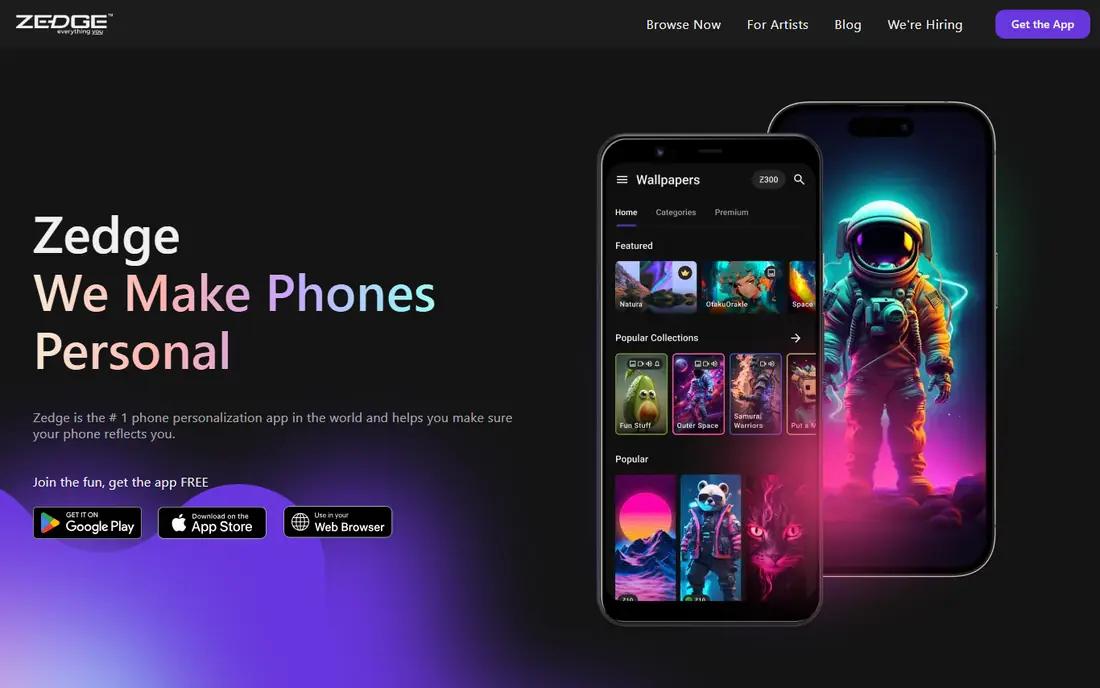
Zedge is our pick for most people because it covers the most ground in one place. You can browse by category, save favorites, and try live wallpapers on Android, plus ringtones and notification sounds if you want a fuller phone makeover. The paid Zedge plan, listed from $4.99 per month in current guides, removes ads and opens premium content, but the free library alone is enough for a regular refresh.
The trade-off is quality control. With a library this large, some images look better than others, so preview each one at full size before you set it. Stick to the curated sections and the AMOLED-friendly picks when you want dark backgrounds that save battery on OLED screens. For sheer choice, though, no other app here comes close.
- Very large library
- Live wallpapers included
- AI wallpaper maker and ringtones in the same app
- Ads on the free plan
- Some premium items need a paid plan or credits
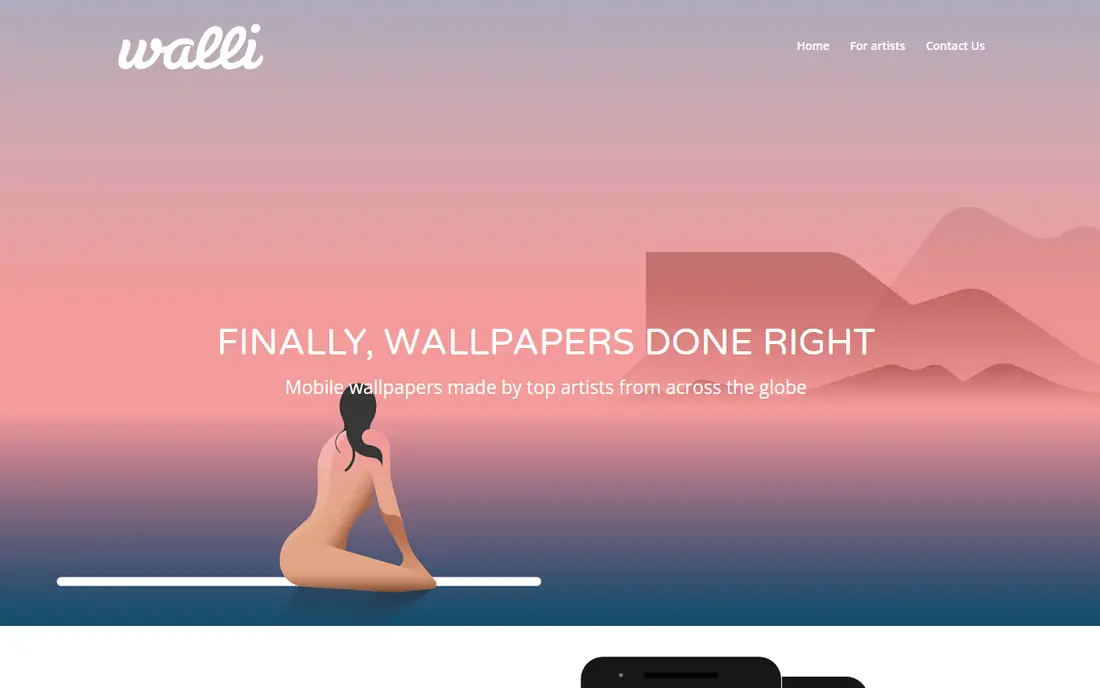
Walli takes a different path from the big catalog apps. Every wallpaper comes from an artist, so the feed feels more like a small gallery than a stock photo dump. You can follow artists you like, build playlists that rotate on a schedule, and support creators whose work you keep returning to. That focus makes it a strong pick if you get tired of seeing the same generic mountain photo everywhere.
The library is smaller, and that shows when you search for a very specific theme. The free plan includes ads, and a Walli PRO plan is offered for extra content. If original illustration matters more to you than having millions of choices, Walli earns its place near the top of this list.
- Original art from independent artists
- Auto-rotating playlists
- HD and 4K options
- Smaller library than Zedge
- Some collections need a paid plan
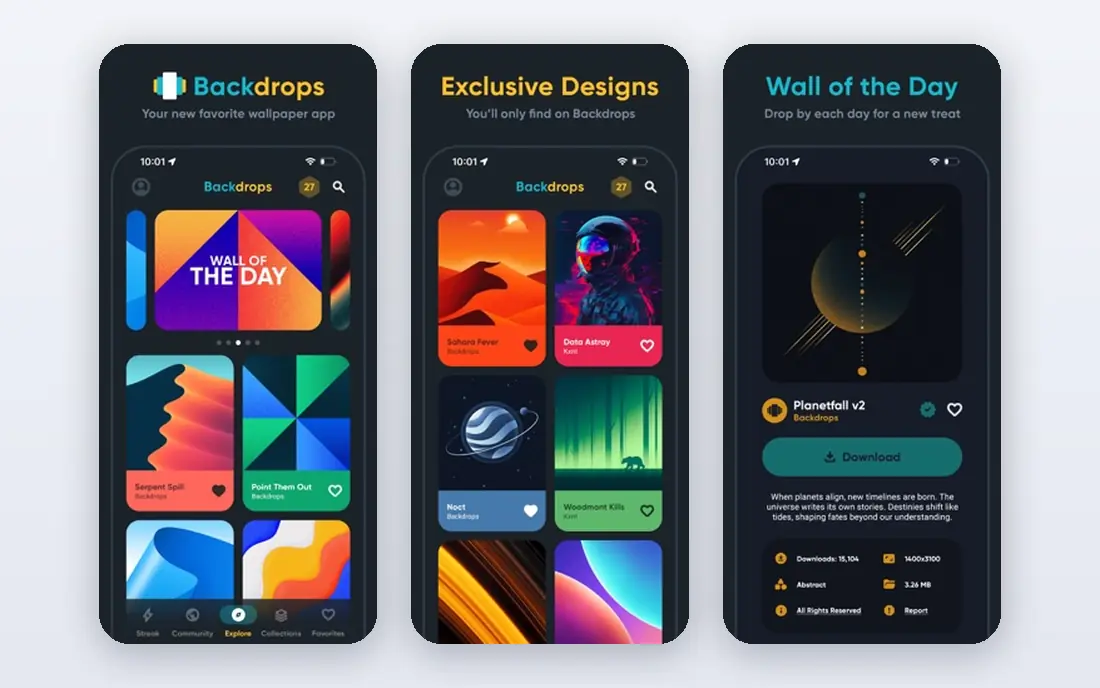
Backdrops is the calm option in this list. Its team makes much of the art in-house, so the collection has a consistent, minimal feel instead of jumping between styles. The Wall of the Day feature gives you one fresh pick daily, which is handy if you like changing backgrounds but do not want to spend ten minutes choosing. AMOLED-friendly dark designs are called out clearly, which helps OLED phone owners.
Photography fans may find the range narrow, since Backdrops leans toward illustration and pattern rather than real-world scenes. A Pro option, listed from $4.99 in current guides, opens more collections. For a tidy, modern home screen with little fuss, Backdrops is hard to beat.
- In-house original art
- Wall of the Day feature
- AMOLED-friendly options
- Fewer photographic wallpapers
- Pro collections cost extra
Vellum keeps things simple, and iPhone owners benefit most from that restraint. Each day brings a limited-edition wallpaper, so you never face an endless grid. The built-in blur tool lets you soften an image behind your home screen icons, which solves the common problem of a busy photo fighting with app labels. A one-time paid option, listed at $2.99 in current guides, removes limits for people who want the full archive.
The daily model is also the main drawback. If you do not like that day's pick, you wait or dip into older drops. Android users should look elsewhere, since Vellum is built for iPhone. For a low-effort daily refresh on iOS, it is our favorite of the single-purpose apps here.
- One curated wallpaper each day
- Built-in blur tool
- Clean iPhone design
- IPhone only
- Daily drop means less choice on any single day
Tapet is for people who like abstract backgrounds and never want to choose one again. It generates patterns on your device, so no two wallpapers are exactly alike, and it can change the background on a schedule you set. That makes it a good fit for Android users who like a fresh look without opening an app every morning. The free version covers the core idea, with an optional premium option for extra patterns.
The catch is scope. Tapet does patterns, not photography, illustration, or live scenes, so it will not suit you if you want a specific image. It is also Android only. As a set-and-forget pattern generator, though, it does one job well and stays out of your way.
- Patterns generated on your device
- Never repeats the same design
- Scheduled auto-change
- Android only
- Patterns only, no photos or artist art
Muzei turns your home screen into a slow art gallery. Each day it shows a famous artwork, gently blurred behind your icons so text stays readable, and tapping through reveals the full image. Plug-ins let you pull from sources such as Unsplash, so you can mix art with photography if you prefer. Because it is free and open source, there are no ads pushing you toward a paid tier.
The design is plain, and setup takes a little more patience than a simple gallery app. Android is the only platform, so iPhone owners need another pick from this list. If you like art, quiet backgrounds, and no subscription, Muzei is a keeper.
- Free and open source
- Daily art rotation
- Plug-ins for photo sources
- Android only
- Interface is plain compared with paid apps
Unsplash is a photography library first and a wallpaper source second, and that is exactly why it works. The photos are shot by real photographers, cover every theme from mountains to architecture to minimal gradients, and download at high resolution for free. Search terms such as AMOLED, minimal, or desert will surface clean options that look sharp on modern screens.
The drawback is workflow. On iPhone the app is handy, while on Android you will mostly use the website or a third-party link, then set the image yourself. There is no auto-rotation or live wallpaper built in. If photo quality matters more than automation, Unsplash belongs on your phone.
- Huge library of high-quality photos
- Free downloads
- Strong search by theme
- Not a dedicated wallpaper app on Android
- You set images by hand
Abstruct, from the team behind the OnePlus wallpaper style, focuses on bold abstract art in 4K. The collections feel designed rather than collected, with strong color and shape work that suits OLED screens. On Android, an auto-rotate feature can shift the background for you, which keeps the look fresh without manual changes.
This is a niche pick by design. If you want photos, animals, or fan art, Abstruct will disappoint. A Pro plan opens more collections. For abstract lovers who want a sharp, modern background, it is one of the best wallpaper apps in its lane.
- Exclusive abstract collections in 4K
- Auto-rotate on Android
- Bold color work
- Abstract only
- Some collections need a Pro plan
How we picked these
We compared official feature pages, app store listings, and current pricing information for apps that are still available on Android, iPhone, or both in October 2026. We favored apps with high-resolution images, a clear free option, and a distinct reason to choose them over a generic image search. Apps that were no longer maintained, locked basic downloads behind a paywall, or duplicated another pick without a clear difference were left out.
What to check before you choose
Start with your phone and your habits. Android owners get the widest choice here, including live wallpapers and auto-change tools, while iPhone owners should lean toward Vellum, Zedge, Walli, or Unsplash for the smoothest setup. Check resolution before you commit to a paid plan, since a low-resolution image will look soft on a large modern screen even if the thumbnail looks fine.
Think about how often you change backgrounds. Daily rotators such as Muzei and Tapet suit people who like variety without effort, while curated apps such as Walli and Backdrops suit people who want one great image and plan to keep it for a while. Watch for ads and in-app purchases too. Most free plans here include ads, and the paid step mainly removes ads and opens premium collections, so try the free version for a week before paying.
Screen type and battery
Dark, AMOLED-friendly designs can help OLED screens look richer and use less power on mostly black images. Live wallpapers look great but use more battery than static images, so keep them for phones you charge daily. If battery life matters most, a dark static image from Backdrops or Unsplash is the safer pick.
Photos, art, or patterns
Photo lovers should start with Unsplash or Zedge. Art lovers should try Walli, Backdrops, or Muzei. Pattern lovers should try Tapet or Abstruct. Picking by style first will save you more time than comparing feature lists, since most of these apps share the same basic job of setting a background.
Frequently asked questions
What is the best wallpaper app for Android?
Zedge is the best all-round pick for Android because of its large free library, live wallpapers, and category browsing. Tapet and Muzei are better if you want the background to change on its own, while Walli and Backdrops suit curated art.
What is the best wallpaper app for iPhone?
Vellum is the simplest iPhone pick, with a daily wallpaper and a blur tool for home screens. Zedge and Walli also work well on iPhone, and Unsplash is the best source for high-quality photography.
Are wallpaper apps free?
Most of the best wallpaper apps are free with ads, and paid plans mainly remove ads and open premium collections. Zedge, Walli, Backdrops, Vellum, Tapet, Muzei, Unsplash, and Abstruct all offer a usable free option, so try before you pay.
Do live wallpapers drain battery?
Live wallpapers can use more battery than static images, especially animated scenes with heavy motion. Simpler loops have a smaller effect, and dark static wallpapers are the most battery-friendly choice on OLED screens.
How do I set a wallpaper from Unsplash?
Download the photo you like, open it in your phone gallery, and use the set as wallpaper option for your home screen, lock screen, or both. On iPhone you can also use the Unsplash app, while Android users can download from the website and set the image by hand.
What resolution should a phone wallpaper be?
Match your phone screen resolution or go higher, and favor 4K options when an app offers them. A sharp source image will still look good after cropping for a home screen or lock screen, while a small image will look soft when stretched.
Sources
See where you really rank - block by block
ProMapRanker scans Google Maps across a grid of your service area. Simple monthly plans from $19, white-label on every plan.
Start freeKeep reading
 which software is best for pdf page removal
Which Software Is Best for PDF Page Removal in 2026
Find which software is best for pdf page removal, from free online tools to desktop editors, with page controls, privacy, safety, and pricing compared.
Read → when i work alternatives
Best When I Work Alternatives in 2026
Looking for when i work alternatives? We compare 8 scheduling apps for hourly teams, covering pricing, free plans, time clocks and the best fit for business.
Read → the best tool for keyword analysis
The Best Tool for Keyword Analysis in 2026
Find the best tool for keyword analysis with our 2026 comparison of 10 keyword analysis software tools on data depth, difficulty scores and price today.
Read →