 ProMapRanker
Best Virtual Staging Software in 2026


Human-edited staging on high-value listings · Pricing starts at: $30 per image
Key takeaways
- BoxBrownie remains the benchmark for human-edited staging on high-value listings, at $30 per image with revisions included for a set period.
- Virtual Staging AI and Collov AI offer fast AI staging at subscription prices, which suits agents staging many listings each month.
- REimagineHome suits agents who also want renovation previews, furniture removal, and exterior edits in the same account.
- Apply Design suits agents who want hands-on control over each furniture piece, rather than a one-click AI result.
- Always label virtually staged photos as virtually staged, since most MLS rules and industry guidance require disclosure.
Quick comparison
| Pick | Great for | Pricing starts at | Free tier | |
|---|---|---|---|---|
| BoxBrownie | Human-edited staging on high-value listings | $30 per image | No | Visit |
 Virtual Staging AI | Fast AI staging on a budget | $16 per month | Free trial | Visit |
 Apply Design | Hands-on control of furniture | $7 per image | Free trial | Visit |
 REimagineHome | Staging plus renovation previews | $14 per month | Free trial | Visit |
 Collov AI | Multiple style options fast | $19 per month | Free trial | Visit |
 Stuccco | Designer staging with fast delivery | $35 per image | No | Visit |
 PadStyler | AI plans plus human bespoke staging | $16 per month | Free trial | Visit |
 Homestyler | 3D rooms with real brand furniture | See website | Yes | Visit |
 Planner 5D | DIY layouts on any device | $4.99 per month | Yes | Visit |
 Sweet Home 3D | Free open source staging software | Free | Yes | Visit |
The best virtual staging software
We compared virtual staging tools on output quality, turnaround, pricing at real volumes, free options, and how much control each tool gives the agent.

BoxBrownie is the human-edited benchmark in virtual staging. Real designers stage each photo, which helps on high-value listings where furniture placement, scale, and style need a careful eye. Turnaround is typically 24 to 48 hours, and revisions are included for two months, so agents can request changes without paying again for the same image. That service model suits luxury listings and agents who sell on presentation quality.
The cost is the trade-off. At $30 per image, staging a whole vacant home can cost several hundred dollars, while AI tools stage the same rooms for a subscription fee. BoxBrownie also takes longer than instant AI staging, so it does not suit same-day listing rushes. For a high-value listing where quality matters most, BoxBrownie is still our pick.
- Human designers, not only AI
- Unlimited revisions for two months
- 24 to 48 hour turnaround
- $30 per image adds up across many listings
- Slower than instant AI tools
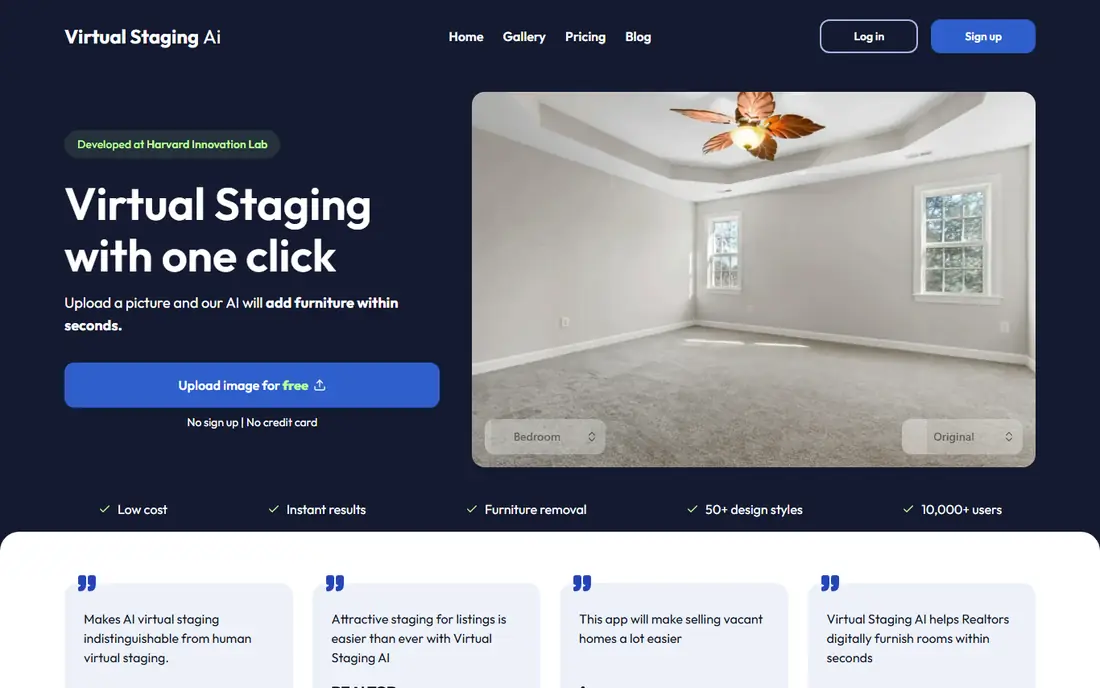
Virtual Staging AI stages empty rooms with AI in minutes, at a subscription price starting at $16 per month billed annually. That model suits agents who stage many listings, since the per-image cost falls sharply with volume. Upload a photo, pick a style, and receive a furnished version without waiting for a designer. For standard living rooms, bedrooms, and kitchens, the results are often good enough for a listing.
AI staging still needs a human check. The tool can alter details such as window shapes, wall lines, or room proportions, so compare each render with the original photo before publishing. Custom furniture placement is limited compared with designer services. For budget-conscious agents with volume, Virtual Staging AI is the best value pick here.
- Fast AI staging
- Low subscription price
- Good for high-volume agents
- AI output needs checking for errors
- Less custom control than designer services
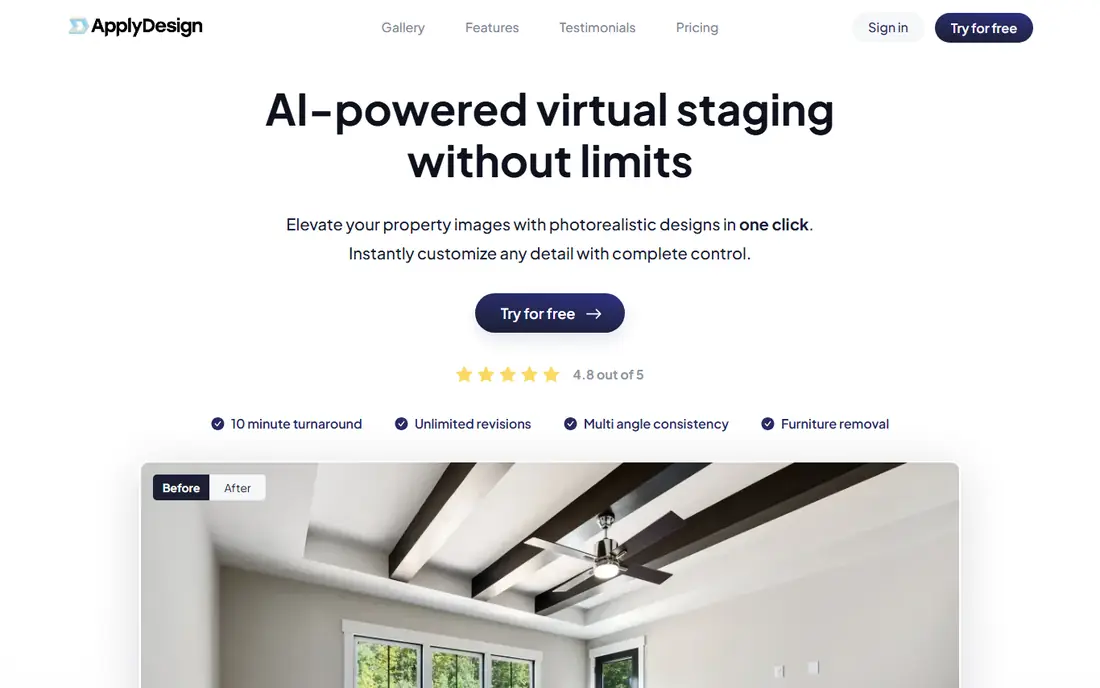
Apply Design gives agents two paths: one-click AI staging, or hands-on staging where you drag and drop furniture pieces into the photo yourself. That control appeals to agents who want a specific sofa, table, or layout rather than accepting whatever the AI chooses. The first photo is free with no credit card required, which makes it easy to test real output before paying.
Pricing uses coins, with one-click staging costing 1.5 coins and coins priced around $7 to $10 each, so per-image cost runs higher than subscription AI tools. Hands-on staging also takes time, which may not suit agents staging many homes. If control matters more than speed or lowest cost, Apply Design is a strong choice.
- First photo free with no card
- Drag and drop furniture control
- One-click staging option
- Coin pricing can cost more per image
- Hands-on staging takes time
REimagineHome covers more than basic staging. Agents can stage empty rooms, remove existing furniture, preview renovations, and edit exteriors in the same account. New users receive 5 free designs, and plans start from $14 per month, with credit plans running higher for heavy use. That breadth suits agents who also handle renovation listings or who want to show buyers what a dated room could become.
Credit limits need attention, since heavy use can burn through a monthly allowance fast. AI renders also need the usual check against the original photo for altered details. Higher-tier features, such as batch listing processing, sit on more expensive plans. For agents who want staging plus renovation previews, REimagineHome is the most versatile tool here.
- 5 free designs for new users
- Staging plus furniture removal
- Renovation and exterior edits
- Credit plans vary
- AI output needs checking
- Some features need higher tiers
Collov AI stages rooms in seconds and lets agents try multiple styles quickly, which helps when a listing needs a modern look for one audience and a traditional look for another. The Standard plan starts at $19 per month billed annually, and includes unlimited regeneration and a commercial photo license. Environmental edits such as twilight conversion add value for exterior and evening shots.
The free trial images are watermarked, so they are for testing, not publishing. Credits reset each month and do not roll over, so unused credits are lost. API access sits on the top Enterprise plan, which matters only for teams building custom workflows. For agents who want fast style options with a commercial license, Collov AI is a solid pick.
- Fast style variations
- Commercial license from Standard plan
- Twilight and exterior edits
- Trial images are watermarked
- Credits reset monthly
- API access needs the top plan
Stuccco offers designer-led virtual staging with delivery often within 24 hours, which bridges the gap between instant AI tools and slower human services. Designers stage each photo, and revisions are included, so agents can refine furniture choices without starting over. That human touch helps on mid-range to high-value listings where AI errors would be visible to buyers.
At $35 per image, Stuccco costs more than AI subscriptions and slightly more than BoxBrownie per image, though delivery can be faster. Volume agents will find AI tools cheaper overall. For agents who want designer quality with a fast turnaround and can pay per image, Stuccco is a strong option.
- Designer-led staging
- 24-hour delivery on many orders
- Revisions included
- $35 per image is costly at volume
- Slower than AI tools
PadStyler combines AI staging plans starting at $16 per month billed annually with human bespoke staging for premium listings. That mix suits agents who stage many standard rooms with AI and reserve human staging for flagship listings. The platform also covers virtual tours and related real estate visuals in some plans, which can simplify vendor management.
Human bespoke staging costs extra beyond the AI subscription, so total cost depends on how many premium images you order. Agents who only need AI staging may find a single-purpose AI tool simpler. For agents who want both paths in one account, PadStyler is a practical choice.
- AI subscription plus human bespoke option
- Good for agents mixing volume and premium listings
- Human bespoke staging costs extra
- Pricing varies by service type
Homestyler is a DIY 3D design platform that also works for virtual staging, with a free Basic plan offering unlimited 1K renders and a catalog that includes real brand furniture. Agents and homeowners can build 3D rooms, place furniture, and render views for listings or renovation ideas. That DIY control suits users who want to design a room from scratch rather than stage a single photo.
Homestyler takes more effort than one-click AI staging, since you build the room rather than uploading a photo and receiving a furnished version. Higher-quality renders and fuller catalog access need paid plans, with Pro+ pricing starting around $6.80 per month in recent guides. For DIY staging and 3D room design on a budget, Homestyler is the best free-leaning option here.
- Free Basic plan with unlimited 1K renders
- Real brand furniture catalog
- 3D planning tools
- DIY effort is higher
- Best renders need paid plans
- Staging workflow is less automated
Planner 5D is a floor plan and interior design tool that works on web, iOS, Android, Windows, and macOS. Its free plan allows unlimited projects with about half the catalog, while paid plans start at $4.99 per month billed annually. Agents can create floor plans, furnish rooms in 3D, and render views to show buyers how a space could work. That layout focus helps for vacant homes where a floor plan matters as much as a staged photo.
Planner 5D is not a photo staging tool in the BoxBrownie sense. You build a 3D room rather than furnishing a real listing photo, so results look like renders, not photographs. Catalog limits on the free plan also matter for premium furniture choices. For DIY layouts and floor plans on any device, Planner 5D is a useful, low-cost tool.
- Free plan with unlimited projects
- Works on web, mobile, and desktop
- Easy floor plan tools
- More a planner than a photo stager
- Catalog limited on free plan
- Renders need paid features
Sweet Home 3D is a free, open source interior design application for Windows, macOS, Linux, and online use. You draw a floor plan, place furniture, and render 3D views, with no subscription and no per-image fee. Optional paid app-store versions exist, but the core desktop software is free. For agents, students, or homeowners on a zero budget, Sweet Home 3D removes cost entirely.
The interface feels dated next to modern web tools, and building a room takes real effort. Output looks like a 3D render, not a staged photograph, so it suits floor plans and layout ideas more than listing hero photos. If free software and full control matter most, Sweet Home 3D is the pick. If photo-real listing images matter most, pair it with an AI photo stager.
- Completely free and open source
- Runs on Windows, macOS, and Linux
- No subscription needed
- Dated interface
- DIY effort is high
- Output looks like a 3D render, not a photo
How we picked these
We compared official pricing pages, feature pages, and current virtual staging guides for tools active in October 2026. We required each tool to offer real virtual staging or 3D room design usable for real estate listings, with a working free trial, free plan, or published per-image price. We favored tools with clear pricing, commercial use rights for listings, and disclosure guidance. We did not claim hands-on testing. Our ranking rests on published prices, turnaround claims, and documented strengths and limits.
Disclosure and honesty rules for staged photos
Virtual staging is standard practice, but disclosure keeps it honest. Label staged photos as virtually staged in the listing, usually with a caption or watermark, and follow your MLS rules, which vary by state and board. Adding furniture is fine. Removing damage, cracks, structural problems, or permanent fixtures is misrepresentation, and it can create legal and reputational risk. Keep the original unstaged photo on file, and show buyers the real room on request.
Check AI output before publishing. AI tools can change window shapes, wall colors, floor patterns, and room proportions, sometimes in subtle ways. Compare each render side by side with the original, and regenerate or correct any image that misrepresents the space. If a render changes the room itself rather than only adding furniture, do not use it. Honest staging sells the potential of a home without misleading the buyer about what they will walk into.
Frequently asked questions
What is the best free virtual staging app?
There is no unlimited free photo stager, but several tools offer useful free starts. Apply Design gives a first photo free, REimagineHome gives 5 free designs for new users, and Homestyler offers a free Basic plan with unlimited 1K renders. Sweet Home 3D is completely free as open source software, though it builds 3D rooms rather than staging photos.
How much does virtual staging cost per photo?
AI staging costs far less per photo than designer staging when used at volume, with subscriptions from $14 to $19 per month for many images. Designer-led services cost $30 to $35 per image at BoxBrownie and Stuccco, and higher for luxury services. Physical staging costs far more, often thousands of dollars per property, which is why virtual staging has become standard.
Is virtual staging legal for real estate listings?
Yes, virtual staging is legal and standard, but disclosure is required by most MLS rules and industry guidance. Label staged photos as virtually staged, and do not digitally remove damage or structural problems. Rules vary by state and MLS, so confirm your local requirements before publishing.
What is the best virtual staging software for DIY use?
Apply Design suits DIY photo staging with drag and drop control, while Homestyler and Planner 5D suit DIY 3D room design. Sweet Home 3D suits free DIY floor plans. Choose a photo stager if you need listing photos, and a 3D planner if you need layouts and renders.
How long does virtual staging take?
AI tools stage a photo in minutes, while designer services take 24 to 48 hours in most cases. BoxBrownie quotes 24 to 48 hours, and Stuccco often delivers within 24 hours. For same-day listings, use an AI tool, and for high-value listings with lead time, use a designer service.
Can I use virtual staging for occupied homes?
Yes, many tools offer furniture removal and redesign for occupied rooms, including REimagineHome and Collov AI. Upload a photo of the furnished room, remove or replace items, and stage a cleaner version. Always disclose the edit, and do not remove permanent features or damage from the image.
Sources
See where you really rank - block by block
ProMapRanker scans Google Maps across a grid of your service area. Simple monthly plans from $19, white-label on every plan.
Start freeKeep reading
 free alternatives to grok imagine
Free Alternatives to Grok Imagine in 2026
We compared the best free alternatives to grok imagine for image generation, from fast daily credits to design tools, so you can create without paying.
Read → best tools for instagram content creation
Best Tools for Instagram Content Creation in 2026
Compare the best tools for Instagram content creation, from Canva and CapCut to Later and Buffer, on design, video, planning, scheduling, and price in 2026.
Read → best tool to split pdf files
Best Tool to Split PDF Files in 2026
We compared the best tool to split pdf files on split modes, file limits, privacy and price, so you can split a PDF cleanly and keep every page in one go.
Read →