 ProMapRanker
Best Transparent Background Tool in 2026

Key takeaways
- Adobe Firefly is the best free starting point, with batch removal and layered output for many users.
- Canva and Adobe Express suit people who place cutouts straight into designs, since removal is part of a wider suite.
- PhotoRoom is the strongest pick for sellers who need marketplace-ready product photos at scale.
- We left out remove.bg from this list because its standalone site is due to close on 1 December 2026, so building a workflow on it now would be risky.
Quick comparison
| Pick | Great for | Pricing starts at | Free tier | |
|---|---|---|---|---|
 Adobe Firefly | Free batch background removal | Free | Yes | Visit |
 Canva | Removal inside a design workflow | $15 per month | Yes | Visit |
 Adobe Express | Low-cost Adobe removal | Free | Yes | Visit |
 PhotoRoom | E-commerce product photos | $12.99 per month | Yes | Visit |
 Fotor | Budget all-in-one editing | Free | Yes | Visit |
 Pixlr | Browser editing with AI cutout | Free | Yes | Visit |
 Slazzer | High-volume API and bulk removal | See website | Free trial | Visit |
 Clipping Magic | Precision manual touch-ups | See website | Free trial | Visit |
The best transparent background tool
A transparent background tool removes the background from a photo and leaves a clean cutout, usually as a PNG with transparency. That cutout can go on a product listing, a slide, a social post, or a new scene. We compared these tools on edge quality, batch handling, export options, and price.
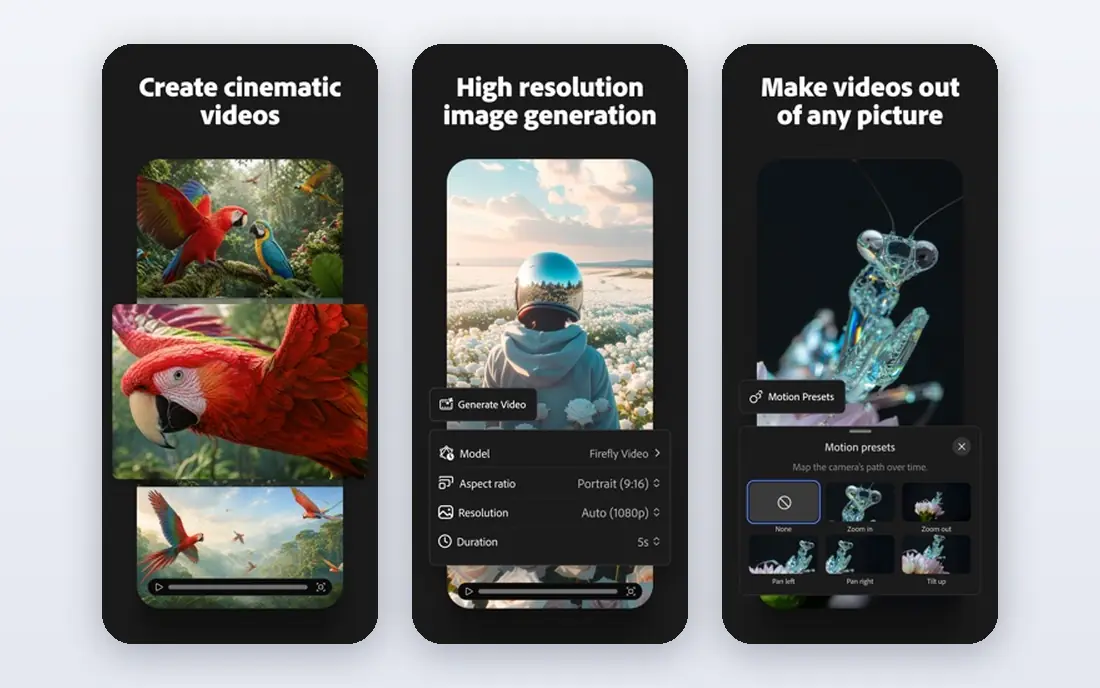
Adobe Firefly is our first pick for most people, because single-image removal is free with an Adobe account and batch removal handles catalog work without a subscription for many users. The cutout downloads as a transparent PNG, and layered output helps when you want to refine edges in Photoshop later. Upload limits are generous for product photos.
The limit is credits. Paid plans add more generative credits and wider Adobe features, so very heavy users will still need to pay. If you already use Adobe tools, Firefly fits naturally. If you only need occasional cutouts, the free tier alone may cover you for months.
- Free background removal with an Adobe account
- Batch processing
- Layered PSD output
- Paid plans needed for more credits
- Full suite features sit across Adobe products
Canva suits people who do not want a separate cutout step. You remove the background, then drop the cutout straight into a social post, flyer, or presentation, using the same editor and brand colours. That saves time when design, not just editing, is the job.
The catch is the paywall. Background Remover is a Pro feature, so the free plan alone will not cover it. If you already pay for Canva Pro for other design work, the remover is effectively included. If you only need cutouts, a dedicated tool will cost less.
- Cutout sits inside templates and brand tools
- Easy for non-designers
- Wide template library
- Background Remover needs a Pro plan
- Free plan does not include it

Adobe Express gives you background removal without paying, which makes it a strong alternative to Canva for casual users. The workflow is simple: upload, remove, download as a transparent PNG, and place it in a design. Exports are clean, and the template library covers social posts and marketing graphics.
For large catalogs, Firefly's batch tools are stronger, and Express Premium adds more credits and features at $9.99 per month. Still, for a small business owner who needs a few clean cutouts a week, Express is one of the best free routes in this list.
- Background removal included in the free tier
- Clean exports
- Adobe template library
- Premium features need a paid plan
- Less batch power than Firefly for large catalogs
PhotoRoom is built for sellers. It removes backgrounds, then helps you place products on clean studio backgrounds, add realistic shadows, and export in marketplace sizes for Amazon, Shopify, and similar stores. Batch processing turns a photoshoot into listing images far faster than one-by-one editing.
The free plan is useful for testing, but exports carry limits and commercial use needs a paid plan. The Pro plan starts at $12.99 per month on monthly billing, with a lower annual rate. If you sell products online, that price is easy to justify against studio time.
- Batch processing for catalogs
- Marketplace templates
- Product staging and shadows
- Free exports carry limits for commercial use
- API access is billed separately
Fotor suits marketers who want removal plus editing in one browser tool. You can cut out a subject, adjust colour and light, add text, and export for social or print without switching apps. The Pro plan adds batch mode and more AI credits at $8.99 per month.
Free use has limits, including watermarks on some exports, so check the output before you publish. Edge quality is good for products and portraits, though very fine hair can need a manual touch-up. For a small team on a budget, Fotor covers more jobs than a single-purpose remover.
- Background removal plus wider photo editing
- Batch mode on Pro
- Low entry cost
- Free exports can carry watermarks
- AI credit limits apply on some plans
Pixlr is a browser-based editor with an AI cutout tool, layers, and filters, so it suits people who want to refine a cutout rather than just download it. You can clean an edge, adjust the background, and export a transparent PNG without installing a desktop app. The free tier lets you test the workflow.
AI credits are the limit. Heavy use will need a paid plan, and the exact tier names and prices vary, so we list the starting price as See website. If you already edit in Pixlr, the cutout is a natural add-on. If you only need cutouts, a dedicated tool may be simpler.
- Full browser editor
- AI cutout plus layers and filters
- Works without installing software
- AI credits limit free use
- Paid tiers vary by plan and region
Slazzer is aimed at teams that process many images through an API or bulk upload. Developers can wire it into a catalog pipeline, and the tool offers previews so you can check quality before spending credits on a full-resolution export. That predictability matters when image counts run into thousands.
Credit pricing is the trade. Low volume is cheap, but a large catalog costs more than a flat subscription, so model your monthly image count before you commit. For a one-off cutout, pick a free tool instead. For an automated pipeline, Slazzer is a solid, focused choice.
- API for automated pipelines
- Bulk processing
- Previews before you spend credits
- Credit pricing adds up at volume
- Less of a design suite than Canva or Express
Clipping Magic is the tool to reach for when automatic removal gets an edge wrong. Its manual brushes let you mark what to keep and what to remove, which helps with hair, fur, jewellery, and other fine detail that AI tools sometimes blur. The preview updates as you paint, so you can see the fix before you download.
That control costs time, so it is slow for a whole catalog. Credit-based plans also mean you should check the current pricing before a large job. Use Clipping Magic for the hard images, and use a one-click tool for the easy ones, and you will get clean results without paying for manual work on every photo.
- Manual brush controls for tricky edges
- Good for hair and fine detail
- Instant preview
- Credit-based plans
- Slower than one-click tools for large batches
How we picked these
We compared official feature pages, pricing pages, and public documentation for tools that export a transparent PNG and are live in October 2026. We kept tools that cover common photo types, that offer a free plan, trial, or low entry price, and that fit either casual design, e-commerce, or bulk processing. We excluded remove.bg because its standalone site is scheduled to close on 1 December 2026, with removal moving to Canva, so it is not a safe long-term pick today.
What to check before you buy
First, test edge quality on your hardest photos, not your easiest ones. Hair, fur, glass, and busy backgrounds separate good tools from average ones, and a tool that looks perfect on a white background may struggle on a street scene. Check the export format too, since you need a true transparent PNG, not a white-background JPG that only looks transparent in the editor.
Next, count your volume honestly. A free plan suits a few images a week, a flat subscription suits steady design work, and a credit or API plan suits catalog batches. Also check the licence: some free exports are for personal use only, while commercial listings need a paid plan. Finally, keep the original photo, because a cutout is easy to redo but a deleted original is not.
Frequently asked questions
What is the best transparent background tool for free?
Adobe Firefly and Adobe Express are the strongest free starting points, since both offer background removal without a paid plan. Firefly adds batch processing, while Express adds templates for social and marketing designs. For a single cutout, either one will do the job well.
How do I get a transparent background in PNG format?
Upload your photo, use the background remover, and download the result as a PNG, which supports transparency. Avoid downloading as a JPG, since JPG files cannot store transparency and will fill the background with white or black instead.
Which tool is best for e-commerce product photos?
PhotoRoom is the strongest pick for sellers, because it adds batch processing, marketplace sizes, and product staging on top of removal. Adobe Firefly is a good free alternative for batch cutouts, and Canva works well when the cutout goes straight into a listing design.
Can I remove backgrounds in bulk?
Yes, Adobe Firefly, PhotoRoom, and Slazzer all support batch or API processing, and Fotor Pro adds a batch mode. Batch tools save the most time when you have a catalog, but check credit limits and export quality on a sample batch before you run the full set.
Why did you leave out remove.bg?
Remove.bg is a well-known tool, but its standalone site is scheduled to close on 1 December 2026, with background removal moving to Canva, which owns it. We left it out so readers do not build a new workflow on a site that is about to close, and we list Canva as the successor route instead.
Sources
See where you really rank - block by block
ProMapRanker scans Google Maps across a grid of your service area. Simple monthly plans from $19, white-label on every plan.
Start freeKeep reading
 free alternatives to grok imagine
Free Alternatives to Grok Imagine in 2026
We compared the best free alternatives to grok imagine for image generation, from fast daily credits to design tools, so you can create without paying.
Read → best tools for instagram content creation
Best Tools for Instagram Content Creation in 2026
Compare the best tools for Instagram content creation, from Canva and CapCut to Later and Buffer, on design, video, planning, scheduling, and price in 2026.
Read → best tool to split pdf files
Best Tool to Split PDF Files in 2026
We compared the best tool to split pdf files on split modes, file limits, privacy and price, so you can split a PDF cleanly and keep every page in one go.
Read →