 ProMapRanker
Best Translation Apps for Japan in 2026

Key takeaways
- Google Translate is the best all-round pick for Japan, with camera, voice, and offline Japanese packs in one free app.
- Papago is the best second app for Japanese nuance, especially polite speech and short conversational phrases.
- DeepL is the best choice for longer written Japanese, such as emails and documents, where natural wording matters most.
- Download offline packs before you travel, and keep a second app installed for menus, signs, and areas with weak signal.
Quick comparison
| Pick | Great for | Pricing starts at | Free tier | |
|---|---|---|---|---|
 Google Translate | All-round Japan travel | Free | Yes | Visit |
 Papago | Natural Japanese phrases | Free | Yes | Visit |
 DeepL | Written Japanese documents | Free | Yes | Visit |
 Microsoft Translator | Group conversations | Free | Yes | Visit |
 Apple Translate | On-device Japanese translation | Free | Yes | Visit |
 Waygo | Camera translation for menus | Free | Yes | Visit |
 VoiceTra | Live spoken conversations | Free | Yes | Visit |
 Yomiwa | Kanji reading and learning | Free | Yes | Visit |
The best translation apps for Japan
Japan rewards a translator that can read signs, menus, and kanji, not just typed text. The apps below handle Japanese in different ways, from camera translation in a restaurant to live voice conversations in a shop. Install two before you go, so a weak signal or a tricky menu does not leave you stuck.
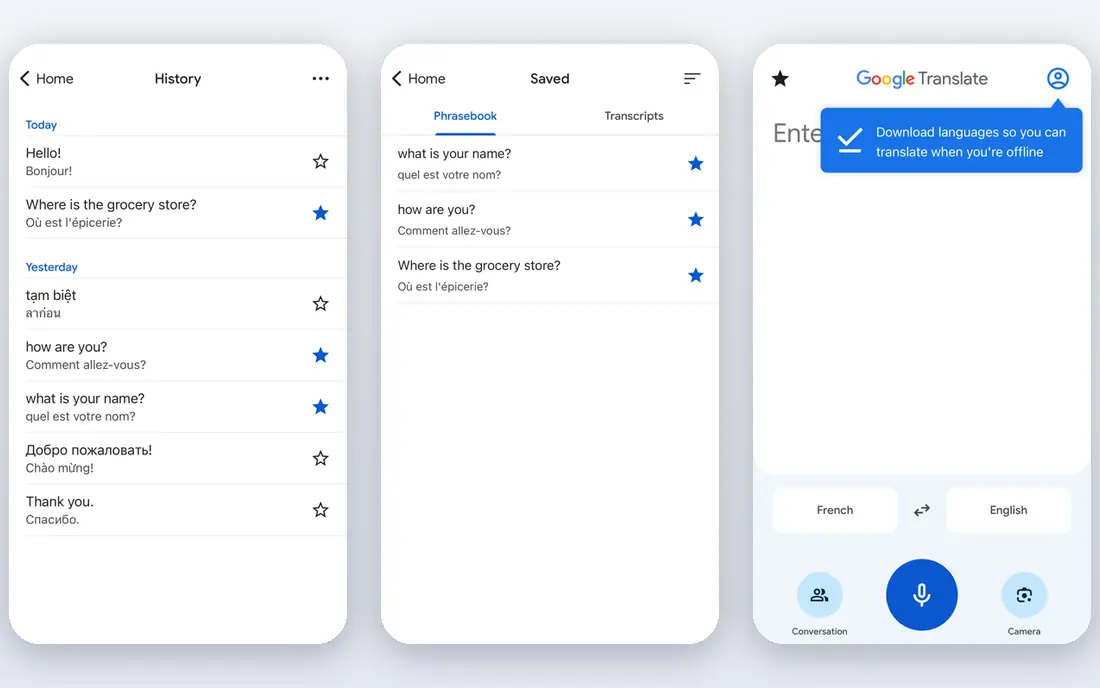
Google Translate is our pick for most travelers to Japan because it covers the most situations in one free app. Point the camera at a sign, menu, or ticket machine, speak for a quick conversation, or type for a longer message, and the app handles all three. Offline Japanese packs are the key feature for trains and rural areas: download them on Wi-Fi before you travel, and translation keeps working without signal.
The weakness is nuance. Google Translate can flatten polite Japanese into plain wording, and it can miss context in short phrases. For a hotel request or a shop conversation, that is usually fine, and you can show the screen to the other person to confirm. For formal writing, pair it with DeepL.
- Camera translation for signs and menus
- Offline Japanese packs
- Voice and conversation modes
- Nuance in polite Japanese can be flat
- Camera results need checking on long or stylized text
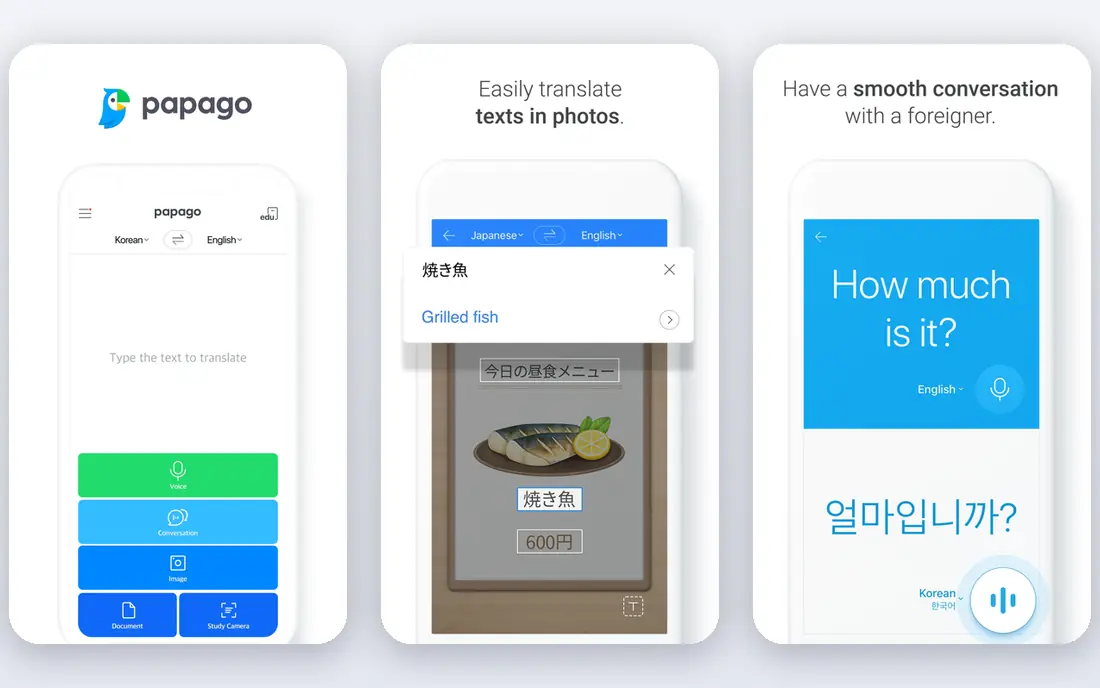
Papago, built by Naver, is the best second app for Japan. It is known for more natural phrasing in Japanese, Korean, and Chinese than general translators, including better handling of polite forms in short conversations. Voice, image, and handwriting input all work, so you can draw a kanji you cannot type or photograph a sign you cannot read.
Papago does not replace Google Translate for breadth. Its language list is smaller, and it is less useful if you travel onward to Europe or elsewhere. For Japan alone, though, the pairing is strong: Google Translate for camera and offline coverage, Papago for phrasing when you want a sentence to sound more natural.
- Strong East Asian language handling
- Natural conversational phrasing
- Voice, image, and handwriting input
- Smaller language range than Google
- Some features work best online
- Interface takes a short while to learn
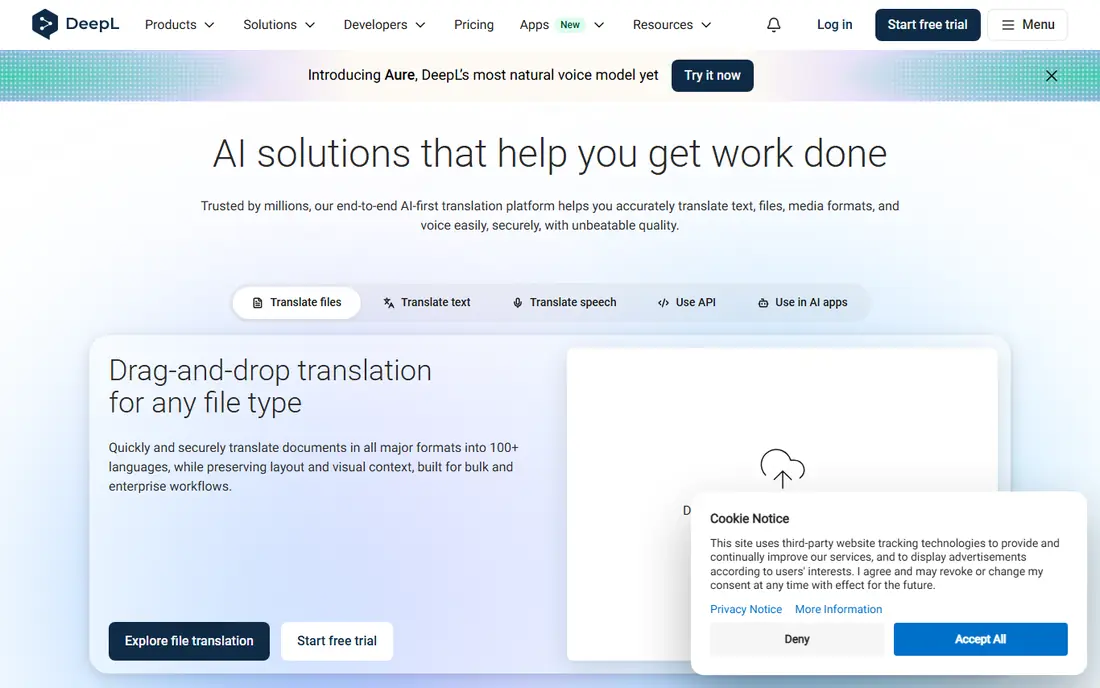
DeepL is the pick for written Japanese. When you need to draft an email to a hotel, translate a longer message, or check the wording of a document, DeepL usually produces more natural Japanese than a general travel app. It shows alternative wordings for key terms, which helps you pick the tone that fits a formal or friendly message.
It is not a travel camera app. DeepL does not offer the same instant sign or menu scanning as Google Translate, and live conversation is not its strength. Use it for writing before and during a trip, and keep a camera translator on the same phone for the street, the station, and the restaurant.
- Natural written Japanese
- Strong for emails and documents
- Clear alternative wordings
- No camera translation in the main app
- Limited offline use
- Best for text, not live speech
Microsoft Translator is a solid free alternative, and its group conversation mode is the standout. Up to many people can join one translated conversation with a session code, each speaking their own language, which helps tour groups, classes, and business meetings in Japan. Offline packs cover Japanese for areas without signal.
For solo travel, it is less complete than Google Translate for camera work on signs and menus. It still handles text and voice well, and it is a good backup app if your main translator fails or you prefer a cleaner interface. Install it alongside Google Translate rather than instead of it.
- Multi-person conversation mode
- Offline packs
- Clean interface with no aggressive paywall
- Japanese camera features are thinner than Google Translate
- Group mode needs each person to join a session
Apple Translate is the most private pick for iPhone owners traveling to Japan. Much of its translation runs on the device, so everyday phrases do not need to be sent to a server, and the app is already installed on recent iPhones. Voice and text translation for Japanese are straightforward, and the interface is easy to learn in a minute.
The limits are platform and scope. Android users cannot use it, and camera translation for signs and menus is more limited than Google Translate. For a quick spoken exchange or a typed question, Apple Translate is excellent. For a full day of signs, menus, and tickets, add Google Translate as well.
- On-device translation for privacy
- Built into iPhone
- Simple voice and text modes
- IPhone only
- Fewer languages and features than Google Translate
- Camera translation is more limited
Waygo is a specialist app for reading printed Japanese, Chinese, and Korean with a camera. Point it at a menu, a food label, or a sign, and it translates the text on screen without needing a connection for core use. That focus makes it useful in restaurants, markets, and stations, where a general translator may struggle with vertical text or food terms.
Waygo does not handle live speech or long documents, so it is a companion app rather than a main translator. Travelers who eat out often or visit markets will get the most value from it. Pair it with Google Translate or Papago for conversations, and use Waygo when the menu is the problem.
- Camera-first design for Asian languages
- Works offline for core use
- Focused on food and signs
- Narrower scope than general translators
- Some content needs a paid tier
- No full conversation mode
VoiceTra, developed with support from a Japanese national research institute, is built for live spoken conversations. Speak in English, and the app speaks back in Japanese, then translates the reply. That two-way flow suits shops, hotels, and clinics, where a spoken exchange matters more than reading a sign.
It is a single-purpose tool. VoiceTra does not translate photos, menus, or documents, and it works best with a connection. For travelers who are nervous about speaking Japanese, it is a reassuring backup: open it, speak slowly, and show or play the translation. Keep a camera app beside it for everything visual.
- Built for live voice translation
- Supports Japanese well
- Simple speak-and-translate flow
- Voice only, so no camera or document work
- Needs a connection for full use
- Interface is plain
Yomiwa is the pick for travelers who want to read Japanese, not just translate it. Scan kanji with the camera to see readings, meanings, and example words, and use the built-in dictionary to look up terms from signs and menus. That depth helps in stations and shops, where knowing one character can change the meaning of a whole sign.
Yomiwa is a learning and dictionary tool first, so it does not replace a conversation translator. Casual tourists may find it more detailed than they need, while learners and longer-stay visitors will use it daily. If you plan to study Japanese or spend weeks in Japan, it earns a place on the home screen.
- Kanji scanning with readings and meanings
- Dictionary features
- Offline use for core tools
- Learning tool first, not a conversation app
- Some features need a paid tier
- Interface suits learners more than casual tourists
How we picked these
We compared official feature pages and app store listings for translators with Japanese support, and we kept only apps that handle Japanese text, speech, or camera input in a way that helps in Japan. We favored apps with offline packs, camera translation, or Japanese-specific strengths over general translators with thin Japanese coverage. We did not claim hands-on testing, and we used See website or Free where a vendor does not publish a single paid price for core features.
How to set up translation apps before a Japan trip
Download two apps and their offline packs before you leave home. Start with Google Translate and download the Japanese pack on Wi-Fi, then add Papago for phrasing or Waygo for menus if food and signs are a priority. Test each app on a photo of Japanese text and on a spoken phrase, so you are not learning the interface at a ticket machine.
Learn a few habits that make machine translation work better. Speak in short, simple sentences, one idea at a time, and show the translated screen to the other person rather than playing audio in a noisy station. For signs, hold the phone steady and check the result against the original characters, especially for prices, times, and directions. If a translation looks odd, try a shorter sentence or switch apps.
Finally, do not rely on translation for high-stakes text. For medical instructions, legal notices, contracts, or safety warnings, use the app to get the general meaning, then ask a human, a hotel desk, or an official help line to confirm. Machine translation is a strong travel aid and a poor authority, and knowing that line keeps a trip smooth.
Frequently asked questions
What is the best translation app for Japan?
Google Translate is the best all-round translation app for Japan because it offers camera, voice, and offline Japanese in one free app. Add Papago as a second app for more natural Japanese phrasing in conversations.
What are the best translation apps for Japan for menus?
Google Translate and Waygo are the best picks for menus. Google Translate covers most menus with its camera, while Waygo is built for printed Asian text and food terms, which helps in restaurants and markets.
Is there a best translation app Japan travelers can use offline?
Yes. Google Translate and Microsoft Translator both offer downloadable Japanese packs for offline use. Download them on Wi-Fi before you travel, since offline packs can be large and slow to fetch on roaming data.
Is Papago or Google Translate better for Japanese?
Papago often sounds more natural for short Japanese conversations and polite phrasing, while Google Translate is broader, with better camera and offline coverage. Many travelers install both and switch between them by task.
Can I use a translation app for Japanese signs and stations?
Yes. Camera translation in Google Translate and Waygo handles many signs, station boards, and ticket machines. Hold the phone steady, check prices and times carefully, and ask staff to confirm anything that affects a departure or a payment.
Do I need a paid translation app for Japan?
No, for most trips. The free versions of Google Translate, Papago, Microsoft Translator, and Apple Translate cover travel needs well. Paid plans mainly help with longer documents, where DeepL Pro or a similar tier adds value.
Sources
See where you really rank - block by block
ProMapRanker scans Google Maps across a grid of your service area. Simple monthly plans from $19, white-label on every plan.
Start freeKeep reading
 wpforms alternatives
Best WPForms Alternatives in 2026
We compare 9 wpforms alternatives for WordPress forms, with free and paid options, current pricing notes, and honest limits for small business sites in 2026.
Read → windows task scheduler alternatives
Best Windows Task Scheduler Alternatives in 2026
Looking for Windows Task Scheduler alternatives? We compare 9 schedulers for Windows and cross-platform work, from free tools to enterprise automation.
Read → which ai video service is best
Which AI Video Service Is Best in 2026
which ai video service is best? We compare 10 legitimate AI video services on price, avatars, editing and output quality to help you pick the right tool.
Read →